




stubie141258
Members
-
Joined
-
Last visited
-
I had mine done under warranty on my 69 plate
-
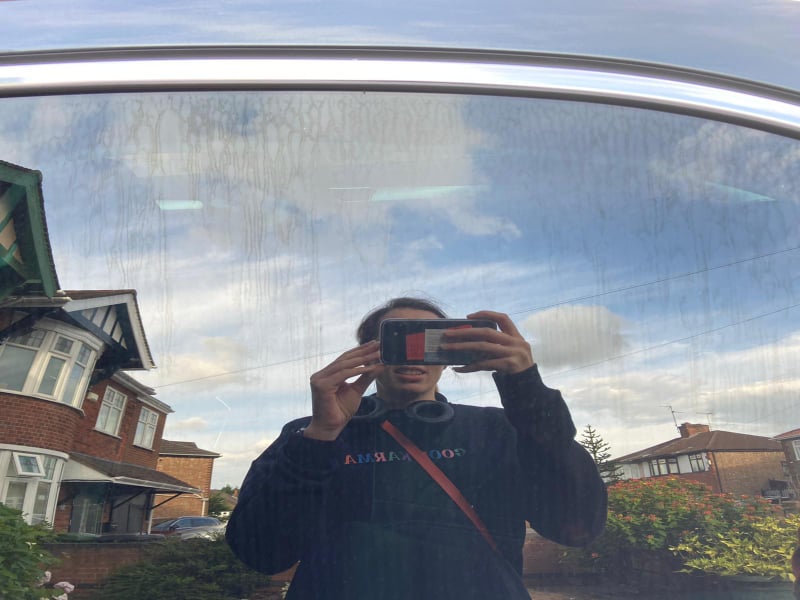
Just gave the car a clean and the issue is on all windows including windscreen, its just easier to see on the passenger side as its on the sunny side of my drive. I dont think there is any tints on the windows it as I have the SE Tech which has dark rear windows and a clear front windows. I have tried a clay bar as someone mentioned above and have also just tried a bit of thinners to no avail. I have reduced it a tad by using some some bilt and hammer auto wheels fall out remover rubbed in with a cloth I think I'm going to try and get some polish on a drill pad and see what I get.
-
Car is a 69 reg facelift model.
-
THis looks like a product, either a cleaning or a rain off product that has caused run streaks, I have tried, magic eraser, spirit, vinegar, standard windows cleaner, nothing seems to remove it.
-
On both front and rear passenger side windows I have noticed I have streaks. I thought it was some cleaning product on the the inside as it did not dissappear when I cleaned the outside of the car but I cannot remove the streaks. Is it possible its damage in the windows, I am thinking laminated, dont know if they are or aren't.
-
I have just bought a facelift Superb 3 SE tech which has ACC and what looks like the camera in the windscreen. I like to know how I can enable Lane assist which is not an option in the settings.
-
Collected my new to me 69 Plate 1.5 TSI SE Tech today and enjoyed the drive home. That 1.5 TSI can shift a bit, much more so than the 2.0 Litre diesel with the same 150Bhp