



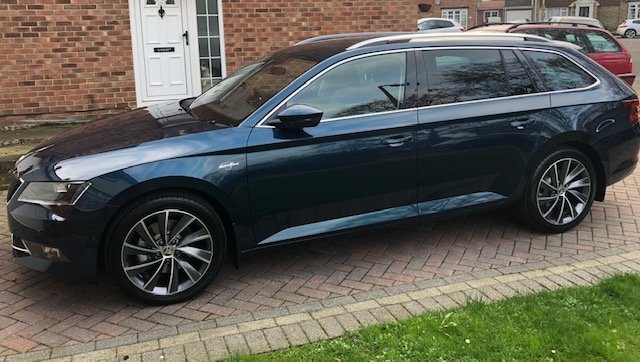

Robbo12
Members
-
Joined
-
Last visited
Everything posted by Robbo12
-
Update changed the pollen filter with no problems, Thanks for the info unclerichy it went exactly as you described and only took 5 min
-
Many thanks will give it ago tomorrow i was just a bit concerned about the soft close arm, it does have the two rubber stops at the top so will release them first and then as you say the soft close are will hopefully just pop out.. I've got a Crosland filter but it doesn't have an arrow to show the direction of air flow.
-
What is the best way to release the soft close arm from the clove box cover superb mk3 2018 seen people do it different ways and I don't fancy damaging anything. Thank for any information.
-
This is the scan tool i have so will just give it a go and hope for the best. Vaws 3.0 was just hoping someone on here has used this device. Thanks all will let you know how it goes once I get round to it.
-
Many Thanks that video did seem more straight forward, Perhaps I'm looking into the EPB too much,
-
Thanks for your advice, did you use the VCDS to change yours? I had been watching this on you tube :- Changing rear pads but it is with VCDS program and not using the Vaws 3.0 which i have. I have no problem changing brake pads a disc but never don one with EPB
-
I had a similar thing happen to me at the main dealer said all the pads and discs need replacing and told them that's rubbish, when taking the car to a local garage was told there is nothing wrong with them.
-
Hi. Them discs certainly look F***** Think Pagid pads are good just got the same just need to get the disc now, you can defiantly save a lot of money by replacing them yourself, I had similar quote from main dealer over £300 and not sure that included the disc's.. on the vaws 3.0 I do get the option for the EPB but not ever attempting it before puts me off a bit. I know the best part of it by watching videos ect. such as connecting battery charger, turning on ignition without starting and releasing the brake and the putting it into service mode but wondering if i need to keep the Vaws connected while I'm changing the pads and discs. would be nice if someone has used the vaws 3.0 to see how they got on with it.
-
Hi Bap33 That sounds very similar to the diagnostic tool i have you can check it here Vaws 3.0 Than you for all the information i have changed plenty of brake pads but never with the electronic brake. I feel confident i can get it into service mode but unsure if the tool needs to remain plugged in the car and left on while changing the pads, so would be handy if someone has used the Vaw 3.0 to guide me. Many thanks all.
-
Hi All I am going to change my rear pads and discs and need to put electric brake into service mode. wondering if anyone has used the Vaws 3.0 to carry this out. or if someone has details of the steps to take. Thanks
-
Many Thanks for the info downloaded the latest 7 zip file and all worked fine. Thanks
- 53 replies
-
-

- 1
-
-
- columbus
- discover pro
- mib2
- mib2h
-
Tagged with:
-
Thank you that sorted it out, the 7 zip didn't seem to unpack it properly so used the unzip file from my PC which took about 4 hours and worked great.. Last time had to use the 7-Zip Thanks again all
- 53 replies
-
-

- 1
-
-
- columbus
- discover pro
- mib2
- mib2h
-
Tagged with:
-
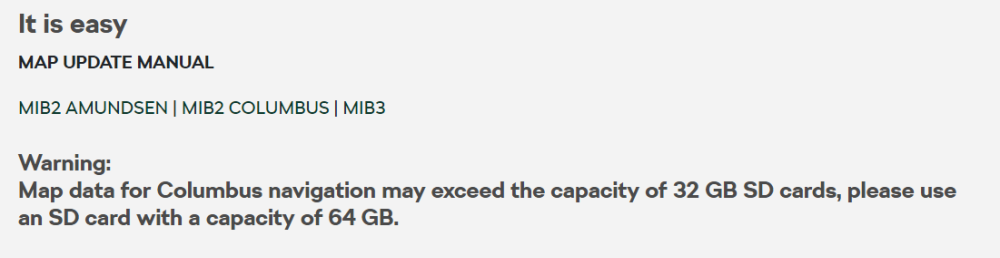
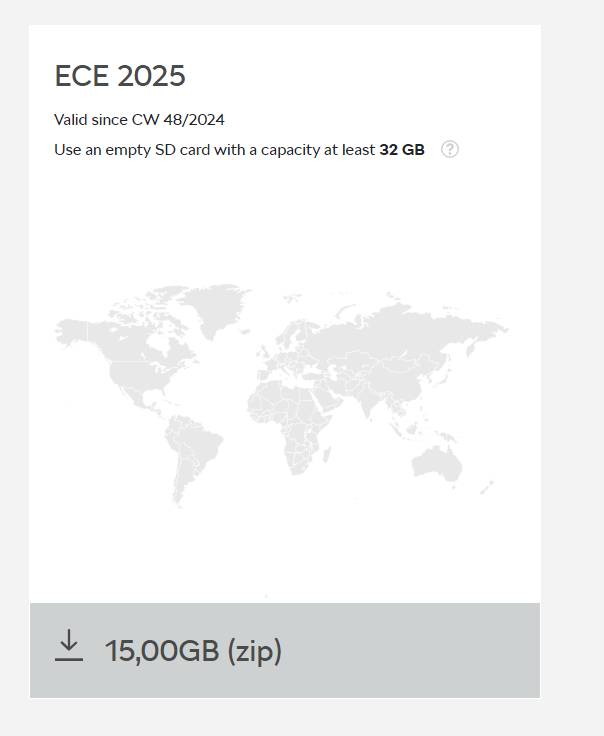
2025/26 map update,, I've downloaded the zipped file and unpacked it to a 64gb SD Card using 7zip but when i put the card into car it doesn't find the update. Had same problems on the last update what's going on .. any ideas greatly Appreciated
- 53 replies
-
- columbus
- discover pro
- mib2
- mib2h
-
Tagged with:
-
Thanks all, I have Logged out and back in again, deleted the app and reinstalled and today is the first time that it's come back online for just a short while since the 27th of January. So I'm just assuming that is problems their end with the app, I will keep a check on it and let you know how it goes if the problem persists I certainly won't be renewing it in April as it would be just a waste of money. Thank Again
-
Does anyone know if the Skoda connect app is working properly I have superb mk3 2018 and as of the 27th of January the app doesn't seem to be connecting with the car I'm currently paying for this service and not sure whether to renew it in April. Anyone having same problems.
-
Many Thanks, I did finally manage to do it the same way with 7-Zip Program. Thanks again for your update. Happy new year to all 2025.
-
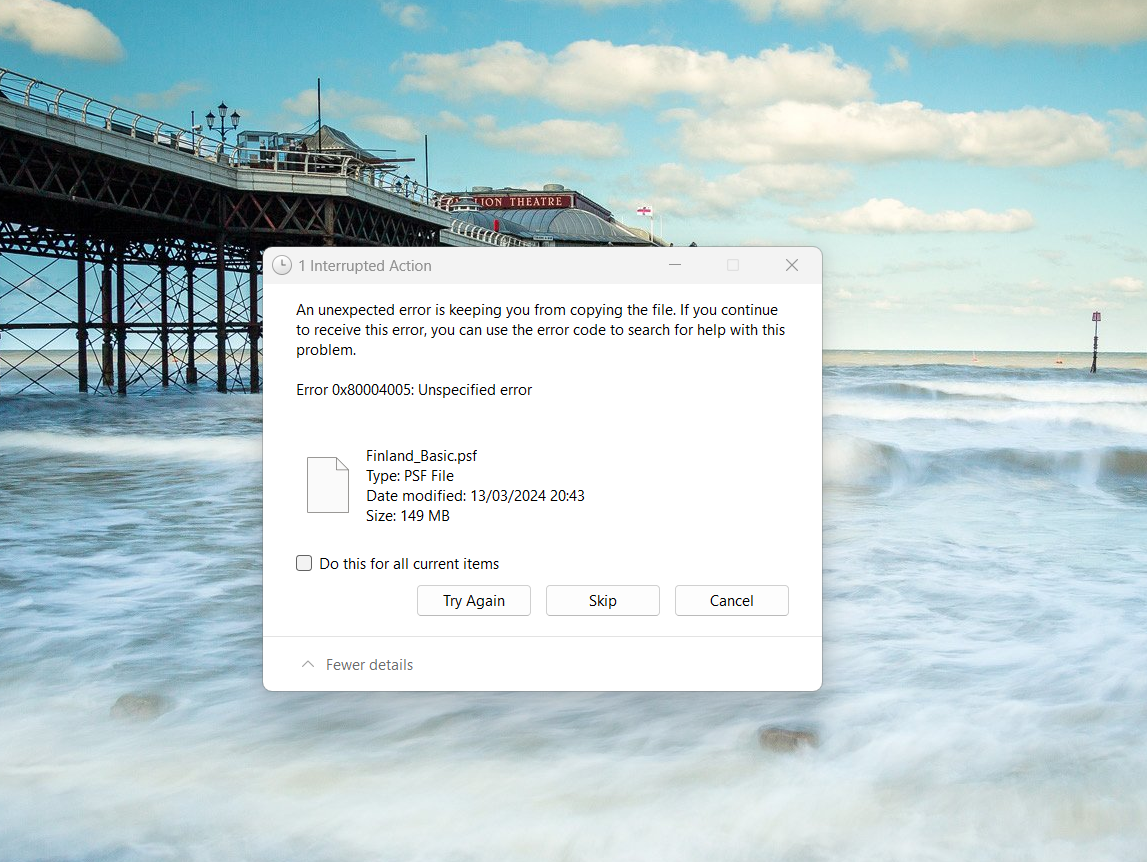
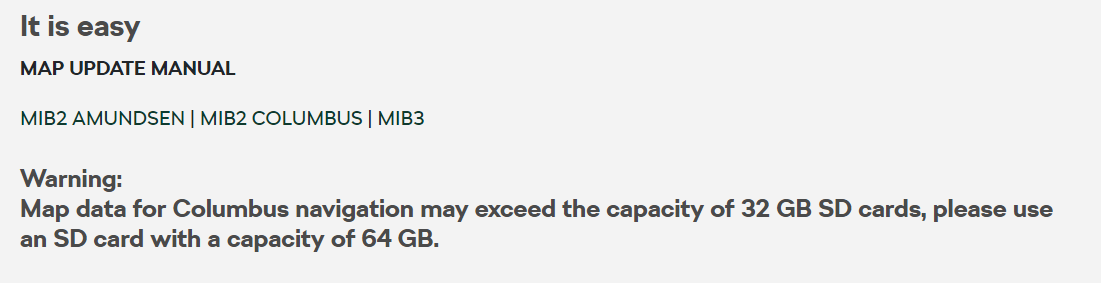
Thanks just wish i could get it done now nothing seems to work even from https://navigation-maps.volkswagen.com/vw-maps/P390_N60S5MIBH3_EU.7z and have downloaded the 7zip file softwareI've ben trying all morning with no success so given up for the day, how is it in the past the zipped file has been about 26GB and now only 14GB but they recommend using a 64GB SD card.Thanks will try unzip in hard drive first and then transfer to SD card will let you know how it goes, but never done it like that before and never had a problems.Unzipping it to SD CARD and it only reaches 10% before I get the above error.. It simply doesn't work from the Skoda update portalProbably only took 30 Minutes because its only 15GBThink i will get a TOM TOM,, the Skoda update portal is so unreliable, Obviously problems with the contents of the15GB Zipped file, why would it tell you to use a 64GB SD Card when it's 15GB It's a joke and a waste of money to receive the updates. Anyone have contact details for the Skoda map updaters. 🙂

Important Information
Welcome to BRISKODA. Please note the following important links Terms of Use. We have a comprehensive Privacy Policy. We have placed cookies on your device to help make this website better. You can adjust your cookie settings, otherwise we'll assume you're okay to continue.
Account
Navigation
Configure browser push notifications
Chrome (Android)
- Tap the lock icon next to the address bar.
- Tap Permissions → Notifications.
- Adjust your preference.
Chrome (Desktop)
- Click the padlock icon in the address bar.
- Select Site settings.
- Find Notifications and adjust your preference.
Safari (iOS 16.4+)
- Ensure the site is installed via Add to Home Screen.
- Open Settings App → Notifications.
- Find your app name and adjust your preference.
Safari (macOS)
- Go to Safari → Preferences.
- Click the Websites tab.
- Select Notifications in the sidebar.
- Find this website and adjust your preference.
Edge (Android)
- Tap the lock icon next to the address bar.
- Tap Permissions.
- Find Notifications and adjust your preference.
Edge (Desktop)
- Click the padlock icon in the address bar.
- Click Permissions for this site.
- Find Notifications and adjust your preference.
Firefox (Android)
- Go to Settings → Site permissions.
- Tap Notifications.
- Find this site in the list and adjust your preference.
Firefox (Desktop)
- Open Firefox Settings.
- Search for Notifications.
- Find this site in the list and adjust your preference.