



Getting100
Members
-
Joined
-
Last visited
Everything posted by Getting100
-
I'm glad it was of help to you . After taking it apart I got it working now . It was a pain getting it back together
-
TMBKG7NE5F0046885
-
Yes your right I didn't notice I was on the superb forum I've now posted on the Octavia forum .Sorry
-
I Have DAB unit and a Aerial on the roof . Pab has some units I can buy with the C/P removed and flashed to Mib 2 with a 8" screen . I'm waiting for his reply
-
Well I have two the first one I went to the dealers the have the software updated as it's was not responding . They said it wouldn't update .So I bought a second hand one .The same model that coded and updated to the latest software at the Skoda dealer's . Now that's very temperamental some times it works but slow to change when using . And sometimes it freezes both are 5E0 035874A .And the screen is a 5E0919605D. So I've spent quite a bit . All I want is a unit that doesn't freeze Neil
-
Now that the lights are working again . What are the best LED bulbs to change what's in without blowing the circuit
-
Well I sprayed the contacts with isopropyl put it all back after having a fight getting the switch back the bloody light stayed on so took the centre rocker of again and put it back hey presto the lights now ok with the door opening . For how long remains to be seen
-
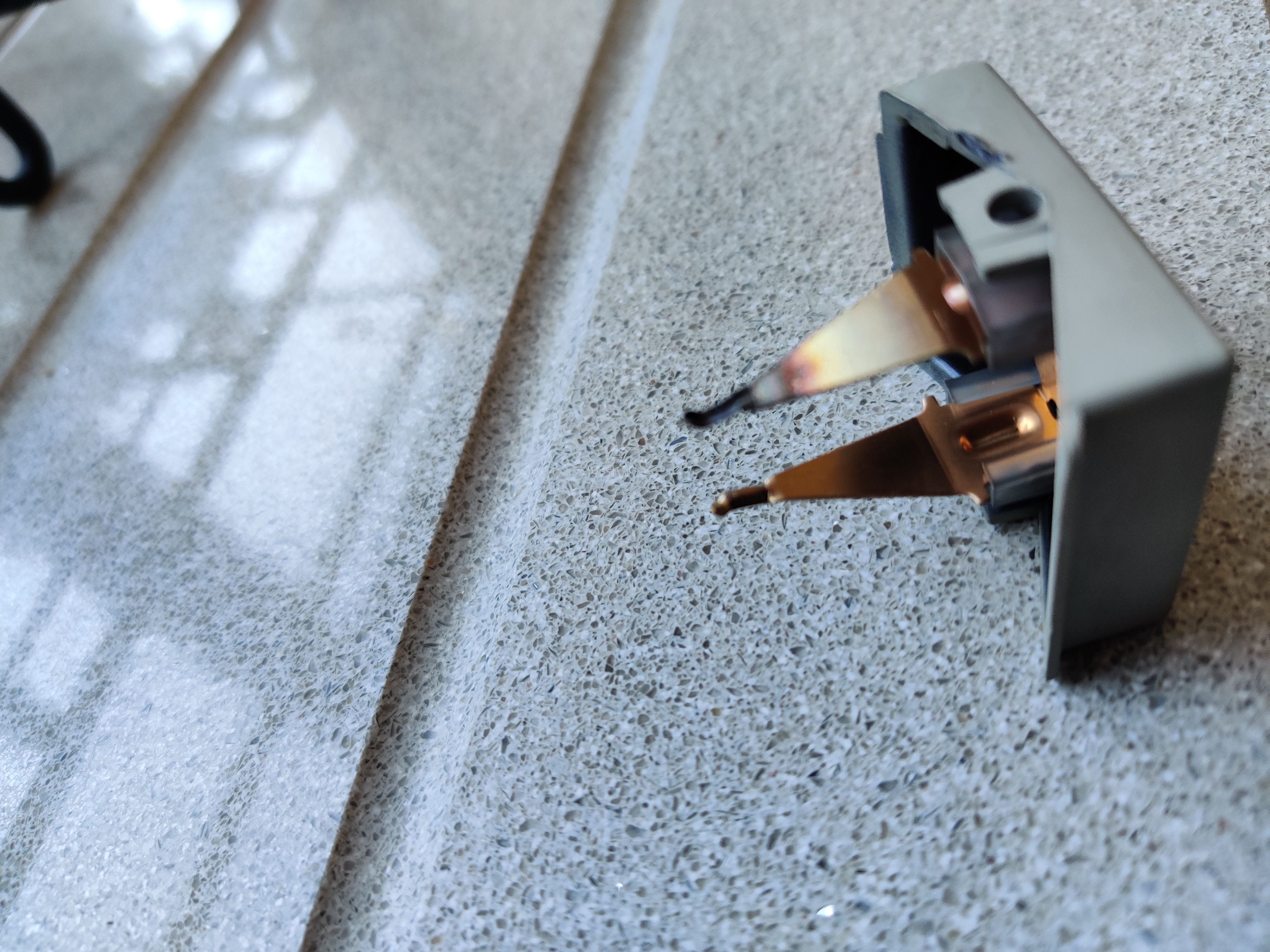
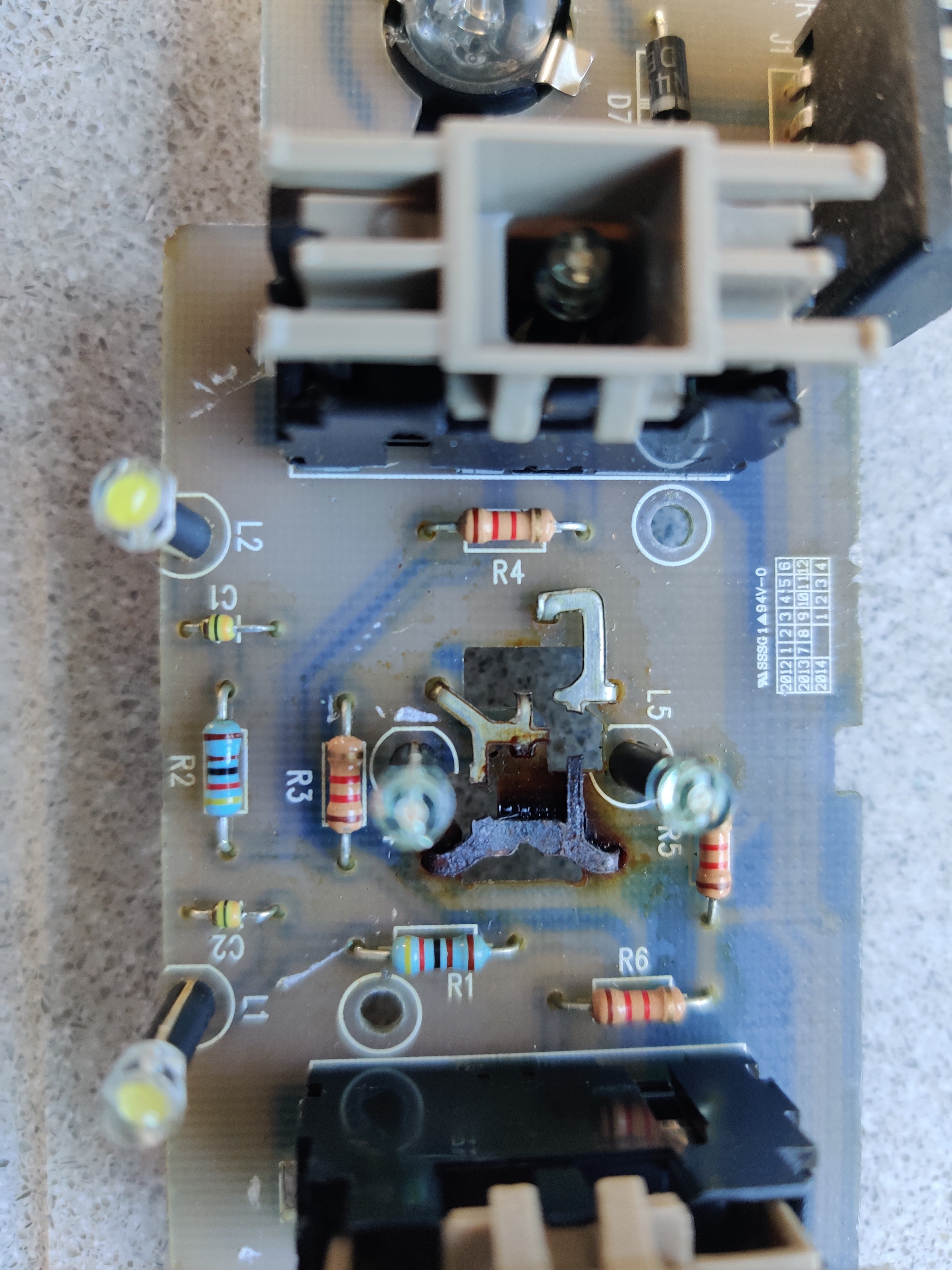
Well it's out but it looks as if I burnt where the rocker switch comes throughI've just been to look again when I open either door only the red marker lights light and not the interior light .But the centre switch when in the on position when touched lightly get the lights on but flickers so that defiantly faulty and when pressed to the switch position no lights with either door open . So I'm going to get another unit with the switchesI've contacted a couple of breakers to see if i can get a second hand unit ill just change it over . Then see its got to be easier than changing the door catch if the contact in that is u/sYes that's a big help now I know how to remove the panel . I can then have a look to see if the circuit is broken and if the switches come of it . Thanks Ords. Another question is it just the driver's door that operates the the interior light or is it anydoorI've look a Google there is one for a E5 but it doesn't playYes that's what it's pointing too . I'll have to find out how to remove the circuit board and switches and see if I can find a fault with either . Then find another if they are at fault . There doesn't seem to be any screw's that hold it inThe only thing is why doesn't the interior light when in the on position it only lights the interior bulbs when I press hard on it so i'm not Shure it's the door switchNo no bulbs have been changed . So I'm thinking the switch or the circuit board is faulty .Does anyone know how the get the circuit board out ? And where to get a new/ second hand oneOk I've checked the door there's no switch . But pushing on the centre switch while it's in the on position does light the bulbs but still cannot get the lights to work in the switched position . So I'm now getting to see why the lights don't come on .It looks now it's the rocker switch or the circuit that there Attached toOk I've checked the door there's no switch . But pushing on the centre switch while it's in the on position does light the bulbs but still cannot get the lights to work in the switched position . So I'm now getting to see why the lights don't come on .It looks now it's the rocker switch or the circuit that there Attached toYes always they don't come on . I'll have a look for the door switch .ThanksThe back light when you press the buttonHi Ords I've just checked there's no lights from or back when opening any door FrontIt shows in the dot matrix the front driver's door is openI didn't look lolDoes the Interior light when opening the door use the same two bulbs if it does then I don't understand as they are working


Important Information
Welcome to BRISKODA. Please note the following important links Terms of Use. We have a comprehensive Privacy Policy. We have placed cookies on your device to help make this website better. You can adjust your cookie settings, otherwise we'll assume you're okay to continue.