NigelR99
Members
-
Joined
-
Last visited
Everything posted by NigelR99
-
-
-
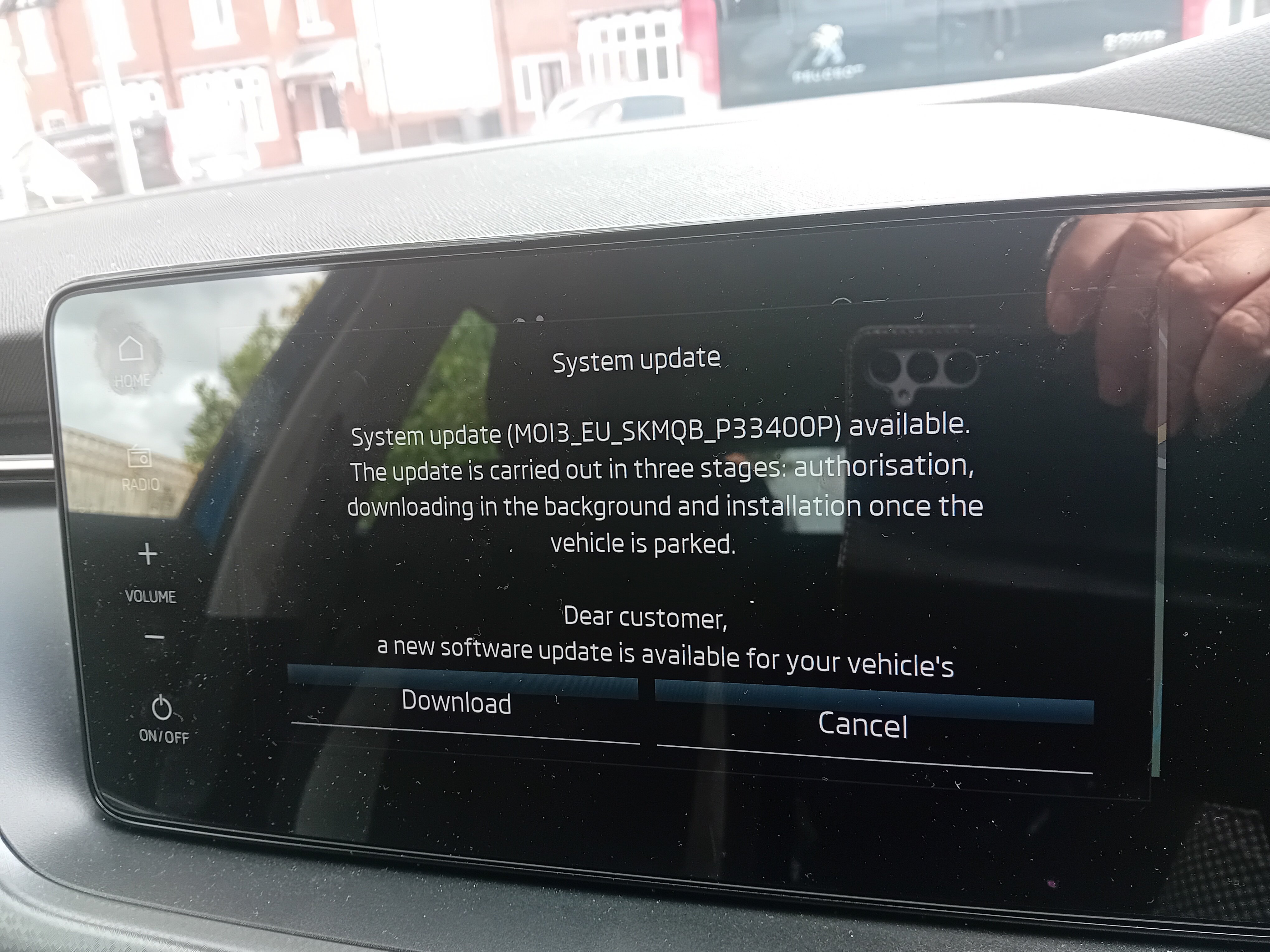
Just received this from Skoda Digital Services Support, hopefully it will be the fix for this issue: Thank you for reporting this matter. We understand that repeated update notifications can be confusing and inconvenient. We would like to inform you that a final solution for this behavior has already been prepared. In the coming two weeks, an OTA software update will be released to resolve this issue and prevent the notifications from recurring. Once the update is available, a notification will be displayed in the vehicle. To install the update, the installation will need to be approved in the vehicle. We apologize for any inconvenience caused and thank you for your patience and understanding. ŠKODA Support for Digital Services
-
-
I can access the user settings, though at least once it has reverted back to guest from my own profile during an application update. One way to stop the updates is to set the user profile privacy to high which stops the esim from connecting except for the sos function. On the Karoq Facebook group someone with the same problem has received an email from skoda saying that they know it is a technical problem and will be fixed by an OTA update they are working on.......
-
On my Scala which has the MIB3 Amundsen it doesn't have a SD slot but does have USB-C sockets. For music I have a low profile USB-C memory stick with .mp3 music files on it. My understanding is that to update the maps (if you havent paid for the OTA map updates vie the eSIM) go to the Skoda update portal, enter your vin number and sownload the map for your car. I then copied this to another USB-C memory stick and the instructions say put this in a front USB-C socket and drive. No update option as it does it as you drive, it is suggested you check System Information for the Maps version number to see if it has completed. Others say you get a message to say it has updated - not seen that.
-
I can assure you that the in the UK OTA updates for the Infotainment unit are downloaded via the eSim for free, you do not need a data subscription to Cubic Telecom or a connection to a phones WIFI hotspot for these update services. You do pay a subscription for map updates, traffic and the connection to the app services which works via the eSim. It may well be different in other parts of the world. I do believe that if you want to use the cars eSim as an internet wifi hotspot for your passengers you can then buy a data subscription.
-
The car connects to the internet for these type of updates by the built in eSim which is normal in the UK, this is how the Skoda Dealership tested the car during their diagnostics. If you live in a strong 4G mobile phone signal area there should be no need to connect via wifi unless you live in a poor signal area or park in a garage or an enclosed car park.
-
My visit to the Škoda dealership didn't fix things, Škoda UK are now interested. I did a lot of research on the web over the weekend and discovered that some owners of the Škoda IC cars with Mib3 infotainment unit have reported the same problem in the last three months. To me it feels like a problem with the OTA updates for the infotainment unit. Time will tell.
-
I have been to my Skoda dealer today, the update came up on the way so we had something to discuss, they didn't find anything specifically wrong but checked all software, forced the update and reset things. I won't know if it is fixed until tomorrow or the next day. If you still have warranty I would suggest you contact your dealer, if not report it to Skoda UK customer services who are monitoring this case. From the Scala Facebook page I know others are having similar problems.
-
When you say "Skoda Support" who did you contact? I am having problems with my Infotainment Unit, I rung a number at Skoda UK that I thought was support and got nowhere. My dealer isn't much help either. Thanks.
-
-
-
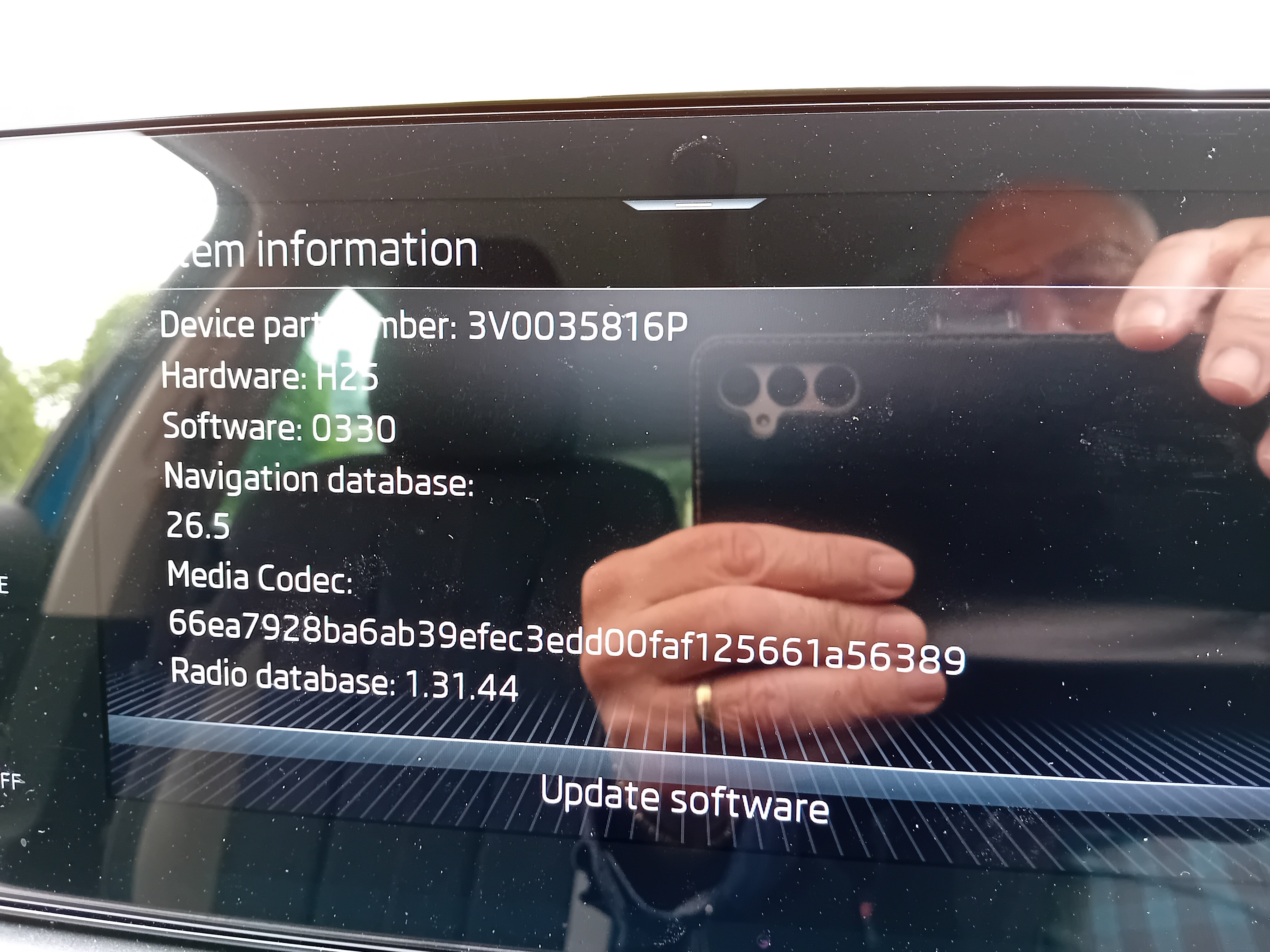
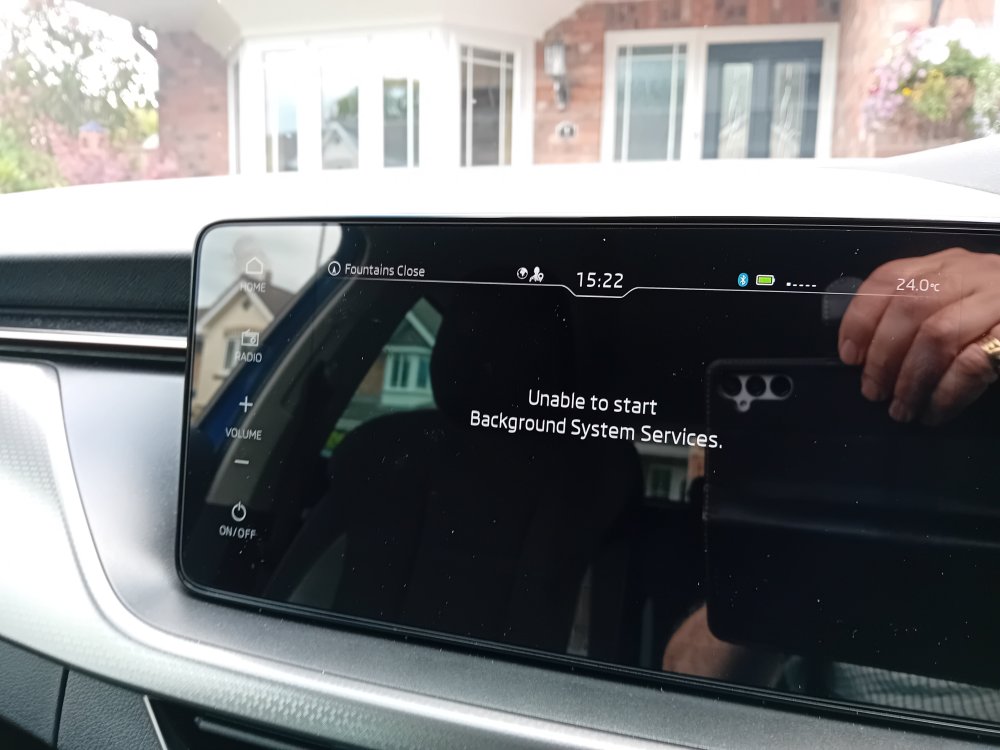
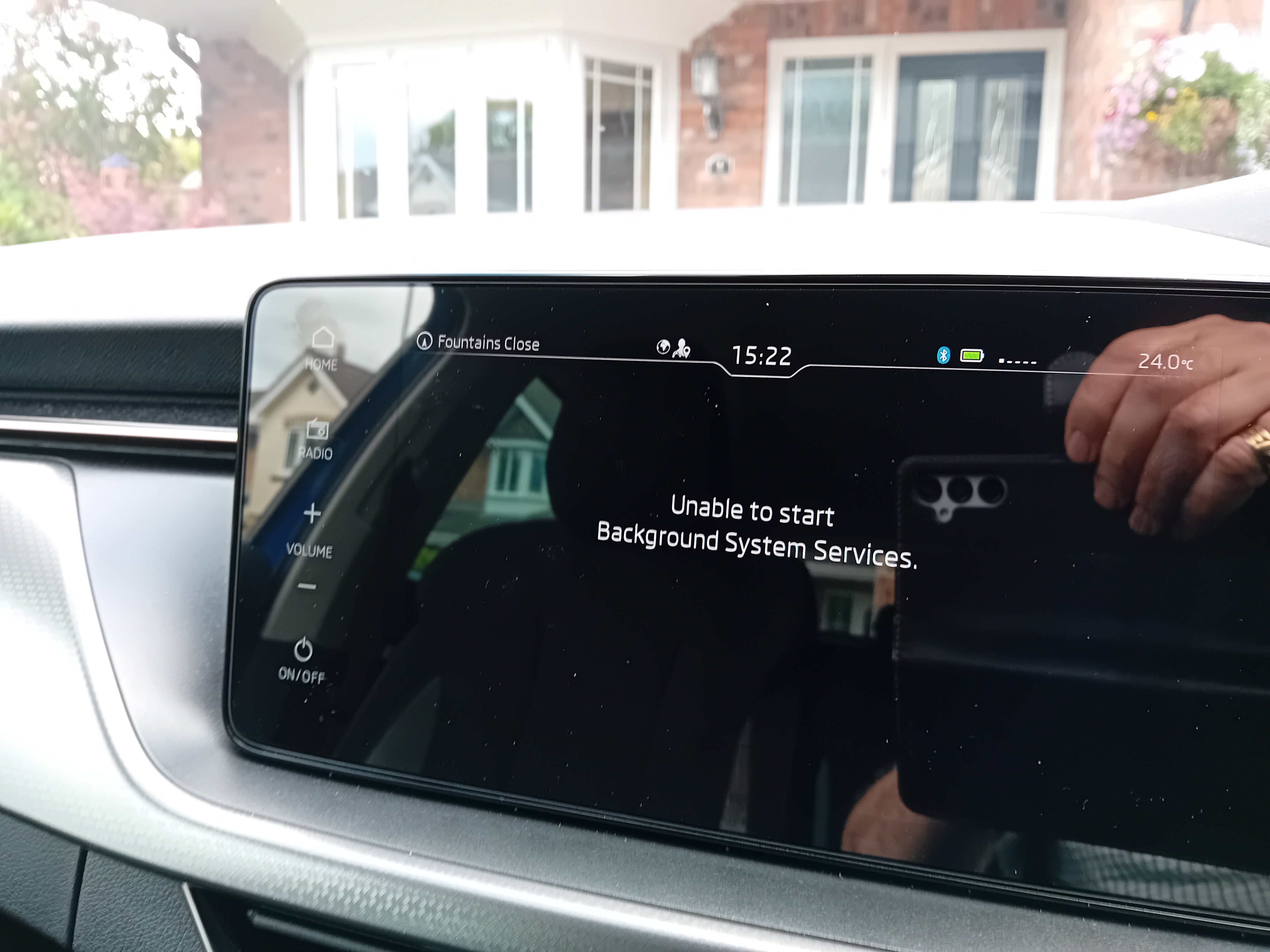
I have a subscription but don't think that makes a difference with OTA system updates. Difficult for me to say if the procedure will work for you, has your car got the built in satnav? If I get the update message and am on my way home, I leave it on the screen until I get home, park with auto in "P" and with the engine running click update now, then turn the car off exit and lock. Some of these updates look like they would update when you are driving and some only when you are parked up. When you get the update message you can also pull down notifications to see about the update. If you get a prompt for more info you can only look at the extra information about the update when you are parked. The next time you start the car, wait a couple of minutes and look at notifications to see if the update has worked. Yesteday it wanted to do another 7 updates, the biggest seemed to take several hours when I was parked and then today with another 2! I also got a message yesterday saying "Unable to start background system services" and the infotainment screen stayed blank while the big update was running!! Just come off the phone to Skoda Chester who were not much help but if it carries on after the weekend send them some photos of what is happening. Good Luck.
-
Two days of small updates which according to notifications updated and then yesterday a big one of 7 items which meant I had the message Unable to start Background System Services so drove home without satnav, parked car and checked notifications and it said Application updating, didn't complete for hours, checked this morning and after starting the car everything was updated - till the next time. Has no one else had these over the air updates pushed to their car?
-
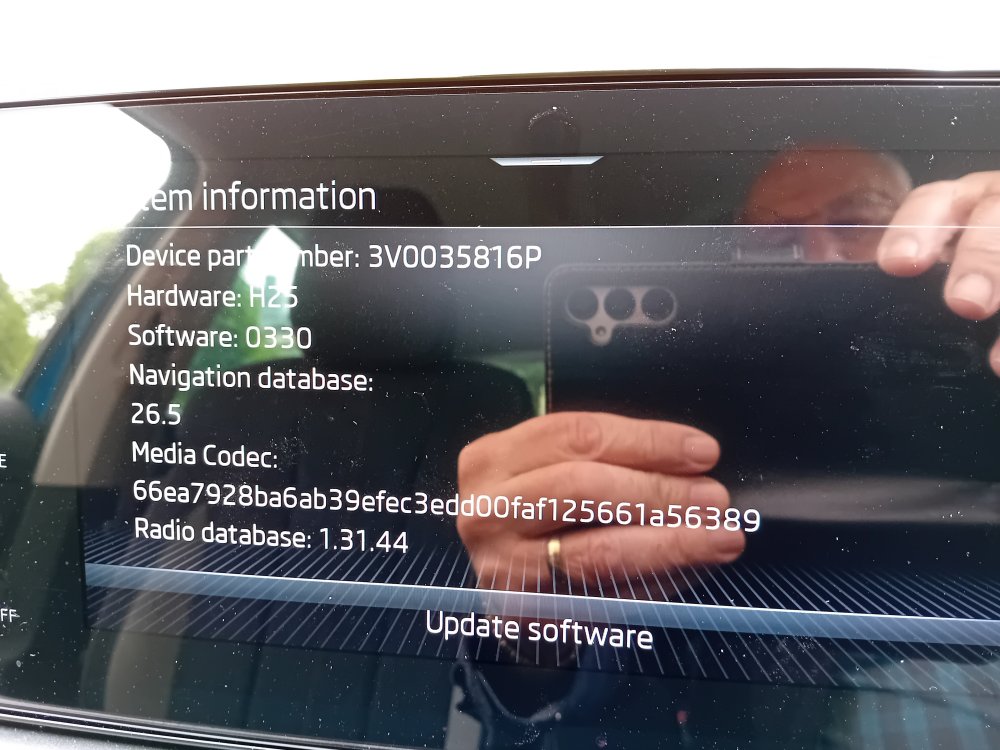
For the past few weeks my Skoda Scala Infotainment unit has been prompting me to do updates. Almost everyday I get the prompt to do an update. I only get the one prompt in a day. I believe the procedure is to park, accept the update, turn off the ignition, exit the car and lock it. I think some updates only apply when you next start the car. Searching the web suggested several different ways to get the updates to "Action" A couple of days ago I discovered that notifications may show what is going on. Yesterday I had a notification that updates had been made and today notification that different updates were made. I rung my Skoda dealer service dept last week and after asking someone else "downstairs" suggested they would only update if you left the ignition on and parked the car. I asked how do I do that securly and they said have you got a garage........ As yesterdays and todays updates are for different things is this correct? am I following the correct procedure? Should I take my car back for them to look at. Not sure the dealer knows much about this sort of thing. Is Skoda really sending out this many updates? Any Advice? Thanks
.thumb.jpg.09e2f8e2a923ce45222d51c30b13a96c.jpg)
.thumb.jpg.a4f773637ef2ace3e38b1dd2d0194149.jpg)
.thumb.jpg.8ea9813f9e2e8482542543ac5483dd50.jpg)
-
Well I have a MIB2 in a 2017 Rapid and I updated to 2024/2025 maps and I just updated the Speed Cameras with the new download and it seems fine.
-
-
I am getting checksum errors when I try to unzip ECE 1 2024/2025 CW 25/2024 I then downloaded ECE 5 and it worked ok - I only want the UK so it is ok, copying to my card as I type.
- 55 replies
-
-

- 1
-
-
- amundsen
- discover media
- maps
- mib
-
Tagged with:
-
I think PCBBC posted the details on this thread 18 June 2023 it worked well on my MIB2 standard.
-
The map need patching as well, it is all on this thread - but it is a long and winding thread.......
-
My 2017 Mib2 with Dab only needed the V12 maps and the patch, no VCDS.
-
Well traffic messages were working in my cracked MIB2 today.
-
I can understand failing spark plugs causing unburnt fuel but I would expect it to go out the exhaust and maybe give rough running. The smell was coming in through the cabin vents but not if I had it on recycled air. Indeed the important thing was it was fixed and at no extra cost to me, it was literaly giving me headaches................
-
I went all round the engine with a fine tooth comb looking for one of the obvious reasons and I couldnt find one, I am familiar with with working on cars as for a long time in my life I regularly did 40,000 miles a year commuting and could only afford to do the work myself. I have no reason to disbelieve the mechanic.
.jpg.f10ebf07f4041516787e18a77a1627e8.jpg)
.jpg.2d5c2bdd92c63a963d1fe3bd850f4441.jpg)
.jpg.6c6a0f23f238096b156c6c0d17a2c06b.jpg)