




Franky89
Members
-
Joined
-
Last visited
Everything posted by Franky89
-
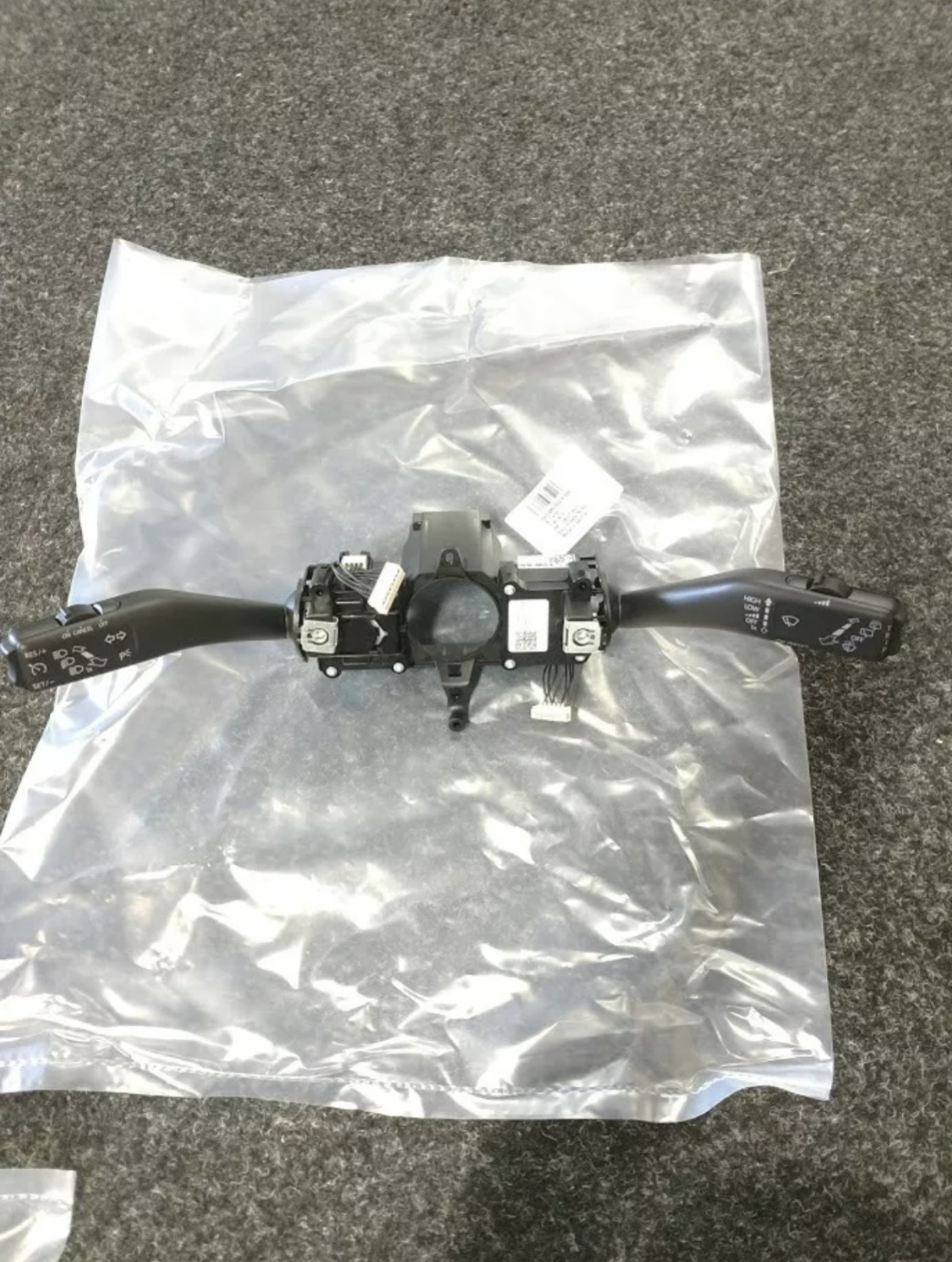
Sorry to be a pain, just looking looking at the steering modules. On ross-tech it's showing that module 5K0953569B supports cruise control, board computer and mfsw I'm guessing that fitting this unit plus coding along with a new wire loom for the airbag and steering wheel buttons should complete it, or would there be extra wires to connect for the mfsw
-
-
-
Hi I'm wanting to fit cruise control In my car, I don't have the control module under the column, it has the stalks that come as one unit instead of having individual stalks that plug in. Does anyone know what part I would need for this. It's allowing me to activate the cruise control with coding so I'm guessing it just needs the hardware. Any help will be greatful Thanks
-
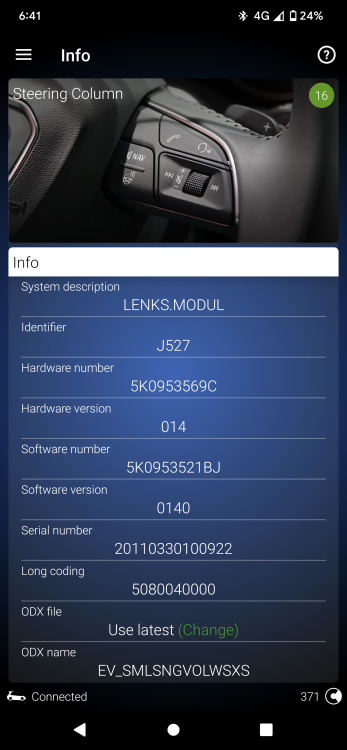
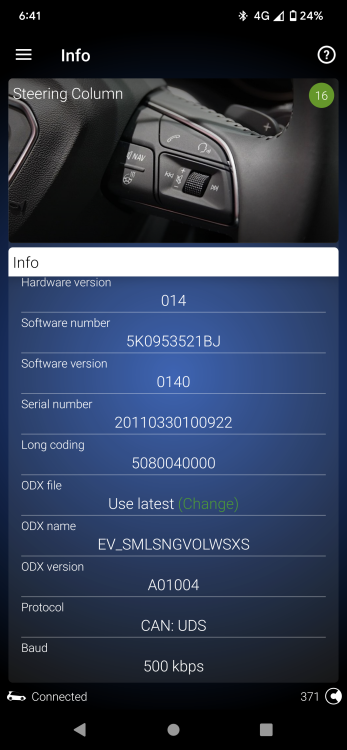
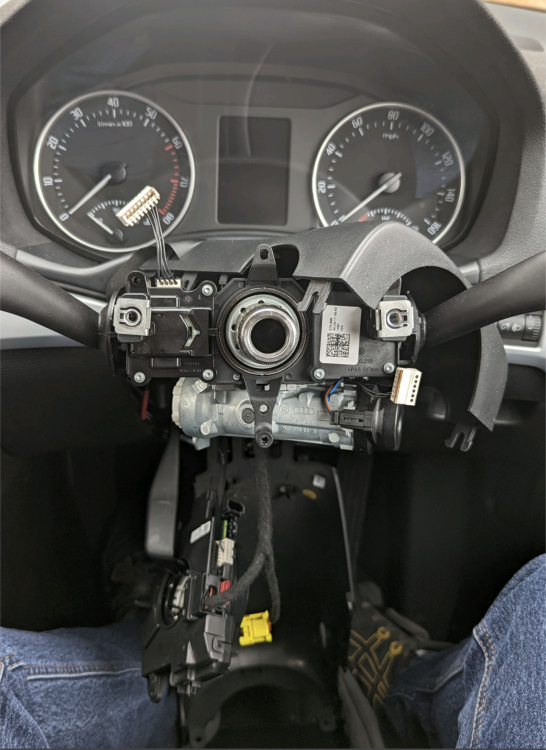
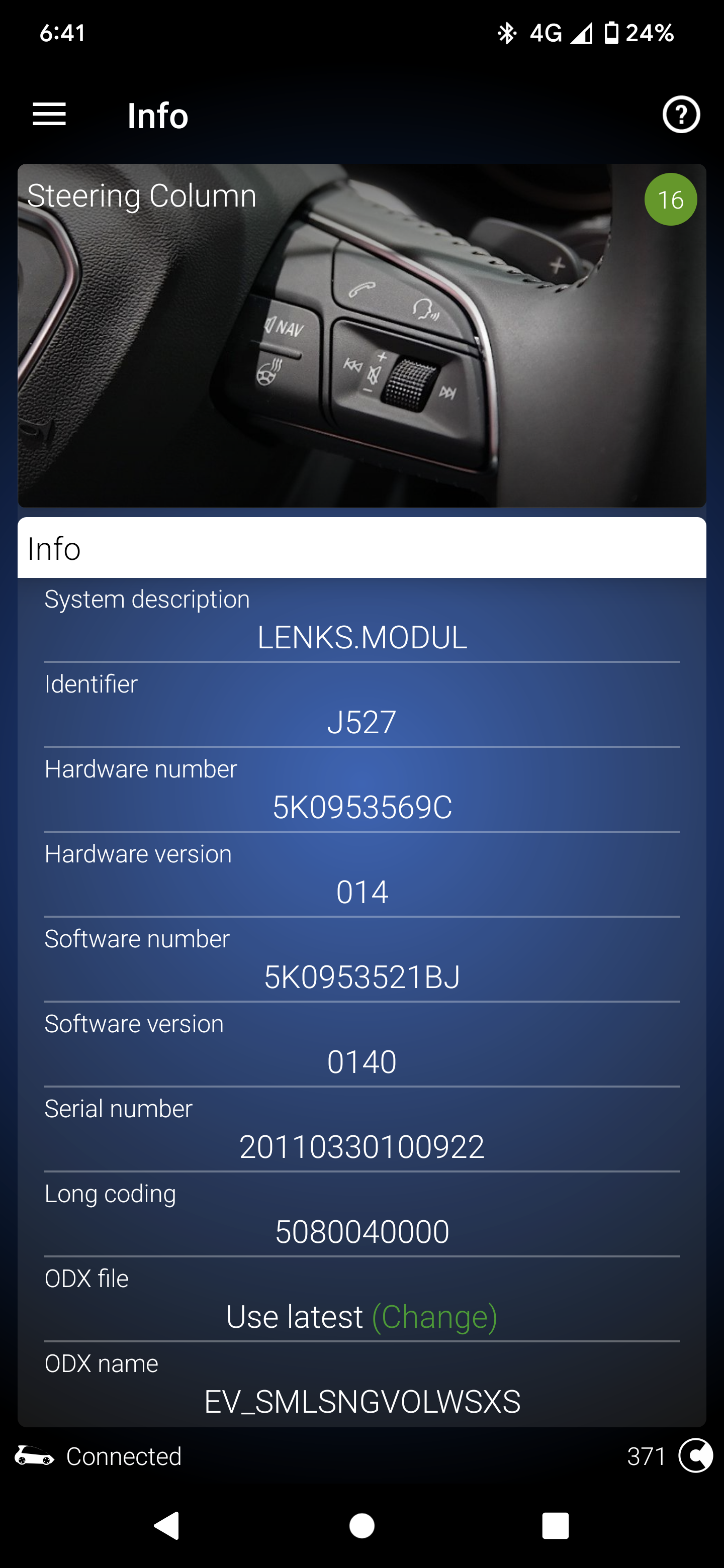
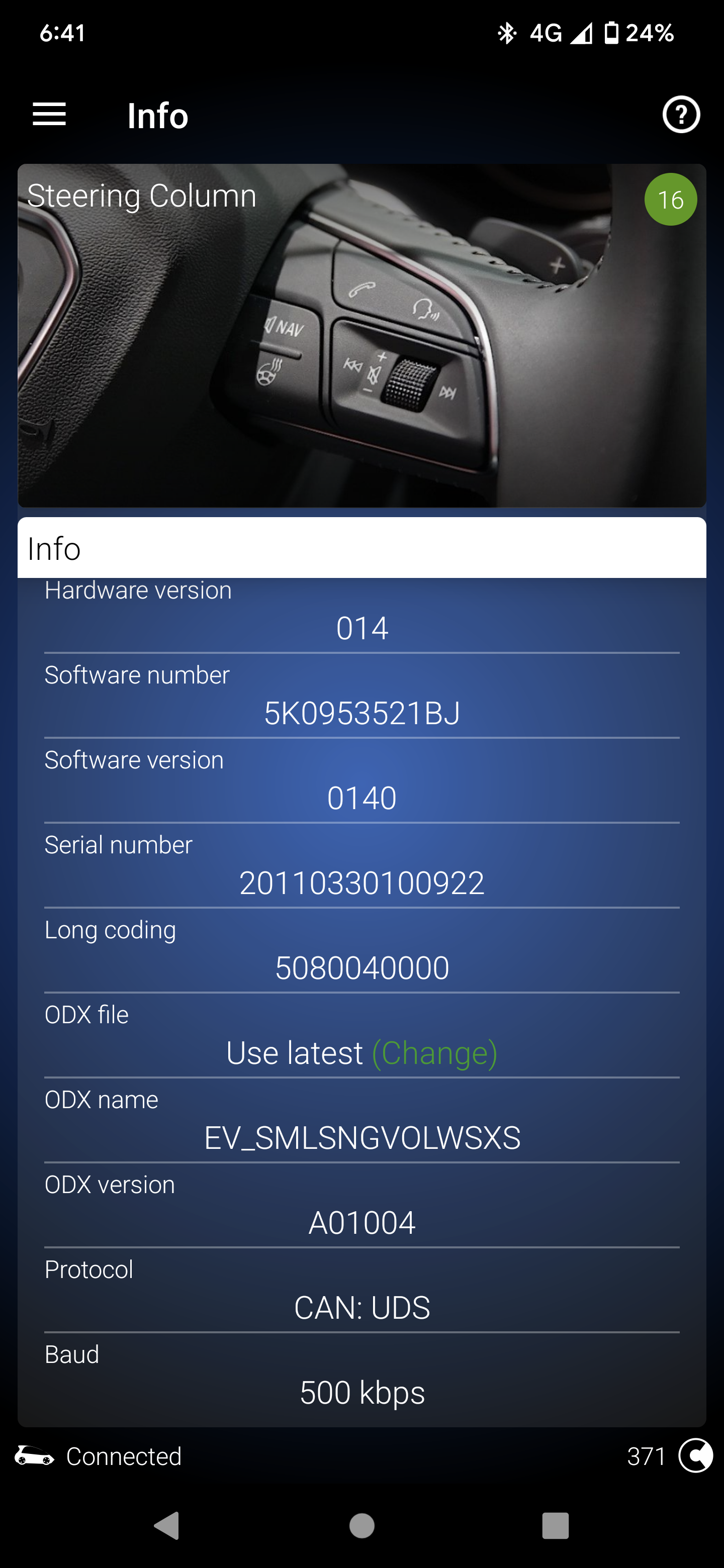
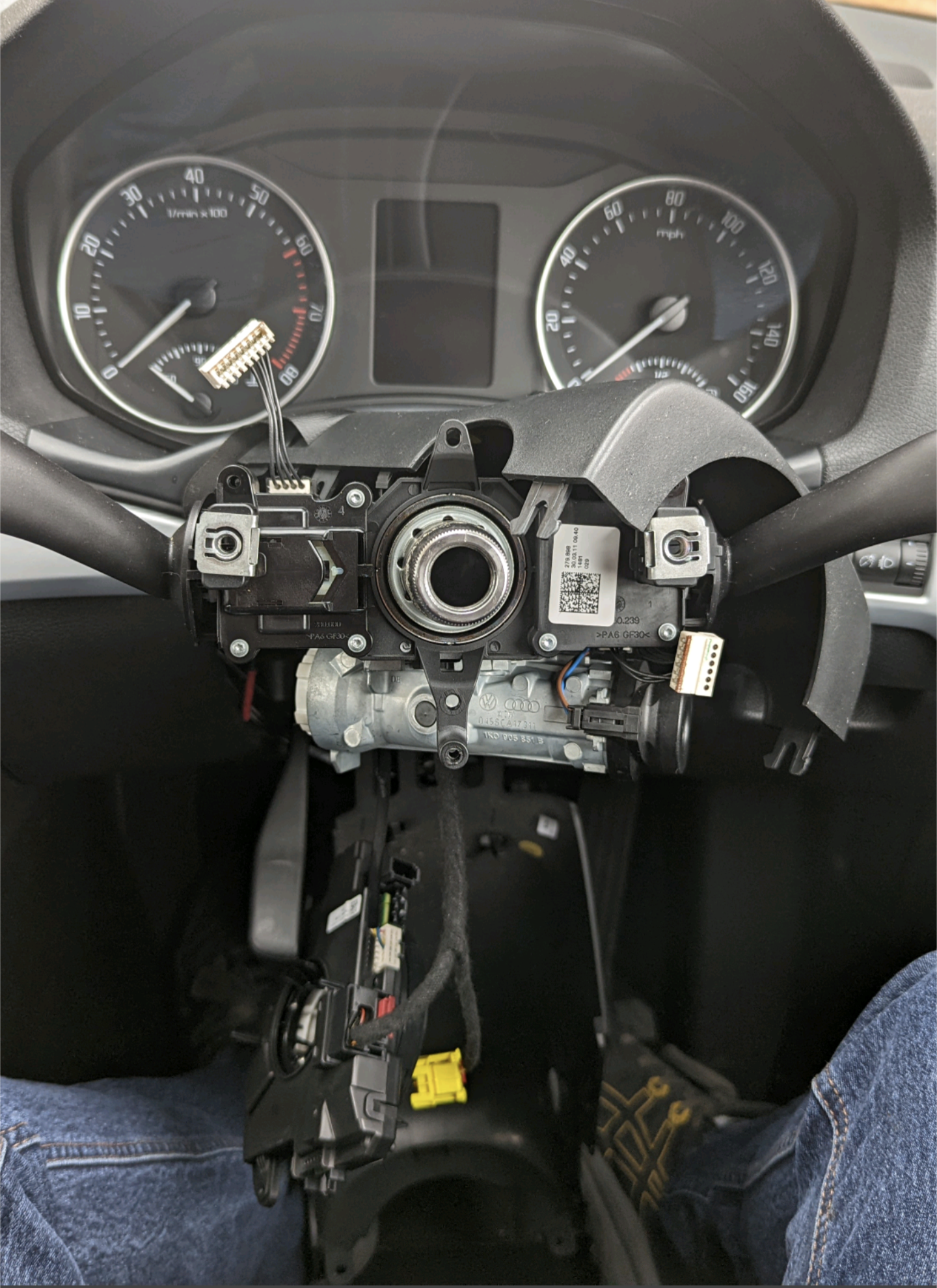
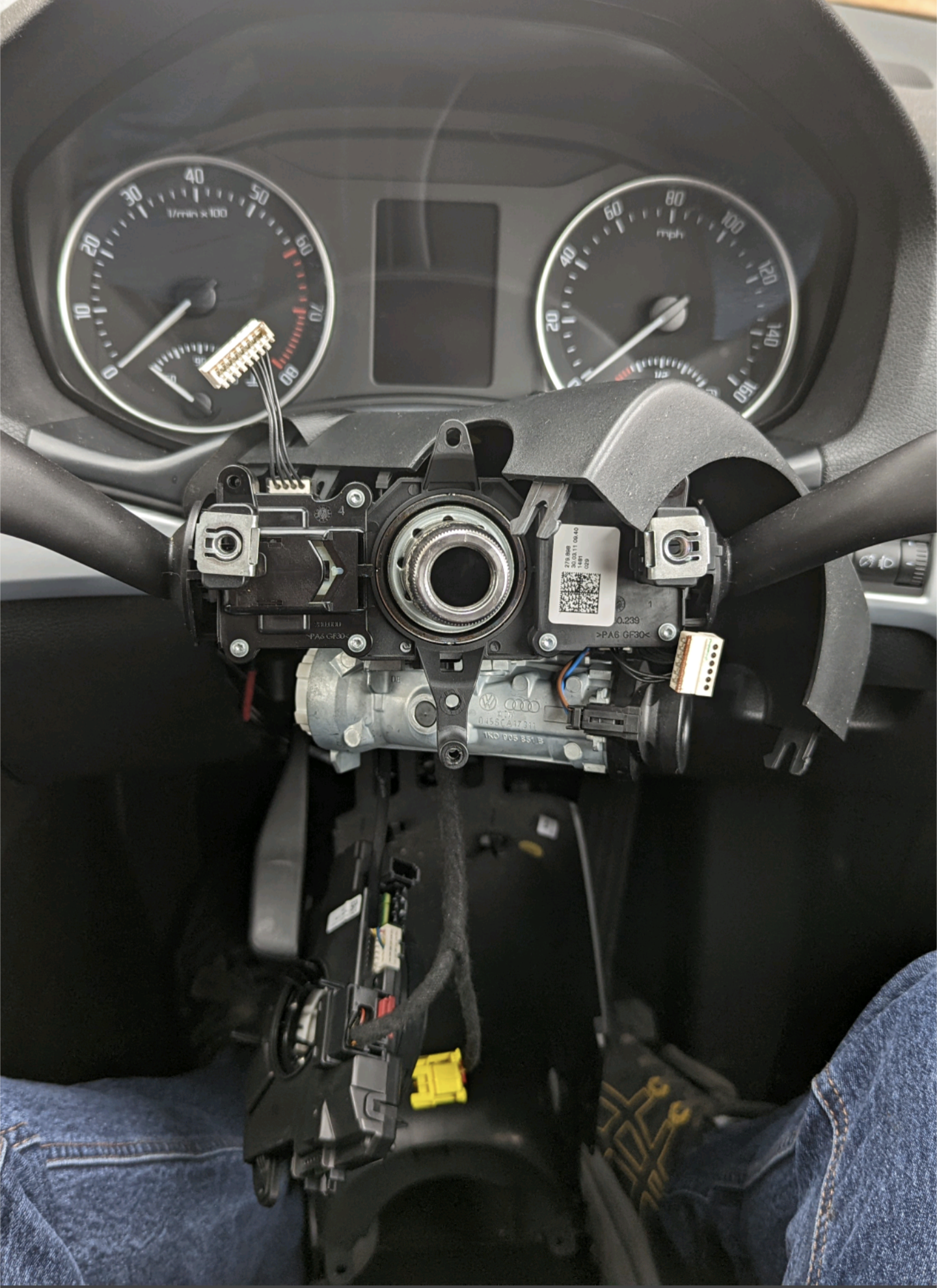
Thanks Nige. I decided to strip the column down to see exactly what set up it has. Looks like a basic one with no module underneath. The clock spring is part number 5K0 953 569 C which I've read isn't for multi function. I'd only be using the multi function for volume and changing the track, so it might be more hassle than it worth with how much it would cost too. Thanks for replying
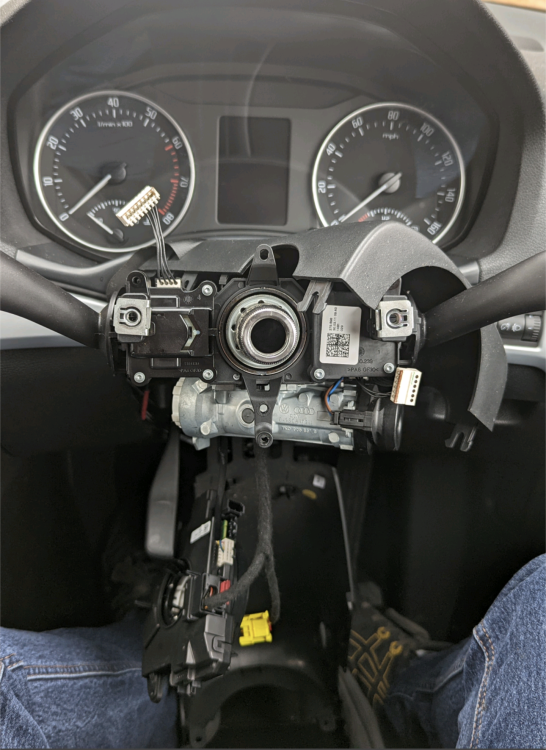
-
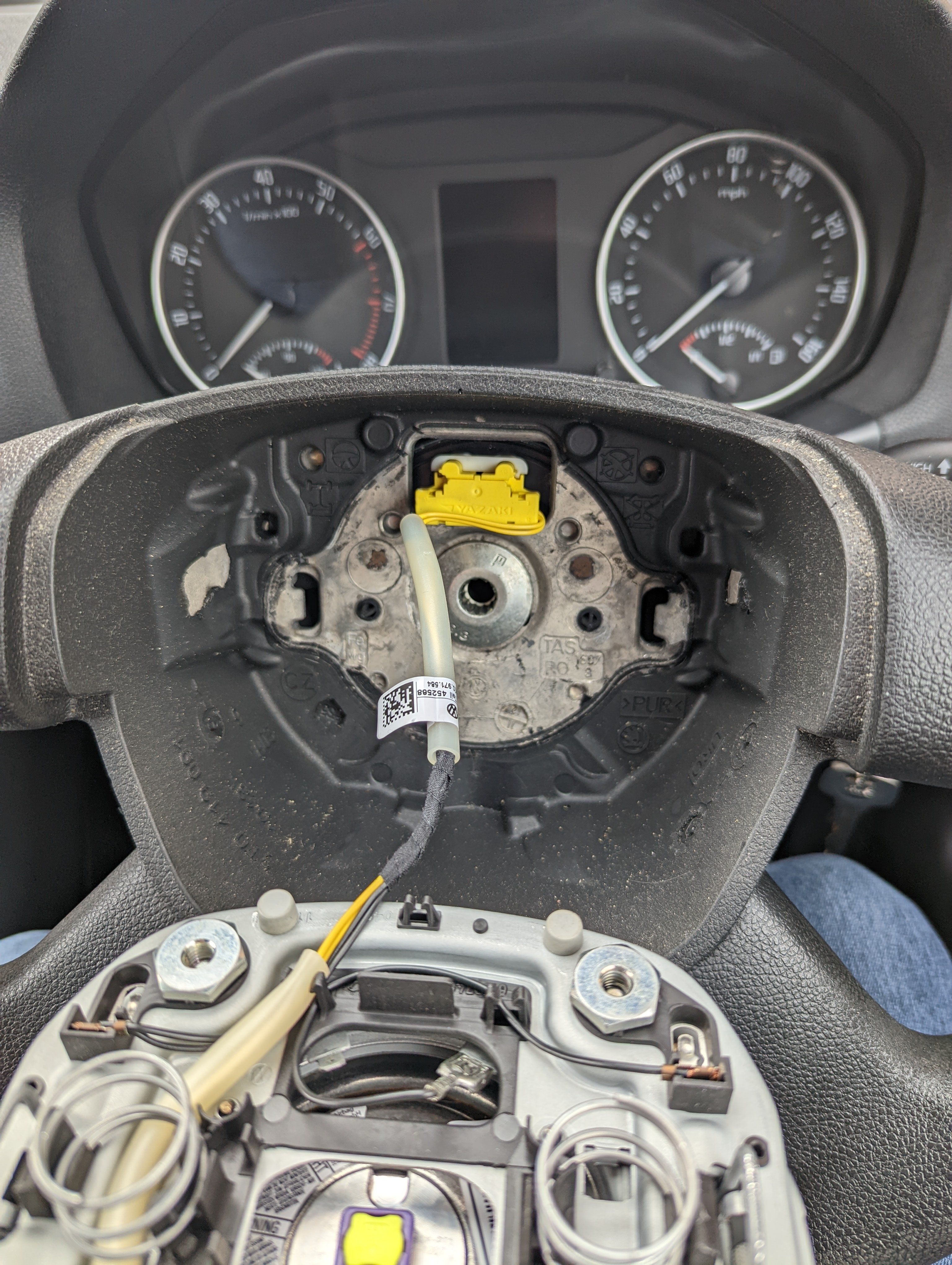
Update, I've looked behind the airbag and there is no harness connector for the buttons. I tried activating MFSW on vcds to see if it would accept it if I got a new loom and installed it, vcds rejected the adaption as it's not set up in the module. I'm guessing this will be a full retrofit job. If anyone has any ideas on a retrofit kit that would be great
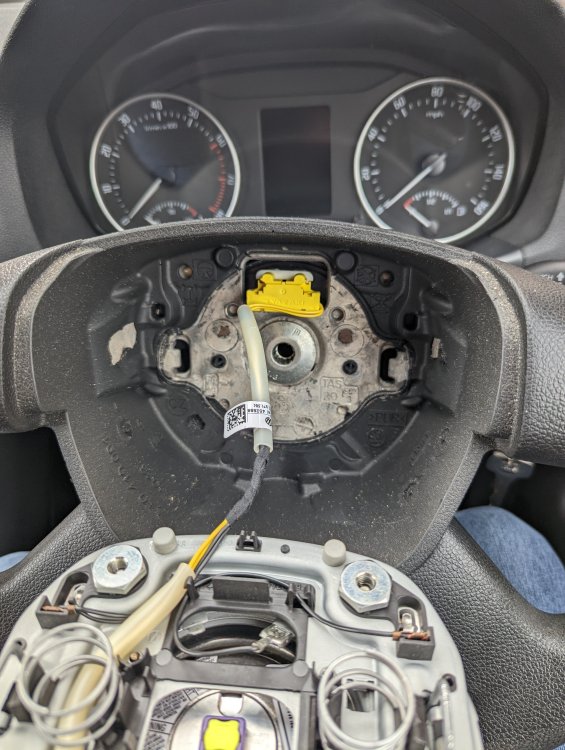
-
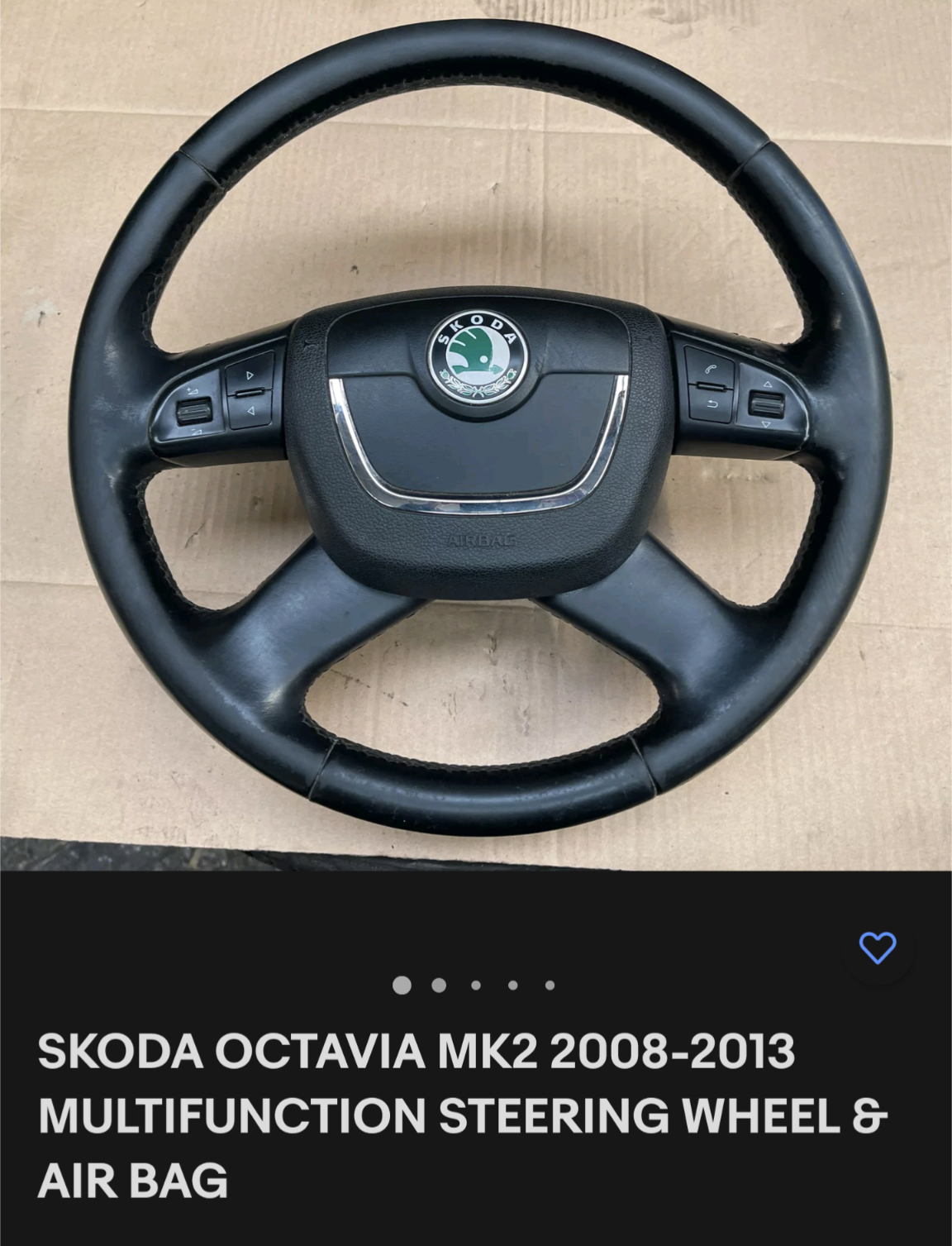
Hi I have a 2011 Octavia. It has the standard steering wheel fitted but I would like to add a multi function wheel on so I'm not being distracted using the radio controls to. I've found a steering wheel that is the same as mine but has the controls. Would this be a direct fit or would I need to upgrade the clock spring too? Thanks for any help.
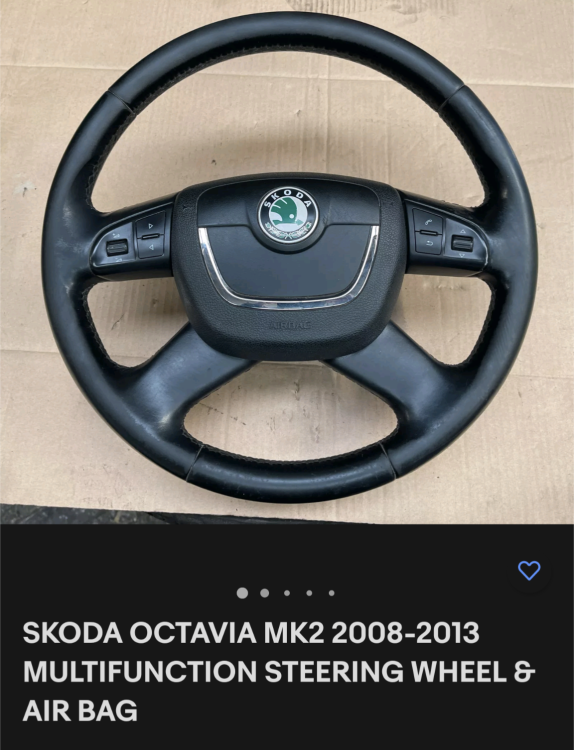
-
Thanks for your help, luckily it wasn't a rocket cover gasket leak. I've just bought an Octavia estate 2011 and when I looked at it there was all all down the engine coming from the top, but it was going a lot cheaper than others so I thought would be worth getting for the sake of a rocker gasket, but I cleaned all the oil off left the engine running and no signs of leaks, so I'm guessing it's been replaced but didn't clean the oil off. I'll save that pattern, incase I need to replace it in the future
-
That's great thanks a lot, massive help I was only getting the torque settings too
-
Hi I need to change the rocker cover gasket on my 2011 estate with a 1.6 MPI BSE engine. I can't find anywhere the bolt pattern to torque the bolts back down. Does anyone have the diagram, I've got the workshop manual but it's only showing the summary of parts but not install diagram. Any help would be great. Thanks
-
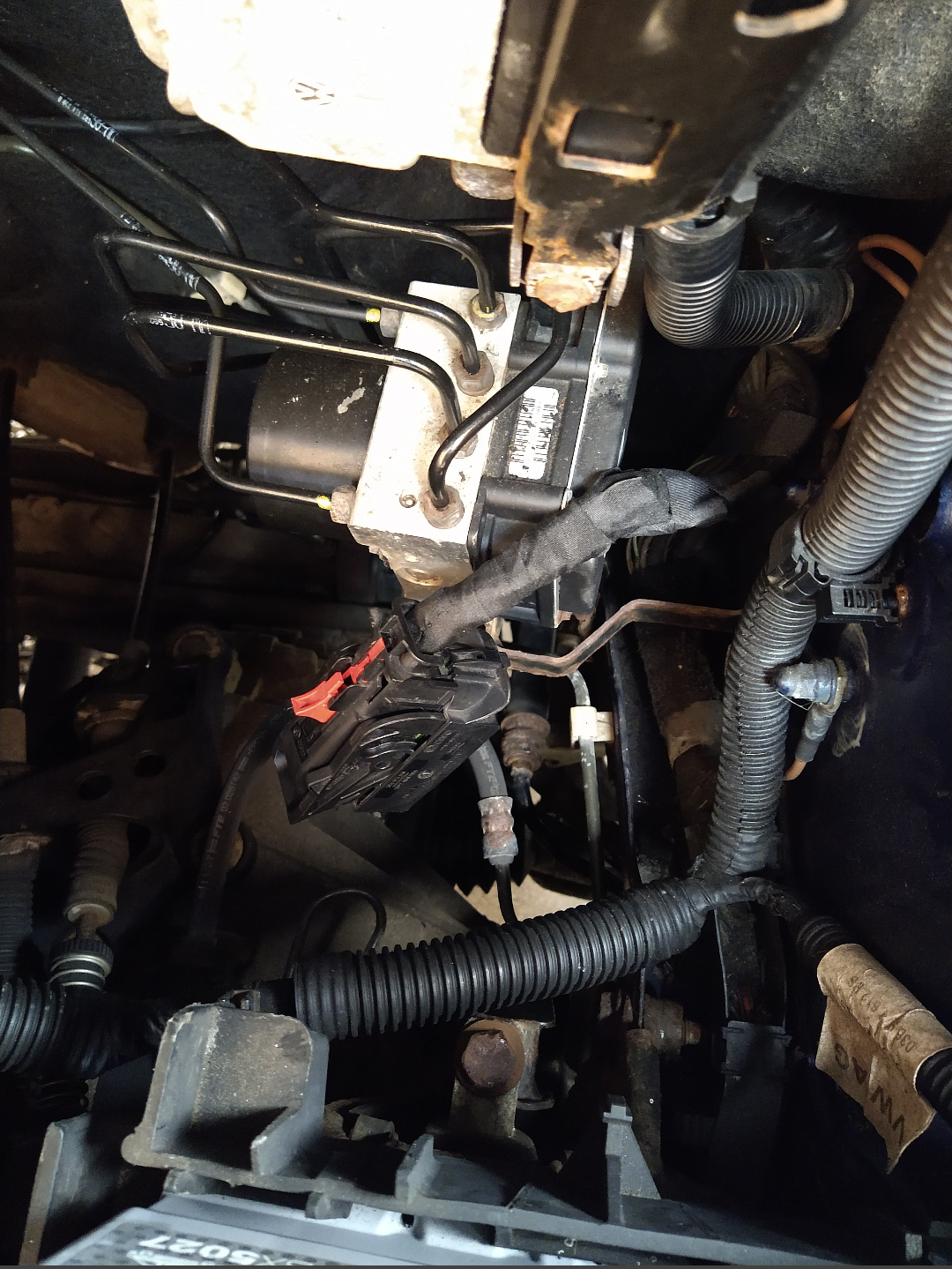
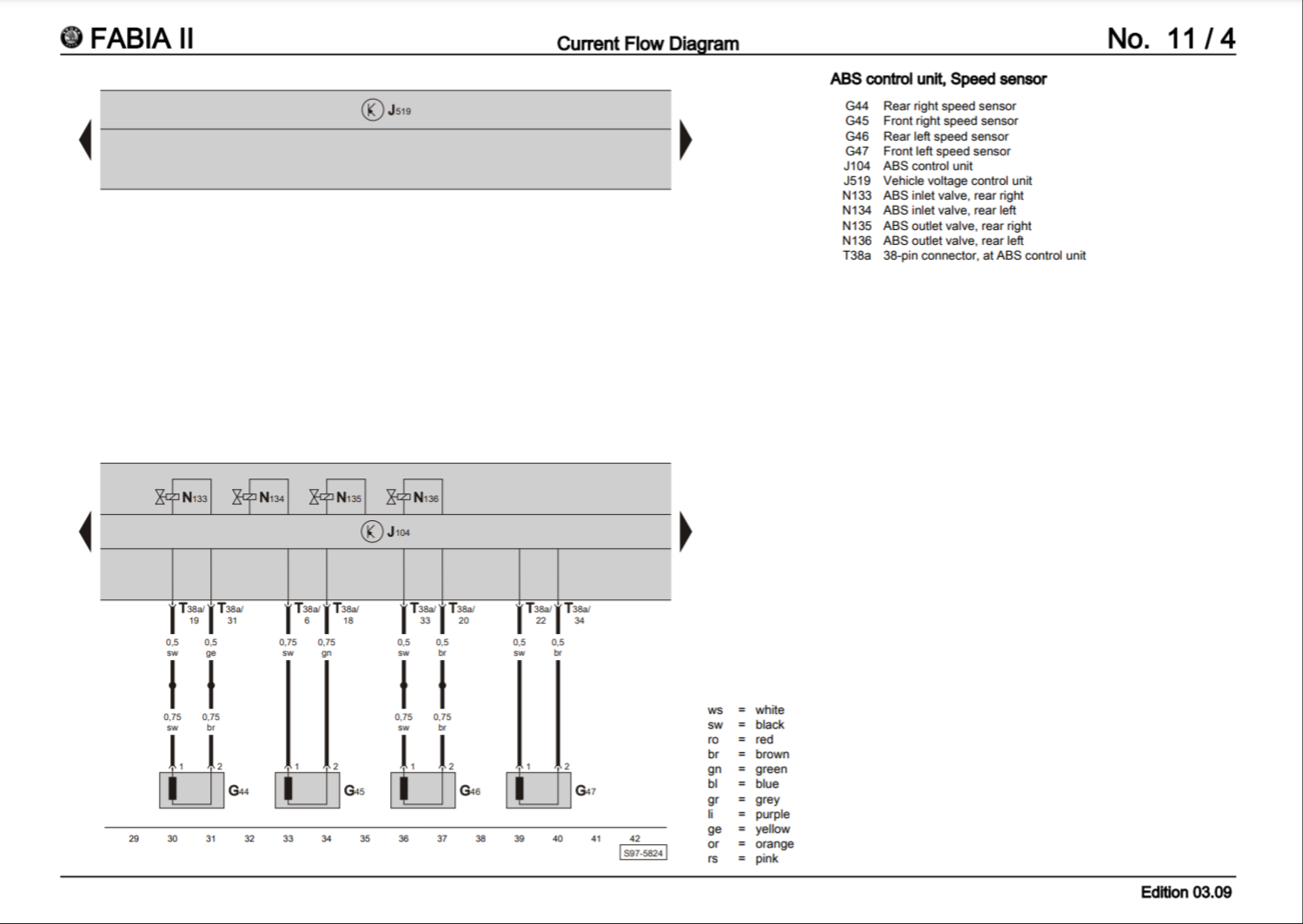
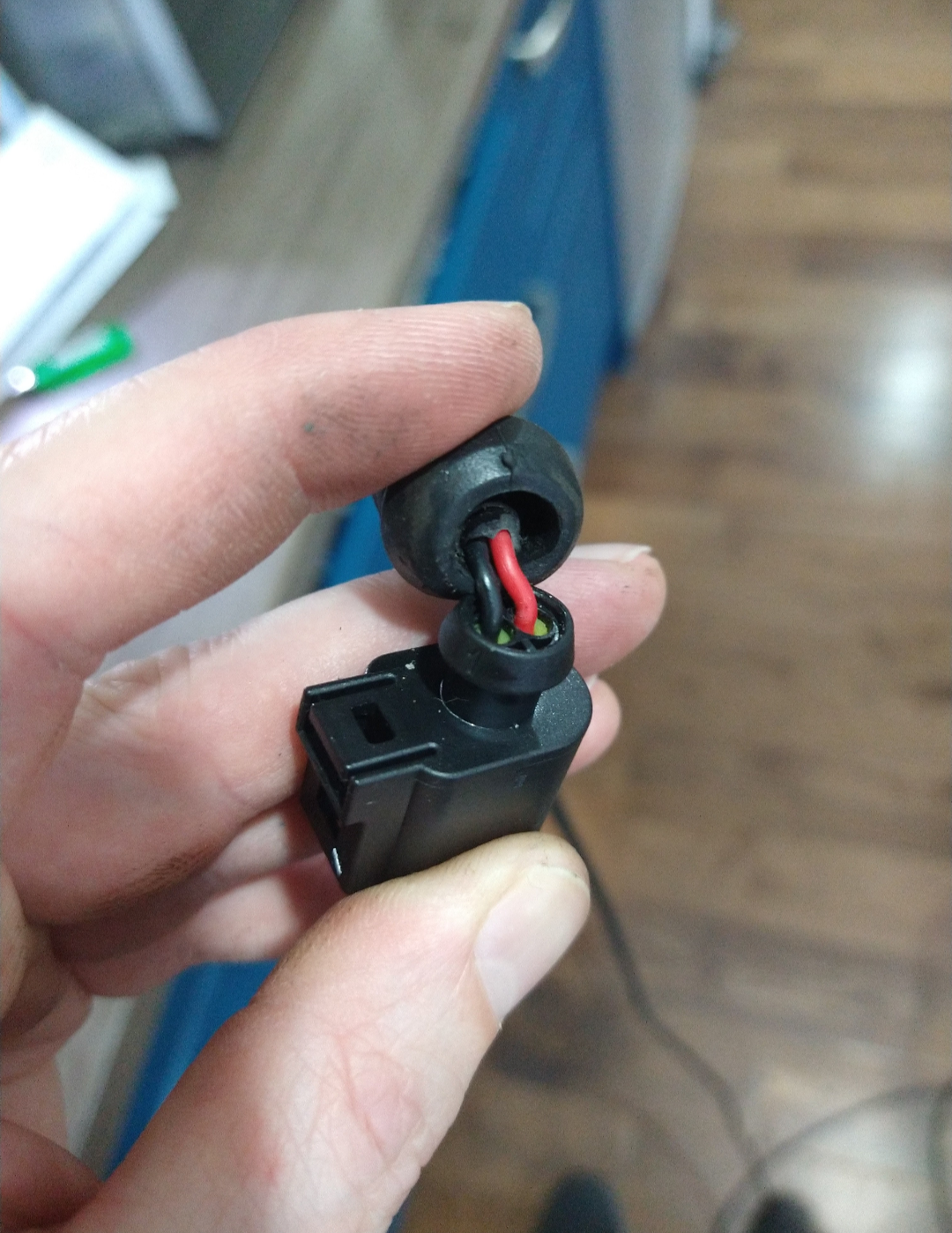
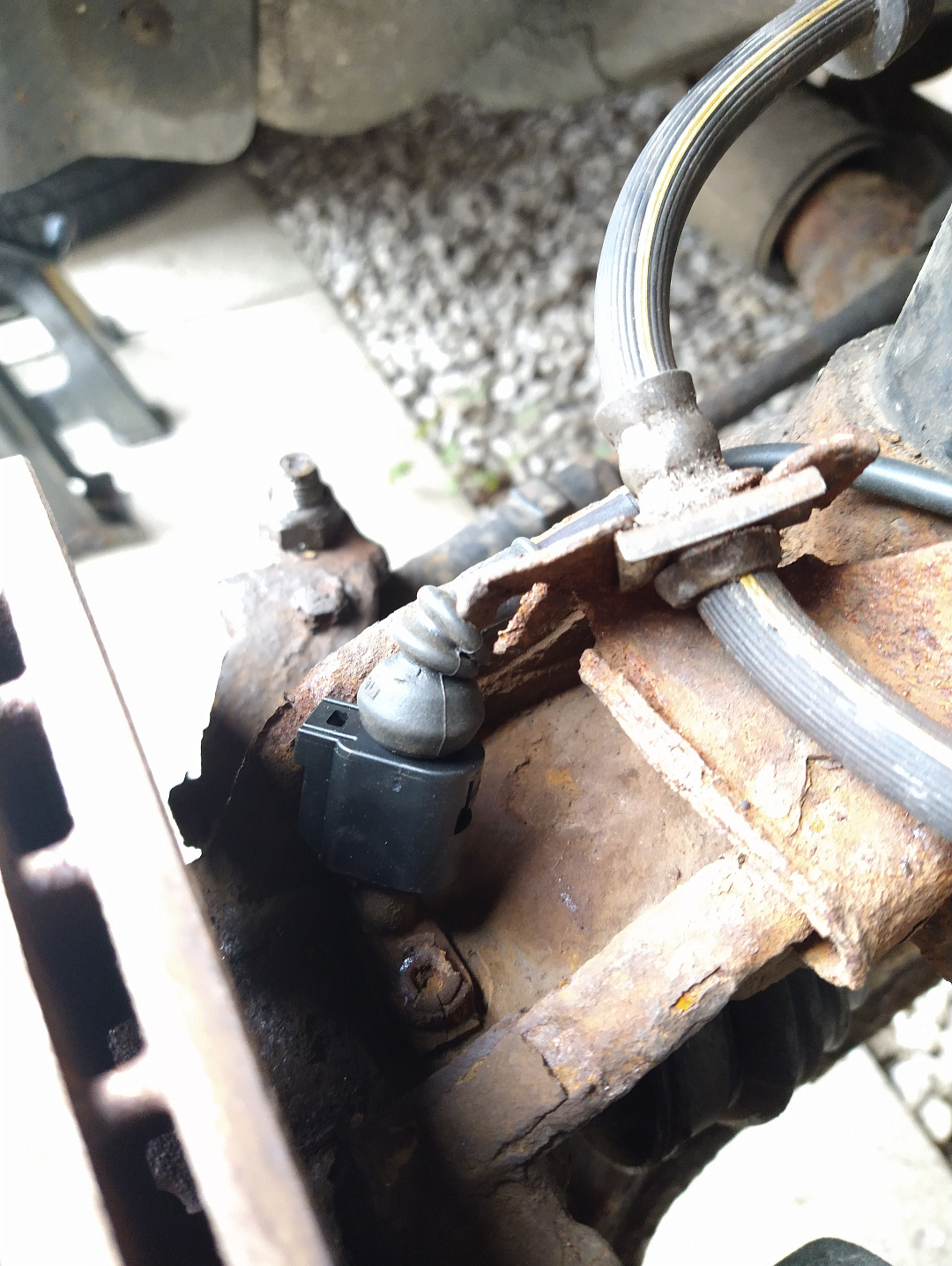
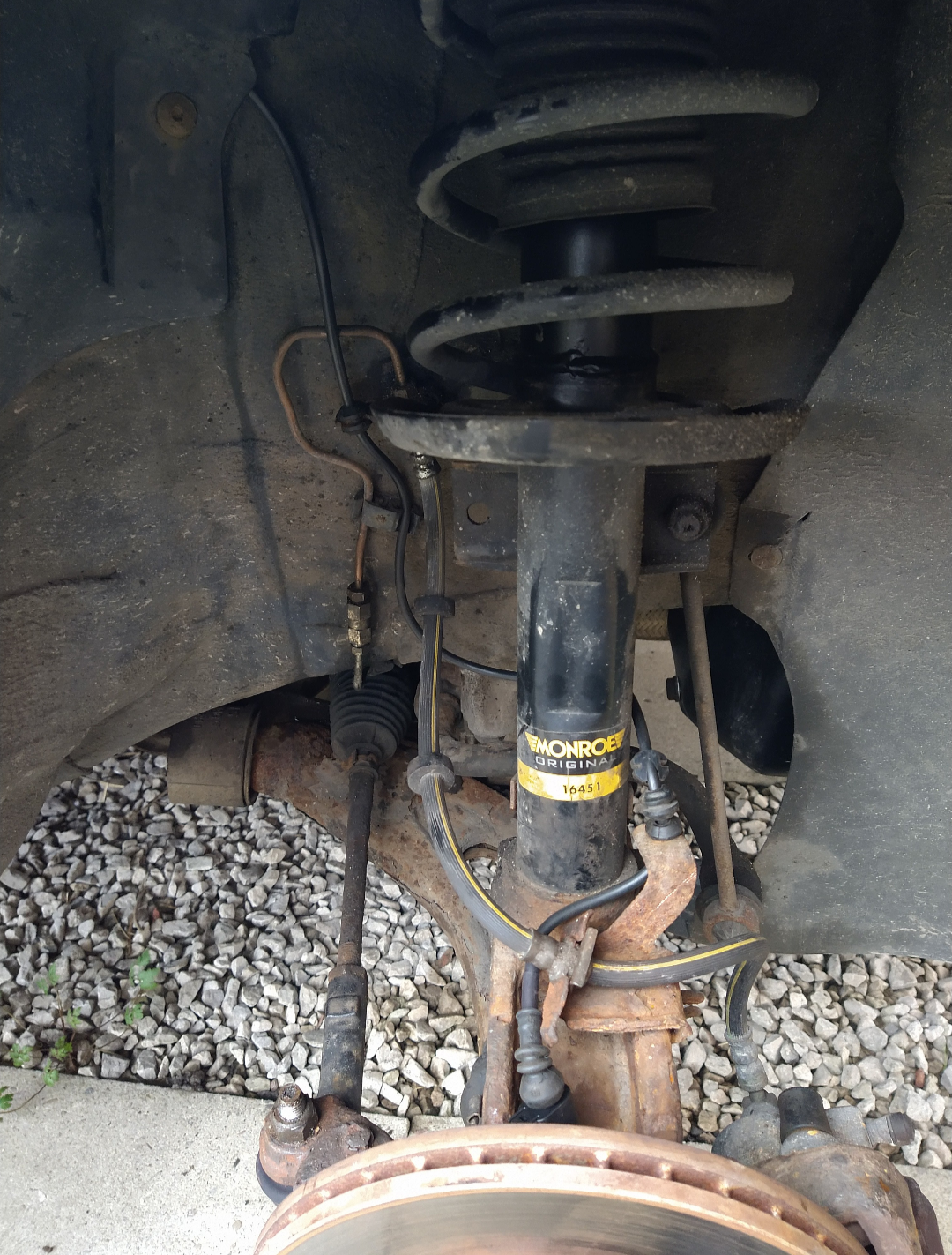
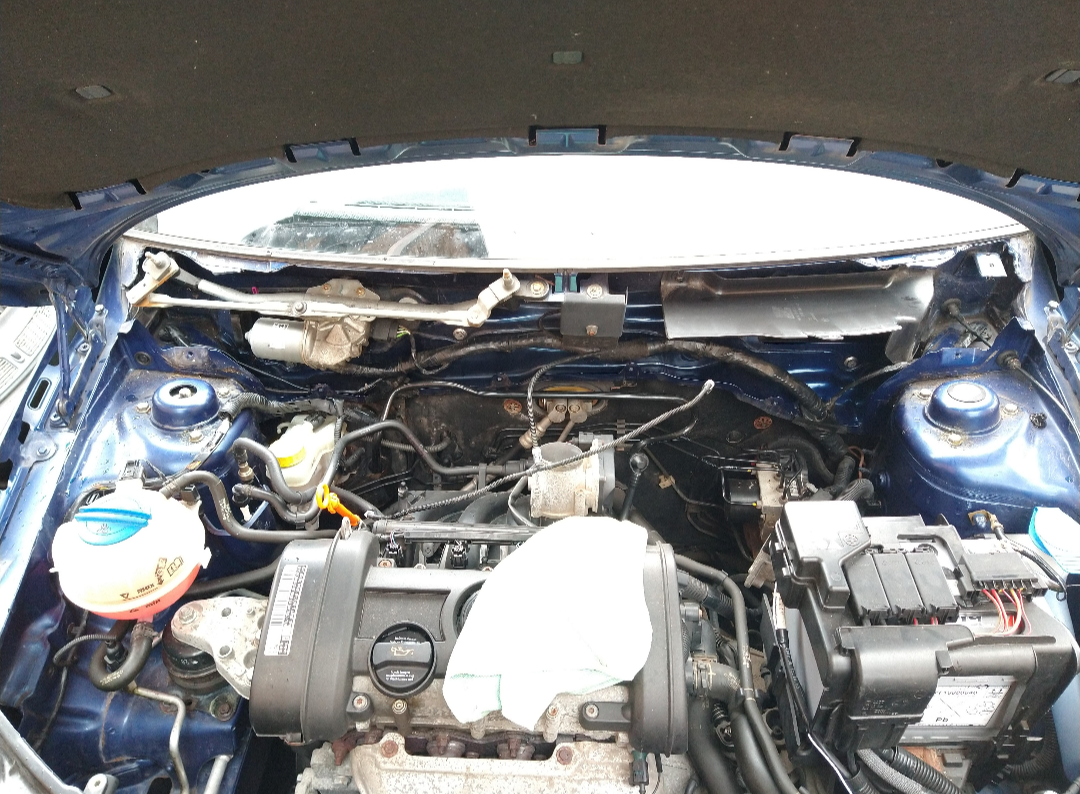
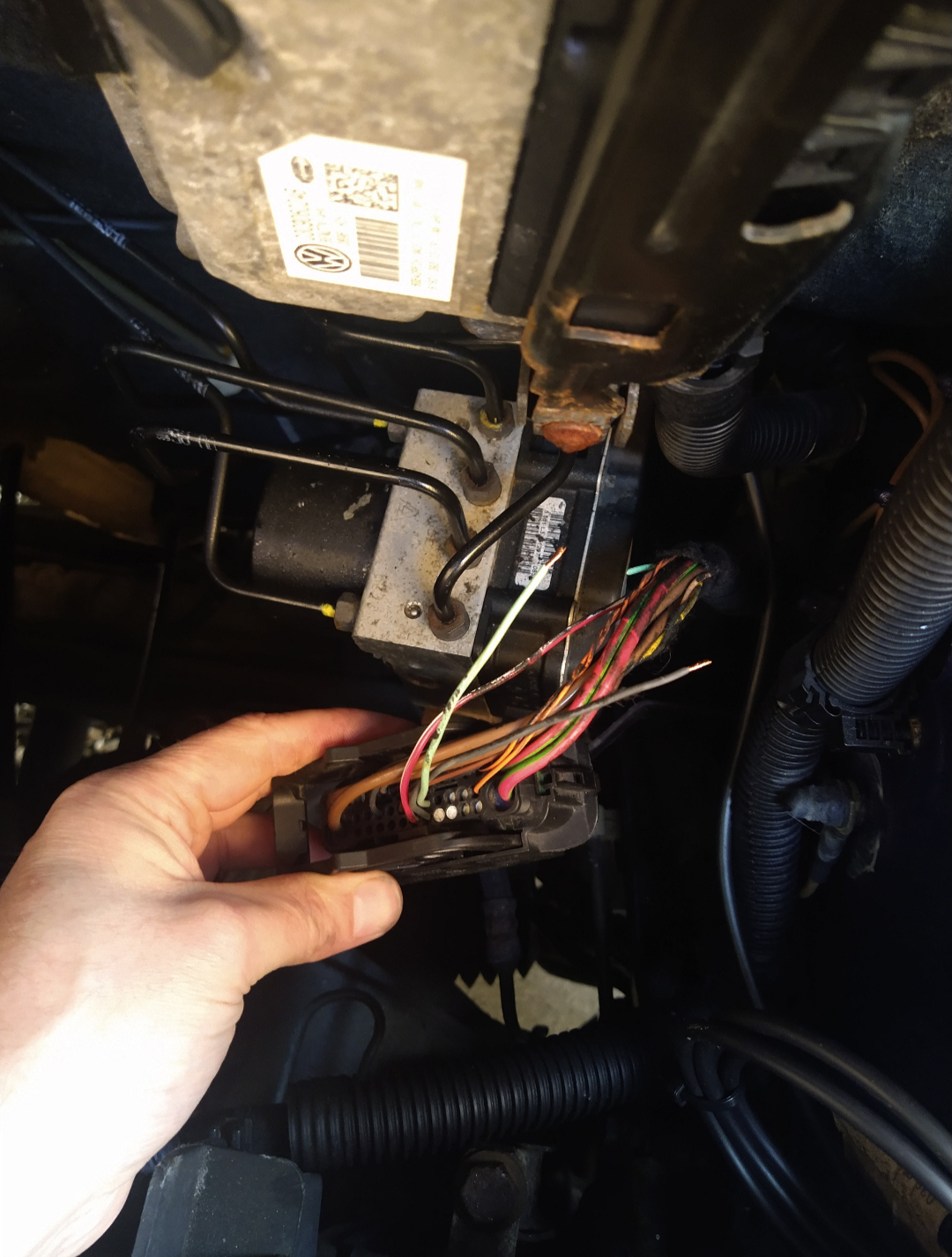
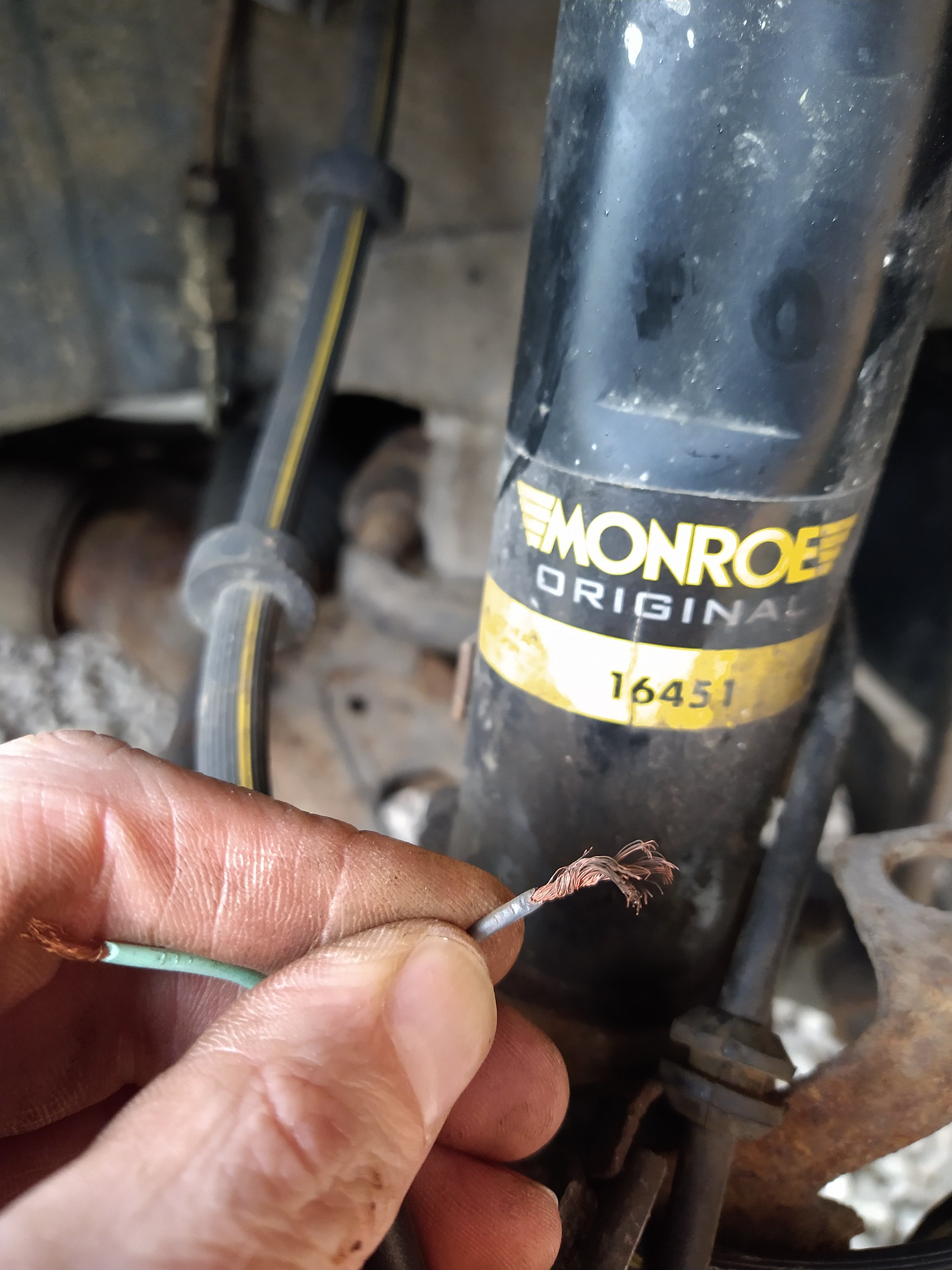
I managed to sort the wire. The wire was still rusted right up to to top of the wheel arch, so I took the wipers off and the plenum chamber to get to the wire loom at the top of the bulk head, I unwrapped the insulation tape to connect it there, but it was still rusty, so I unwrapped it half way across and it was the same so I decided to just feed the wire straight across to the abs unit harness and connect it there, luckily it was nice clean copper at that end. And a bonus I managed to kill two birds with one stone as Ive been wanting to clean it all out under the plenum chamber and make sure the drain holes wasn't clogged The abs light went straight off after I put the battery terminal back, I did a scan and nothing showed, and did an output test on the speed sensor and all 4 wheels was picking up the speed. All together it was £6 for the sensor harness connector, and £6.95 for a 10 metre reel of twin 0.75, and I already had crimps, heat shrink and loom tape. So it was a nice cheap fix, thanks for your help. If anyone comes across this post in the future here is the wire digram for the 5j model and some photos of it done.
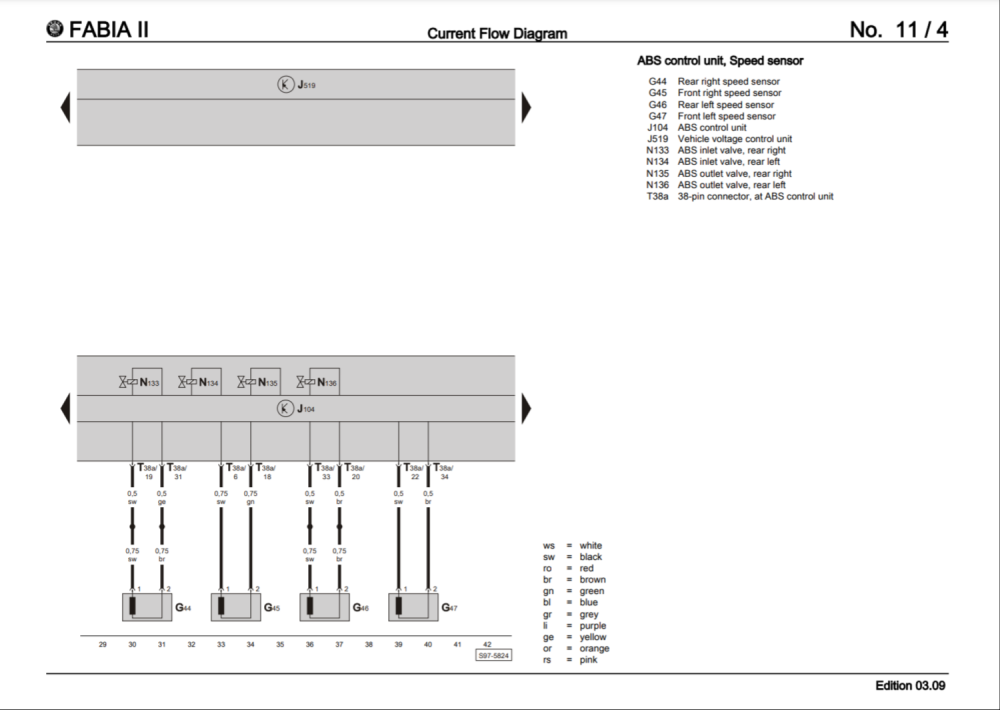
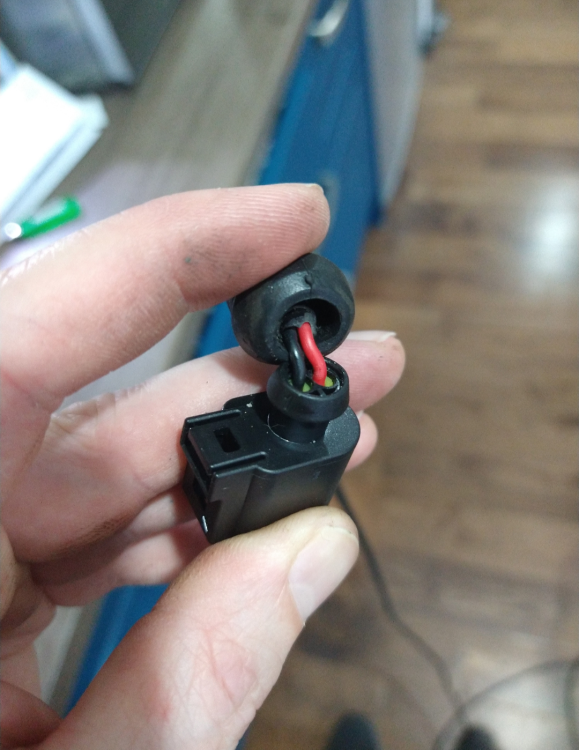
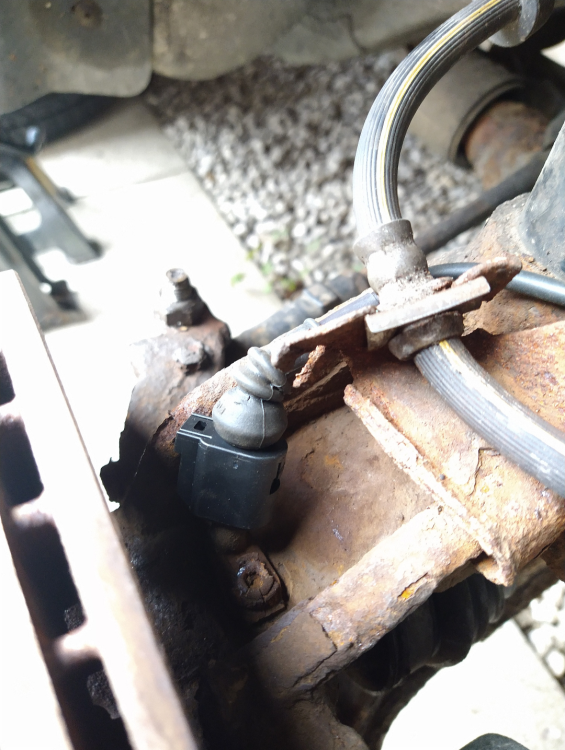
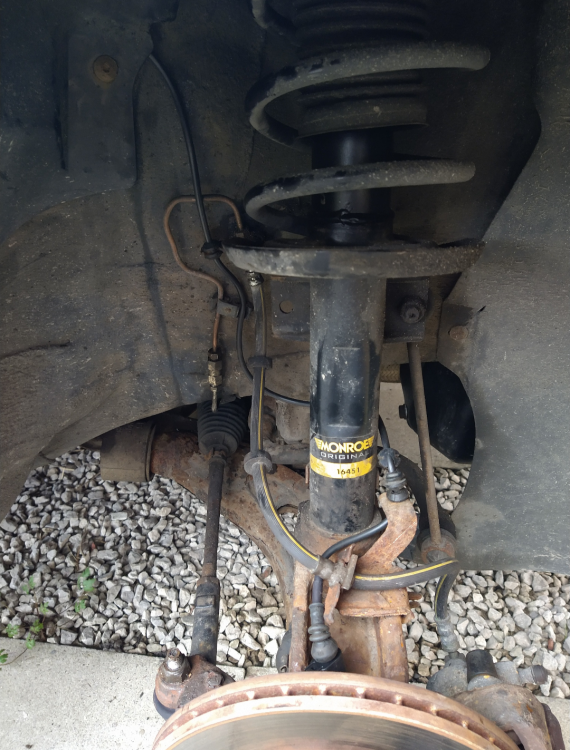
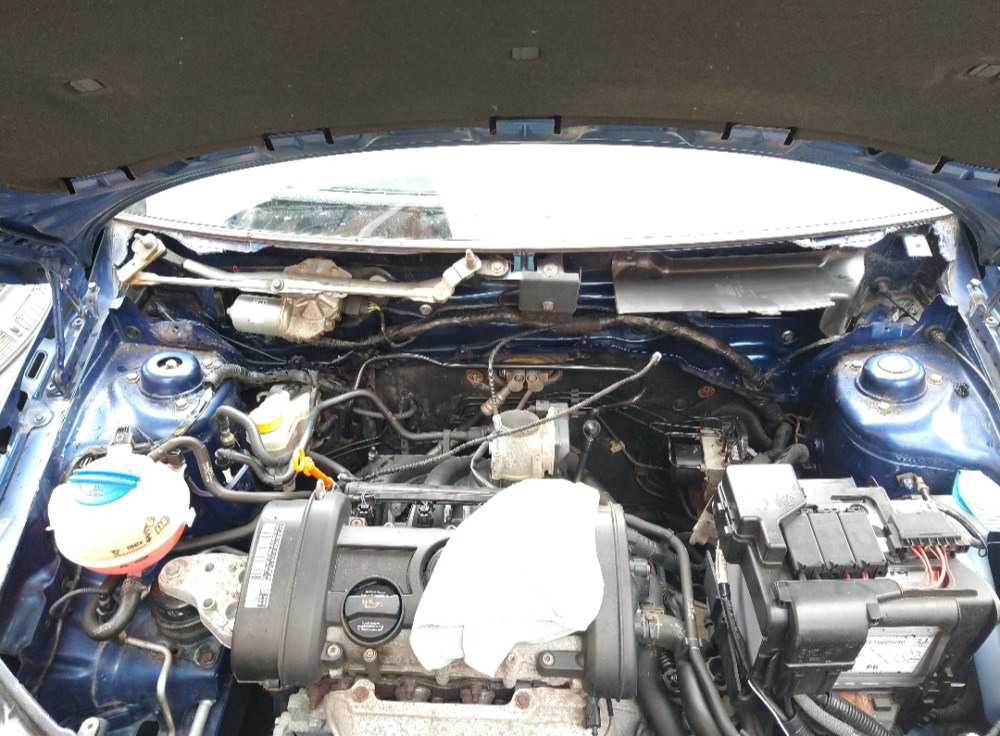
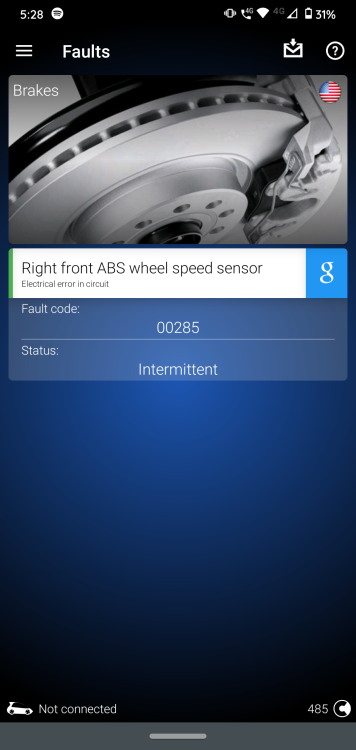
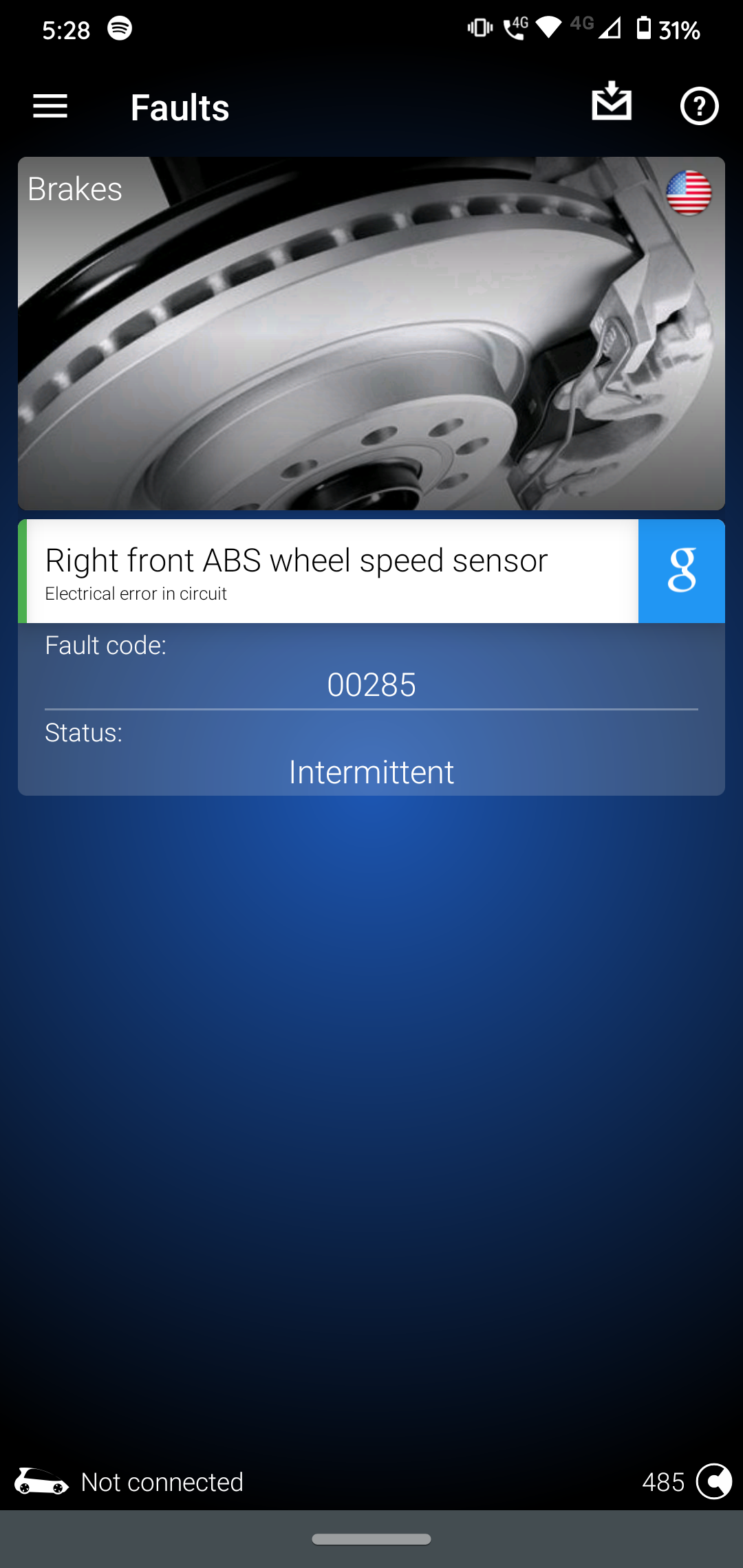
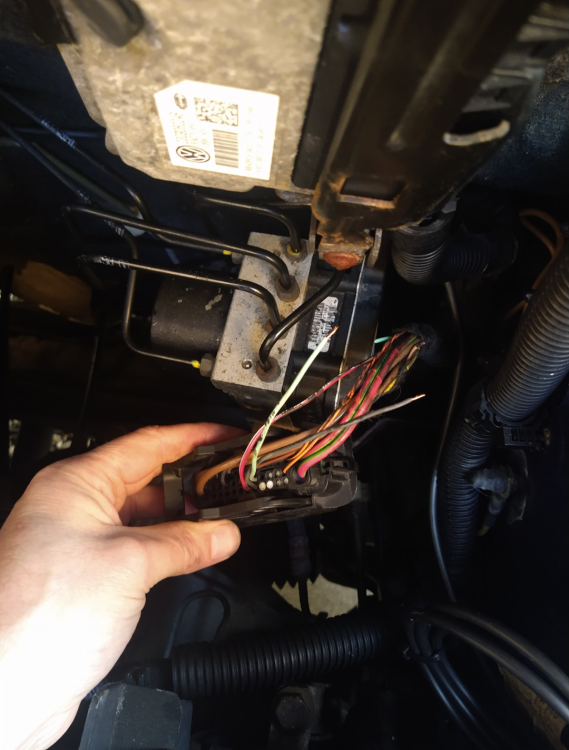 Thanks for confirming the size. That makes sense, ill get some twin wire with some decent outdoor grade insulation on it so it doesn't get damaged by the frost I've got some heat shrink butt connectors, and I'll heat shrink over that aswell, I'll keep cutting it back untill it's undamaged and go back to the sensor from there. Luckily the little rubber mounts on the cable come off so I can put it on the new wire and keep it tidy. thanks for that, hopefully the weather holds off on Thursday when I'm freeHi I have had a problem with my offside abs cable. The scan tool says an error in the circuit Fault code: 00285 I've had a look at the harness connector and the pins were corroded and the wire had broken from rust under the the little boot cover on the harness case. I've bought a replacement harness connector with 2 wires already connected. I've cut the old wire back and the grey wire is still corroded, I've kept cutting it back and it seems to be corroded quite far back. I'm guessing it will be ideal to just replace the whole wire. The grey wire is more black and copper rust would normally be green, and feels really thin and abit like bristles on a brush, where as the green wire is nice and clean and strong strands. Is it a certain type of wire on the abs cable where one wire is a different material or should they both be strong copper strands. It looks like a 0.75 cable but I'd have to check, could I just get a reel of twin copper cable, or am I best getting a vag one online. It doesn't look at bad on the photo but you can see the difference between the two. Hope I made sense of that lol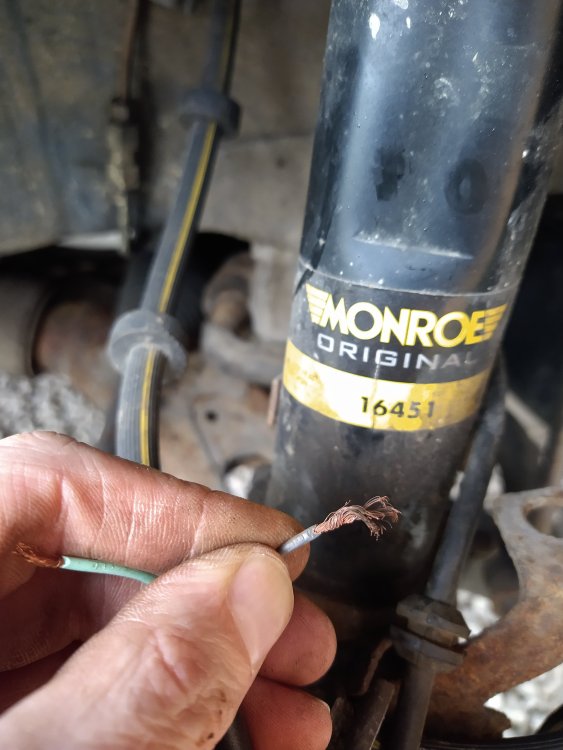
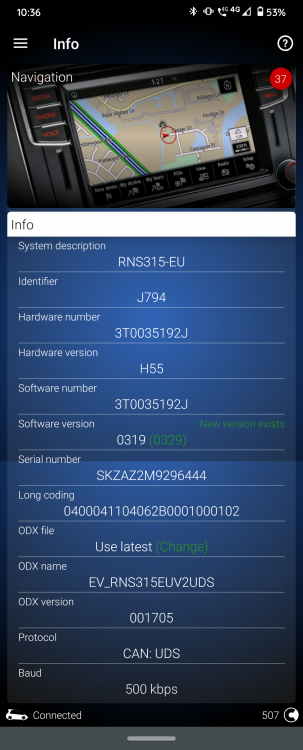
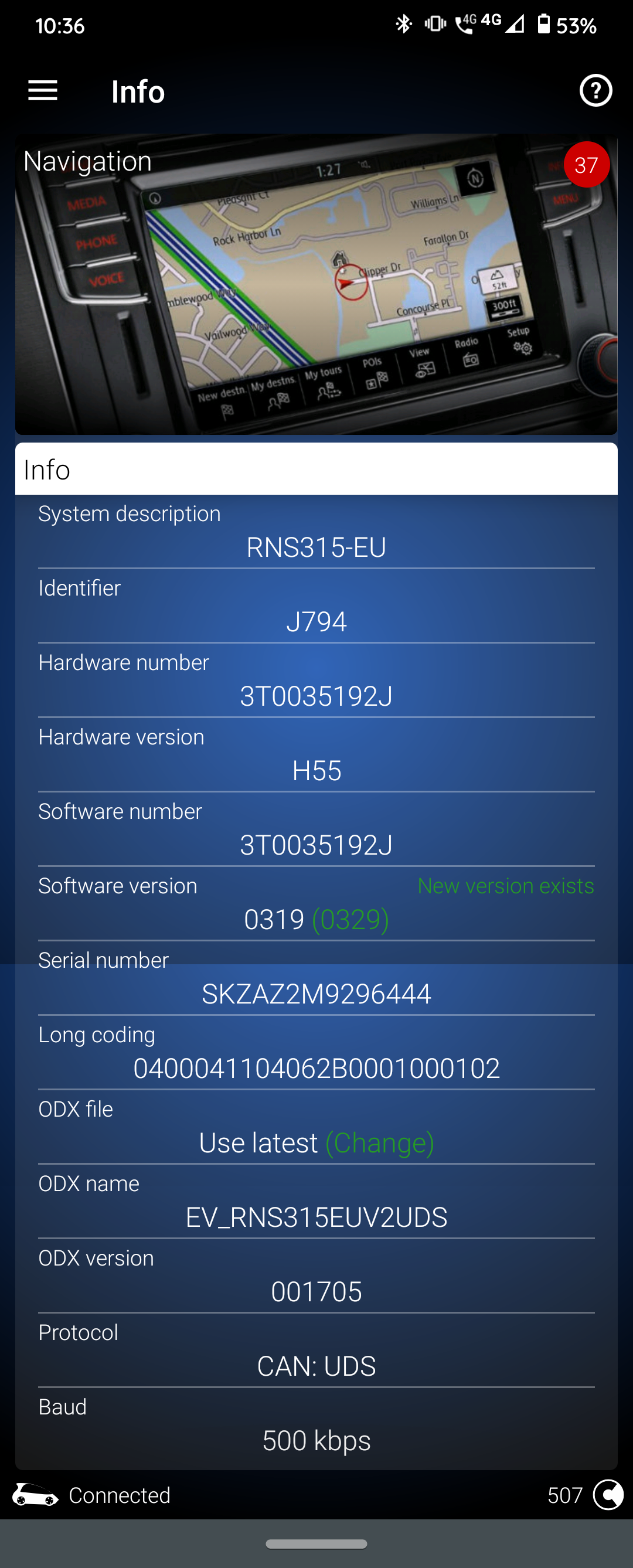
 Hi my mk2 Fabia always has a problem with condensation in winter. I can't find any dampness or water in the car. I am going to jack it up and check all the underbody grommets incase they aren't sealing very well. My main plan is to give the plenum chamber a good clean and make sure the drain holes aren't clogged, has anyone got any tips on this? I had a quick look today and there is a separate piece of dampening/carpet on the bulkhead, and when I pulled it back there was a panel bolted in, I'm guessing to the heater matrix for the cabin air intake, would it be worth removing the panel to check for water in there too? Thanks for any helpHi I've tried looking threw the forums but can't seem to find any photos or information on adding extra seal. I've got an issue on my mum's car where water is leaking in and pooling on the floor. Ive seen a few posts saying add some p shape seal to the bottom half of the door seal. My question is where do you stick the seal? Is it tucked up to the outer part of the original seal? Has anyone got any photos of there's, or links to any threads with photos on? ThanksHi, no theres no recentre button on this one :( I ended up trying a new gps antenna, and it's found itself now. However before this I took the fuse out for a while and now it's not communicating with the maxidot :sHi my girlfriend has a 14 plate rapid spaceback. I've installed an Amundsen plus. It all went well untill the maps froze, I've managed to fix this now with a new antenna. However while trying to figure out why it wasn't working I disconnected the fuse for an hour to see if it would hard reset to fix the problem, but now there is no communication to the maxidot display. It's showing the control module is incorrectly coded: 19 Gateway System description: GW-K-CAN TP20 Software number: 6N0909901 Software version: 0411 Hardware number: 6R0937087 Hardware version: H34 Long coding: 932300 Trouble codes: 01044 - Control module incorrectly coded static The code for the head unit is: 37 Navigation System description: RNS315-EU Software number: 3T0035192J Software version: 0319 Hardware number: 3T0035192J Hardware version: H55 Serial number: SKZAZ2M9296444 ODX name: EV_RNS315EUV2UDS ODX version: 001705 Long coding: 0400041104062B0001000002 Trouble codes: B106613 - Left rear treble speaker Open circuit static B106813 - Right rear treble speaker Open circuit static B105411 - GPS antenna Short circuit to ground static B105313 - GSM antenna Open circuit static B104813 - Telephone microphone Open circuit static U101400 - Control module incorrectly coded static Does anyone if there is an issue with this coding? ThanksHi I've put an Amundsen head unit in my partners rapid spaceback 2014, everything works fine but after about 4 weeks the sat nav map is stuck on a motorway location, if she drives it will move but it will just keep moving off road in whatever direction she is moving. I put am Amazon aftermarket GPS antenna on when I fitted it. I've checked all the connectors, which are fine, I've tried a second antenna and put it on the roof of the car in an open space to test it but the map hasn't moved. The long coding is: 0400041104062B0001000102 I've removed the fuse for a while and put the code back in but the map still won't pick up a location. I have obdeleven and a friend who has vcds is this a common problem with the unit. It's showing there is a firmware update for the system but I'm not sure where to get the file from. Any help would be greatful Thanks
 Hi all I've noticed a problem for a short while, when I'm driving there's a fast clicking - clanking noise but only when I put my foot on the accelerator. The only way I can think of explaining it is a bit like the clicking noise on the wheel of fortune. When I let my foot off the accelerator it completely goes away and starts again when I press the accelerator and then stops again as soon as I let go. It doesn't click faster the faster the car goes, and it doesn't matter what speed I am going if it's 10mph or 70mph The speed of the clicking is always the same. I know my tappets tick being a BXW engine but this is a separate noise. Has anyone had a similar problem that they fixed ThanksAll the fuses were fine and all the cables were fine, just a couple that the insulation had split that I taped up, but not the same coloured wires for the window. I read people saying about a faulty switch but I couldn't see it being that, but I seen some for £8 on eBay so I thought take a gamble just in case and if not then I've got a spare, and it's worked :s I don't know how, the original switch was immaculate and no corrosion on the circuit, so I don't know if something had failed on it and it kept crashing the module :s But problem solved Thanks for your helpI think I did, I had my manual downloaded as pdf, but I've got my actual manual out and it shows about the key indoor method and said about the windows being down :s after I disconnected the battery i was able to use the passenger window so I used the key method with that window down and nothing happened. After disconnecting and reconnecting the battery the passenger side works but when I try it with the driver door switch it just crashes both sides. So I I think I'll try that and check all the wires, there was a few where the insulation had split so I've taped around them at moment, but I think I might take the whole loom out and unwind the tape and have a proper inspection on them and solder or replace any wires that look faulty. and yeah I agree it's not the best design lolI've just looked in the manual and it shows how to reset it, but only to reset where you hold it for 3 seconds when it's closed to use the one button close, but mine are completely dead, there's no sound of the motor trying to work :sYeah I'll have a look in there and try it in the morning thanks


Important Information
Welcome to BRISKODA. Please note the following important links Terms of Use. We have a comprehensive Privacy Policy. We have placed cookies on your device to help make this website better. You can adjust your cookie settings, otherwise we'll assume you're okay to continue.