marmex
Finding my way
-
Joined
-
Last visited
-
Yes ! Work in VC.I buy also and I have Bolero and you have option where to display navigation.Also I add trafic info for navigation and work well.
-
-
@bnmlvn I have same issue with Bolero.I activate Navigation last summer via shop and from that moment deactivate somehow the DAB reception.Nobody knows why.No need to do something special, just select FM/DAB and you can see in display all together.But I have now just FM and all the station with DAB missing.I think it’s a software issue.Not bother me so much.
-
-
https://www.wheel-size.com/size/skoda/octavia/2021/#trim-15tsi-eudm-148 You find here all the data
-
In my case it’s all OK.I change the car every 5 years from new. I own in the past Octavia MK2 then MK2 FL follow by MK3 RS all diesel and now MK4 TSI. Till now no issue with Skoda. But I never buy the model when was launched. With new one(made in Dec 2020 in the end of the month)) I have 4500Km and no issue till now just minor error with sensors when was heavy snow. Beside the consumption (after diesel) its high but I press the pedal more than before. I don’t know in percentage what mean this issue .They sell lot off cars so 1000 issue maybe not have so big impact. Yes its bother me boot time and the setting go to normal every time and have to set again. But it’s not a major issue for me. Maybe I’m the lucky one.
-
Put your VIN and you will find update for your car.By country http://updateportal.skoda-auto.com/
-
Bolero (without Nav active).Minor issue with sensors on snow or hard rain.Now its OK.From january till now was some update (5-6 minor update but not change software version)
-
-
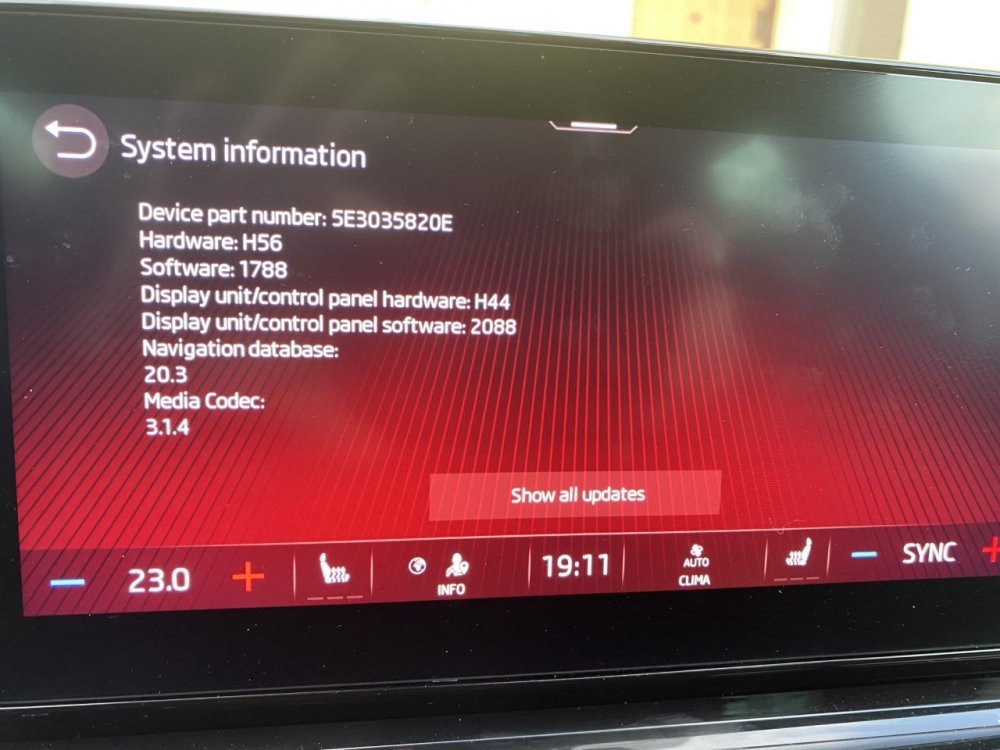
Look the information
-
When I get my car dealer say will be in the future(around 500Euro).Bolero have already the hardware but need to be unlocked via software. In previous 2016 VRS I used Waze and work great with cable. Now is wireless (On my IOS) and its nice. Yes ,you cannot move on cockpit but its OK.I think the hardware are the same like Columbus (just locked some feature in Bolero).In configurator was +800 Euro for Columbus
-
@TheUltraRunner I check and you have right! I think last update change automatically language because I share my location .I not notice because the menu its still in English(not translated in my language).So I change back to English and work. Your question made me wander if the language is in English.So now no issue for the moment(no snow or ice).No other error.Thanks man!
-
I know! Its in English. Always I keep in English also my phone. The translation in my language its stupid some time and I not understand what want to say. I mean when you press the button not load .Thanks
-
Mine(MK4 VRS TSI-DSG) came with Goodyear F1 on 19" wheels. In previous VRS I had Michelin PS4 and seams to be the same, like feeling.
-
My assistant Laura its dead. Say loading but nothing happens. When I get the car in January 14 work but now after several update OTA not work. Few other minor error regarding different assist when is snowing or rain.In rest no issue just long waiting to boot and to change settings every time. Revert to normal and the sound its awful .The previous Octavia III VRS diesel was nothing with this one regarding sound generator.To much for me.