AmarSirohi
Members
-
Joined
-
Last visited
Everything posted by AmarSirohi
-
I have: Galaxy S9+ with Android 10 Kodiaq 2021 (delivered 02/2021) Columbus MIB 3 Wireless AA connected No additional setup/configuration either in car or in phone AA app Once I start navigation in AA google maps, I can see: Maps in VC (full with directions OR turn by turn directions only) Maps in center console screen
-
I searched and there is nothing that anyone has posted. Even though sound is very personal, I do believe that getting a starting point from other people based on their "personal" settings may give a head start. So I will try and setup something using RTA/pink noise.
-
Well I absolutely love it. The sound is crisp and clear. Fact that you can play around manually with the "center" is an excellent feature. When kids are sleeping in the back I can pull it all the way towards the front seats and kids can hardly hear a thing while I still get to listen to music at a decent volume. ProLogic surround sound is also good although I do not see much of a difference when I do use it.
-
Yes indeed it was. I had started the thread, but despite following instructions this problem is not solved. Maybe a software update will fix it. If I get a positive response from the dealership then will report back on the thread about this topic.
-
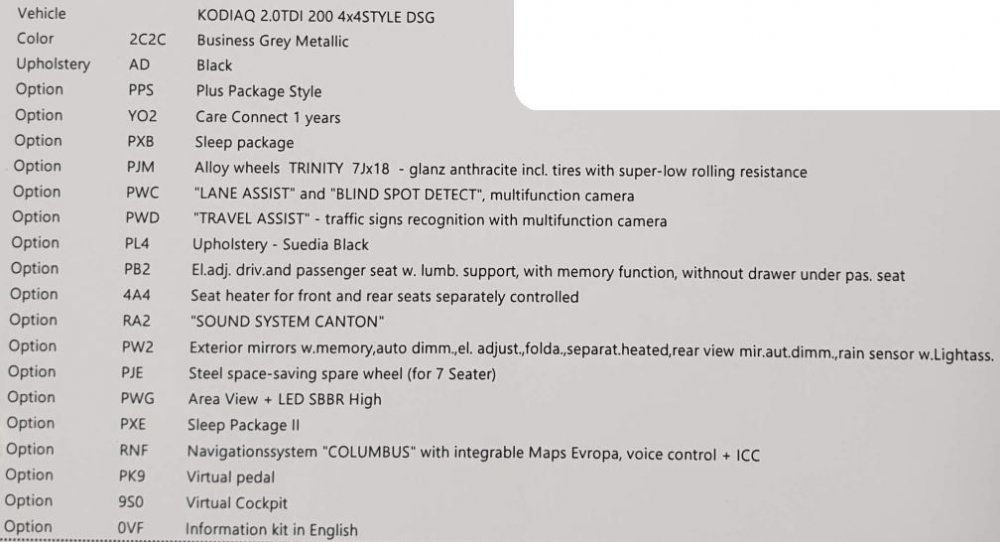
Over the last several months I have gratefully used the knowledge of people on this forum to assist me in the buying process here in Cyprus. Finally ordered my car in 11/2020 and got delivery last week on 02/02/2021. Considering that we are in Cyprus and an initial timeframe of 3 months minimum was given to us, this time of having the keys in our hand in around 10 weeks (with COVID prevailing still) is fantastic. One thing that I will appreciate specifically is the assistance that was provided to us by our sales manager in Skoda. Car dealerships in Cyprus are known monsters to care as little as possible about prospective buyers/customers. Mainly because the whole industry is a nexus (one family owns several brands and there is zero competition i.e. no one else on the island will own a dealership of the same brand). On to my experience: MySKoda app: Before I went to collect the car I had setup the dreaded MySkoda app on my S9+. The reviews in Android play store and on every group/forum pointed towards one and only one supposed fact - The app is useless, does not work most times and do not waste your time. But considering that I had nothing to lose I decided to give it a go. To my surprise the installation of the app and initial setup (add a car) was pretty easy and finished in a jiffy. All I needed was the VIN for my car and voila, car added and waiting for activation for which I needed my car and two keys. Delivery day: Went quite smooth. I had a checklist which I had written up and in about an hour's time I had verified all that I wanted to. Car was in great shape and we loved the color "Business Grey". The ad on 18" TRINITY anthracite wheels gave it a super look as the grey in the wheels went well with the overall colour. For those who are interested the car has the following features: Now I still did not believe that the activation process waited by the MySkoda app will go through flawlessly. So in I went to my car, sat down with my two keys and did as the app asked me to. At some point I got a message "synchronizing profile" and you should have been that to see the face of the sales manager. He was almost sure this will not work . That is surely a vote to the confidence that Skoda employees have on their own app. Well the sync finished, app started showing my car and I could use all features immediately (except the features like lock/unlock which require specific activation by the dealer - will get this sorted next week). For those who might be interested I could even change my nickname (multiple times) and it correctly updated in the car each and every time. Initial setup: First thing I did after we completed the delivery was to connect the infotainment using Wireless Android Auto. I must say worked like a charm. Connected to bluetooth, got message on infotainment to use AA, selected it and that is it. Now when I enter the car with my phone AA is connected (did not fail a single time) and I can use all AA apps without any problems (touch wood :)). Next came setting up the home screen (there are two pages) and the favourites pull down menu. This also was pretty straightforward...This is when I faced my first bug of the software although it is pretty minor - When I press the "home' button on the infotainment unit, instead of going to the "first" page of the home screen menu, I land up at the "second" page. Until now have not found any workaround for this. Now the only part of setup which I still want to do is to setup the Canton equalizer. If anyone has ready links to this then will appreciate you sharing. Driving: As we are in the lockdown period, we have not driven much. The car has 120 odd Kms on it, mostly made up of city and bit of highway driving. The drive has been super smooth. Have not faced any lag (had read a lot about this and had even had a look at racechip just to remove the lag) on traffic lights or at round abouts during stop and go situations. Although this might as well be due to the fact that I am keeping the car at low revs (up to 2K) and I am not going to push the engine until at least 1500 Kms. When driving the sound insulation is excellent and I am sure that the acoustic front windows play a hand in this. You just do not hear anything (yes it is a bit exaggerated) from the outside world. At idle and without music playing, you can hear a bit of the engine sound though. Considering that this is our first diesel car and second car that we now bought (First being a Passt 1.4 TSI in 2009) I am very impressed (always thought that the diesel sound will enter the cabin at driving speeds). Music: We have the Canton system. Have not played with the equalizer. But as a start with its factory settings the sound quality is already very good. I like how I can select manually the "center" of the music area through the sound settings. Also the fact that I can select "surround" as an option. I believe given a bit of a tweek the sound quality will only improve. So this is it folks! Wanted to share my initial experience with the car. If I missed a detail that you would like to know more about then feel free to comment and I will chime in where I can. As I grow with it will definitely share more. Also big thank you to everyone on this forum who helped me out during the decision making buying process. I hope I can repay in kind by helping others. If anyone who is shopping around now and has some questions, feel free to ask. I will try and help out if I have the feature in my car. And to everyone who are on the fence - I would say "BUY IT". This is a value for money car in every sense, so as long as you are fine with the dimensions and have decided on 5 vs 7 seats, then I do not see any other better options out there. Safe Driving!!
-
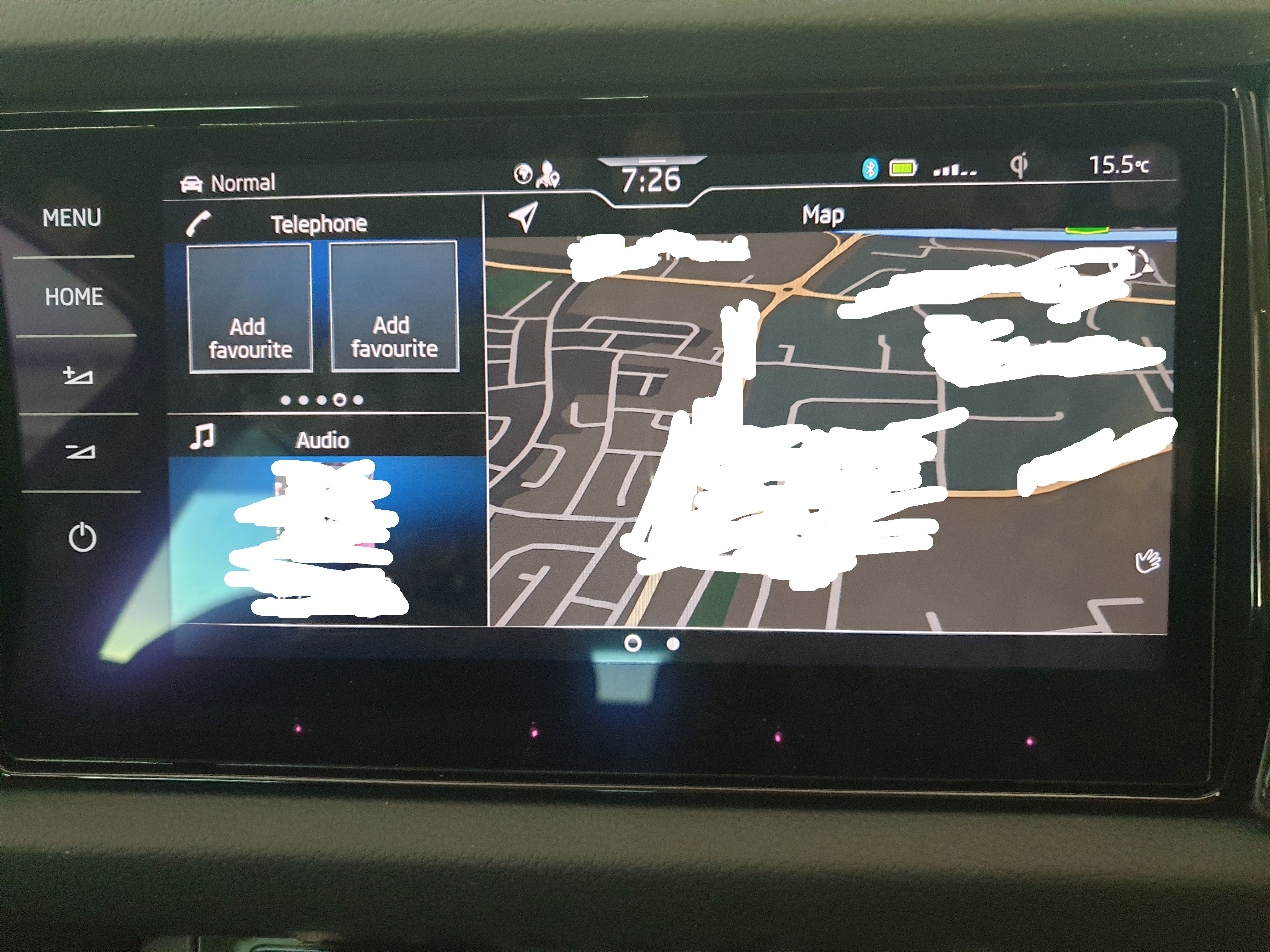
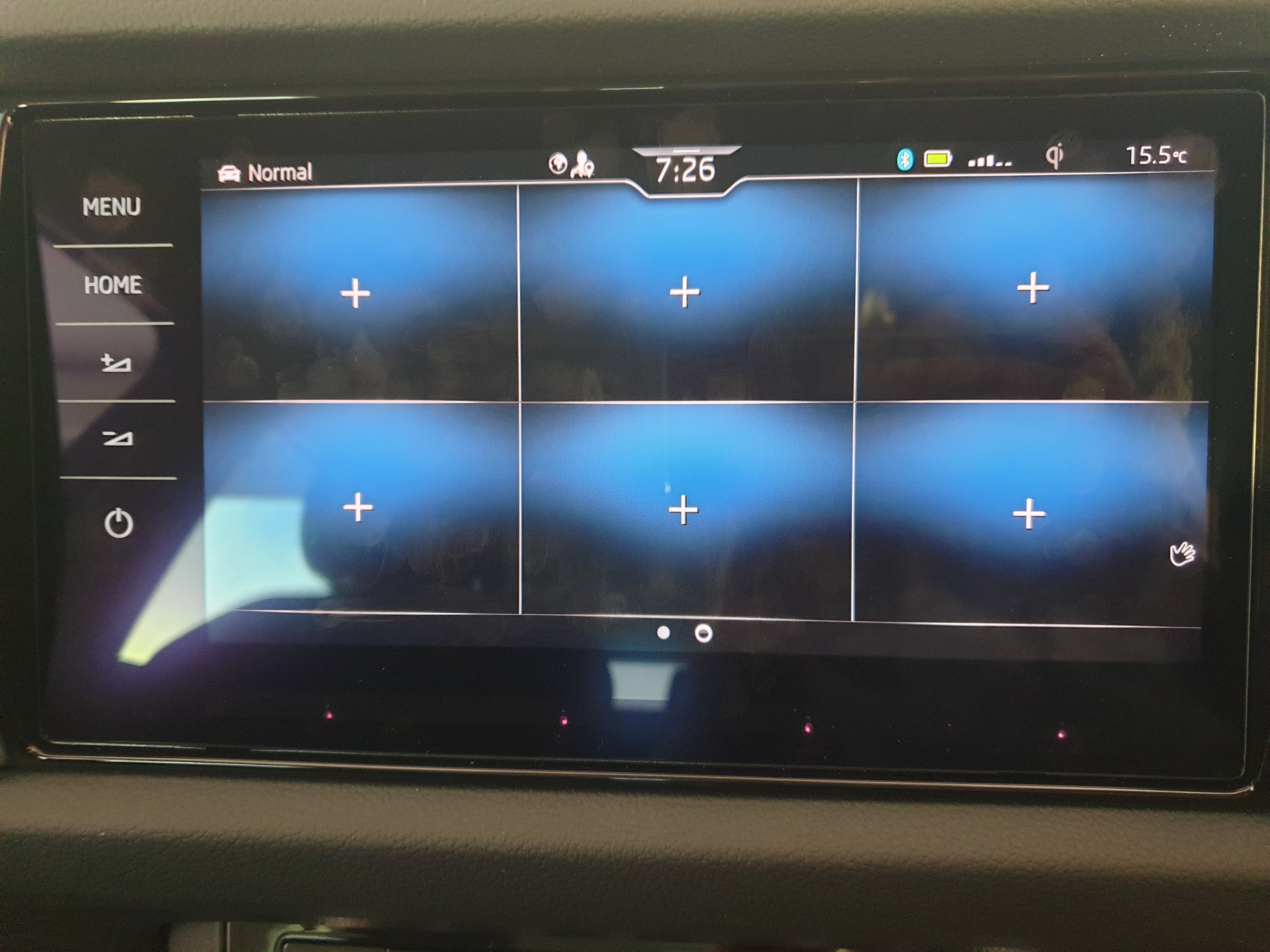
@Billywizzo Nice idea in desperate times So for me the status is as follows: Use of home button: Now I have configured all empty spaces on second screen with available widgets. After this I transition between two buttons - Menu and home. 1st attempt: Press menu, press home >>> correct (1st page) of home screen is displayed 2nd attempt: Press menu, press home >>> incorrect (2nd page) of home screen is displayed 3rd attempt: Press menu, press home >>> correct (1st page) of home screen is displayed 4th attempt: Press menu, press home >>> incorrect (2nd page) of home screen is displayed I have also reset the infotainment (long press on power button) to no avail. Adding new widgets: Still cannot find a way to add a widget for settings. Neither in home screen nor in favourites pull down bar on top Adding new page on home screen: Still do not find a way to add a 3rd page to the home screen menu. But I suppose this is not needed considering the lack of widgets (what are available are already added on first two pages)....
- 11 replies
-
- add tile
- add widget
- columbus
- home screen
-
Tagged with:
-
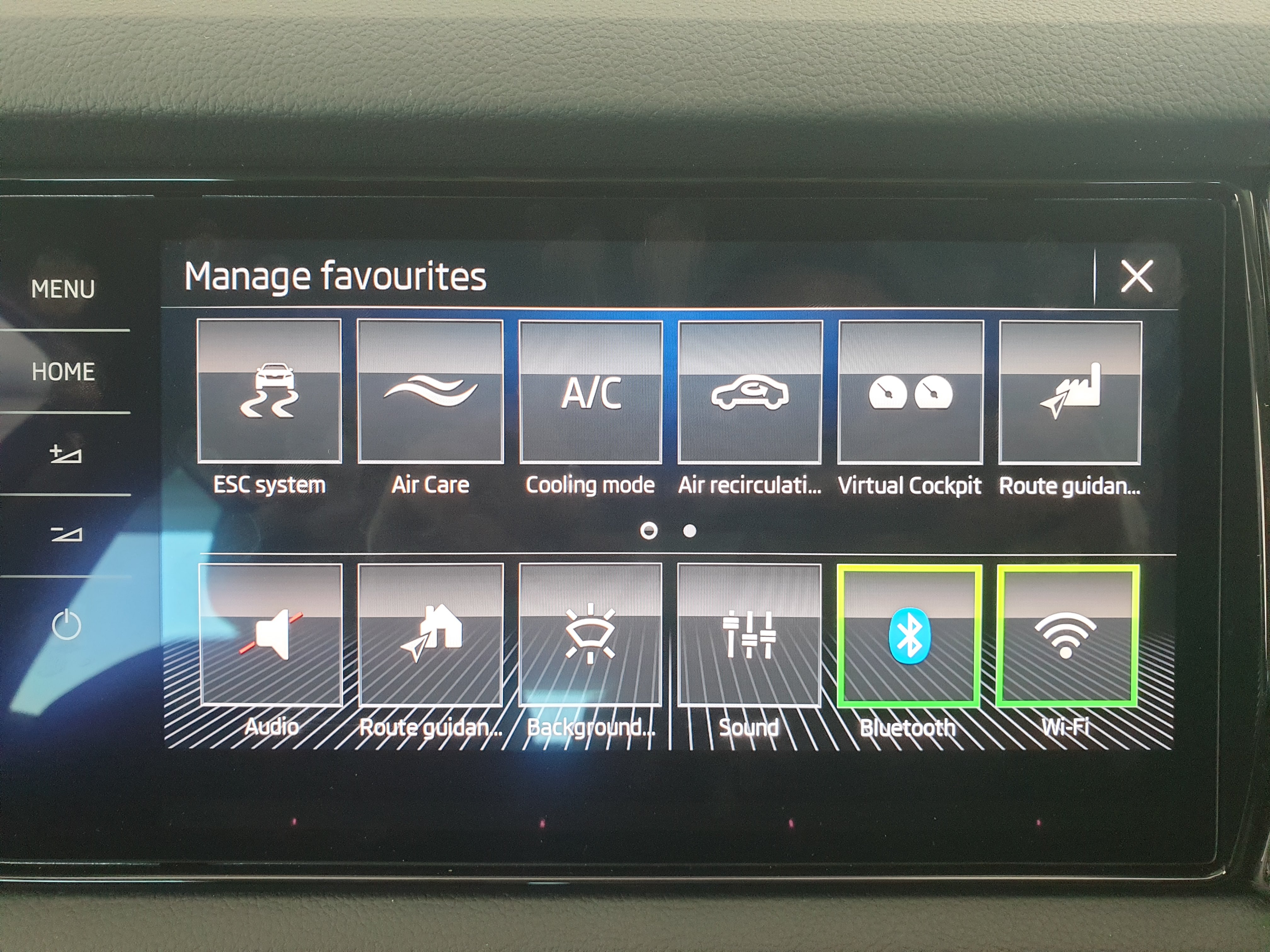
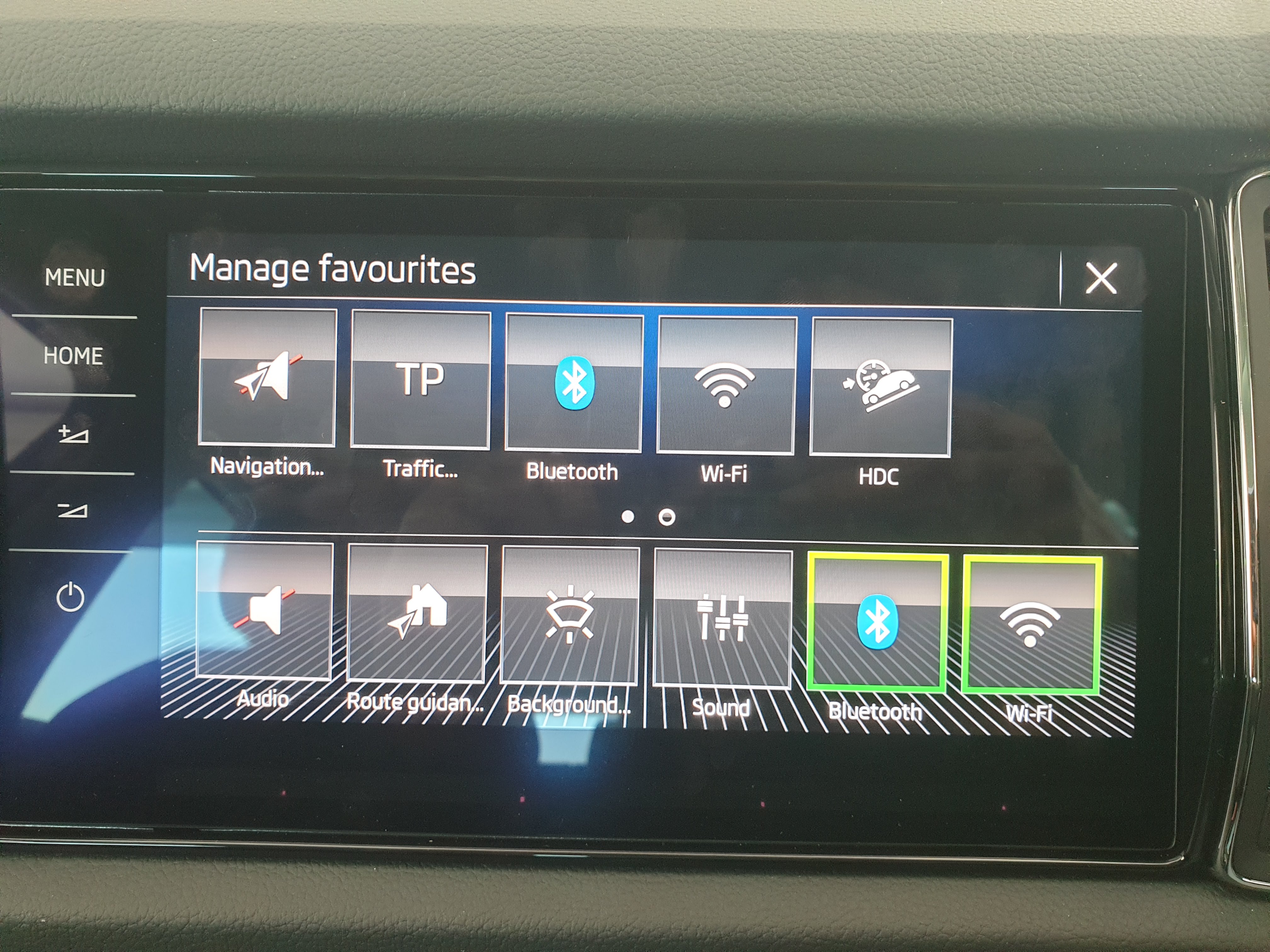
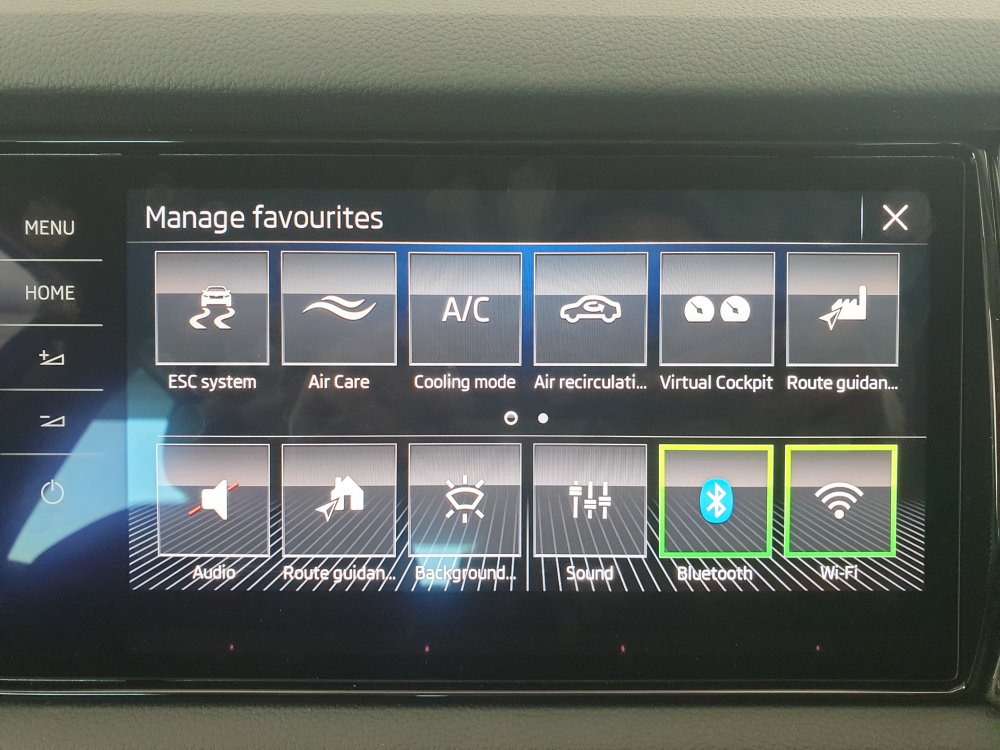
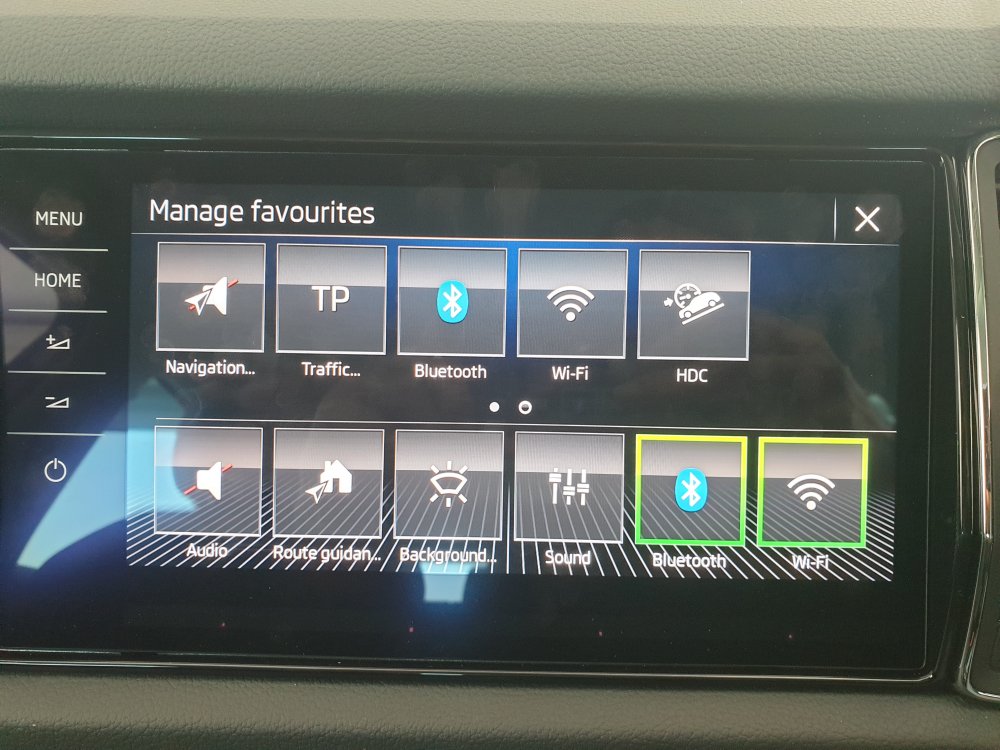
@edika When I scroll down from the top and long press a favourite icon I can go to manage favourites settings. But here I only see the following options (nothing about settings). Is there some other screen where you add what all options you want the ability to setup as favourites?
- 11 replies
-
- add tile
- add widget
- columbus
- home screen
-
Tagged with:
-
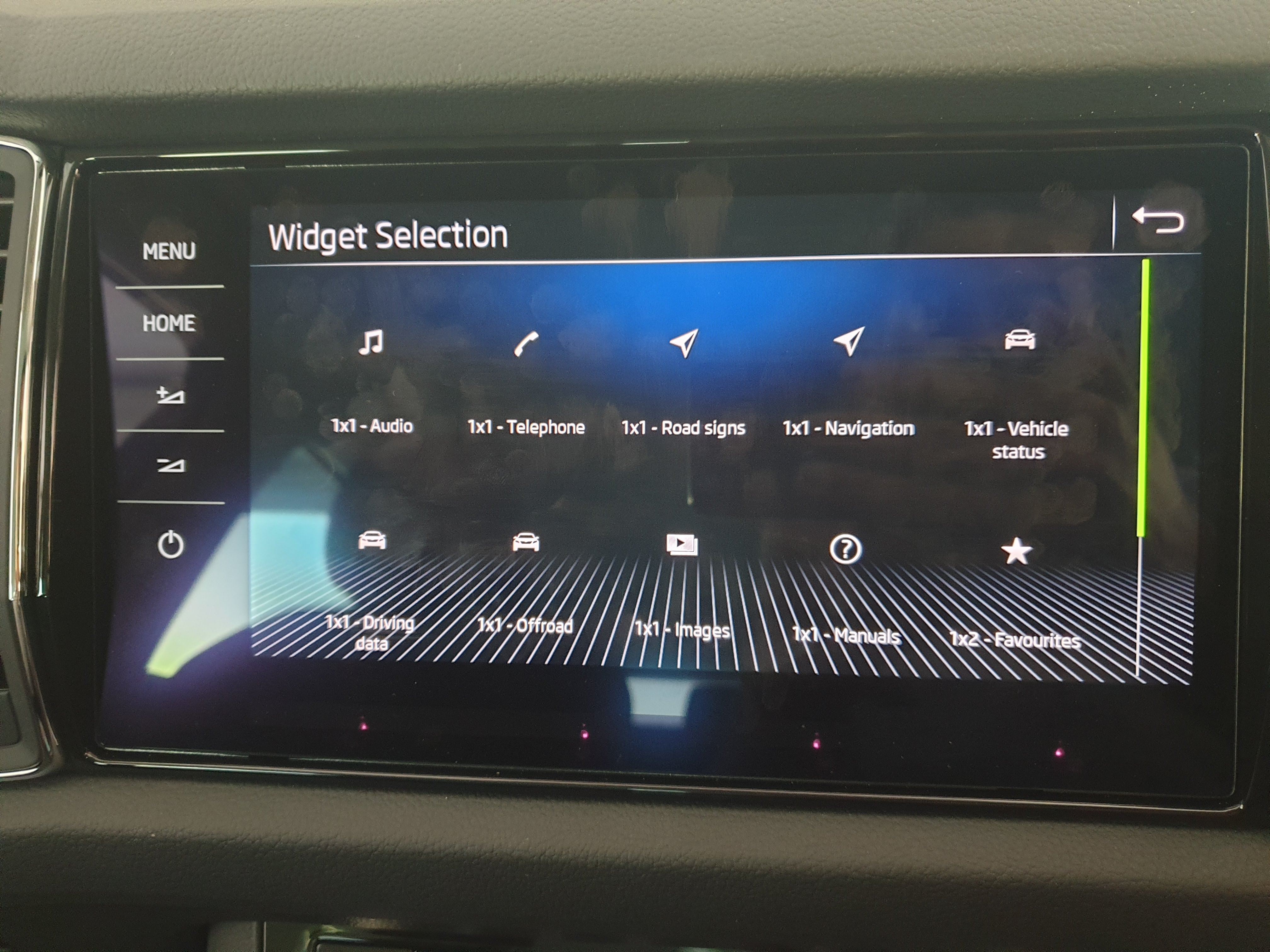
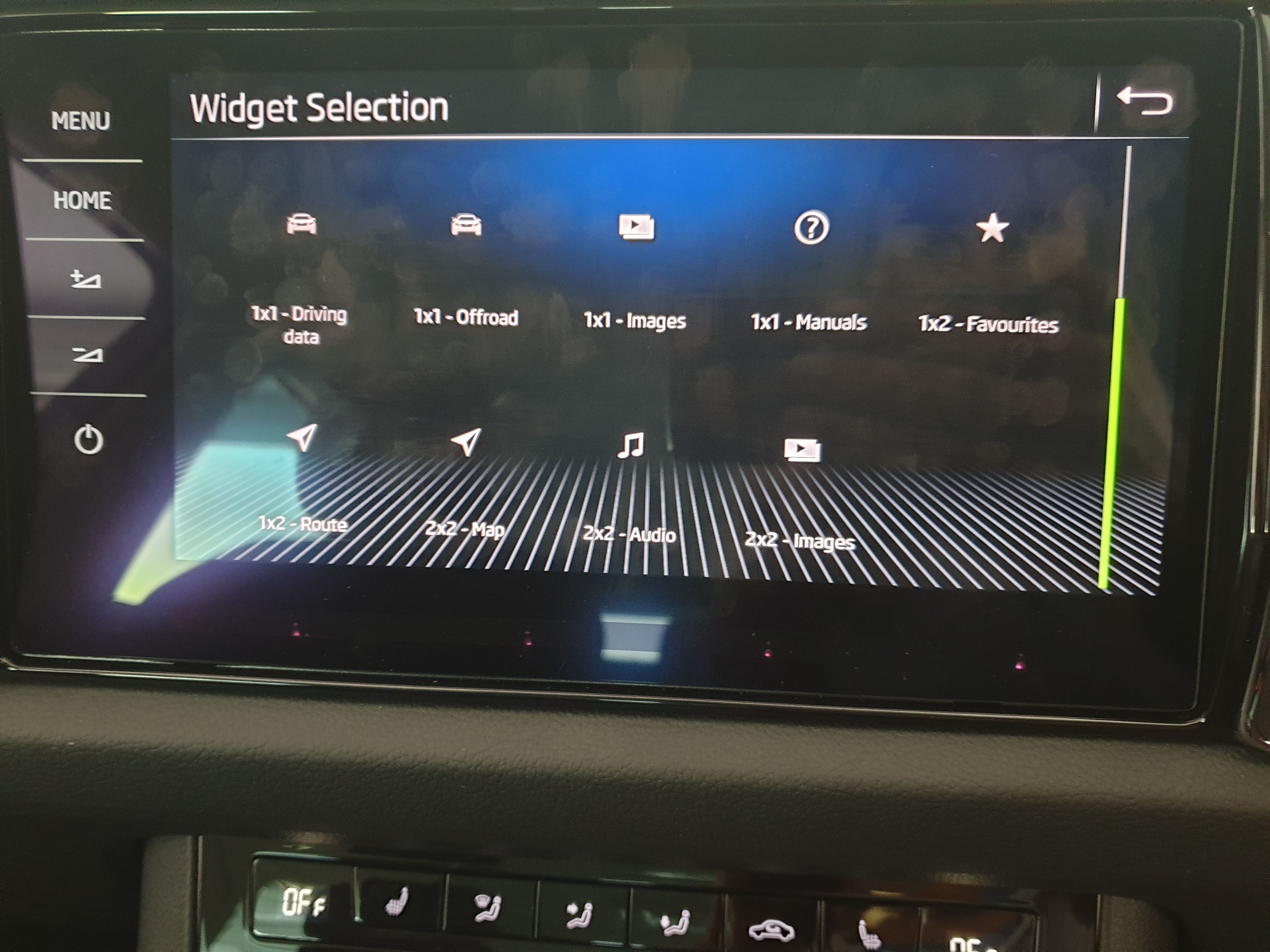
@edika Thank you, I will check this especially about filling up second page in order to show first page when I click home button. Do you also know if the widgets I show are the ones which are visible in your car? I was thinking that these are too few and miss some like settings widget...
- 11 replies
-
- add tile
- add widget
- columbus
- home screen
-
Tagged with:
-
Sorry, could not help you then....If no other member knows then I suppose only option is the dealer.
-
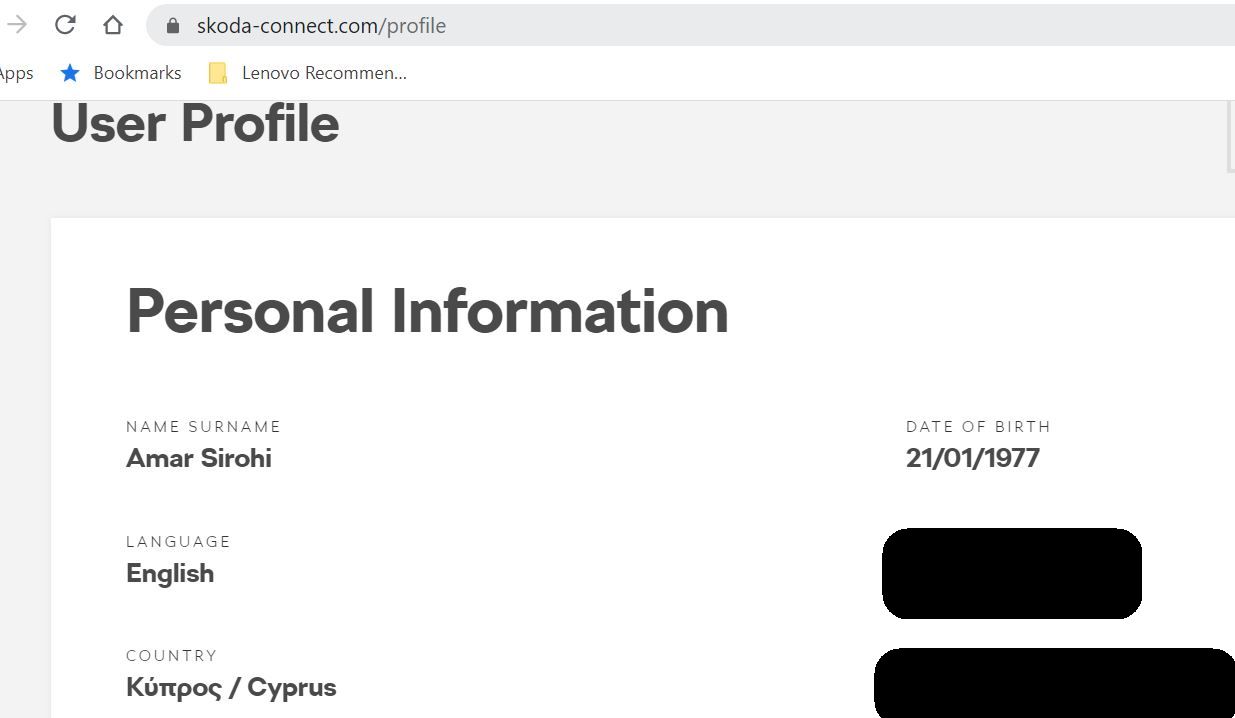
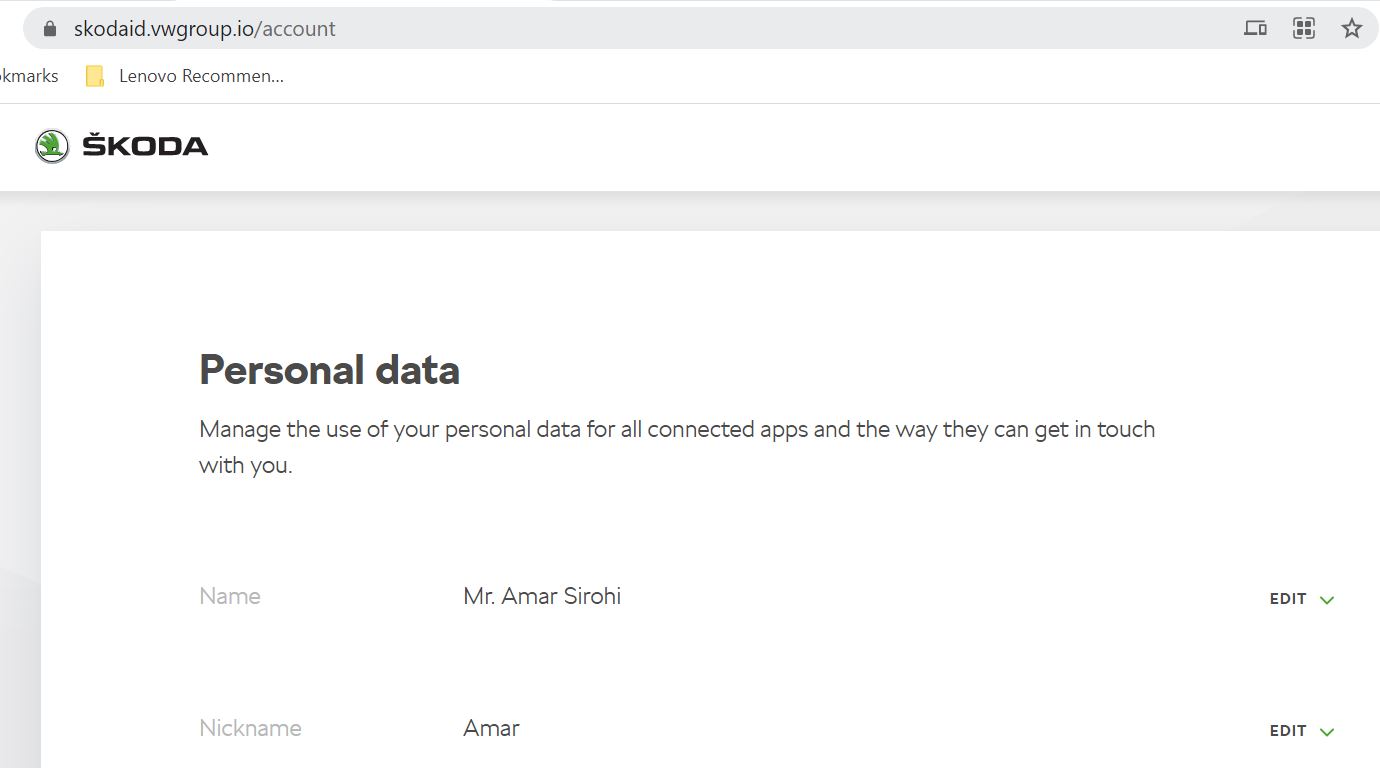
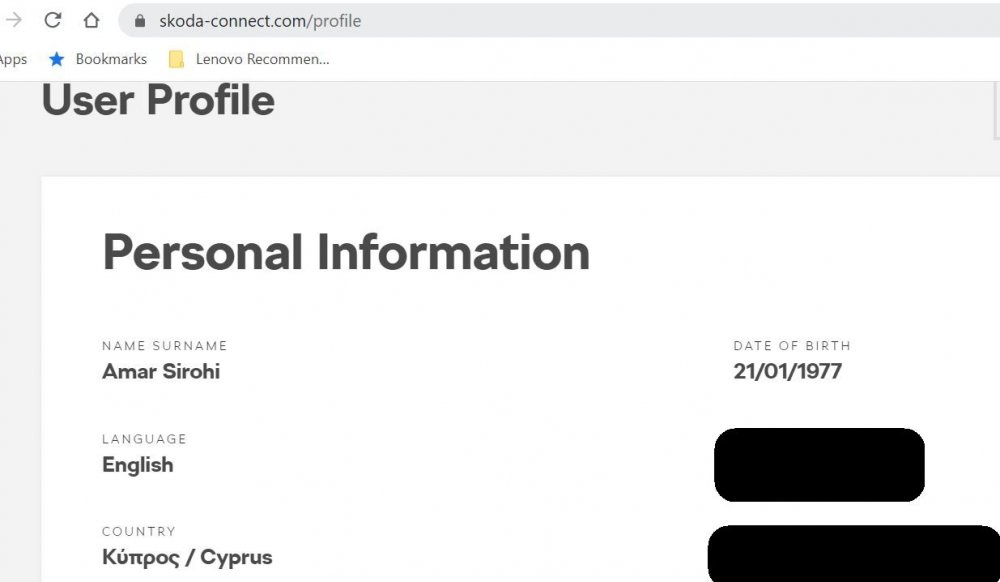
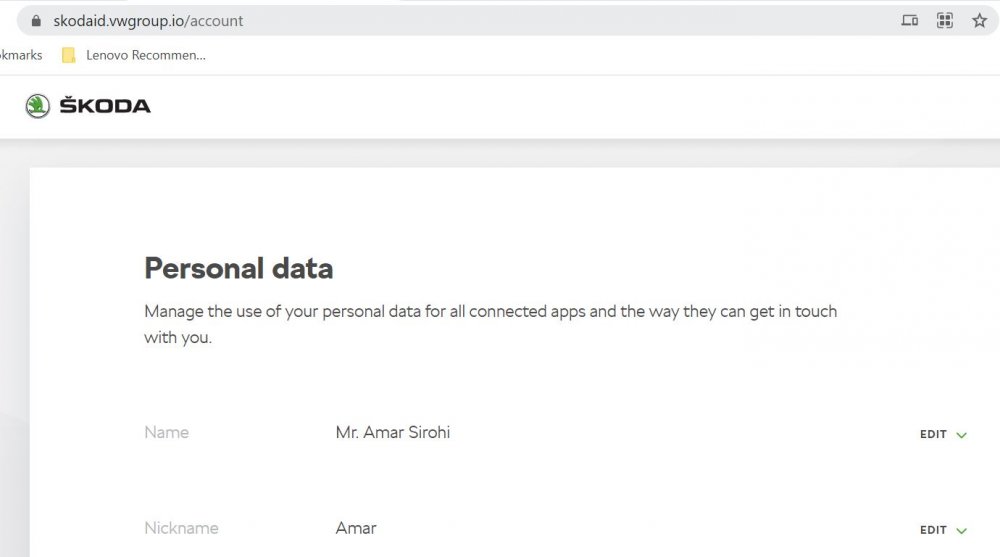
Last try (and unfortunately that is the end of my knowledge :)) Did you make sure that the nickname appears correctly under VW group Skoda ID site? For me there is nothing shown about nickname in Skoda connect site as seen below, but rather in the VW group Skoda ID site.
-
long press the power button on the infotainment and restart the unit. Sometimes such restarts can fix intermittent issues. Also would be worthwhile checking - when you enter car and select your user (+optionally enter S-PIN) do you see a message on screen saying "synchronizing profile"? If yes then it should have got the nick name. If not then this could be source of your problem.
-
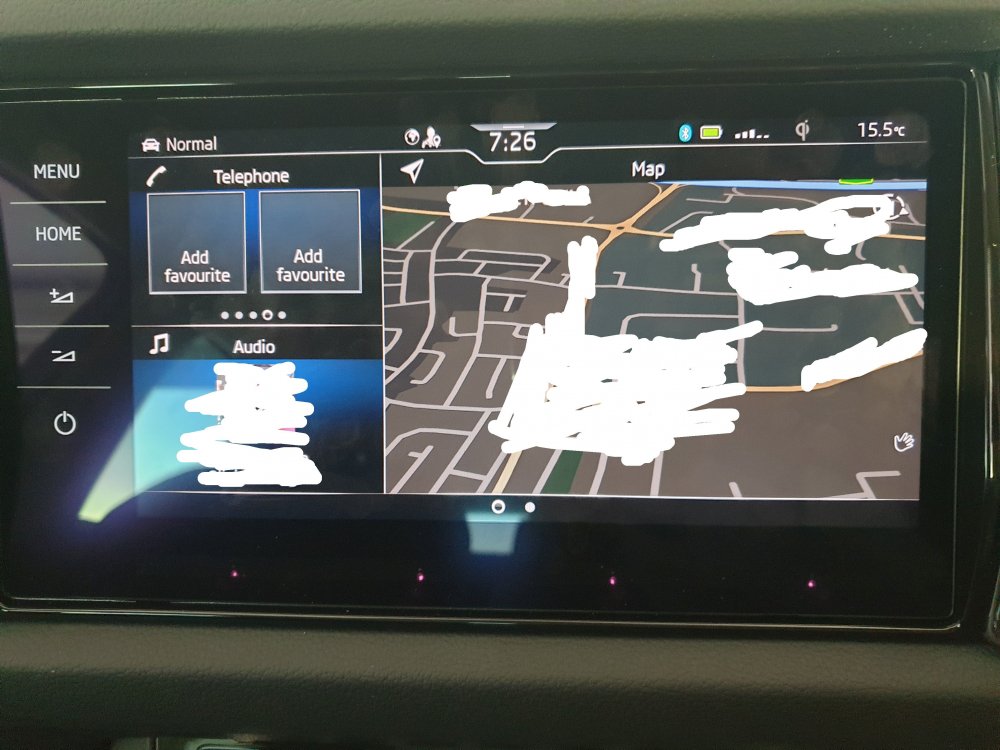
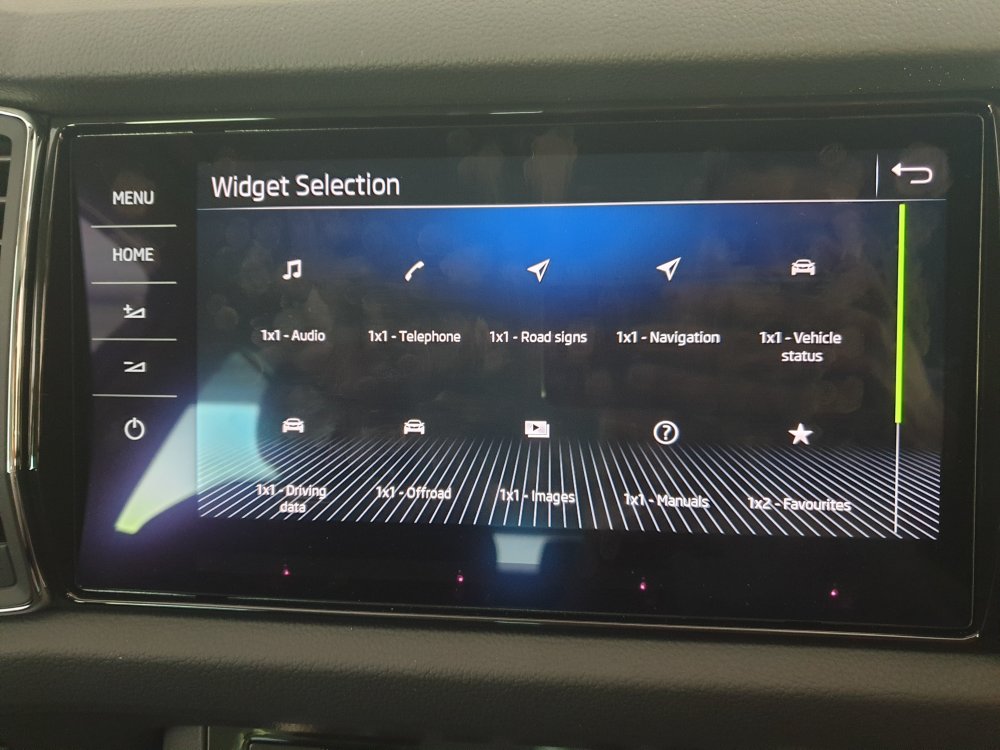
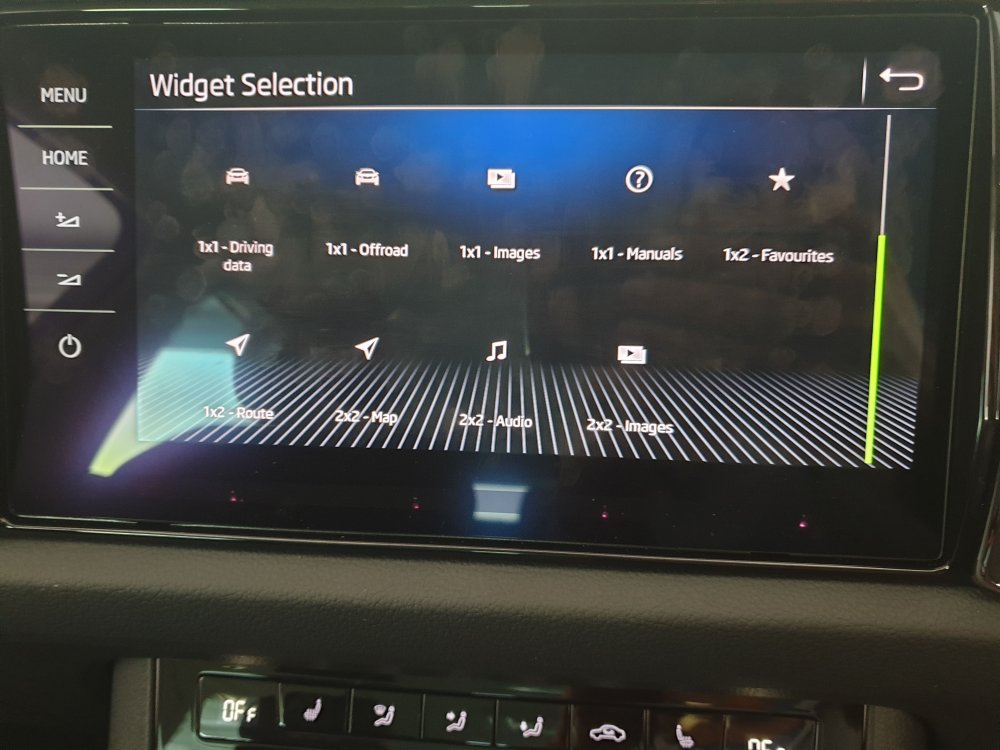
I have just purchased a new Kodiaq and was in process of setting up the home screen. I have 3 problems/questions which I will elaborate below. Hopefully some forum members can throw some light on these before I am "forced" to go the dealership. Use of "Home" button: I have two tiles setup as seen in pictures below. First one has got 3 widgets (phone, media, map) and the second one is blank. In terms of scrolling sequence, the "first" tile is first and when I scroll (double finger swipe) I go to the "second" tile. But whenever I press the "Home" button it shows the "second" tile which is blank (and I expect it to show the "first" tile). How can I default the "Home" button press to show the "first" tile? Adding new widgets: When I try and add new widgets to the empty tile in the home menu, I get following options (see pictures below). Is this all the widgets we can add or am I missing some widgets (e.g. settings)? Adding new tile in home screen: How do I add a "third" tile to the home screen menu? I tried "edit" mode but it only allows me to add widgets in empty spaces or to replace "widgets" No place to add a new "tile" into the home screen menu.
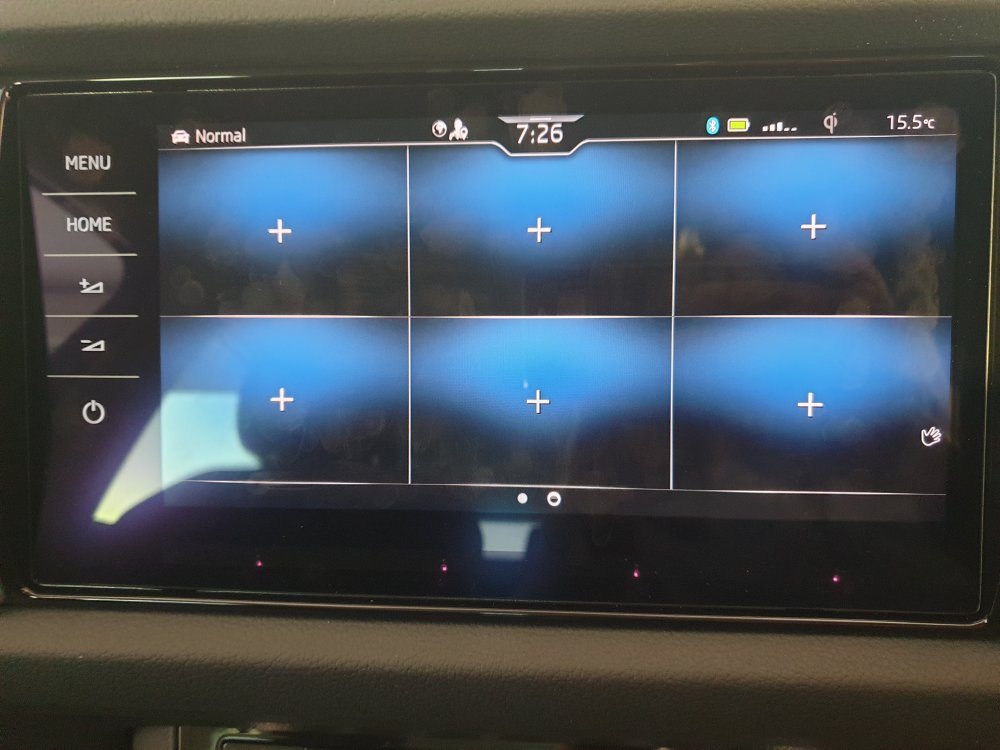
- 11 replies
-
- add tile
- add widget
- columbus
- home screen
-
Tagged with:
-
I had update nickname in skoda connect website after a few days of creating my skoda-id. Worked for me the first time and as soon as I login to the car (I have a S-PIN) the profile sync happens and the nickname is displayed next to the profile picture. Maybe a reboot would help?
-
Anyone?
-
Out here we jokingly say that going to Paphos (from one of the other major cities) requires a visa Yes, great country, fantastic people and superb beaches! Been here 20+ years now....
-
Yes, did. Was a typo
-
Since July 2021 (MY21) 190hp no longer exists. It has been replaced by 200hp.
-
I am expecting to take delivery of a new Kodiaq 2.0 TDI 200hp sometime in the next week. I want to request the dealer to make sure that the software is on the latest version. Can someone help with what should be the latest version of MIB3 and of navigation database? Will help me to check when I see the car.
-
I ordered the same but style not sport line. Expect to get it end of next week. Will share my driving experience once I can actually drive it post lock down here in Cyprus. Till then hopefully someone else will chime in.
-
I ordered mine 2.0 TDI 200hp on 21 Nov here in Cyprus. Ship e pexted to Dock at port on Monday 18th. Expected to get car by end of next week. So its a total of 9 weeks or thereabouts. 12 weeks seems totally doable. PS: initial delivery time frame given to me was also 12 weeks.
-
-
-
-
@Billywizzo Kodiaq has 3 parts: ACC - requires hands on wheel with active steering by driver Lane assist - requires hands on wheel with corrections automatically performed by car as long as lane guidance lines are readable by camera Travel assist - combines ACC + Lane assist. In effect means ACC with hands on wheel but active steering performed by the car. Usage - personally I would use travel assist on motorways and just lane assist in town/City driving. Hope it helps.
-
All, I am new to this forum. Purchased a Style 2.0 TDI 200hp 4x4. Expecting delivery in January or early February 2021. Reading the PDF manual I could not find much about engine break in guidelines. All I found was: During the first 1000 km, rev the engine to max. 3/4 of the highest permissible engine speed. So coming here to ask what are the common guidelines to follow for engine break-in (how many KMs/miles, what max speed, engine revs, etc.).