KeithOwen
Finding my way
-
Joined
-
Last visited
Everything posted by KeithOwen
-
I'm glad it worked!
-
I haven't found it necessary to uninstall. Just log out and then log back in
-
That happens to me sometimes. Logging out of the app and back in again always fixes it
-
It sounds like MIB3 really messed things up! I'm glad I have MIB2 😀
-
I sometimes get this on mine, but only when I am actually inside the car. Inside the house it seems to work fine, at least for every route I've tried so far. The car does not need to be online when you send the route - it clearly goes to some central server. But you need to be online to receive the route once in the car. Is the little globe icon showing? On mine it sometimes shows red at first, then goes white - I assume this is the car making the online connection via the SIM.
-
No USB C and no eSIM. I have a physical SIM in the glove box. But I don't see that the method of data delivery makes a difference...it must be the MY21 vs MY20 that’s the key. Sorry it doesn't work for you. Are you not able to find any option for online destinations?
-
I just tried again to make sure I imagining it... I just tried again to make sure I imagining it...
-
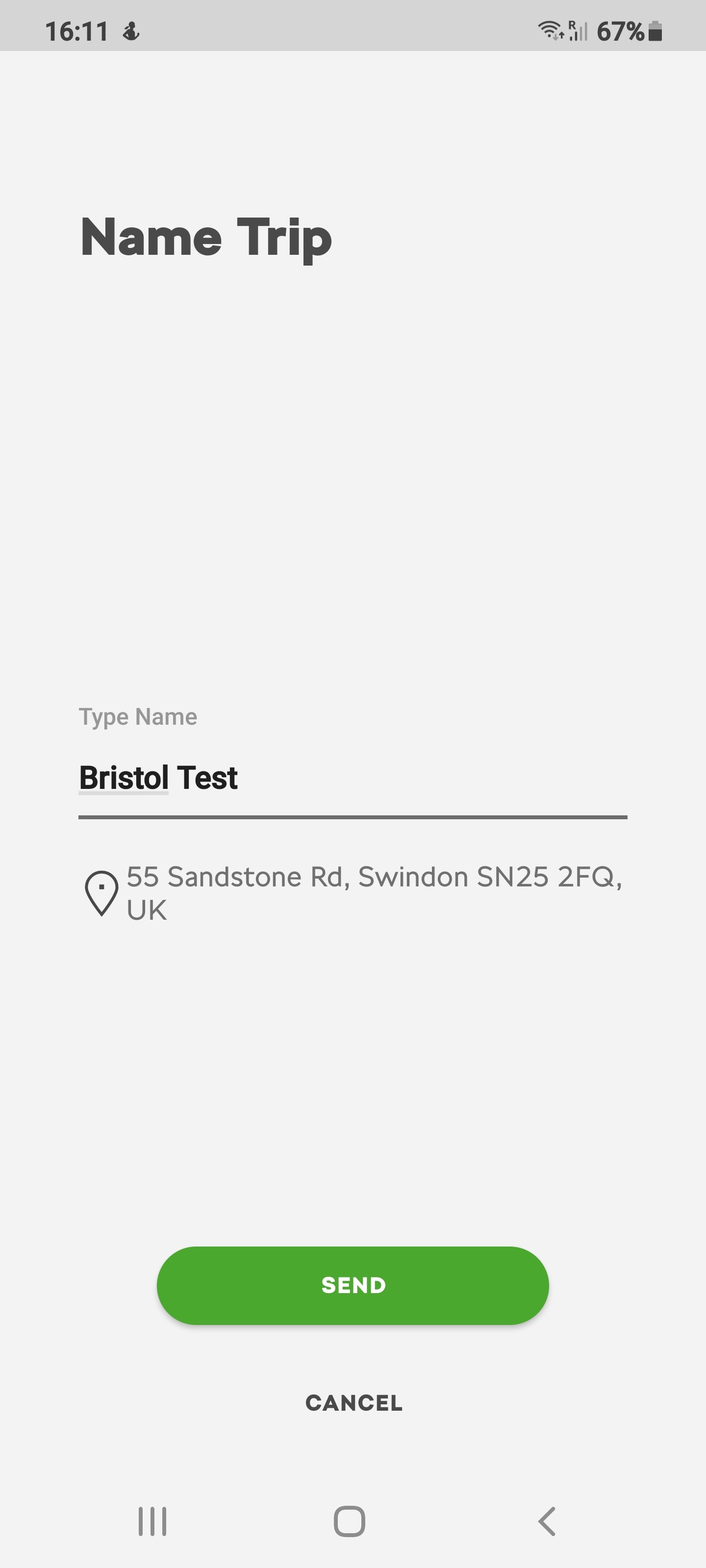

I have MY20 with Columbus (not sure if its MIB3 or not) but it works perfectly using this process 1. Use MySkoda app to create route. Optionally name it. Send to car 2. Once in car, start Navigation 3. Select "My Dests" from the lower menu bar 4. Car immediately informs me that "1 online destination(s) imported" 5. Select "Display online" 6. Check its the destination you want 7. Go! If you want to recall an imported destination later, you can 1. Start Navigation 2. Select "My Dests" from the lower menu bar 3. Select "Destinations" 4. Choose the destination required (they are all saved) If the destination you want is not displayed, make sure the display is set to "Online dests" in the menu top right (options are Dest. Memory/Favourites/Contacts/Online dests) One "funny" that I have found...if you are actually in the car with ignition on, the MySkoda app can find a location but seems unable to calculate a route, so there's nothing to send. In the house, it works perfectly every time