




KeithOwen
Finding my way
-
Joined
-
Last visited
Everything posted by KeithOwen
-
Just to add to this story... My map in the VC has gone again this week, after being trouble-free for over a year 😪
-
I've wondered about this too. It used to be possible in my previous car, and I found it really useful 👍
-
Sorry, its always worked fine for me
-
I use one of these adapters. I use a nano drive with music on it which works perfectly. The cover closes easily with adapter and nano drive connected. I also use it for connecting my Android phone, but that's rare as I don't use Android Auto. I would assume it works for iDevices also
-
What would be simply clever would be to recognise the location using GPS and switch automatically
-
In my experience you are indeed unlikely to get stopped by a policeman asking to see your lunch (or whatever). But if you are stopped for any other reason, who knows what a bored official might ask you? By the way, I'm not too familiar with Italy, but Germany (where I lived until a couple of months ago) requires 1 hi-viz vest in the car. However it's recommended to have one per passenger. I have even seen some policemen state 1 vest for every seat in the car, occupied or not.
-
I used to drive a BMW 850. You could switch the lights from left to right via a lever under the bonnet. This is in a car designed in the 1980s
-
From https://www.gov.uk/guidance/red-amber-and-green-list-rules-for-entering-england#amber-list "Changes to international travel rules for amber list countries From 4am Monday 19 July you will not need to quarantine on arrival in England or take a day 8 COVID-19 test, as long as you: have been fully vaccinated under the UK vaccination programme have not been in a red list country in the 10 days before you arrive in England Fully vaccinated means that you have had your final dose of an approved vaccine at least 14 days before the date you arrive in England. You will need to: declare that you have been fully vaccinated on your passenger locator form show proof of your vaccination status to your carrier (ferry, airline or train) when you travel Read about how you can use the NHS COVID Pass to show proof of your COVID-19 vaccination status. Children under the age of 18, who are returning to the UK, and people taking part in formally approved COVID-19 vaccine clinical trials will also be exempt from requirements to quarantine and take the day 8 test. If you are not fully vaccinated under the UK vaccination programme, you will have to quarantine on arrival and take both the day 2 and day 8 tests. If you arrive in England before 4am, Monday 19 July you must follow the rules as set out below, even if you have been fully vaccinated." As your vaccination wasn't done in the UK this probably doesn’t apply to you. But we were talking about the OP It's never been a requirement to physically print the form. I've travelled from EU to UK several times during the past 18 months and never printed it out. Likewise the negative PCR test result. Online proof is sufficient in both cases From https://www.gov.uk/provide-journey-contact-details-before-travel-uk "After you complete the form you will receive a QR code via email. You can print this out or show it on your phone as proof of completion."
-
You clearly know more about the driving laws in France than I do, so I bow to your superior knowledge. However, your flippant "by all means jump through all these hypothetical or imagined hoops" was clearly intended to denigrate the customs of France, Italy or any other country that the OP (or other readers) might pass through. Whether or not the Douanes have authority over everything mentioned is not the point - the advice given by previous posters was to try to aid the OP in what he might need to do to travel to/through another country. Your "advice" was to ignore all that as not necessary. If you want to get picky, it's not necessary to print the Passenger Locator Form. If the OP travels after 19th July it's not necessary to quarantine nor take a covid test on day 8 if he's been fully vaccinated or not visited a red zone country (none of the EU countries between here and Italy are)
-
What a stupid response! Effectively stating "ignore all the laws of those foreigners, you're British and don't need to follow them" Until you get stopped by the poice. Or break down. Or are involved in an accident. There are good reasons that many Eurooean countries require yellow vests, warning triangles, breathalyser tests, etc. You might as well not bother with car or personal insurance, or a driving licence, or any of that other stuff that no one ever checks. Yes, you might well get away with it. However, even if you don't agree with them, it's not your right to ignore the laws of another country just because you don't want to buy a few bits and pieces.
-
-
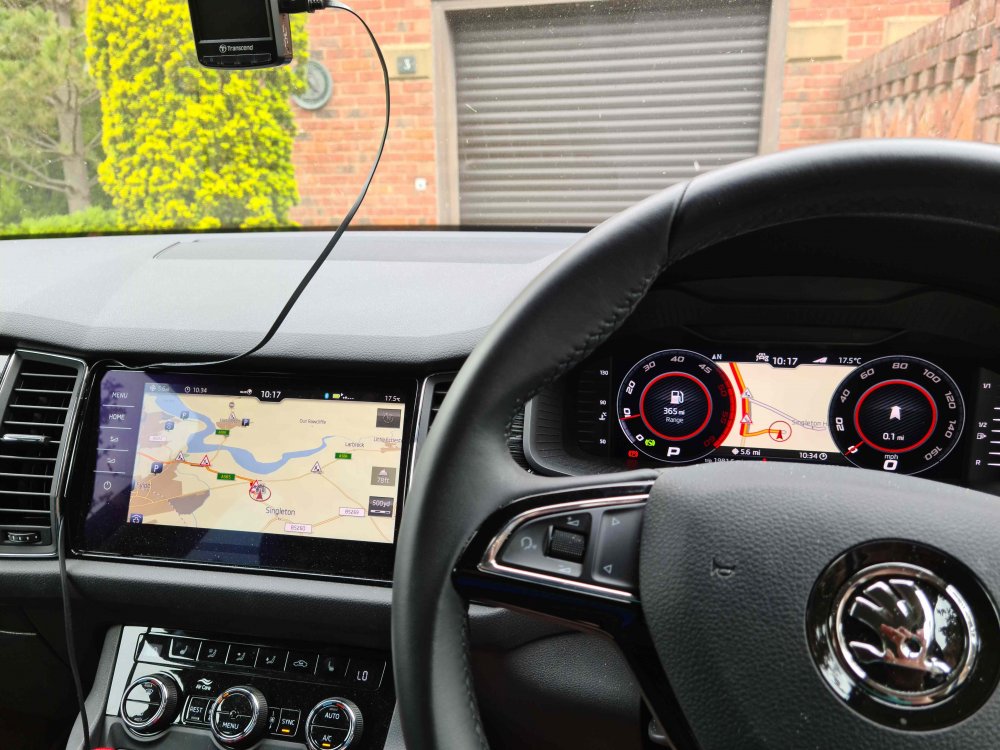
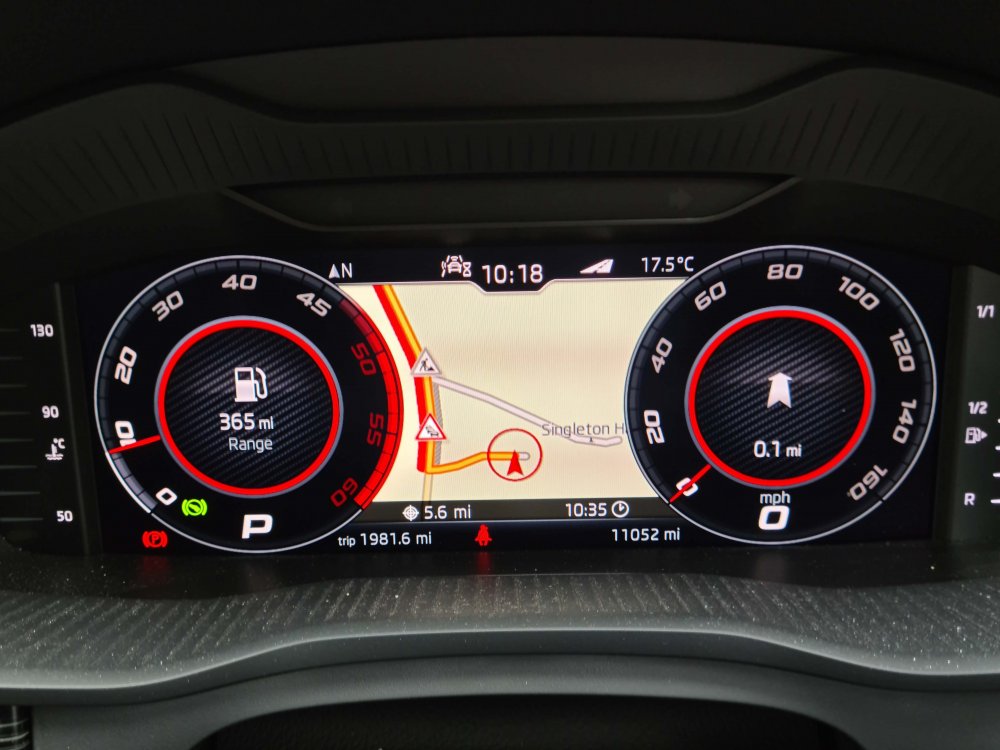
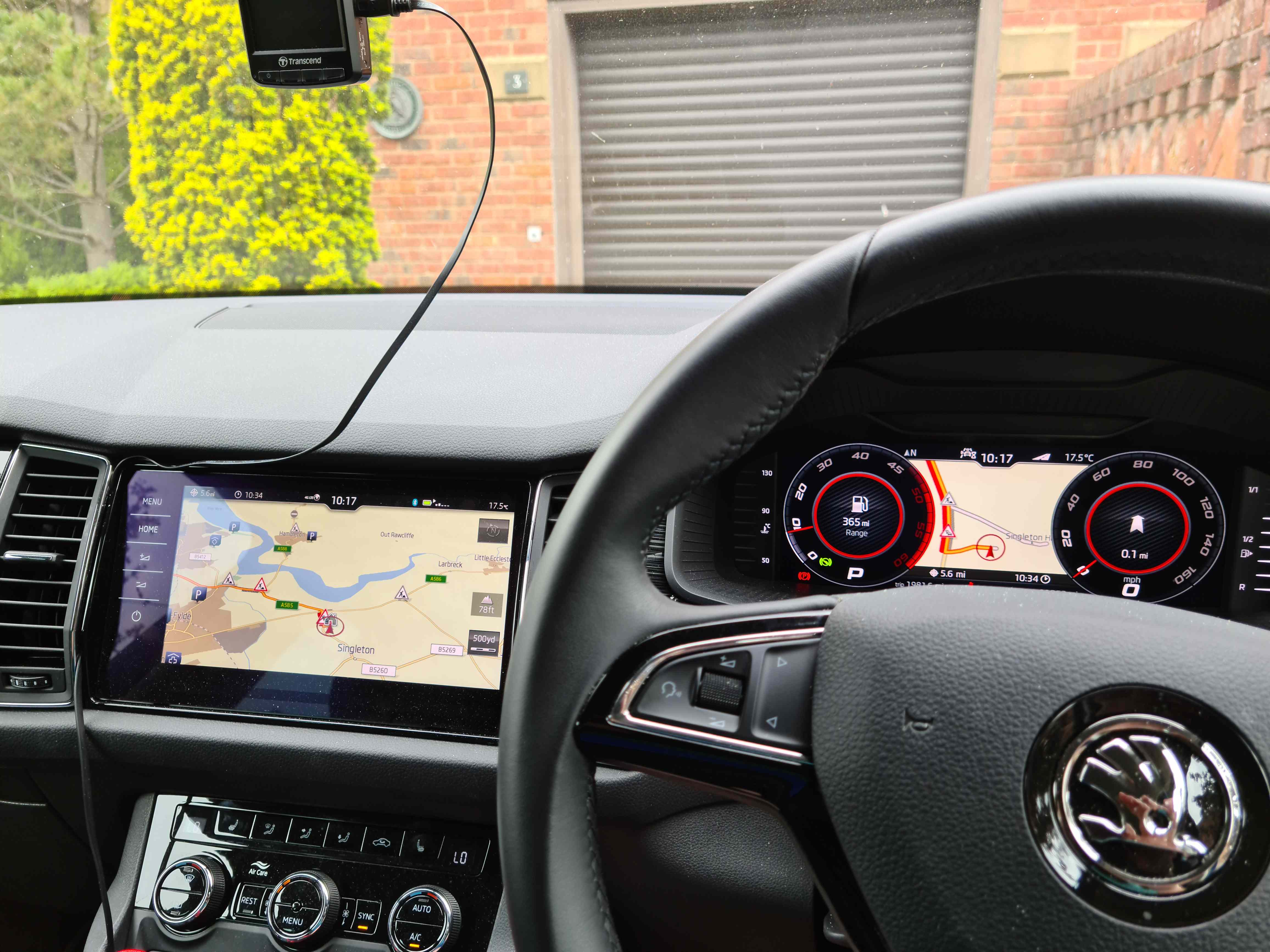
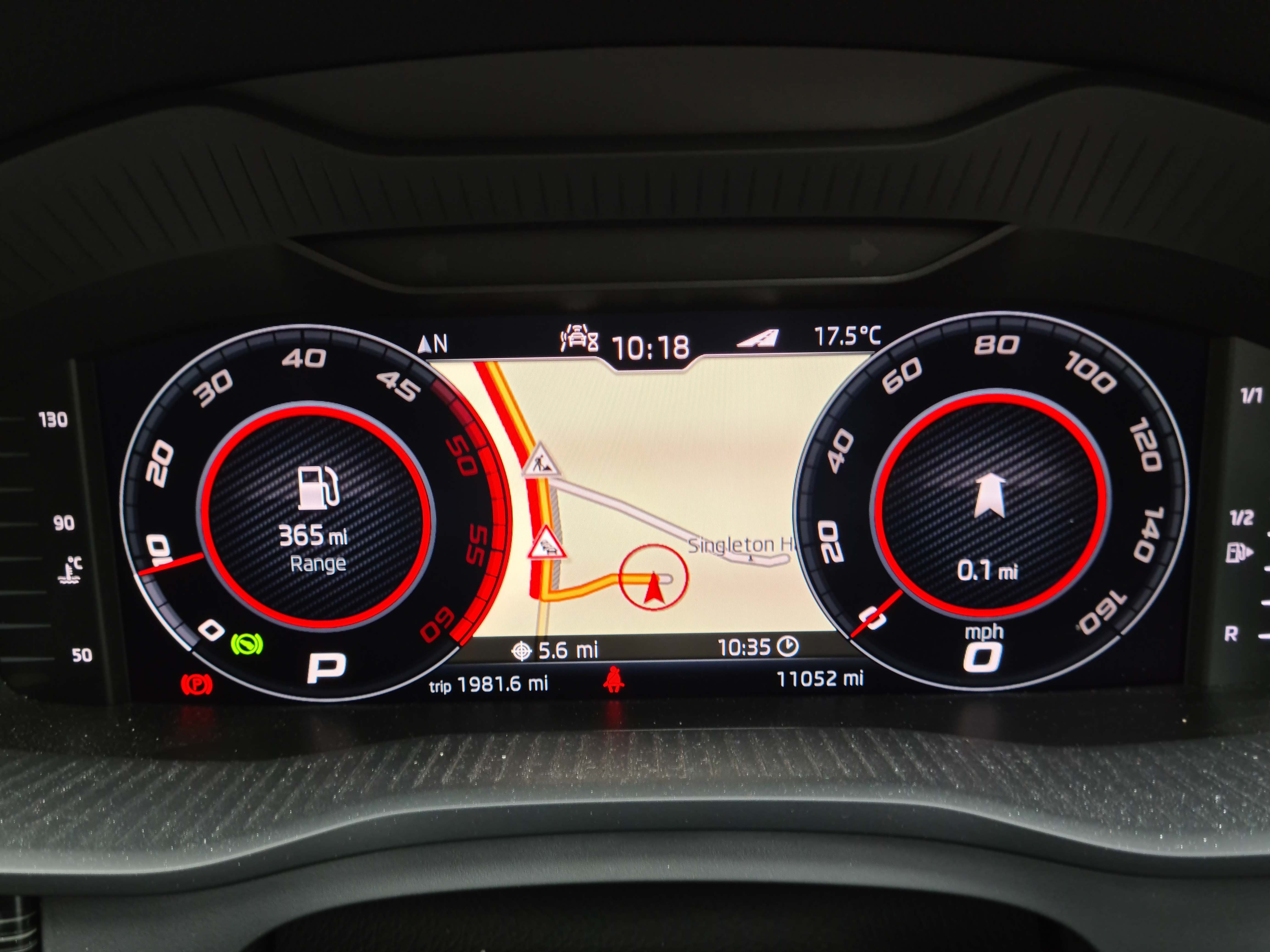
I have the VC and I love it. I played with the various options and finally settled on the setup shown in the photos. I have the two dials showing fuel range and gear (left) with sat nav guidance and speed (right) In the middle I have the map display. I like having the main display in the dash centre set to 500yd resolution (it gives a good overview of the route and potential roadworks, plus view of my chosen POIs) and the VC display set to 100yd (which gives a magnified view useful for complicated junctions). It also shows lane info when leaving/switching motorways). Being right in your eyeline, it's easy to check with a quick flick of the eyes. I had test driven a number of Kodiaqs both with and without VC, and this convinced me it was something I wanted, so it was high on my wish list. I make use of it every day and I'm glad I have it. I have to say that now I've settled on this setup that I really like, I never change it
-
2020 Kodiaq Style, 2.0 TDI 140 kW, 7 seat 4x4
-
Strangely enough, my map has been showing in the VC for the past week now...every journey, without fail. I'm not aware that I am doing anything differently than previously. I'm certainly not using a different key fob nor trying anything else to "force" it Anyway, fingers crossed that it stays there...
-
Interestingly the app now says the Adblue level is "OK". Update was seemingly triggered by diesel refuelling
-
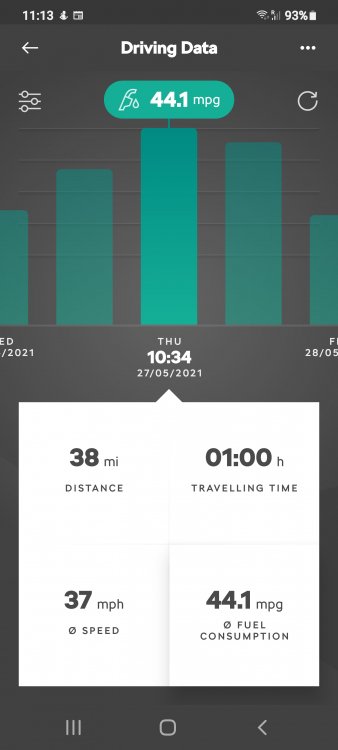
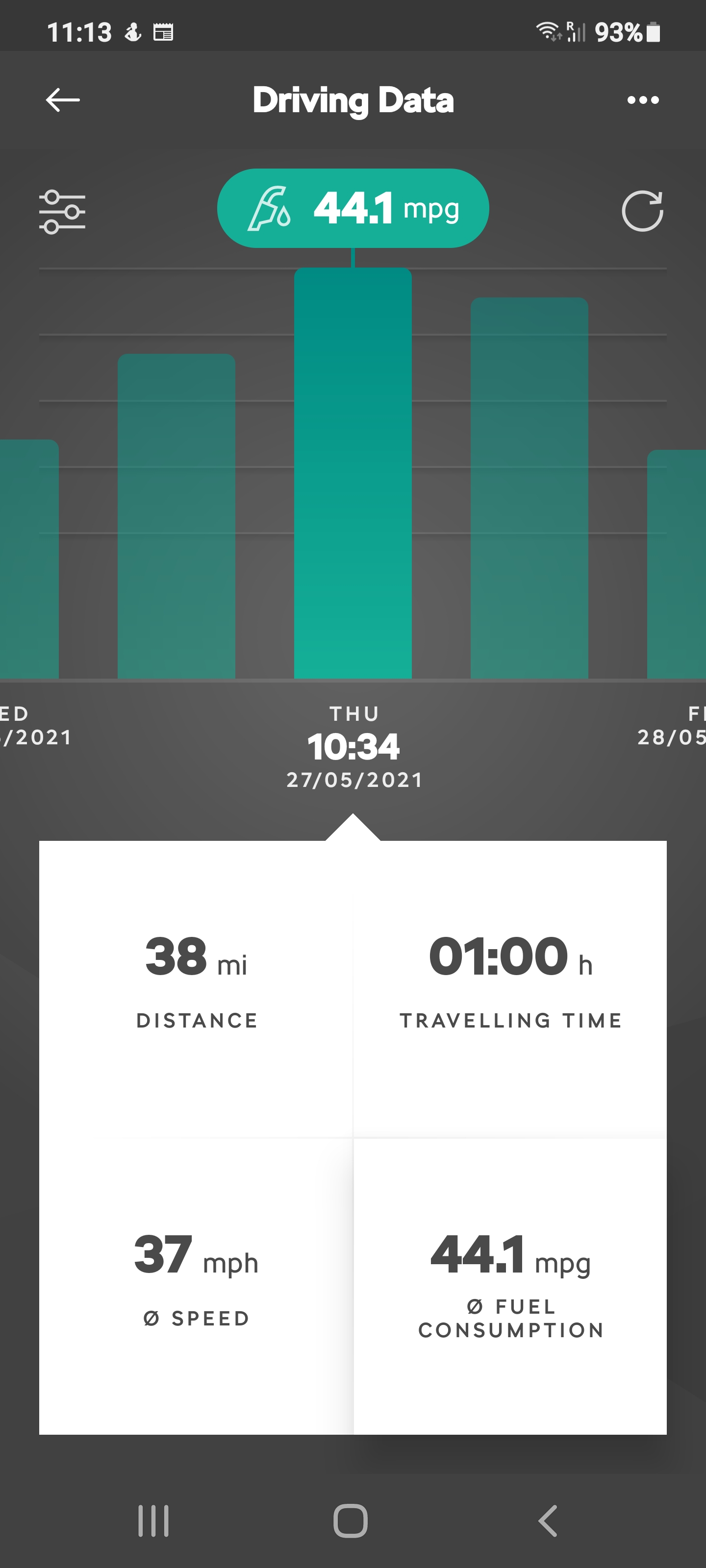
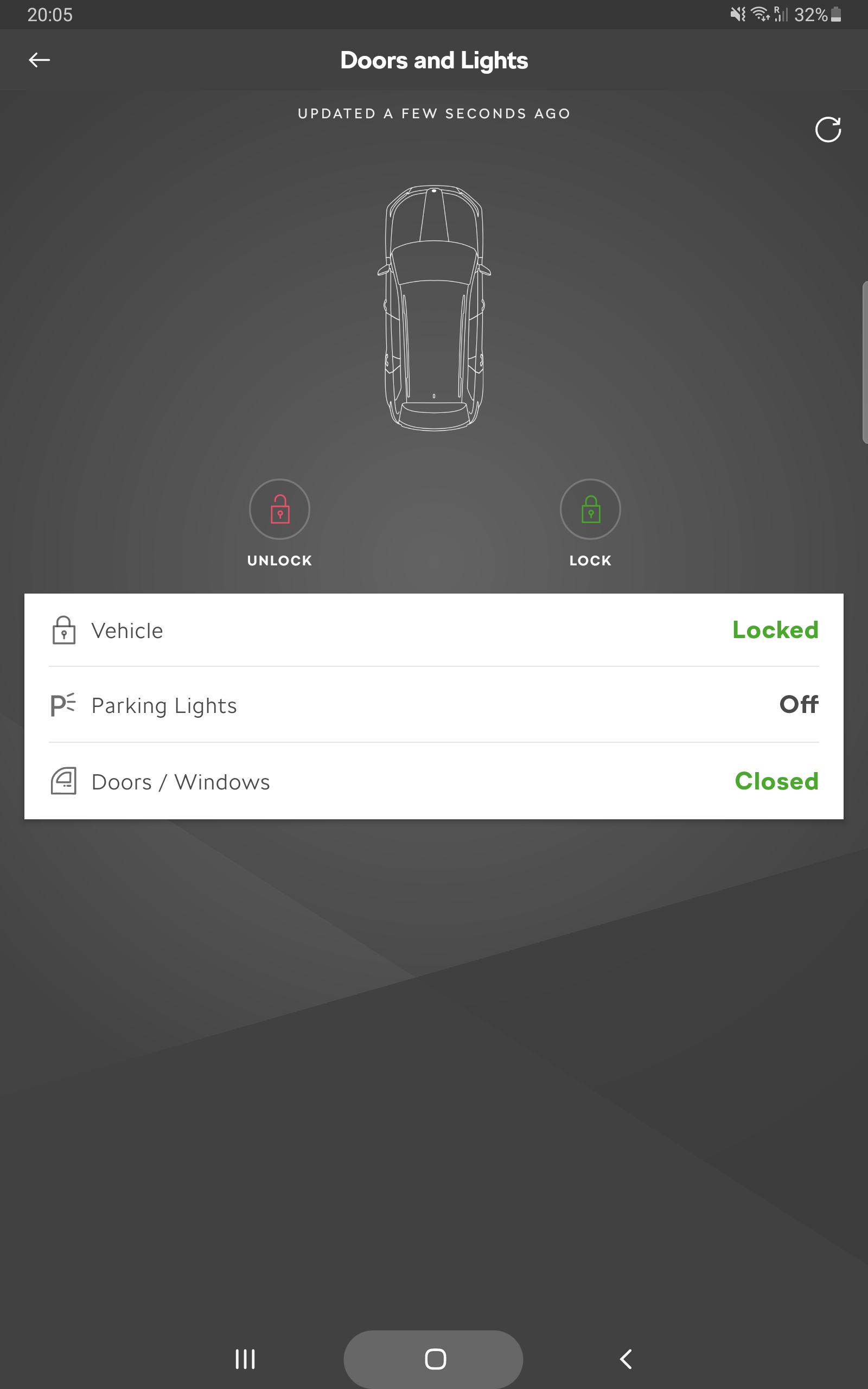
Yeah I did the reset. The car shows 6000 miles range, with max 1 gallon as what is required to fill the tank (which is 18l btw). I will top it off today, but it's obviously not necessary to completely fill it. I'm just intrigued as to why the car thinks it can go 6000 miles now, and the App thinks it can only go 932 miles? As the car apparently won't start when the Adblue is empty, let's hope the value shown in the car is correct, and not the AppRecently I started getting an Adblue warning on ignition start. I bought 10 litres from a local motor specialist shop and filled it up. The car took all 10 litres. Now the warning message seems to have gone. The OBC displays that shows the Adblue range is now 6000 miles But the Skoda app and the Skoda Connect website both indicate 932 miles range left on Adblue. Is this just the usual crap Skoda App, or am I missing something?Yes, same again today...two journeys, one without VC map and one with VC mapNope, definitely not. I've tried everything including a complete reset. Although I can adjust settings for that VC map (zoom level, 2D/3D) and I can display other data (audio, car status, phone status, etc) in that location, there's no way to force the map to display. It also doesn't matter which format of the VC display I am using, there's just no map However, I just went out this afternoon to run a few errands 1. Home to shop #1 (no navi): didn't work 2. Shop #1 to shop #2 (with navi): did work 3. Shop #2 to shop #3 (with navi): didn't work 4. Shop #3 to Home (no navi): did work In all cases, I unlocked/locked the car with the door touch handle, and I did nothing else other than set the navigation when required. Complete mystery...and very frustratingHi all, Yesterday my 2020 Kodiaq 2.0 TDI stopped showing the maps in the Virtual Cockpit. I've had the car since November 2020 (2nd hand) and not had this problem before. I like to show the general map on teh main screen as a route overview, with the VC zoomed in to show detail at junctions, etc. I can even scroll the wheel on the steering wheel to affect the zoon level on the VC map display, but obviously there's nothing but a blank screen so no zoom shown. I did a bit of searching on the forum and found that others had the same problem back in 2019, but despite trying the various things suggested there, no change so far. I've reset the Columbus system, I've tried changing various settings, I've made sure the VC display config is set on one of the specific options and not Auto. Nothing seems to work. Does anyone know how to fix this? Or is it a dealer visit? Can I expect the dealer to know what to do? TIA KeithTo be honest I had no idea you had to pay for it. I never have. I bought my car 2nd hand from a dealer but I don't recall any discussion about subscription, just the technicians activating it for me when I picked up the car. Maybe it runs out when the car is a certain age (mine was Jan 2020)? It might be worth you asking your dealer when you take the car in if they can activate it? As for the app, I find it useful for things like checking I've locked it, sending routes to the navigation system, parking position etc. It can be a bit flakey at times, but more often than not logging out then in again fixes it.I mean the MySkoda app, not an OBD2 dongle/app. You can check the status of the car (doors, windows, lights) and lock/unlock the car remotely, even sound the horn and flash the lights. Depending on what you can/cannot do via the app, it might help to narrow down the issue.
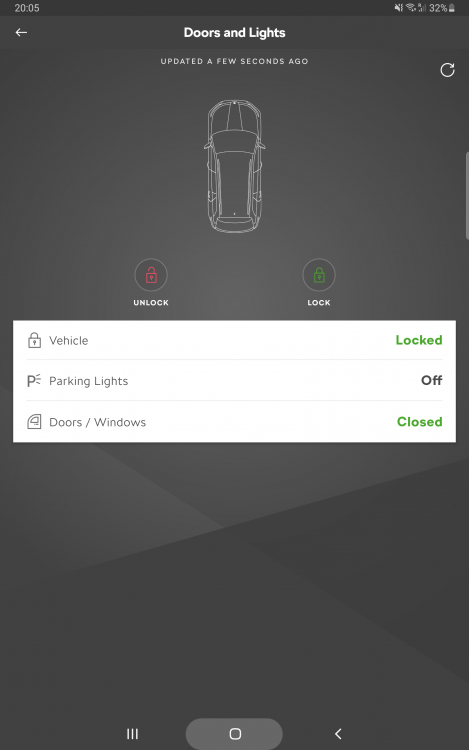 What status does the app say - locked or unlocked? Can you lock/unlock via the app?You should be able to manually retrieve it (and previous sent destinations) by going to the Online Destinations, provided your car is online then

Important Information
Welcome to BRISKODA. Please note the following important links Terms of Use. We have a comprehensive Privacy Policy. We have placed cookies on your device to help make this website better. You can adjust your cookie settings, otherwise we'll assume you're okay to continue.