simcor
Members
-
Joined
-
Last visited
Everything posted by simcor
-
Seems odd they designed the FL superb headlights so different to the FL Octavia. But hey ho. If you require any more modules history just ask as it will take a while to upload each ones history. I have no error codes presently, it just does not seem that the dipped beam projects far enough at all, I know the arguments about LED and flat beam cut off etc, but I can't remember having the issue on dark roads when I first got it. And it seems downright dangerous if they are working exactly as they should, going down dark roads in in mine i'm limited to about 35-40mph max as you just cannot see enough road ahead. Obviously I use high beam as I enabled high beam assist on it. But I have never owned a car where you have to use main all the time where possible on dark roads, even roads I use every day that I could drive blindfolded so I know where the bends are for example but the car lights just don't give you any confidence at higher speeds without having the main beam on whenever possible. Maybe I am just not used to having to use main beam all the time. It is due its MOT in Dec so want to male sure the headlights will pass an MOT of course.
-
That should be the 4B module history. OBDeleven vehicle history log Date: 2023-09-02 11:19 VIN: TMBBK7NE6J0184068 Car: Skoda Octavia RS Year: 2018 Body type: Saloon Engine: CUNA Mileage: 95740 KM --------------------------------------------------------------- Adaptation Control unit: 4B Multifunction Module Name: Presentation run dynamic AFS light Values: ---: Old value: active New value: not active Mileage: 95740 km Date: 2023-09-01 22:24 --------------------------------------------------------------- Adaptation Control unit: 4B Multifunction Module Name: Bit pattern of individual segment activation, right headlight Values: LED 3: Old value: On New value: Off LED 2: Old value: On New value: Off LED 1: Old value: On New value: Off Mileage: 95740 km Date: 2023-09-01 22:24 --------------------------------------------------------------- Adaptation Control unit: 4B Multifunction Module Name: Bit pattern of individual segment activation, right headlight Values: LED 3: Old value: Off New value: On Mileage: 95740 km Date: 2023-09-01 22:23 --------------------------------------------------------------- Adaptation Control unit: 4B Multifunction Module Name: Bit pattern of individual segment activation, right headlight Values: LED 2: Old value: Off New value: On Mileage: 95740 km Date: 2023-09-01 22:23 --------------------------------------------------------------- Adaptation Control unit: 4B Multifunction Module Name: Bit pattern of individual segment activation, right headlight Values: LED 1: Old value: Off New value: On Mileage: 95740 km Date: 2023-09-01 22:23 --------------------------------------------------------------- Long coding Control unit: 4B Multifunction Module Old value: 000000070100046E00003D01010000000000000000000000000000000000 New value: 000000070100046E00003D03010000000000000000000000000000000000 Mileage: 95720 km Date: 2023-09-01 15:13 --------------------------------------------------------------- Long coding Control unit: 4B Multifunction Module Old value: 000000070100046E00003D01010000000000000000000000000000000000 New value: 000000070100046E00003D03010000000000000000000000000000000000 Mileage: 95720 km Date: 2023-09-01 15:08 --------------------------------------------------------------- Long coding Control unit: 4B Multifunction Module Values: Intersection light with route data: Old value: not enabled New value: enabled Mileage: 95720 km Date: 2023-09-01 15:08 --------------------------------------------------------------- Long coding Control unit: 4B Multifunction Module Old value: 000000070100046E00003F01010000000000000000000000000000000000 New value: 000000070100046E00003D01010000000000000000000000000000000000 Mileage: 95720 km Date: 2023-09-01 15:07 --------------------------------------------------------------- Long coding Control unit: 4B Multifunction Module Values: Dynamic AFS light: Old value: enabled New value: not enabled Mileage: 95720 km Date: 2023-09-01 15:07 --------------------------------------------------------------- Long coding Control unit: 4B Multifunction Module Old value: 000000070100046E00003D01010000000000000000000000000000000000 New value: 000000070100046E00003F01010000000000000000000000000000000000 Mileage: 95720 km Date: 2023-09-01 15:07 --------------------------------------------------------------- Long coding Control unit: 4B Multifunction Module Values: Dynamic AFS light: Old value: not enabled New value: enabled Mileage: 95720 km Date: 2023-09-01 15:07 --------------------------------------------------------------- Long coding Control unit: 4B Multifunction Module Old value: 000000070100046E00003DCF010000000000000000000000000000000000 New value: 000000070100046E00003D01010000000000000000000000000000000000 Mileage: 95714 km Date: 2023-09-01 14:43 --------------------------------------------------------------- Long coding Control unit: 4B Multifunction Module Old value: 000000070100046E00003DCF010000000000000000000000000000000000 New value: 000000070100046E00003D01010000000000000000000000000000000000 Mileage: 95714 km Date: 2023-09-01 14:39 --------------------------------------------------------------- Long coding Control unit: 4B Multifunction Module Old value: 000000070100046E00003F04010000000000000000000000000000000000 New value: 000000070100046E00003DCF010000000000000000000000000000000000 Mileage: 95683 km Date: 2023-08-31 13:36 --------------------------------------------------------------- Long coding Control unit: 4B Multifunction Module Old value: 000000070100046E00003D4F010000000000000000000000000000000000 New value: 000000070100046E00003DCF010000000000000000000000000000000000 Mileage: 95683 km Date: 2023-08-31 13:11 --------------------------------------------------------------- Long coding Control unit: 4B Multifunction Module Values: glw_with_lwr_activation: Old value: not enabled New value: enabled Mileage: 95683 km Date: 2023-08-31 13:11 --------------------------------------------------------------- Long coding Control unit: 4B Multifunction Module Old value: 000000070100046E00003D0F010000000000000000000000000000000000 New value: 000000070100046E00003D4F010000000000000000000000000000000000 Mileage: 95683 km Date: 2023-08-31 13:10 --------------------------------------------------------------- Long coding Control unit: 4B Multifunction Module Values: High Beam Assistance: Old value: not enabled New value: enabled Mileage: 95683 km Date: 2023-08-31 13:10 --------------------------------------------------------------- Long coding Control unit: 4B Multifunction Module Old value: 000000070100046E00003D07010000000000000000000000000000000000 New value: 000000070100046E00003D0F010000000000000000000000000000000000 Mileage: 95683 km Date: 2023-08-31 13:10 --------------------------------------------------------------- Long coding Control unit: 4B Multifunction Module Values: Marking_light: Old value: not enabled New value: enabled Mileage: 95683 km Date: 2023-08-31 13:10 --------------------------------------------------------------- Long coding Control unit: 4B Multifunction Module Old value: 000000070100046E00003D05010000000000000000000000000000000000 New value: 000000070100046E00003D07010000000000000000000000000000000000 Mileage: 95683 km Date: 2023-08-31 13:10 --------------------------------------------------------------- Long coding Control unit: 4B Multifunction Module Values: Intersection light with route data: Old value: not enabled New value: enabled Mileage: 95683 km Date: 2023-08-31 13:10 --------------------------------------------------------------- Long coding Control unit: 4B Multifunction Module Old value: 000000070100046E00003D04010000000000000000000000000000000000 New value: 000000070100046E00003D05010000000000000000000000000000000000 Mileage: 95683 km Date: 2023-08-31 13:10 --------------------------------------------------------------- Long coding Control unit: 4B Multifunction Module Values: predictive route data: Old value: not enabled New value: enabled Mileage: 95683 km Date: 2023-08-31 13:10 --------------------------------------------------------------- Long coding Control unit: 4B Multifunction Module Old value: 000000070000046E00003D04010000000000000000000000000000000000 New value: 000000070100046E00003D04010000000000000000000000000000000000 Mileage: 95683 km Date: 2023-08-31 13:10 --------------------------------------------------------------- Long coding Control unit: 4B Multifunction Module Values: Function_activation_AFS: Old value: Not activated New value: activated Mileage: 95683 km Date: 2023-08-31 13:10 --------------------------------------------------------------- Long coding Control unit: 4B Multifunction Module Old value: 000000070000046E00003F04010000000000000000000000000000000000 New value: 000000070000046E00003D04010000000000000000000000000000000000 Mileage: 95683 km Date: 2023-08-31 13:10 --------------------------------------------------------------- Long coding Control unit: 4B Multifunction Module Values: Dynamic AFS light: Old value: enabled New value: not enabled Mileage: 95683 km Date: 2023-08-31 13:10 --------------------------------------------------------------- Long coding Control unit: 4B Multifunction Module Values: Function_activation_AFS: Old value: activated New value: Not activated Mileage: 95683 km Date: 2023-08-31 13:07 --------------------------------------------------------------- Long coding Control unit: 4B Multifunction Module Old value: 000000070100046E00003F04010000000000000000000000000000000000 New value: 000000070000046E00003F04010000000000000000000000000000000000 Mileage: 95683 km Date: 2023-08-31 13:07 --------------------------------------------------------------- Adaptation Control unit: 4B Multifunction Module Name: Bit pattern of individual segment activation, right headlight Values: LED 21: Old value: On New value: Off LED 6: Old value: On New value: Off LED 5: Old value: On New value: Off LED 2: Old value: On New value: Off LED 15: Old value: On New value: Off LED 14: Old value: On New value: Off LED 4: Old value: On New value: Off LED 20: Old value: On New value: Off LED 1: Old value: On New value: Off LED 7: Old value: On New value: Off LED 19: Old value: On New value: Off LED 16: Old value: On New value: Off LED 13: Old value: On New value: Off LED 3: Old value: On New value: Off LED 9: Old value: On New value: Off LED 12: Old value: On New value: Off LED 10: Old value: On New value: Off LED 17: Old value: On New value: Off LED 8: Old value: On New value: Off LED 11: Old value: On New value: Off LED 18: Old value: On New value: Off Mileage: 95683 km Date: 2023-08-31 13:07 --------------------------------------------------------------- Adaptation Control unit: 4B Multifunction Module Name: Bit pattern of individual segment activation, right headlight Values: LED 20: Old value: Off New value: On LED 21: Old value: Off New value: On Mileage: 95683 km Date: 2023-08-31 13:06 --------------------------------------------------------------- Adaptation Control unit: 4B Multifunction Module Name: Bit pattern of individual segment activation, right headlight Values: LED 16: Old value: Off New value: On LED 19: Old value: Off New value: On LED 18: Old value: Off New value: On LED 17: Old value: Off New value: On Mileage: 95683 km Date: 2023-08-31 13:05 --------------------------------------------------------------- Adaptation Control unit: 4B Multifunction Module Name: Bit pattern of individual segment activation, right headlight Values: LED 1: Old value: Off New value: On LED 15: Old value: Off New value: On LED 14: Old value: Off New value: On LED 8: Old value: Off New value: On LED 12: Old value: Off New value: On LED 5: Old value: Off New value: On LED 4: Old value: Off New value: On LED 9: Old value: Off New value: On LED 7: Old value: Off New value: On LED 6: Old value: Off New value: On LED 3: Old value: Off New value: On LED 13: Old value: Off New value: On LED 11: Old value: Off New value: On LED 2: Old value: Off New value: On LED 10: Old value: Off New value: On Mileage: 95683 km Date: 2023-08-31 13:05 --------------------------------------------------------------- Long coding Control unit: 4B Multifunction Module Old value: 000000070100046E00003F00010000000000000000000000000000000000 New value: 000000070100046E00003F04010000000000000000000000000000000000 Mileage: 95683 km Date: 2023-08-31 12:24 --------------------------------------------------------------- Long coding Control unit: 4B Multifunction Module Values: Predictive_afs: Old value: not enabled New value: enabled Mileage: 95683 km Date: 2023-08-31 12:24 --------------------------------------------------------------- Long coding Control unit: 4B Multifunction Module Old value: 000000070100046E00003F01010000000000000000000000000000000000 New value: 000000070100046E00003F00010000000000000000000000000000000000 Mileage: 95683 km Date: 2023-08-31 12:24 --------------------------------------------------------------- Long coding Control unit: 4B Multifunction Module Values: predictive route data: Old value: enabled New value: not enabled Mileage: 95683 km Date: 2023-08-31 12:24 --------------------------------------------------------------- Long coding Control unit: 4B Multifunction Module Old value: 000000070100046E00003D01010000000000000000000000000000000000 New value: 000000070100046E00003F01010000000000000000000000000000000000 Mileage: 95683 km Date: 2023-08-31 12:23 --------------------------------------------------------------- Long coding Control unit: 4B Multifunction Module Values: Dynamic AFS light: Old value: not enabled New value: enabled Mileage: 95683 km Date: 2023-08-31 12:23 --------------------------------------------------------------- Long coding Control unit: 4B Multifunction Module Old value: 000000070000046E00003D01010000000000000000000000000000000000 New value: 000000070100046E00003D01010000000000000000000000000000000000 Mileage: 95683 km Date: 2023-08-31 12:23 --------------------------------------------------------------- Long coding Control unit: 4B Multifunction Module Values: Function_activation_AFS: Old value: Not activated New value: activated Mileage: 95683 km Date: 2023-08-31 12:23 --------------------------------------------------------------- Long coding Control unit: 4B Multifunction Module Old value: 000000070100046E00003D01010000000000000000000000000000000000 New value: 000000070000046E00003D01010000000000000000000000000000000000 Mileage: 95683 km Date: 2023-08-31 12:23 --------------------------------------------------------------- Long coding Control unit: 4B Multifunction Module Values: Function_activation_AFS: Old value: activated New value: Not activated Mileage: 95683 km Date: 2023-08-31 12:23 --------------------------------------------------------------- Adaptation Control unit: 4B Multifunction Module Name: Activate left/right hand drive switch-over Values: ---: Old value: active New value: not active Mileage: 95683 km Date: 2023-08-31 02:35 --------------------------------------------------------------- Adaptation Control unit: 4B Multifunction Module Name: Matrix headlamp, function at standstill Values: ---: Old value: active New value: not active Mileage: 95683 km Date: 2023-08-31 02:34 --------------------------------------------------------------- Adaptation Control unit: 4B Multifunction Module Name: Matrix headlamp, function at standstill Values: ---: Old value: not active New value: active Mileage: 95683 km Date: 2023-08-31 02:34 --------------------------------------------------------------- Adaptation Control unit: 4B Multifunction Module Name: Activate left/right hand drive switch-over Values: ---: Old value: not active New value: active Mileage: 95683 km Date: 2023-08-31 02:33 --------------------------------------------------------------- Long coding Control unit: 4B Multifunction Module Old value: 000000070000046E00003F40010000000000000000000000000000000000 New value: 000000070100046E00003D01010000000000000000000000000000000000 Mileage: 95683 km Date: 2023-08-31 02:23 --------------------------------------------------------------- Long coding Control unit: 4B Multifunction Module Values: Function_activation_AFS: Old value: activated New value: Not activated Mileage: 95680 km Date: 2023-08-31 02:18 --------------------------------------------------------------- Long coding Control unit: 4B Multifunction Module Old value: 000000070100046E00003F40010000000000000000000000000000000000 New value: 000000070000046E00003F40010000000000000000000000000000000000 Mileage: 95680 km Date: 2023-08-31 02:18 --------------------------------------------------------------- Long coding Control unit: 4B Multifunction Module Old value: 000000070100046E00003FC0010000000000000000000000000000000000 New value: 000000070100046E00003F40010000000000000000000000000000000000 Mileage: 95680 km Date: 2023-08-31 02:17 --------------------------------------------------------------- Long coding Control unit: 4B Multifunction Module Values: glw_with_lwr_activation: Old value: enabled New value: not enabled Mileage: 95680 km Date: 2023-08-31 02:17 --------------------------------------------------------------- Long coding Control unit: 4B Multifunction Module Old value: 000000070100046E00003F40010000000000000000000000000000000000 New value: 000000070100046E00003FC0010000000000000000000000000000000000 Mileage: 95680 km Date: 2023-08-31 02:01 --------------------------------------------------------------- Long coding Control unit: 4B Multifunction Module Values: glw_with_lwr_activation: Old value: not enabled New value: enabled Mileage: 95680 km Date: 2023-08-31 02:01 --------------------------------------------------------------- Long coding Control unit: 4B Multifunction Module Values: Matrix_head_lamp: Old value: enabled New value: not enabled Mileage: 95680 km Date: 2023-08-31 02:01 --------------------------------------------------------------- Long coding Control unit: 4B Multifunction Module Old value: 000000070100046E00003F50010000000000000000000000000000000000 New value: 000000070100046E00003F40010000000000000000000000000000000000 Mileage: 95680 km Date: 2023-08-31 02:01 --------------------------------------------------------------- Basic settings Control unit: 4B Multifunction Module Name: Calibration of matrix lights, driving axis angle Status: Mileage: 95680 km Date: 2023-08-31 02:00 --------------------------------------------------------------- Gateway coding Removed: (29) Light Control Left (39) Light Control Right Date: 2023-08-31 01:59 --------------------------------------------------------------- Long coding Control unit: 4B Multifunction Module Old value: 000000070100046E00003F10010000000000000000000000000000000000 New value: 000000070100046E00003F50010000000000000000000000000000000000 Mileage: 95680 km Date: 2023-08-31 01:58 --------------------------------------------------------------- Long coding Control unit: 4B Multifunction Module Values: High Beam Assistance: Old value: not enabled New value: enabled Mileage: 95680 km Date: 2023-08-31 01:58 --------------------------------------------------------------- Long coding Control unit: 4B Multifunction Module Old value: 000000070100046E00003F00010000000000000000000000000000000000 New value: 000000070100046E00003F10010000000000000000000000000000000000 Mileage: 95680 km Date: 2023-08-31 01:58 --------------------------------------------------------------- Long coding Control unit: 4B Multifunction Module Values: Matrix_head_lamp: Old value: not enabled New value: enabled Mileage: 95680 km Date: 2023-08-31 01:58 --------------------------------------------------------------- Long coding Control unit: 4B Multifunction Module Old value: 000000070100046E00003F01010000000000000000000000000000000000 New value: 000000070100046E00003F00010000000000000000000000000000000000 Mileage: 95680 km Date: 2023-08-31 01:57 --------------------------------------------------------------- Long coding Control unit: 4B Multifunction Module Values: predictive route data: Old value: enabled New value: not enabled Mileage: 95680 km Date: 2023-08-31 01:57 --------------------------------------------------------------- Long coding Control unit: 4B Multifunction Module Old value: 000000070100046E00003D01010000000000000000000000000000000000 New value: 000000070100046E00003F01010000000000000000000000000000000000 Mileage: 95680 km Date: 2023-08-31 01:57 --------------------------------------------------------------- Long coding Control unit: 4B Multifunction Module Values: Dynamic AFS light: Old value: not enabled New value: enabled Mileage: 95680 km Date: 2023-08-31 01:57 --------------------------------------------------------------- Long coding Control unit: 4B Multifunction Module Old value: 000000070000046E00003D01010000000000000000000000000000000000 New value: 000000070100046E00003D01010000000000000000000000000000000000 Mileage: 95680 km Date: 2023-08-31 01:56 --------------------------------------------------------------- Long coding Control unit: 4B Multifunction Module Values: Function_activation_AFS: Old value: Not activated New value: activated Mileage: 95680 km Date: 2023-08-31 01:56 --------------------------------------------------------------- Long coding Control unit: 4B Multifunction Module Values: Function_activation_AFS: Old value: activated New value: Not activated Mileage: 95680 km Date: 2023-08-31 01:56 --------------------------------------------------------------- Long coding Control unit: 4B Multifunction Module Old value: 000000070100046E00003D01010000000000000000000000000000000000 New value: 000000070000046E00003D01010000000000000000000000000000000000 Mileage: 95680 km Date: 2023-08-31 01:56 --------------------------------------------------------------- Adaptation Control unit: 4B Multifunction Module Name: Installation list, specified installations Values: Light Control Left: Old value: No New value: Yes Light Control Right: Old value: No New value: Yes Mileage: 95680 km Date: 2023-08-31 01:56 --------------------------------------------------------------- Long coding Control unit: 4B Multifunction Module Old value: 000000070100044E00003D01010000000000000000000000000000000000 New value: 000000070100046E00003D01010000000000000000000000000000000000 Mileage: 95680 km Date: 2023-08-31 01:51 --------------------------------------------------------------- Long coding Control unit: 4B Multifunction Module Values: disable_afs: Old value: AFS III Abschaltung MFA+ New value: AFS III Abschaltung LDS Mileage: 95680 km Date: 2023-08-31 01:51 --------------------------------------------------------------- Long coding Control unit: 4B Multifunction Module Values: Function_activation_AFS: Old value: Not activated New value: activated Mileage: 95680 km Date: 2023-08-31 01:50 --------------------------------------------------------------- Long coding Control unit: 4B Multifunction Module Old value: 000000070000044E00003D01010000000000000000000000000000000000 New value: 000000070100044E00003D01010000000000000000000000000000000000 Mileage: 95680 km Date: 2023-08-31 01:50 --------------------------------------------------------------- Long coding Control unit: 4B Multifunction Module Old value: 000000070000046E00003D01010000000000000000000000000000000000 New value: 000000070000044E00003D01010000000000000000000000000000000000 Mileage: 95680 km Date: 2023-08-31 01:48 --------------------------------------------------------------- Long coding Control unit: 4B Multifunction Module Values: disable_afs: Old value: AFS III Abschaltung LDS New value: AFS III Abschaltung MFA+ Mileage: 95680 km Date: 2023-08-31 01:48 --------------------------------------------------------------- Long coding Control unit: 4B Multifunction Module Old value: 000000070100046E00003D01010000000000000000000000000000000000 New value: 000000070000046E00003D01010000000000000000000000000000000000 Mileage: 95680 km Date: 2023-08-31 01:48 --------------------------------------------------------------- Long coding Control unit: 4B Multifunction Module Values: Function_activation_AFS: Old value: activated New value: Not activated Mileage: 95680 km Date: 2023-08-31 01:48 --------------------------------------------------------------- Long coding Control unit: 4B Multifunction Module Old value: 000000070100044E00003D01010000000000000000000000000000000000 New value: 000000070100046E00003D01010000000000000000000000000000000000 Mileage: 95680 km Date: 2023-08-31 01:48 --------------------------------------------------------------- Long coding Control unit: 4B Multifunction Module Values: disable_afs: Old value: AFS III Abschaltung MFA+ New value: AFS III Abschaltung LDS Mileage: 95680 km Date: 2023-08-31 01:48 --------------------------------------------------------------- Long coding Control unit: 4B Multifunction Module Values: disable_afs: Old value: AFS III Abschaltung LDS New value: AFS III Abschaltung MFA+ Mileage: 95680 km Date: 2023-08-31 01:47 --------------------------------------------------------------- Long coding Control unit: 4B Multifunction Module Old value: 000000070100046E00003D01010000000000000000000000000000000000 New value: 000000070100044E00003D01010000000000000000000000000000000000 Mileage: 95680 km Date: 2023-08-31 01:47 --------------------------------------------------------------- Gateway coding Added: (D6) Light Control Left 2 (D7) Light Control Right 2 Date: 2023-07-09 14:10 --------------------------------------------------------------- Long coding Control unit: 4B Multifunction Module Old value: 000000070100046E00003E41010000000000000000000000000000000000 New value: 000000070100046E00003D01010000000000000000000000000000000000 Mileage: 94009 km Date: 2023-07-09 14:03 --------------------------------------------------------------- Long coding Control unit: 4B Multifunction Module Old value: 000000070100046E00003E43010000000000000000000000000000000000 New value: 000000070100046E00003E41010000000000000000000000000000000000 Mileage: 94009 km Date: 2023-07-09 13:57 --------------------------------------------------------------- Long coding Control unit: 4B Multifunction Module Values: Intersection light with route data: Old value: enabled New value: not enabled Mileage: 94009 km Date: 2023-07-09 13:57 --------------------------------------------------------------- Long coding Control unit: 4B Multifunction Module Old value: 000000070100046E00007E43010000000000000000000000000000000000 New value: 000000070100046E00003E43010000000000000000000000000000000000 Mileage: 94009 km Date: 2023-07-09 13:57 --------------------------------------------------------------- Long coding Control unit: 4B Multifunction Module Values: mdf_activation: Old value: enabled New value: not enabled Mileage: 94009 km Date: 2023-07-09 13:57 --------------------------------------------------------------- Long coding Control unit: 4B Multifunction Module Old value: 000000070100046E00007F43010000000000000000000000000000000000 New value: 000000070100046E00007E43010000000000000000000000000000000000 Mileage: 94009 km Date: 2023-07-09 13:57 --------------------------------------------------------------- Long coding Control unit: 4B Multifunction Module Values: Headlight Regulation: Old value: enabled New value: not enabled Mileage: 94009 km Date: 2023-07-09 13:57 --------------------------------------------------------------- Long coding Control unit: 4B Multifunction Module Values: disable_afs: Old value: AFS III Abschaltung MFA+ New value: AFS III Abschaltung LDS Mileage: 94009 km Date: 2023-07-09 13:57 --------------------------------------------------------------- Long coding Control unit: 4B Multifunction Module Old value: 000000070100044E00007F43010000000000000000000000000000000000 New value: 000000070100046E00007F43010000000000000000000000000000000000 Mileage: 94009 km Date: 2023-07-09 13:57 --------------------------------------------------------------- Long coding Control unit: 4B Multifunction Module Old value: 000000070100044E00007F47010000000000000000000000000000000000 New value: 000000070100044E00007F43010000000000000000000000000000000000 Mileage: 94009 km Date: 2023-07-09 13:55 --------------------------------------------------------------- Long coding Control unit: 4B Multifunction Module Values: Predictive_afs: Old value: enabled New value: not enabled Mileage: 94009 km Date: 2023-07-09 13:55 --------------------------------------------------------------- Long coding Control unit: 4B Multifunction Module Old value: 000000070100044E00003F47010000000000000000000000000000000000 New value: 000000070100044E00007F47010000000000000000000000000000000000 Mileage: 94009 km Date: 2023-07-09 13:54 --------------------------------------------------------------- Long coding Control unit: 4B Multifunction Module Values: mdf_activation: Old value: not enabled New value: enabled Mileage: 94009 km Date: 2023-07-09 13:54 --------------------------------------------------------------- Long coding Control unit: 4B Multifunction Module Old value: 000000070100044E00007F47010000000000000000000000000000000000 New value: 000000070100044E00003F47010000000000000000000000000000000000 Mileage: 94009 km Date: 2023-07-09 13:54 --------------------------------------------------------------- Long coding Control unit: 4B Multifunction Module Values: mdf_activation: Old value: enabled New value: not enabled Mileage: 94009 km Date: 2023-07-09 13:54 --------------------------------------------------------------- Long coding Control unit: 4B Multifunction Module Old value: 000000070100046E00007F47010000000000000000000000000000000000 New value: 000000070100044E00007F47010000000000000000000000000000000000 Mileage: 94009 km Date: 2023-07-09 13:50 --------------------------------------------------------------- Long coding Control unit: 4B Multifunction Module Values: disable_afs: Old value: AFS III Abschaltung LDS New value: AFS III Abschaltung MFA+ Mileage: 94009 km Date: 2023-07-09 13:50 --------------------------------------------------------------- Long coding Control unit: 4B Multifunction Module Old value: 000000070100046E00007F07010000000000000000000000000000000000 New value: 000000070100046E00007F47010000000000000000000000000000000000 Mileage: 94009 km Date: 2023-07-09 13:50 --------------------------------------------------------------- Long coding Control unit: 4B Multifunction Module Values: High Beam Assistance: Old value: not enabled New value: enabled Mileage: 94009 km Date: 2023-07-09 13:50 --------------------------------------------------------------- Long coding Control unit: 4B Multifunction Module Old value: 000000070100046E00007F03010000000000000000000000000000000000 New value: 000000070100046E00007F07010000000000000000000000000000000000 Mileage: 94009 km Date: 2023-07-09 13:49 --------------------------------------------------------------- Long coding Control unit: 4B Multifunction Module Values: Predictive_afs: Old value: not enabled New value: enabled Mileage: 94009 km Date: 2023-07-09 13:49 --------------------------------------------------------------- Long coding Control unit: 4B Multifunction Module Values: predictive route data: Old value: not enabled New value: enabled Mileage: 94009 km Date: 2023-07-09 13:49 --------------------------------------------------------------- Long coding Control unit: 4B Multifunction Module Old value: 000000070100046E00007F02010000000000000000000000000000000000 New value: 000000070100046E00007F03010000000000000000000000000000000000 Mileage: 94009 km Date: 2023-07-09 13:49 --------------------------------------------------------------- Long coding Control unit: 4B Multifunction Module Old value: 000000070100046E00003F02010000000000000000000000000000000000 New value: 000000070100046E00007F02010000000000000000000000000000000000 Mileage: 94009 km Date: 2023-07-09 13:49 --------------------------------------------------------------- Long coding Control unit: 4B Multifunction Module Values: mdf_activation: Old value: not enabled New value: enabled Mileage: 94009 km Date: 2023-07-09 13:49 --------------------------------------------------------------- Long coding Control unit: 4B Multifunction Module Old value: 000000070100046E00003702010000000000000000000000000000000000 New value: 000000070100046E00003F02010000000000000000000000000000000000 Mileage: 94009 km Date: 2023-07-09 13:48 --------------------------------------------------------------- Long coding Control unit: 4B Multifunction Module Values: Highway light: Old value: not enabled New value: enabled Mileage: 94009 km Date: 2023-07-09 13:48 --------------------------------------------------------------- Long coding Control unit: 4B Multifunction Module Old value: 000000070100046E00003302010000000000000000000000000000000000 New value: 000000070100046E00003702010000000000000000000000000000000000 Mileage: 94009 km Date: 2023-07-09 13:48 --------------------------------------------------------------- Long coding Control unit: 4B Multifunction Module Values: City light: Old value: not enabled New value: enabled Mileage: 94009 km Date: 2023-07-09 13:48 --------------------------------------------------------------- Long coding Control unit: 4B Multifunction Module Old value: 000000070100046E00003312010000000000000000000000000000000000 New value: 000000070100046E00003302010000000000000000000000000000000000 Mileage: 94009 km Date: 2023-07-09 13:48 --------------------------------------------------------------- Long coding Control unit: 4B Multifunction Module Values: Matrix_head_lamp: Old value: enabled New value: not enabled Mileage: 94009 km Date: 2023-07-09 13:48 --------------------------------------------------------------- Long coding Control unit: 4B Multifunction Module Old value: 000000070100046E00003302010000000000000000000000000000000000 New value: 000000070100046E00003312010000000000000000000000000000000000 Mileage: 94009 km Date: 2023-07-09 13:48 --------------------------------------------------------------- Long coding Control unit: 4B Multifunction Module Values: Matrix_head_lamp: Old value: not enabled New value: enabled Mileage: 94009 km Date: 2023-07-09 13:48 --------------------------------------------------------------- Basic settings Control unit: 4B Multifunction Module Name: Matrix light, calibration Status: Mileage: 94009 km Date: 2023-07-09 13:37 --------------------------------------------------------------- Backup Control unit: 4B Multifunction Module System description: FCM MQB Low Software number: 3Q0907338 Software version: 0286 Hardware number: 3Q0907338 Hardware version: 002 Serial number: 29091710520539 ODX name: EV_MultiModulContiVW48X ODX version: 001010 Backup name: Multifunction Module Long coding: 000000070100046E00003302010000000000000000000000000000000000 Adaptations: Activating and deactivating all development messages: ---: not active Presentation mode: ---: not active Activate left/right hand drive switch-over: ---: not active Presentation run dynamic AFS light: ---: active Adaptive light functions: ---: active Matrix light, total dimming: ---: 100 % Matrix headlamp, function at standstill: ---: not active Bit pattern of individual segment activation, left headlight: LED 1: Off LED 2: Off LED 3: Off LED 4: Off LED 5: Off LED 6: Off LED 7: Off LED 8: Off LED 9: Off LED 10: Off LED 11: Off LED 12: Off LED 13: Off LED 14: Off LED 15: Off LED 16: Off LED 17: Off LED 18: Off LED 19: Off LED 20: Off LED 21: Off LED 22: Off LED 23: Off LED 24: Off LED 25: Off LED 26: Off LED 27: Off LED 28: Off LED 29: Off LED 30: Off LED 31: Off LED 32: Off LED 33: Off LED 34: Off LED 35: Off LED 36: Off LED 37: Off LED 38: Off LED 39: Off LED 40: Off LED 41: Off LED 42: Off LED 43: Off LED 44: Off LED 45: Off Bit pattern of individual segment activation, right headlight: LED 1: Off LED 2: Off LED 3: Off LED 4: Off LED 5: Off LED 6: Off LED 7: Off LED 8: Off LED 9: Off LED 10: Off LED 11: Off LED 12: Off LED 13: Off LED 14: Off LED 15: Off LED 16: Off LED 17: Off LED 18: Off LED 19: Off LED 20: Off LED 21: Off LED 22: Off LED 23: Off LED 24: Off LED 25: Off LED 26: Off LED 27: Off LED 28: Off LED 29: Off LED 30: Off LED 31: Off LED 32: Off LED 33: Off LED 34: Off LED 35: Off LED 36: Off LED 37: Off LED 38: Off LED 39: Off LED 40: Off LED 41: Off LED 42: Off LED 43: Off LED 44: Off LED 45: Off Production mode: Deactivate left-/right hand driving switch-over: not active Deactivate production mode: ---: Deactivating Reference_Run_Start_Condition: ---: Engine start Rear seat fan, characteristic curve: Level_1_seat_cushion: 30 % Level_1_seat_backrest: 30 % Level_2_seat_cushion: 30 % Level_2_seat_backrest: 30 % Level_3_seat_cushion: 50 % Level_3_seat_backrest: 50 % Level_4_seat_cushion: 50 % Level_4_seat_backrest: 50 % Level_5_seat_cushion: 75 % Level_5_seat_backrest: 75 % Level_6_seat_cushion: 80 % Level_6_seat_backrest: 80 % Reference_Run_Activation_Effect: par_Reference_Run_Activation_Effect: Activation effect disabled Order_Reference_Run_Activation_Effect: par_Order_Reference_Run_Activation_Effect: No dependency Installation list, specified installations: Multifunction Module: Yes Multifunction module on the second bus connection: Yes Light Control Left: No Light Control Right: No Light Control Left 2: Yes Light Control Right 2: Yes Advanced identification: Number of programming attempts: Application: 0 Bootloader: 0 Number of parameterization attempts: Data record: 1 Number of successful parameterization attempts: Data record: 1 Maximum number of possible update programming: Application: 65535 Bootloader: 65535 Identification of bus master/sub bus master: ECU ID: 4b ECU Name: Multifunction Module LOGICAL-LINK SHORT-NAME: Multifunction Module Identification of connected components: ID number: 4b subsystem_name: Multifunction Module Bus message/node address: a9 Workshop code and date of last update programming of SW module: Year: 0 Month: 1 Day: 1 Device number: 0 Importer number: 0 Dealership number: 0 Programming status: Correct result Year: 0 Month: 1 Day: 1 Device number: 0 Importer number: 0 Dealership number: 0 Programming status: Correct result Date of last coding: Year: 23 Month: 1 Day: 10 FAZIT-identification: Manufacture location index: SJ8-FST Day of manufacture: 29.09.17 Manufacturer- test stand number: 1052 Running manufacturer number: 0539 Identification of parameterization: Number of data records: 16 Data set AFS: 03 MXB data set: -- Diagnostic mode: ---: VW - diagnostic mode VW/Audi part number: ---: 3Q0907338 SoftwareVersion: ---: 0286 Serial number: ---: 29091710520539 Hardware part number: ---: 3Q0907338 Software version for suppliers: ---: FFFF1612201614504300000000000000 System description: ---: FCM MQB Low Adaptation workshop code: Device number: 60933 Importer number: 3 Dealership number: 12289 Date of last adaptation: Year: 0 Month: 0 Day: 0 ASAM/ODX file identification: ---: EV_MultiModulContiVW48X Parameter set part number: ---: V03935265KN Parameter set version: ---: 0001 ASAM/ODX file version: ---: 001010 HardwareVersion: ---: 002 Vehicle equipment code: ---: 000000000000000000001EE0 Coding workshop code: Device number: 60933 Importer number: 3 Dealership number: 12289 Parameterization workshop code: Device number: 31 Importer number: 770 Dealership number: 73216 Parameterization date: Year: 17 Month: 10 Day: 12 System abbreviation: ---: J745 Versions of software module: Application: 0286 Bootloader: 0106 AUTOSAR Standard application software identification: Standard software module: Diagnostics - Event - Handler Software manufacturer ID: IAV GmbH Primary version number: 2 Secondary version number: 3 Revision number: 3 ---: Unknown Software manufacturer ID: In2Soft GmbH Primary version number: 1 Secondary version number: 0 Revision number: 3 Standard software module: ISO15765-2 Software manufacturer ID: In2Soft GmbH Primary version number: 2 Secondary version number: 0 Revision number: 5 Standard software module: Standard diagnostic services for UDS Software manufacturer ID: In2Soft GmbH Primary version number: 2 Secondary version number: 2 Revision number: 8 Standard software module: UDS - protocol Software manufacturer ID: In2Soft GmbH Primary version number: 2 Secondary version number: 1 Revision number: 16 Standard software module: OSEK - Network management Software manufacturer ID: Vector Informatik GmbH Primary version number: 2 Secondary version number: 2 Revision number: 0 Flash data security: Hash value: Not available Key enable mechanism: Not available Key: No Key type: Series Project ID: 00000580 Hash value: Programmability status: Programmability: programmable Program consistency: Program present Consistency of EEPROM-data: Error during last data record download: no error Data consistency: valid EEPROM data Data record modification: Data record not changed Parameterizability: Parameterizable Known subsystems: Subsystem designation: segment_number: 15 subsystem_present: Yes subsystem_coded: Yes reserved_(VW_80127_3.0): 1 Subsystem number: 101 Subsystem designation: segment_number: 15 subsystem_present: Yes subsystem_coded: Yes reserved_(VW_80127_3.0): 1 Subsystem number: 101 Subsystem designation: segment_number: 15 subsystem_present: Yes subsystem_coded: Yes reserved_(VW_80127_3.0): 1 Subsystem number: 101 Subsystem designation: segment_number: 15 subsystem_present: Yes subsystem_coded: Yes reserved_(VW_80127_3.0): 1 Subsystem number: 101 Subsystem designation: segment_number: 15 subsystem_present: Yes subsystem_coded: Yes reserved_(VW_80127_3.0): 1 Subsystem number: 101 Subsystem designation: segment_number: 15 subsystem_present: Yes subsystem_coded: Yes reserved_(VW_80127_3.0): 1 Subsystem number: 101 Subssystem diagnosis classes: Systems diagnosis class 3: Yes Systems diagnosis class 2/2F: Yes Systems diagnosis class 1: Yes Systems diagnosis class 0: No Mileage: 94009 km Date: 2023-07-09 01:22 --------------------------------------------------------------- Gateway coding Added: (D6) Light Control Left 2 (D7) Light Control Right 2 Date: 2023-01-07 21:56 --------------------------------------------------------------- Long coding Control unit: 4B Multifunction Module Old value: 000000070100044E00003300010000000000000000000000000000000000 New value: 000000070100046E00003300010000000000000000000000000000000000 Mileage: 87919 km Date: 2023-01-07 15:32 --------------------------------------------------------------- Long coding Control unit: 4B Multifunction Module Values: disable_afs: Old value: AFS III Abschaltung MFA+ New value: AFS III Abschaltung LDS Mileage: 87919 km Date: 2023-01-07 15:32 --------------------------------------------------------------- Long coding Control unit: 4B Multifunction Module Old value: 000000070100046E00003300010000000000000000000000000000000000 New value: 000000070100044E00003300010000000000000000000000000000000000 Mileage: 87919 km Date: 2023-01-07 15:32 --------------------------------------------------------------- Long coding Control unit: 4B Multifunction Module Values: disable_afs: Old value: AFS III Abschaltung LDS New value: AFS III Abschaltung MFA+ Mileage: 87919 km Date: 2023-01-07 15:32 --------------------------------------------------------------- Long coding Control unit: 4B Multifunction Module Old value: 000000070000046E00003300010000000000000000000000000000000000 New value: 000000070100046E00003300010000000000000000000000000000000000 Mileage: 87919 km Date: 2023-01-07 15:32 --------------------------------------------------------------- Long coding Control unit: 4B Multifunction Module Values: Function_activation_AFS: Old value: Not activated New value: activated Mileage: 87919 km Date: 2023-01-07 15:32 --------------------------------------------------------------- Long coding Control unit: 4B Multifunction Module Old value: 000000070100046E00003300010000000000000000000000000000000000 New value: 000000070000046E00003300010000000000000000000000000000000000 Mileage: 87919 km Date: 2023-01-07 15:32 --------------------------------------------------------------- Long coding Control unit: 4B Multifunction Module Values: Function_activation_AFS: Old value: activated New value: Not activated Mileage: 87919 km Date: 2023-01-07 15:32 --------------------------------------------------------------- Long coding Control unit: 4B Multifunction Module Old value: 000000040100046E00003300010000000000000000000000000000000000 New value: 000000070100046E00003300010000000000000000000000000000000000 Mileage: 87919 km Date: 2023-01-07 15:31 --------------------------------------------------------------- Long coding Control unit: 4B Multifunction Module Values: lcm_afs_leimo_mounted: Old value: not installed New value: Light Control Plus Mileage: 87919 km Date: 2023-01-07 15:31 --------------------------------------------------------------- Long coding Control unit: 4B Multifunction Module Old value: 000000070100046E00003300010000000000000000000000000000000000 New value: 000000040100046E00003300010000000000000000000000000000000000 Mileage: 87919 km Date: 2023-01-07 15:31 --------------------------------------------------------------- Long coding Control unit: 4B Multifunction Module Values: lcm_afs_leimo_mounted: Old value: Light Control Plus New value: not installed Mileage: 87919 km Date: 2023-01-07 15:31 --------------------------------------------------------------- Long coding Control unit: 4B Multifunction Module Old value: 000000070100046E00003310010000000000000000000000000000000000 New value: 000000070100046E00003300010000000000000000000000000000000000 Mileage: 87919 km Date: 2023-01-07 15:29 --------------------------------------------------------------- Long coding Control unit: 4B Multifunction Module Values: Matrix_head_lamp: Old value: enabled New value: not enabled Mileage: 87919 km Date: 2023-01-07 15:29 --------------------------------------------------------------- Long coding Control unit: 4B Multifunction Module Old value: 000000070000046E00003310010000000000000000000000000000000000 New value: 000000070100046E00003310010000000000000000000000000000000000 Mileage: 87919 km Date: 2023-01-07 15:28 --------------------------------------------------------------- Long coding Control unit: 4B Multifunction Module Values: Function_activation_AFS: Old value: Not activated New value: activated Mileage: 87919 km Date: 2023-01-07 15:28 --------------------------------------------------------------- Long coding Control unit: 4B Multifunction Module Old value: 000000070000046E00003300010000000000000000000000000000000000 New value: 000000070000046E00003310010000000000000000000000000000000000 Mileage: 87919 km Date: 2023-01-07 15:28 --------------------------------------------------------------- Long coding Control unit: 4B Multifunction Module Values: Matrix_head_lamp: Old value: not enabled New value: enabled Mileage: 87919 km Date: 2023-01-07 15:28 --------------------------------------------------------------- Long coding Control unit: 4B Multifunction Module Values: Dynamic AFS light: Old value: not enabled New value: enabled Mileage: 87919 km Date: 2023-01-07 15:27 --------------------------------------------------------------- Long coding Control unit: 4B Multifunction Module Old value: 000000070000046E00003100010000000000000000000000000000000000 New value: 000000070000046E00003300010000000000000000000000000000000000 Mileage: 87919 km Date: 2023-01-07 15:27 --------------------------------------------------------------- Long coding Control unit: 4B Multifunction Module Values: Function_activation_AFS: Old value: activated New value: Not activated Mileage: 87919 km Date: 2023-01-07 15:26 --------------------------------------------------------------- Long coding Control unit: 4B Multifunction Module Old value: 000000070100046E00003100010000000000000000000000000000000000 New value: 000000070000046E00003100010000000000000000000000000000000000 Mileage: 87919 km Date: 2023-01-07 15:26 --------------------------------------------------------------- Long coding Control unit: 4B Multifunction Module Old value: 000000070100046E00003101010000000000000000000000000000000000 New value: 000000070100046E00003100010000000000000000000000000000000000 Mileage: 87919 km Date: 2023-01-07 15:24 --------------------------------------------------------------- Long coding Control unit: 4B Multifunction Module Values: predictive route data: Old value: enabled New value: not enabled Mileage: 87919 km Date: 2023-01-07 15:24 --------------------------------------------------------------- Long coding Control unit: 4B Multifunction Module Old value: 000000070100046E00003D01010000000000000000000000000000000000 New value: 000000070100046E00003101010000000000000000000000000000000000 Mileage: 87919 km Date: 2023-01-07 15:20 --------------------------------------------------------------- Long coding Control unit: 4B Multifunction Module Values: Highway light: Old value: enabled New value: not enabled City light: Old value: enabled New value: not enabled Mileage: 87919 km Date: 2023-01-07 15:20 --------------------------------------------------------------- Long coding Control unit: 4B Multifunction Module Values: Dynamic AFS light: Old value: enabled New value: not enabled Mileage: 87919 km Date: 2023-01-07 15:20 --------------------------------------------------------------- Long coding Control unit: 4B Multifunction Module Old value: 000000070100046E00003F01010000000000000000000000000000000000 New value: 000000070100046E00003D01010000000000000000000000000000000000 Mileage: 87919 km Date: 2023-01-07 15:20 --------------------------------------------------------------- Basic settings Control unit: 4B Multifunction Module Name: Calibration of matrix lights, driving axis angle Status: Mileage: 87919 km Date: 2023-01-07 15:18 --------------------------------------------------------------- Long coding Control unit: 4B Multifunction Module Old value: 000000070100046E00003D01010000000000000000000000000000000000 New value: 000000070100046E00003F01010000000000000000000000000000000000 Mileage: 87919 km Date: 2023-01-07 15:16 --------------------------------------------------------------- Long coding Control unit: 4B Multifunction Module Values: Dynamic AFS light: Old value: not enabled New value: enabled Mileage: 87919 km Date: 2023-01-07 15:16 --------------------------------------------------------------- Long coding Control unit: 4B Multifunction Module Old value: 000000070000046E00003D01010000000000000000000000000000000000 New value: 000000070100046E00003D01010000000000000000000000000000000000 Mileage: 87919 km Date: 2023-01-07 15:15 --------------------------------------------------------------- Long coding Control unit: 4B Multifunction Module Values: Function_activation_AFS: Old value: Not activated New value: activated Mileage: 87919 km Date: 2023-01-07 15:15 --------------------------------------------------------------- Long coding Control unit: 4B Multifunction Module Old value: 000000070100046E00003D01010000000000000000000000000000000000 New value: 000000070000046E00003D01010000000000000000000000000000000000 Mileage: 87919 km Date: 2023-01-07 15:15 --------------------------------------------------------------- Long coding Control unit: 4B Multifunction Module Values: Function_activation_AFS: Old value: activated New value: Not activated Mileage: 87919 km Date: 2023-01-07 15:15 --------------------------------------------------------------- Long coding Control unit: 4B Multifunction Module Old value: 000000070100046E00003D01090000000000000000000000000000000000 New value: 000000070100046E00003D01010000000000000000000000000000000000 Mileage: 87919 km Date: 2023-01-07 15:14 --------------------------------------------------------------- Long coding Control unit: 4B Multifunction Module Values: offroad_light: Old value: enabled New value: not enabled Mileage: 87919 km Date: 2023-01-07 15:14 --------------------------------------------------------------- Long coding Control unit: 4B Multifunction Module Old value: 000000070100046E00003D41010000000000000000000000000000000000 New value: 000000070100046E00003D01090000000000000000000000000000000000 Mileage: 87919 km Date: 2023-01-07 15:13 --------------------------------------------------------------- Long coding Control unit: 4B Multifunction Module Values: High Beam Assistance: Old value: enabled New value: not enabled offroad_light: Old value: not enabled New value: enabled Mileage: 87919 km Date: 2023-01-07 15:13 --------------------------------------------------------------- Long coding Control unit: 4B Multifunction Module Old value: 000000070100046E00003D01010000000000000000000000000000000000 New value: 000000070100046E00003D41010000000000000000000000000000000000 Mileage: 87919 km Date: 2023-01-07 15:13 --------------------------------------------------------------- Long coding Control unit: 4B Multifunction Module Values: High Beam Assistance: Old value: not enabled New value: enabled Mileage: 87919 km Date: 2023-01-07 15:13 --------------------------------------------------------------- Long coding Control unit: 4B Multifunction Module Old value: 000000070100046E00003F01010000000000000000000000000000000000 New value: 000000070100046E00003D01010000000000000000000000000000000000 Mileage: 87919 km Date: 2023-01-07 15:12 --------------------------------------------------------------- Long coding Control unit: 4B Multifunction Module Values: Dynamic AFS light: Old value: enabled New value: not enabled Mileage: 87919 km Date: 2023-01-07 15:12 --------------------------------------------------------------- Long coding Control unit: 4B Multifunction Module Old value: 000000070100046E00003D01010000000000000000000000000000000000 New value: 000000070100046E00003F01010000000000000000000000000000000000 Mileage: 87919 km Date: 2023-01-07 15:12 --------------------------------------------------------------- Long coding Control unit: 4B Multifunction Module Values: Dynamic AFS light: Old value: not enabled New value: enabled Mileage: 87919 km Date: 2023-01-07 15:12 --------------------------------------------------------------- Backup Control unit: 4B Multifunction Module System description: FCM MQB Low Software number: 3Q0907338 Software version: 0286 Hardware number: 3Q0907338 Hardware version: 002 Serial number: 29091710520539 ODX name: EV_MultiModulContiVW48X ODX version: 001010 Backup name: Multifunction Module Long coding: 000000070100046E00003D01010000000000000000000000000000000000 Adaptations: Activating and deactivating all development messages: ---: not active Presentation mode: ---: not active Activate left/right hand drive switch-over: ---: not active Presentation run dynamic AFS light: ---: not active Adaptive light functions: ---: active Matrix light, total dimming: ---: 100 % Matrix headlamp, function at standstill: ---: not active Bit pattern of individual segment activation, left headlight: LED 1: Off LED 2: Off LED 3: Off LED 4: Off LED 5: Off LED 6: Off LED 7: Off LED 8: Off LED 9: Off LED 10: Off LED 11: Off LED 12: Off LED 13: Off LED 14: Off LED 15: Off LED 16: Off LED 17: Off LED 18: Off LED 19: Off LED 20: Off LED 21: Off LED 22: Off LED 23: Off LED 24: Off LED 25: Off LED 26: Off LED 27: Off LED 28: Off LED 29: Off LED 30: Off LED 31: Off LED 32: Off LED 33: Off LED 34: Off LED 35: Off LED 36: Off LED 37: Off LED 38: Off LED 39: Off LED 40: Off LED 41: Off LED 42: Off LED 43: Off LED 44: Off LED 45: Off Bit pattern of individual segment activation, right headlight: LED 1: Off LED 2: Off LED 3: Off LED 4: Off LED 5: Off LED 6: Off LED 7: Off LED 8: Off LED 9: Off LED 10: Off LED 11: Off LED 12: Off LED 13: Off LED 14: Off LED 15: Off LED 16: Off LED 17: Off LED 18: Off LED 19: Off LED 20: Off LED 21: Off LED 22: Off LED 23: Off LED 24: Off LED 25: Off LED 26: Off LED 27: Off LED 28: Off LED 29: Off LED 30: Off LED 31: Off LED 32: Off LED 33: Off LED 34: Off LED 35: Off LED 36: Off LED 37: Off LED 38: Off LED 39: Off LED 40: Off LED 41: Off LED 42: Off LED 43: Off LED 44: Off LED 45: Off Production mode: Deactivate left-/right hand driving switch-over: not active Deactivate production mode: ---: Deactivating Reference_Run_Start_Condition: ---: Engine start Rear seat fan, characteristic curve: Level_1_seat_cushion: 0 % Level_1_seat_backrest: 0 % Level_2_seat_cushion: 0 % Level_2_seat_backrest: 0 % Level_3_seat_cushion: 0 % Level_3_seat_backrest: 0 % Level_4_seat_cushion: 0 % Level_4_seat_backrest: 0 % Level_5_seat_cushion: 0 % Level_5_seat_backrest: 0 % Level_6_seat_cushion: 0 % Level_6_seat_backrest: 0 % Reference_Run_Activation_Effect: par_Reference_Run_Activation_Effect: Activation effect disabled Order_Reference_Run_Activation_Effect: par_Order_Reference_Run_Activation_Effect: No dependency Installation list, specified installations: Multifunction Module: Yes Multifunction module on the second bus connection: Yes Light Control Left: No Light Control Right: No Light Control Left 2: Yes Light Control Right 2: Yes Advanced identification: Number of programming attempts: Application: 0 Bootloader: 0 Number of parameterization attempts: Data record: 1 Number of successful parameterization attempts: Data record: 1 Maximum number of possible update programming: Application: 65535 Bootloader: 65535 Identification of bus master/sub bus master: ECU ID: 4b ECU Name: Multifunction Module LOGICAL-LINK SHORT-NAME: Multifunction Module Identification of connected components: ID number: 4b subsystem_name: Multifunction Module Bus message/node address: a9 Workshop code and date of last update programming of SW module: Year: 0 Month: 1 Day: 1 Device number: 0 Importer number: 0 Dealership number: 0 Programming status: Correct result Year: 0 Month: 1 Day: 1 Device number: 0 Importer number: 0 Dealership number: 0 Programming status: Correct result Date of last coding: Year: 17 Month: 10 Day: 12 FAZIT-identification: Manufacture location index: SJ8-FST Day of manufacture: 29.09.17 Manufacturer- test stand number: 1052 Running manufacturer number: 0539 Identification of parameterization: Number of data records: 16 Data set AFS: 03 MXB data set: -- Diagnostic mode: ---: VW - diagnostic mode VW/Audi part number: ---: 3Q0907338 SoftwareVersion: ---: 0286 Serial number: ---: 29091710520539 Hardware part number: ---: 3Q0907338 Software version for suppliers: ---: FFFF1612201614504300000000000000 System description: ---: FCM MQB Low Adaptation workshop code: Device number: 31 Importer number: 770 Dealership number: 73216 Date of last adaptation: Year: 17 Month: 10 Day: 12 ASAM/ODX file identification: ---: EV_MultiModulContiVW48X Parameter set part number: ---: V03935265KN Parameter set version: ---: 0001 ASAM/ODX file version: ---: 001010 HardwareVersion: ---: 002 Vehicle equipment code: ---: 000000000000000000001EE0 Coding workshop code: Device number: 31 Importer number: 770 Dealership number: 73216 Parameterization workshop code: Device number: 31 Importer number: 770 Dealership number: 73216 Parameterization date: Year: 17 Month: 10 Day: 12 System abbreviation: ---: J745 Versions of software module: Application: 0286 Bootloader: 0106 AUTOSAR Standard application software identification: Standard software module: Diagnostics - Event - Handler Software manufacturer ID: IAV GmbH Primary version number: 2 Secondary version number: 3 Revision number: 3 ---: Unknown Software manufacturer ID: In2Soft GmbH Primary version number: 1 Secondary version number: 0 Revision number: 3 Standard software module: ISO15765-2 Software manufacturer ID: In2Soft GmbH Primary version number: 2 Secondary version number: 0 Revision number: 5 Standard software module: Standard diagnostic services for UDS Software manufacturer ID: In2Soft GmbH Primary version number: 2 Secondary version number: 2 Revision number: 8 Standard software module: UDS - protocol Software manufacturer ID: In2Soft GmbH Primary version number: 2 Secondary version number: 1 Revision number: 16 Standard software module: OSEK - Network management Software manufacturer ID: Vector Informatik GmbH Primary version number: 2 Secondary version number: 2 Revision number: 0 Flash data security: Hash value: Not available Key enable mechanism: Not available Key: No Key type: Series Project ID: 00000580 Hash value: Programmability status: Programmability: programmable Program consistency: Program present Consistency of EEPROM-data: Error during last data record download: no error Data consistency: valid EEPROM data Data record modification: Data record not changed Parameterizability: Parameterizable Known subsystems: Subsystem designation: segment_number: 15 subsystem_present: Yes subsystem_coded: Yes reserved_(VW_80127_3.0): 1 Subsystem number: 101 Subsystem designation: segment_number: 15 subsystem_present: Yes subsystem_coded: Yes reserved_(VW_80127_3.0): 1 Subsystem number: 101 Subsystem designation: segment_number: 15 subsystem_present: Yes subsystem_coded: Yes reserved_(VW_80127_3.0): 1 Subsystem number: 101 Subsystem designation: segment_number: 15 subsystem_present: Yes subsystem_coded: Yes reserved_(VW_80127_3.0): 1 Subsystem number: 101 Subsystem designation: segment_number: 15 subsystem_present: Yes subsystem_coded: Yes reserved_(VW_80127_3.0): 1 Subsystem number: 101 Subsystem designation: segment_number: 15 subsystem_present: Yes subsystem_coded: Yes reserved_(VW_80127_3.0): 1 Subsystem number: 101 Subssystem diagnosis classes: Systems diagnosis class 3: Yes Systems diagnosis class 2/2F: Yes Systems diagnosis class 1: Yes Systems diagnosis class 0: No Mileage: 87919 km Date: 2023-01-07 14:55
-
I Have tried reverting the changes in the 4B module by using the backup I first made of the module. The history text is far to big to add as an attachment and likely wont fit in one post so trying to figure a way to do that at the moment. Erwin specific vehicle info added. Vehicle-specific+information2092060382851161266.pdf
-
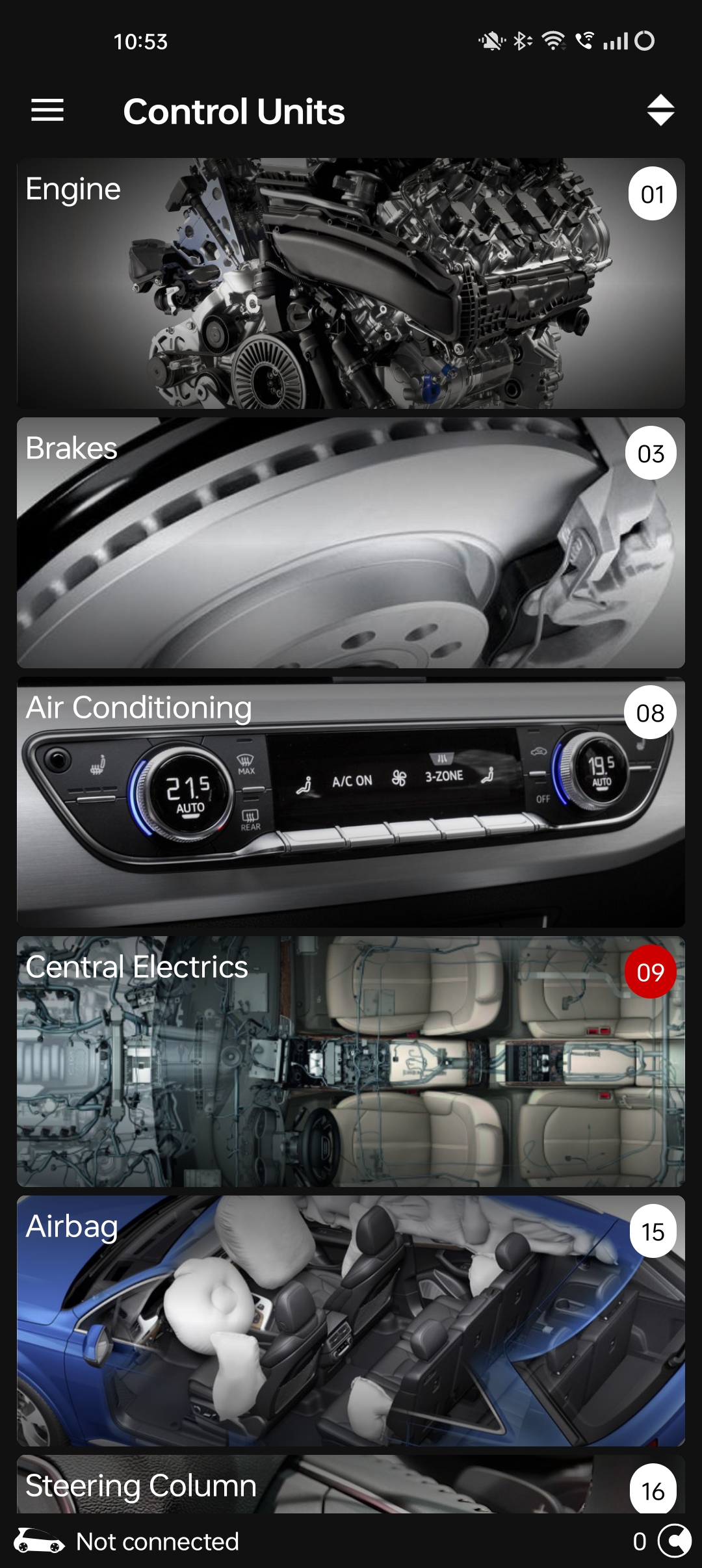
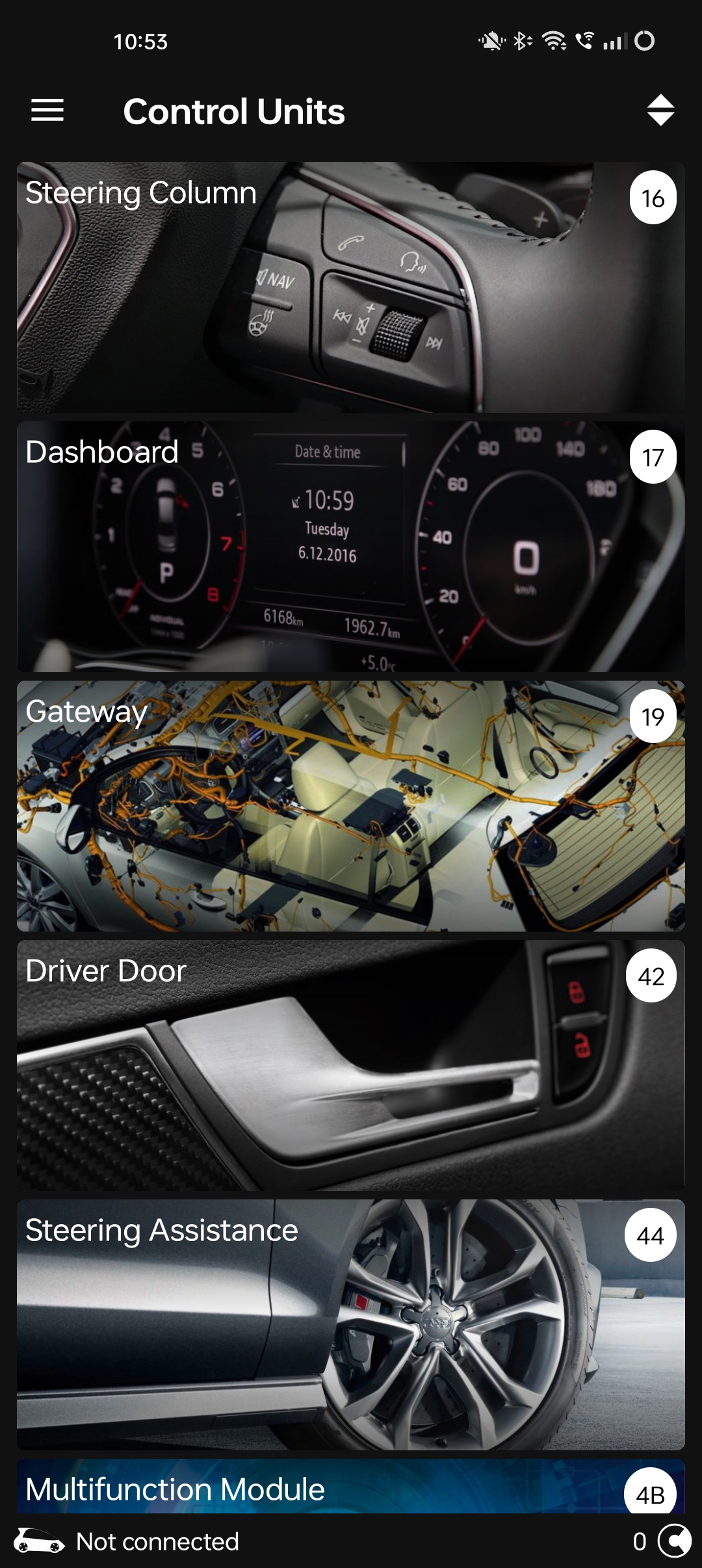
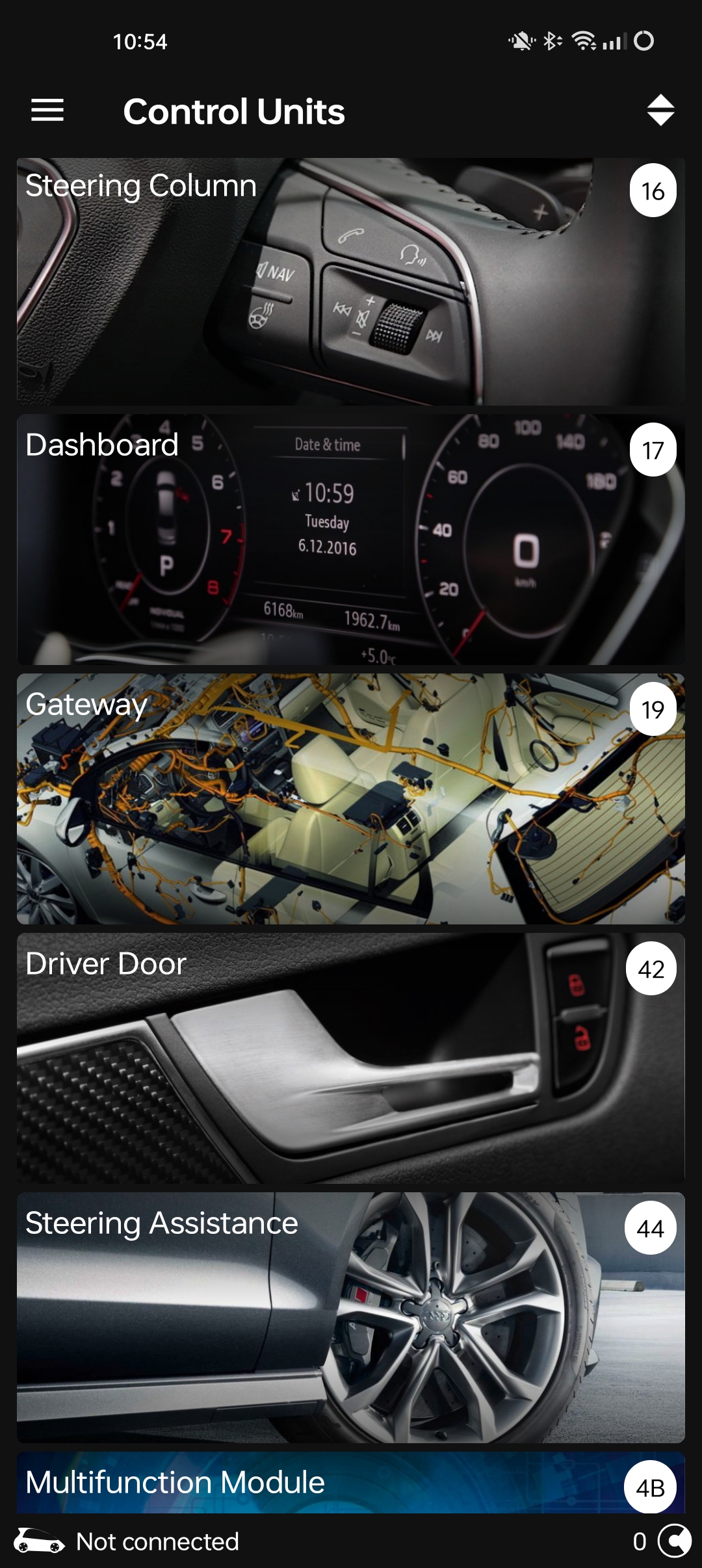
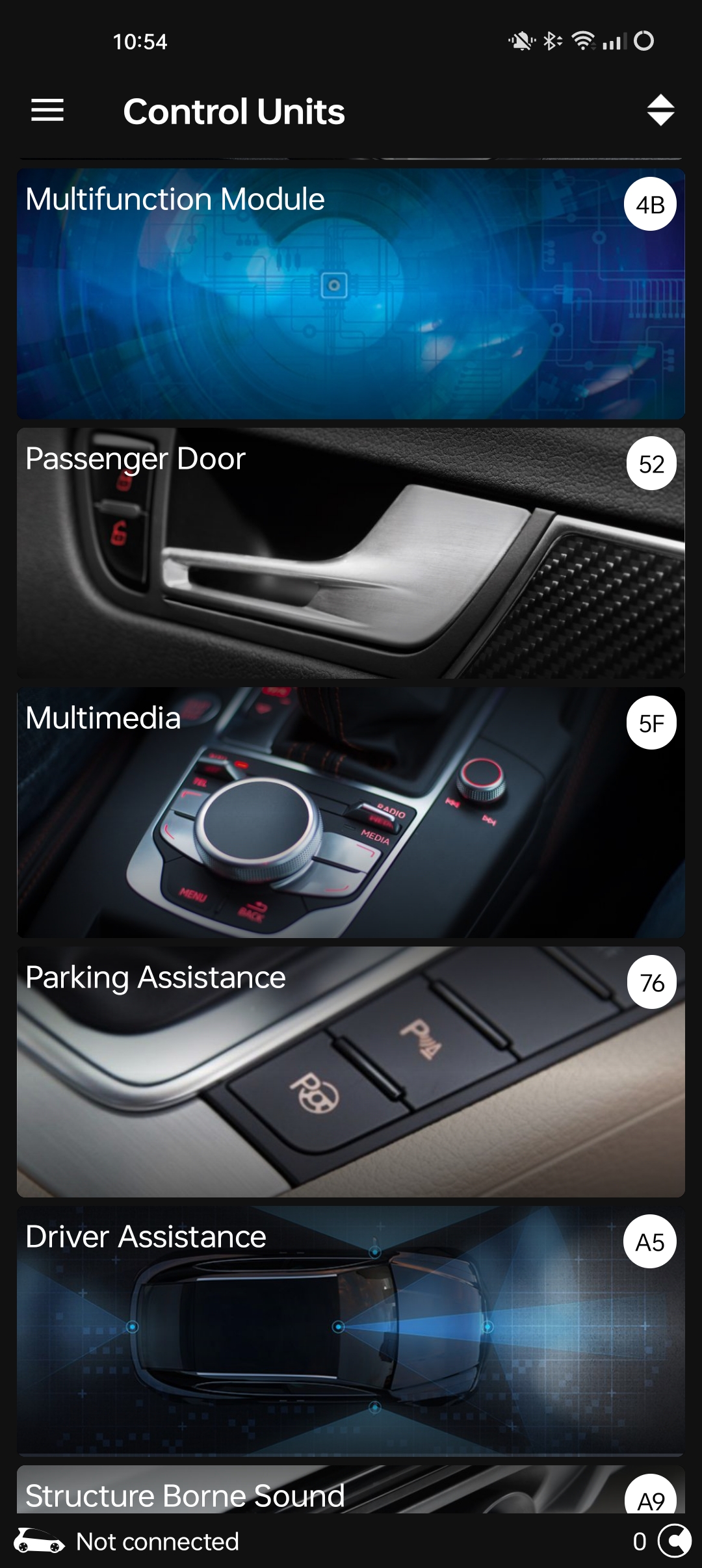
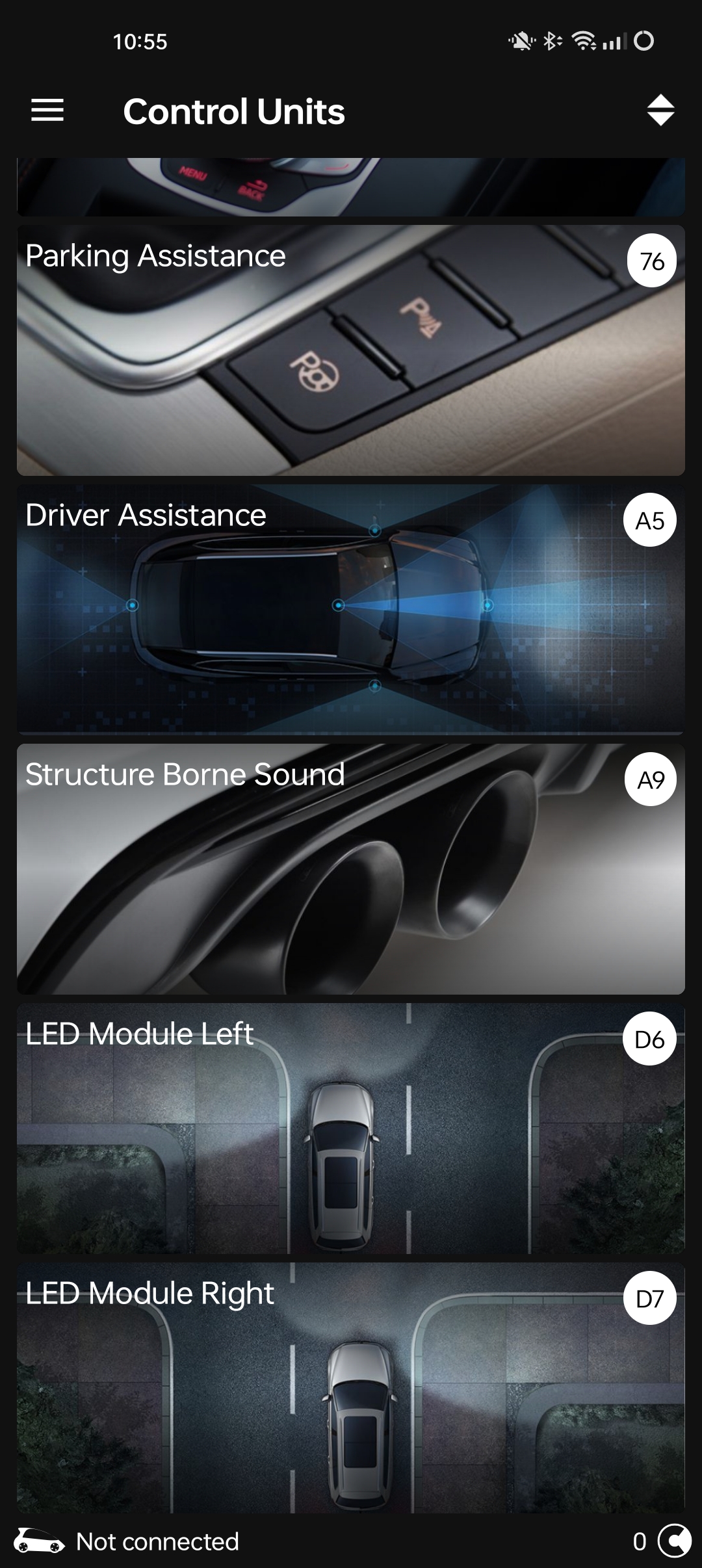
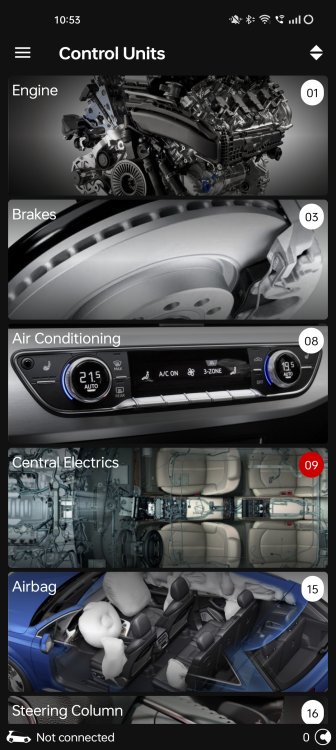
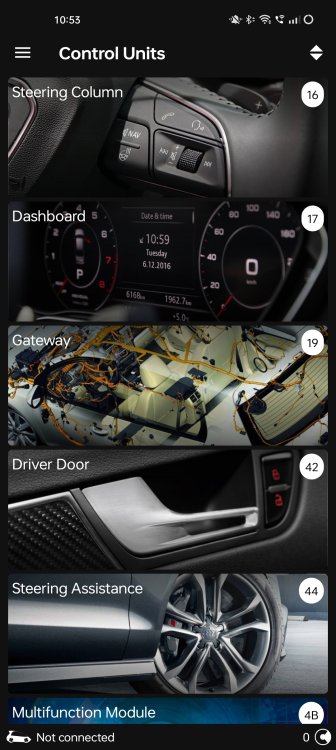
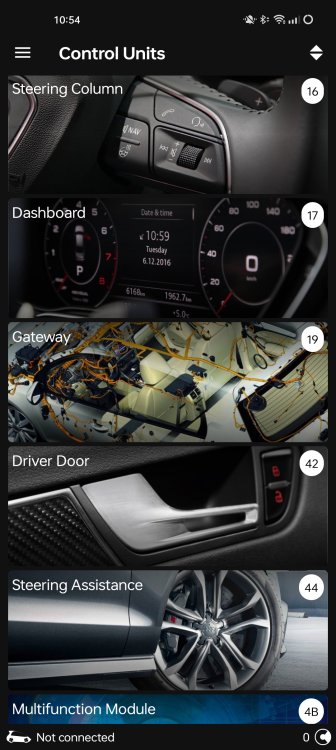
Modules lists. Ignore the red dot on in the central electrics its because I've got green LED's that are not canbus friendly. Didn't think I would need canbus LED for under the seats. How wrong was I.
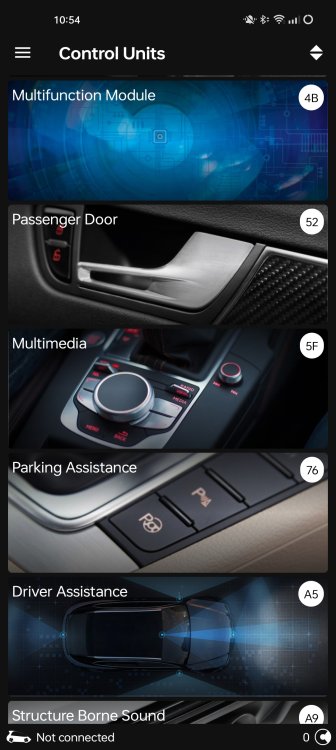
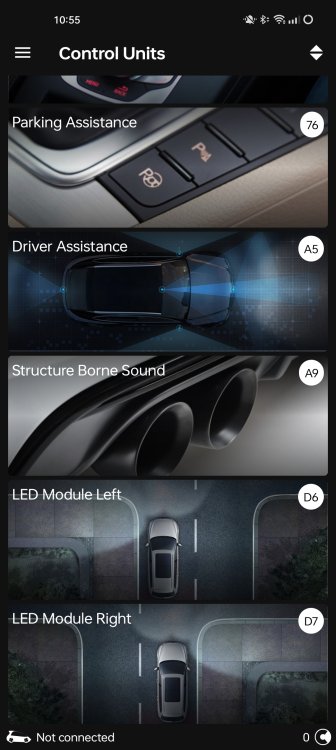
-
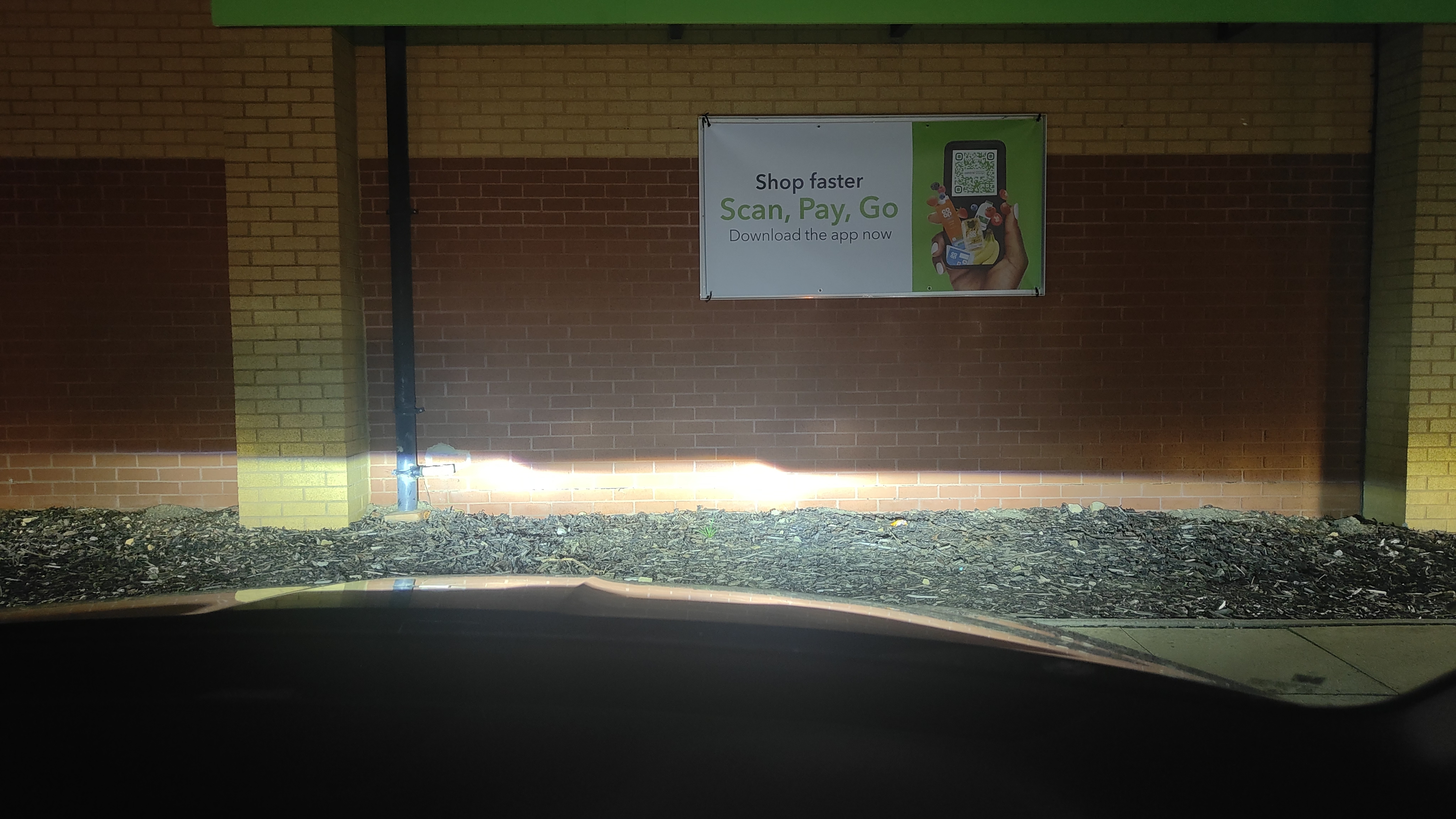
That's a picture of the headlights against a wall on level ground, roughly 6ft max from the wall. Using the diagnostics function I can test the position of the headlights and top setting does move them up a good couple of inches so there is more height adjustment available at a maximum. Obviously I don't want to alter them and make them dazzle others so maybe a trip to get the beam pattern and height tested. I also not that checking my mum and dad's Superb on a 17 reg, there lights and higher than mine, although my dad did say he took it back to Skoda as the lights were too low and they adjusted them up, and they have worked fine and never failed an MOT and you don't get oncoming cars flashing you. Also when switching left and right hand drive modes on their car they lower and also swap sides a little for direction, whereas as on mine all of does is lower them a tiny fraction no change of the beam pattern on my Octavia.
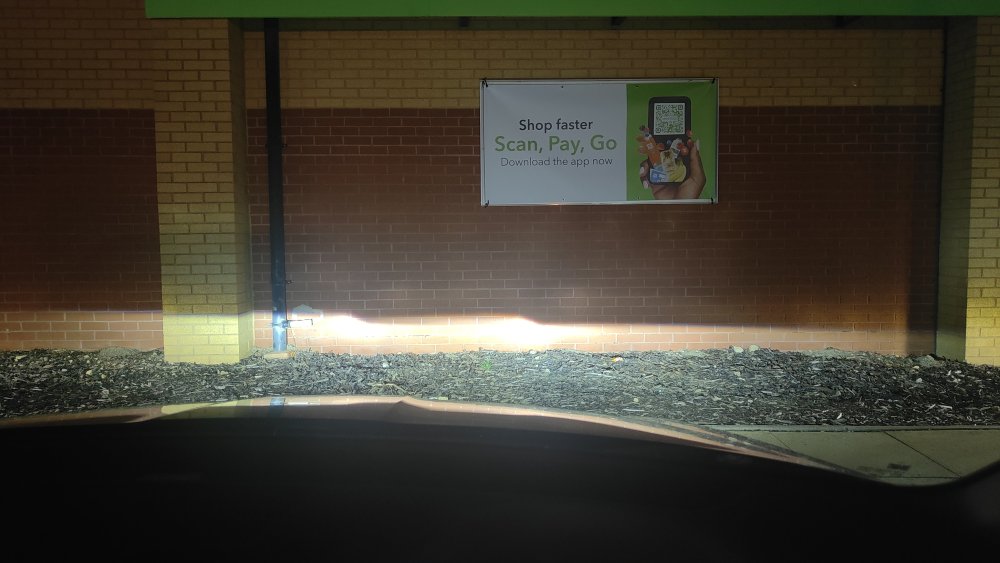
-
I have just noticed on OBDll in the central electrics there is also under basic settings, basic headlamp settings and also acknowledge basic settings. I wonder if basic settings needs running in both modules.
-
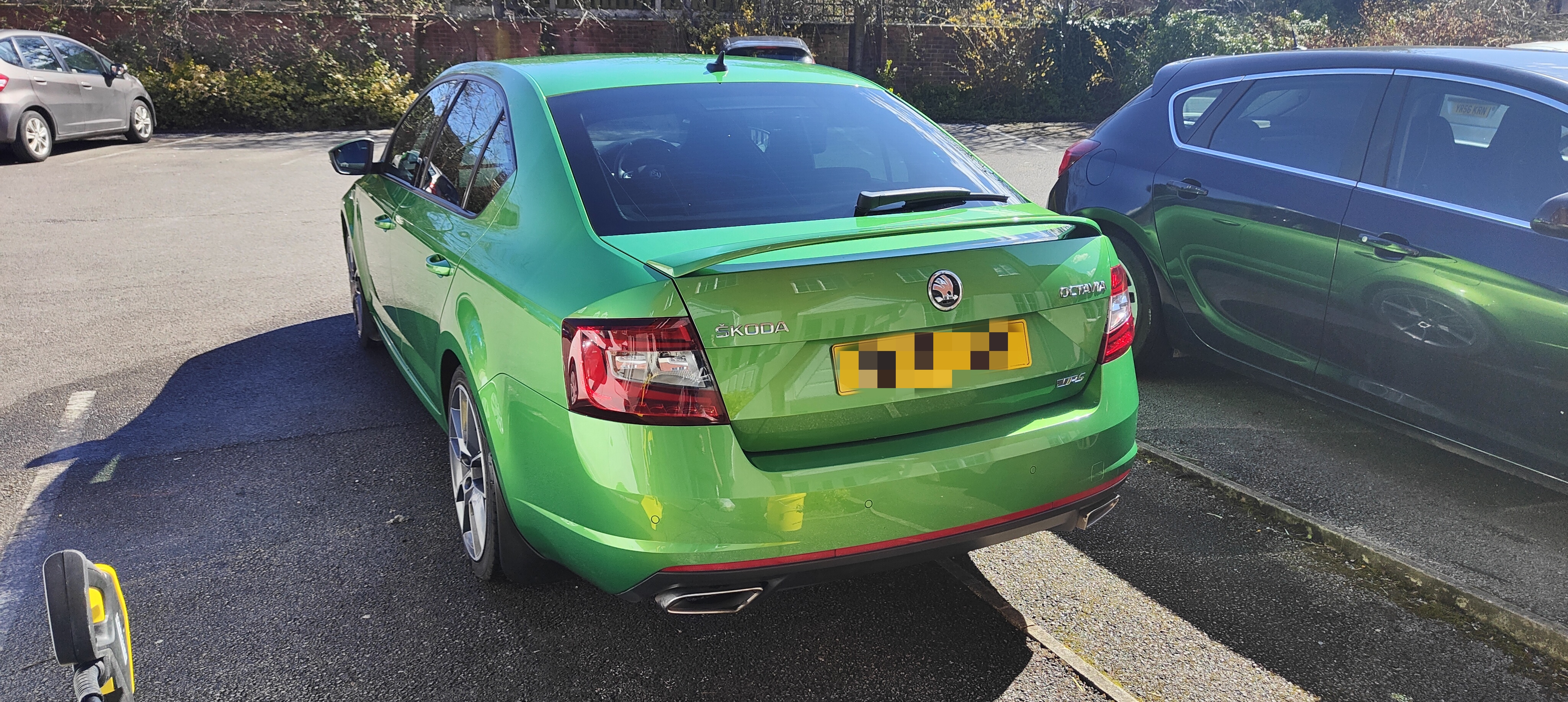
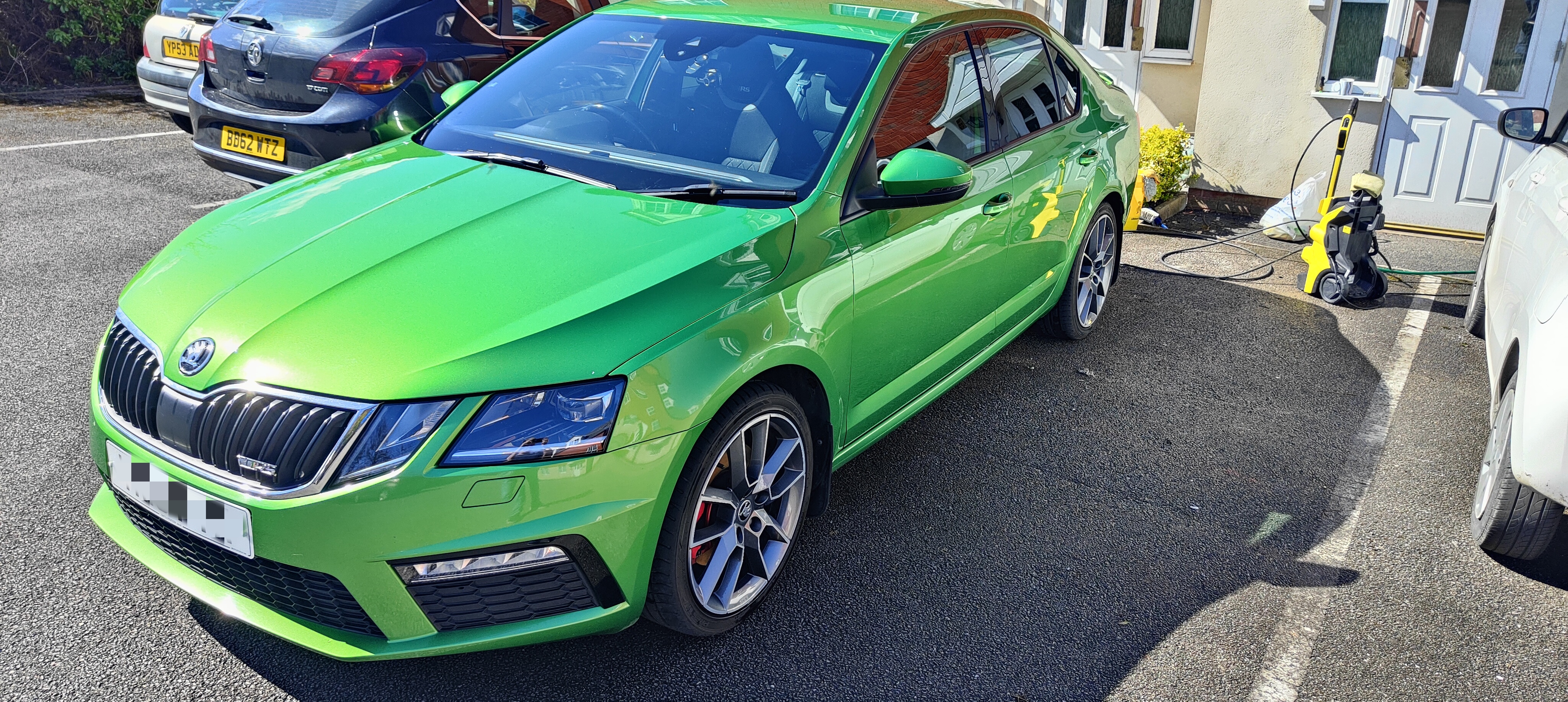
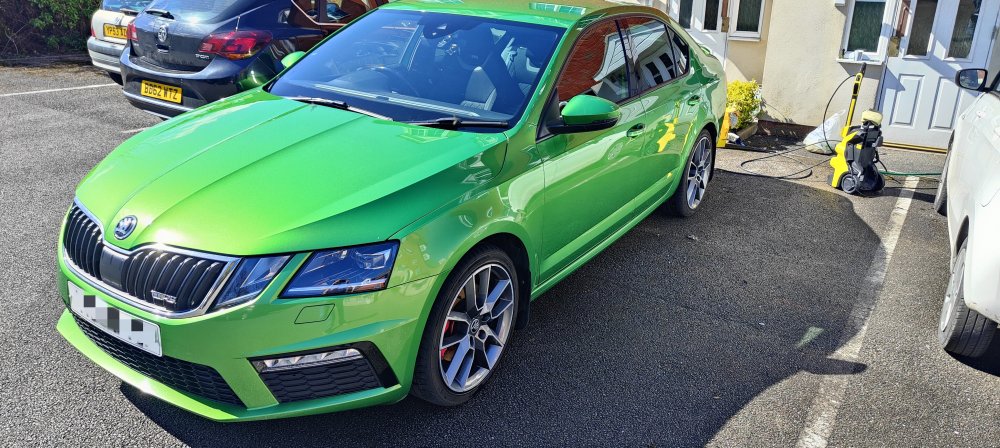
The rapid went in January and upgraded to an Octavia VRS diesel in Green.
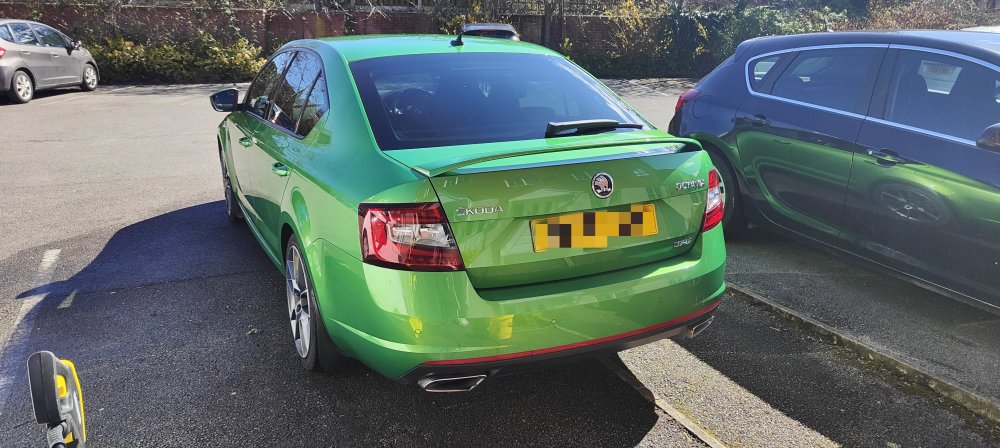
-
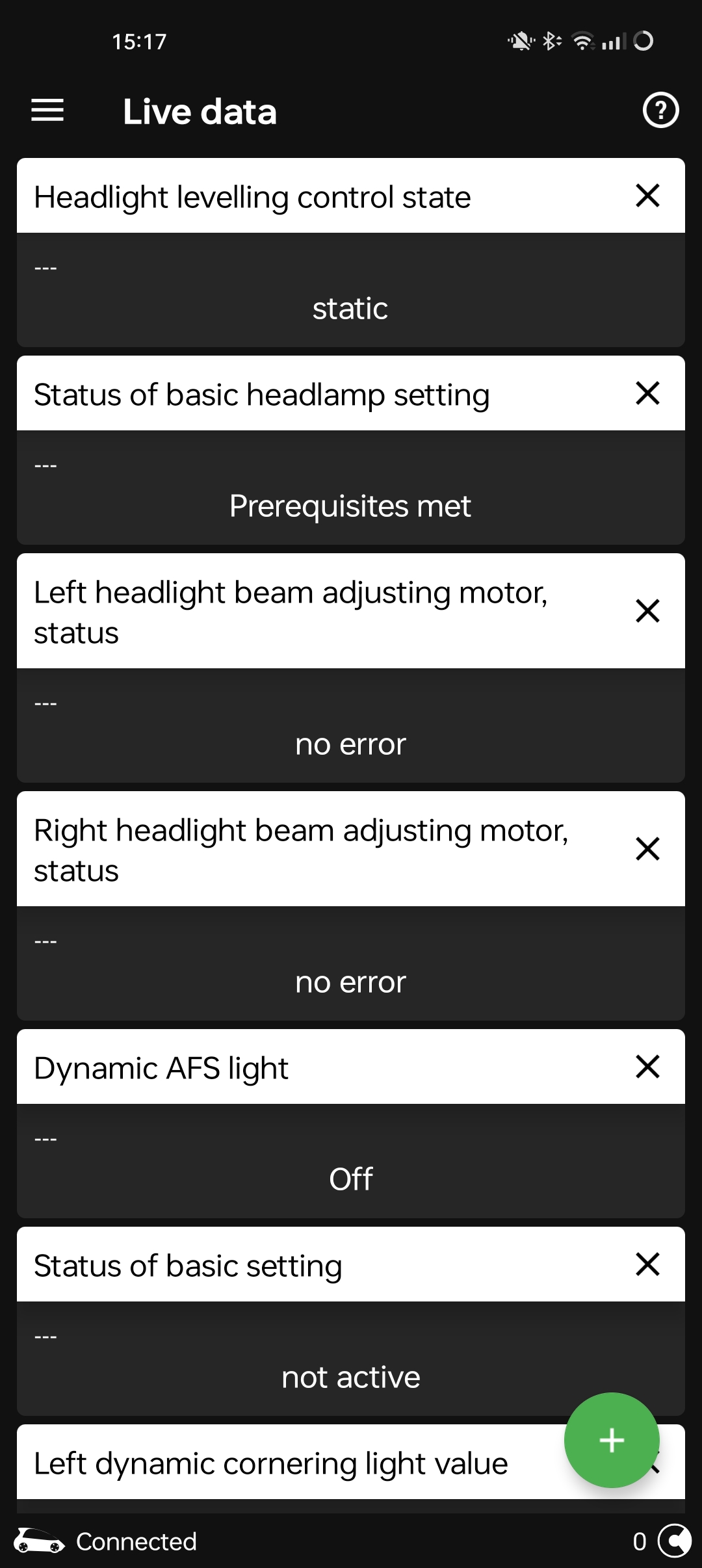
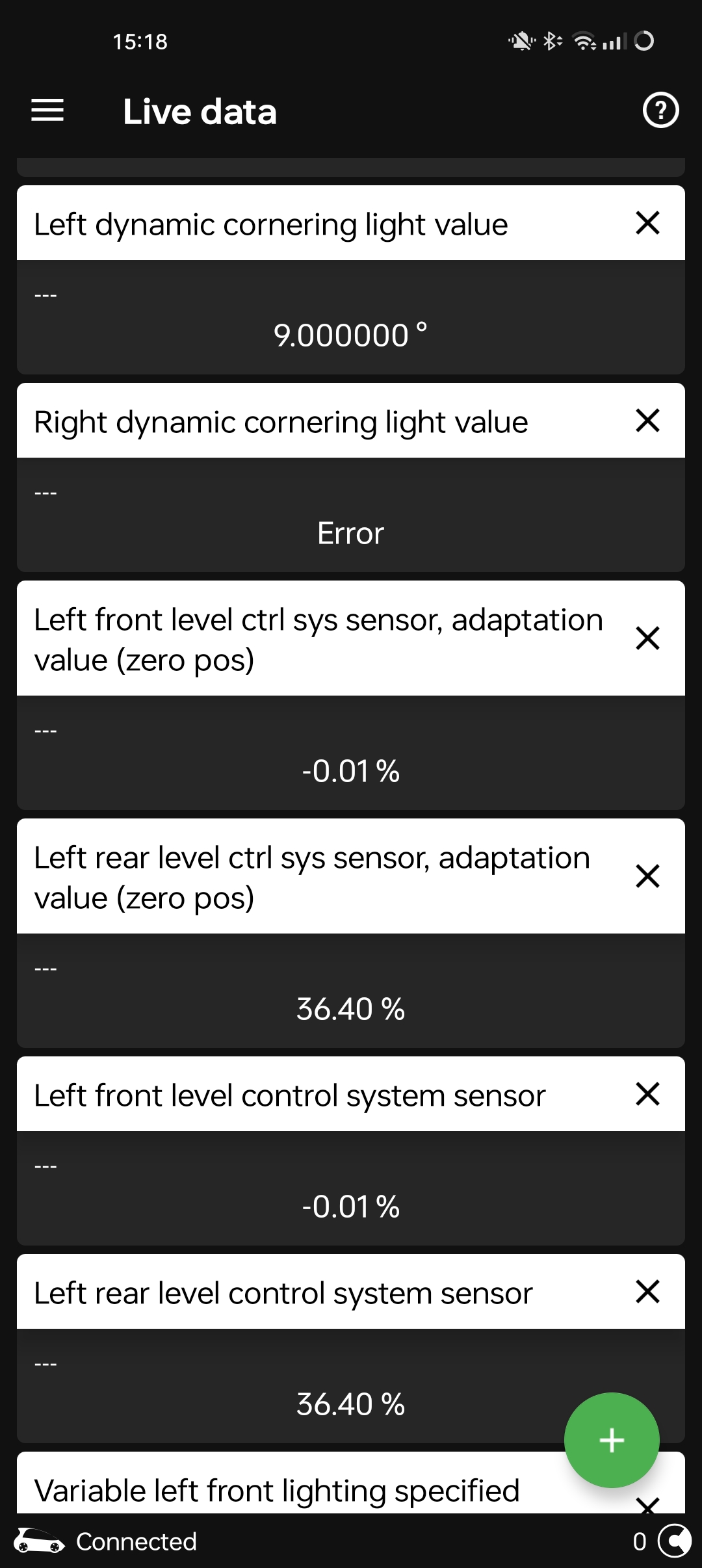
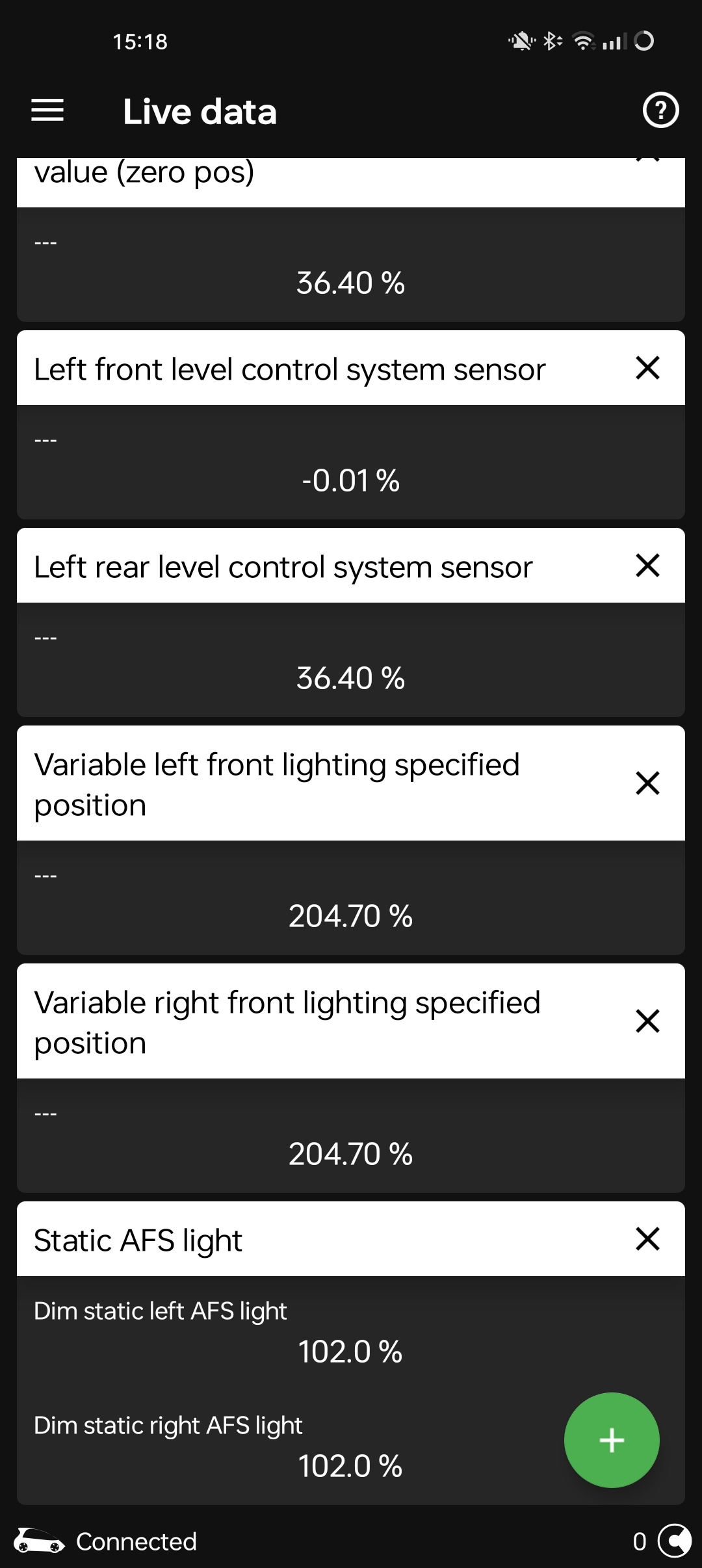
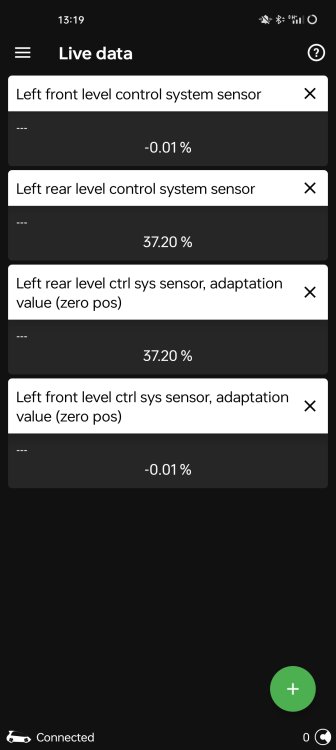
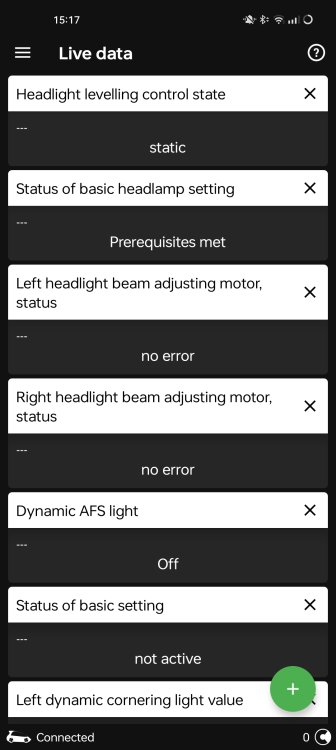
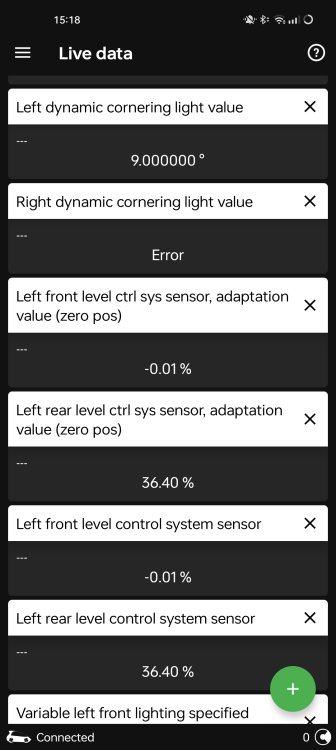
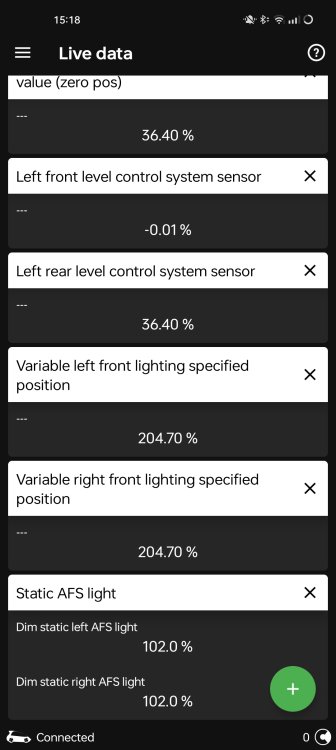
Screenshots of info from OBDII added.
-
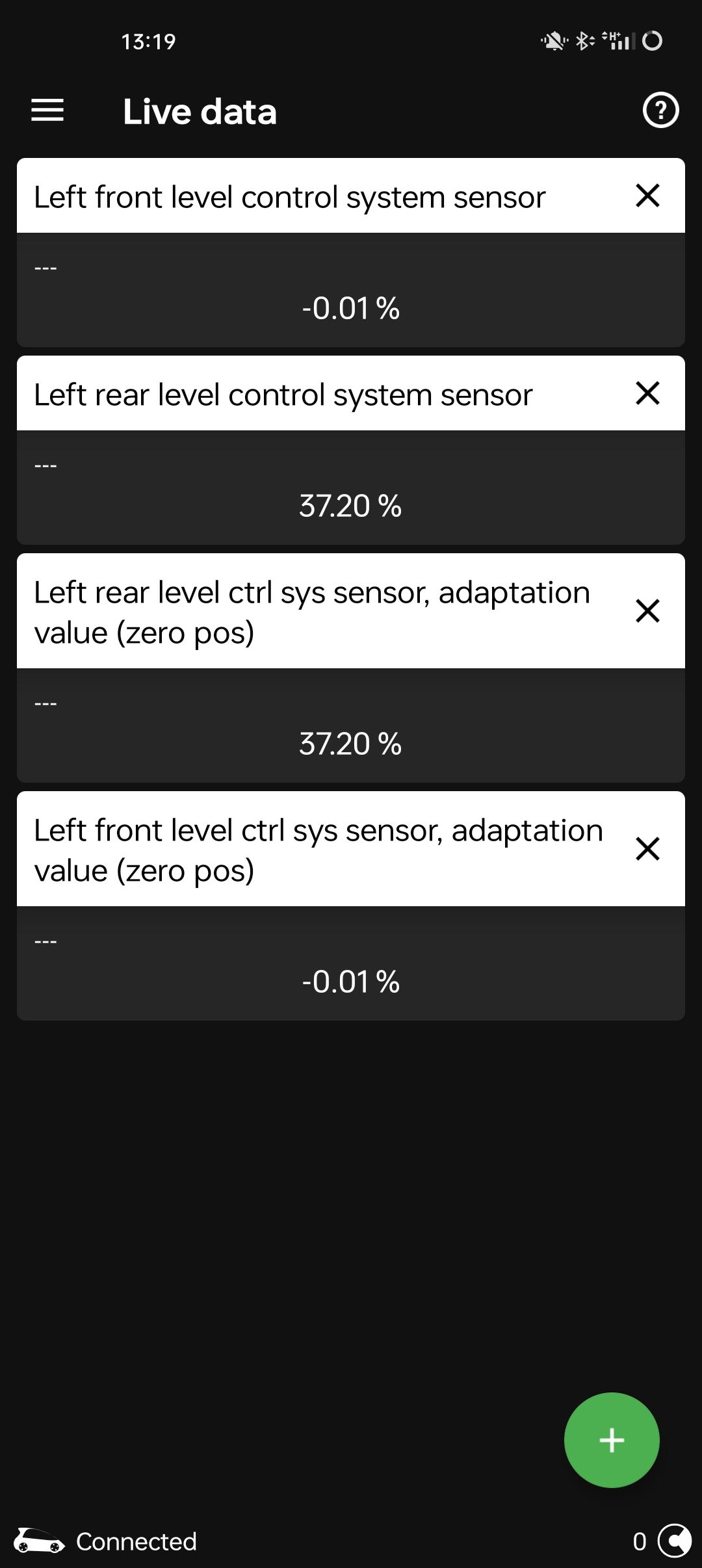
Need some help to figure out 2 issues if anyone can help. First problem I’ve learnt is be careful making changes to 4B module as you have to run basic settings after changing anything in the 4B module, glad I now know that little nugget. So my issues are I had to run basic settings after playing around with stuff. My headlights are too low there is no doubt about that and I don’t think they are adjusting height etc while driving. I’m also getting “right dynamic cornering light value error in live data, whereas the left DCL value is 9.000000 ° Also looking at live data again for level control sensor adaption I’m getting what I think are probably strange readings. left front level control sys sensor, adaption value (zero pos) -0.01% left front level control sys sensor -0.01% left rear level control sys sensor, adaption value (zero pos) 36.40% left rear level control sys sensor, 36.40% I can add screenshots of the live data shortly from my phone. I am reasonably clued up to a degree with vehicle diagnostics but fall foul of cocking things up sometimes I have had various diagnostics for several cars I have owned over the last few years starting with FORD IDS, then Launch x431 for various makes and now OBDII. Anyone got any advice or input on remedying these before I have to go and see a decent independent to try and resolve those issues, I prefer to try and 7nderstand what’s gone wrong and how to fix it myself where possible. It’s a 2018 FL VRS DIESEL with Led headlights but not full matrix. Thanks
-