zorglub
Members
-
Joined
-
Last visited
-
yes for me too ! thank you @jay982bea
-
where do you get dongle cable and software ?
-
Hello, since one week i get this new message on startup who said: "please charge your phone. For your safety please don't use your mobile when driving" Even my phone is fully charged ! anyone get something like this ? i really want to kill that thing: i work with my car and someday i go in and out the car 10 time a days, so very annoying disabling all the ****ty message, start&stop... ten time every days
-
what did you use ? VCDS ?
-
anyone try the burteq one yet ?
-
i got genuine powerfold towbar sitting in a shelf for almost 2 years 😅
-
i ve permanently disable it with OBD11 dream of doing the same with the start&stop (worse calibrating one i ever had on a car !)
-
who want to change steering wheel with real button to sensor !??? tactile especially on steering wheel is the worse idea ever since the invention of automotive !
-
i have the same issue for 2 week and like SkOmk4 said issue come from the main panel not the steering knob car will go to dealer tomorrow anyway for emergency assit unavalaible 🙄
-
yes can you put the link here ?
-
those kind of modules only work for cars with physical buttons
-
also interested, start and stop is one of the most anoying thing ever created in the human history 😁
-
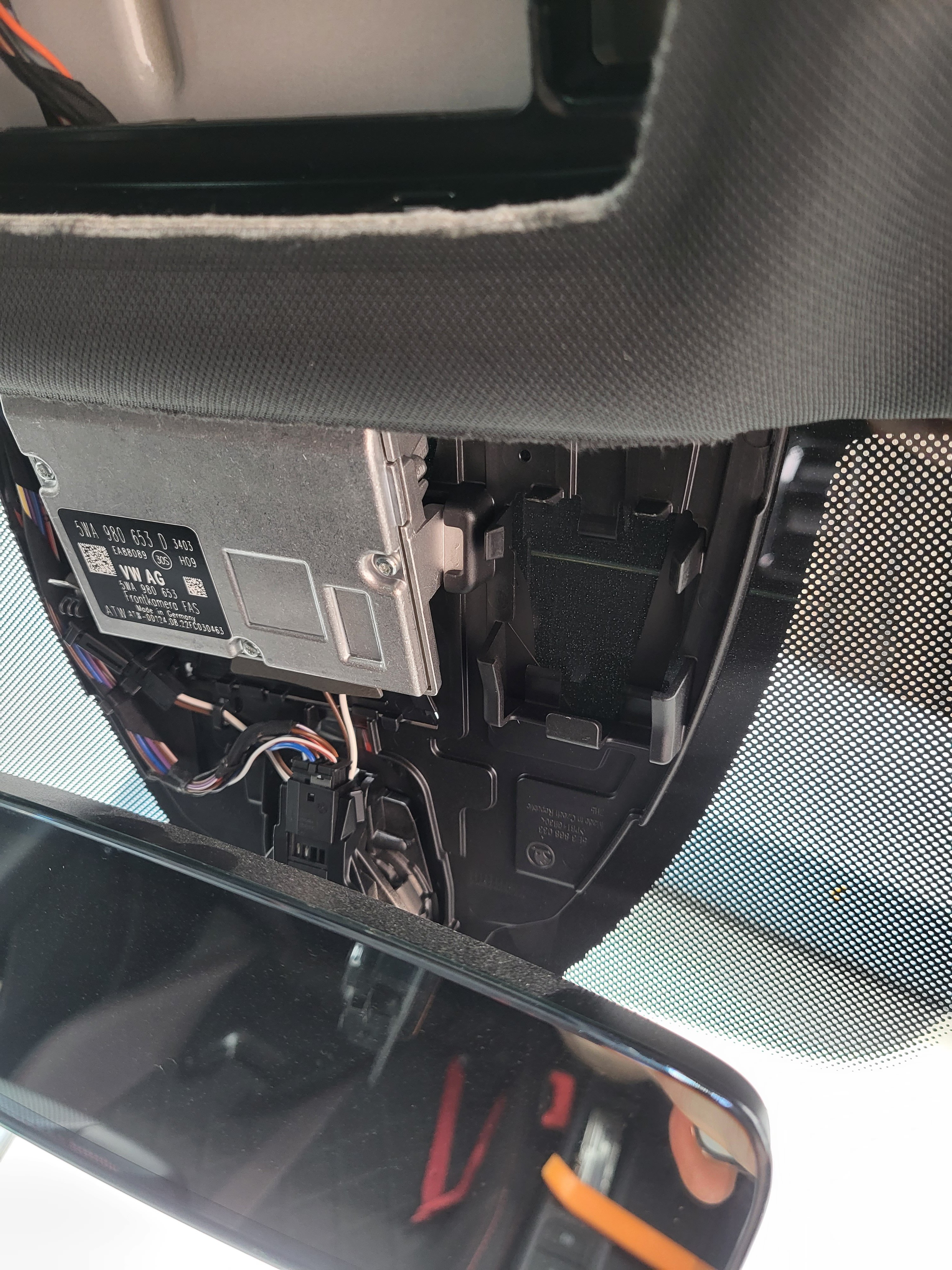
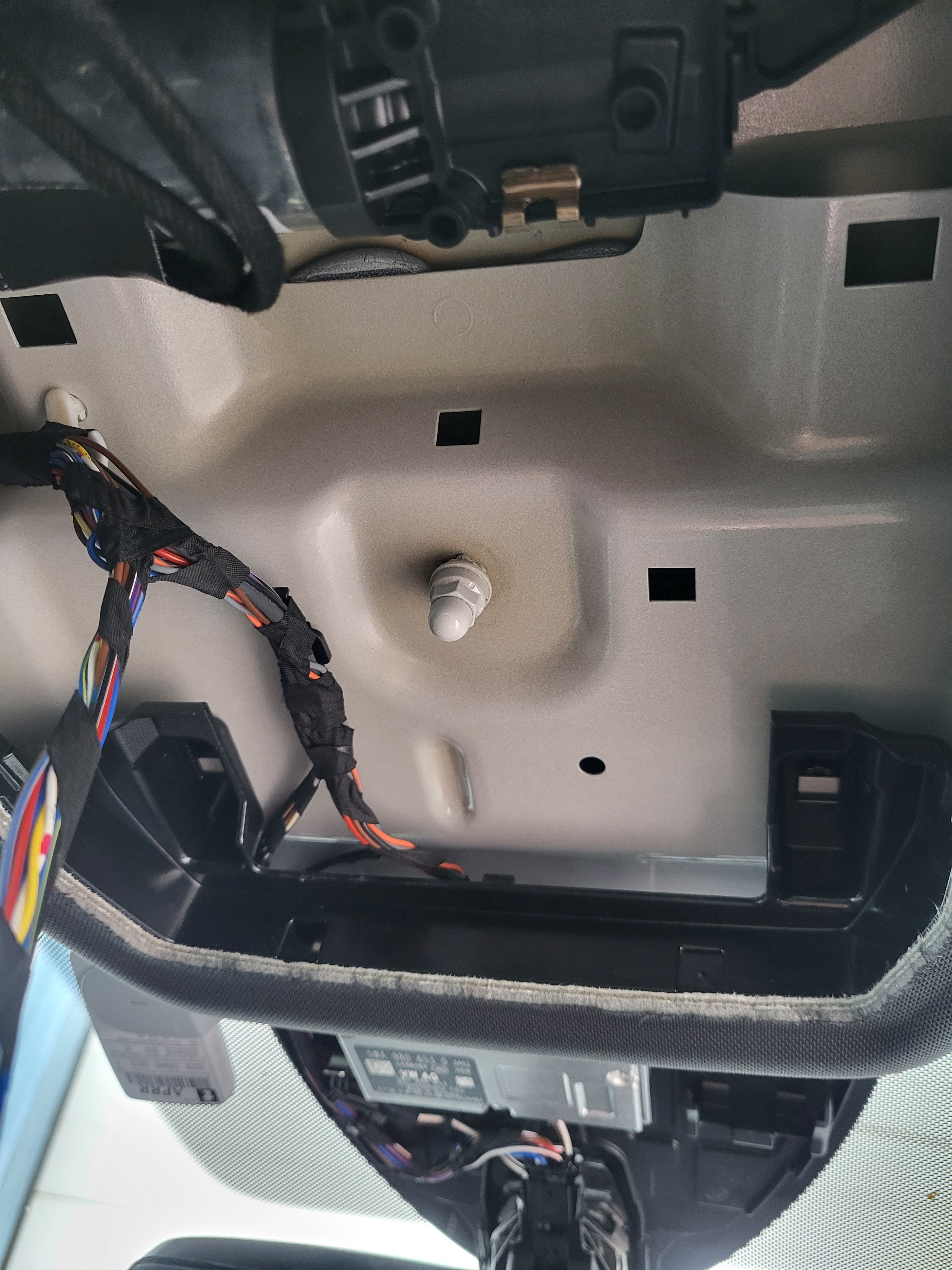
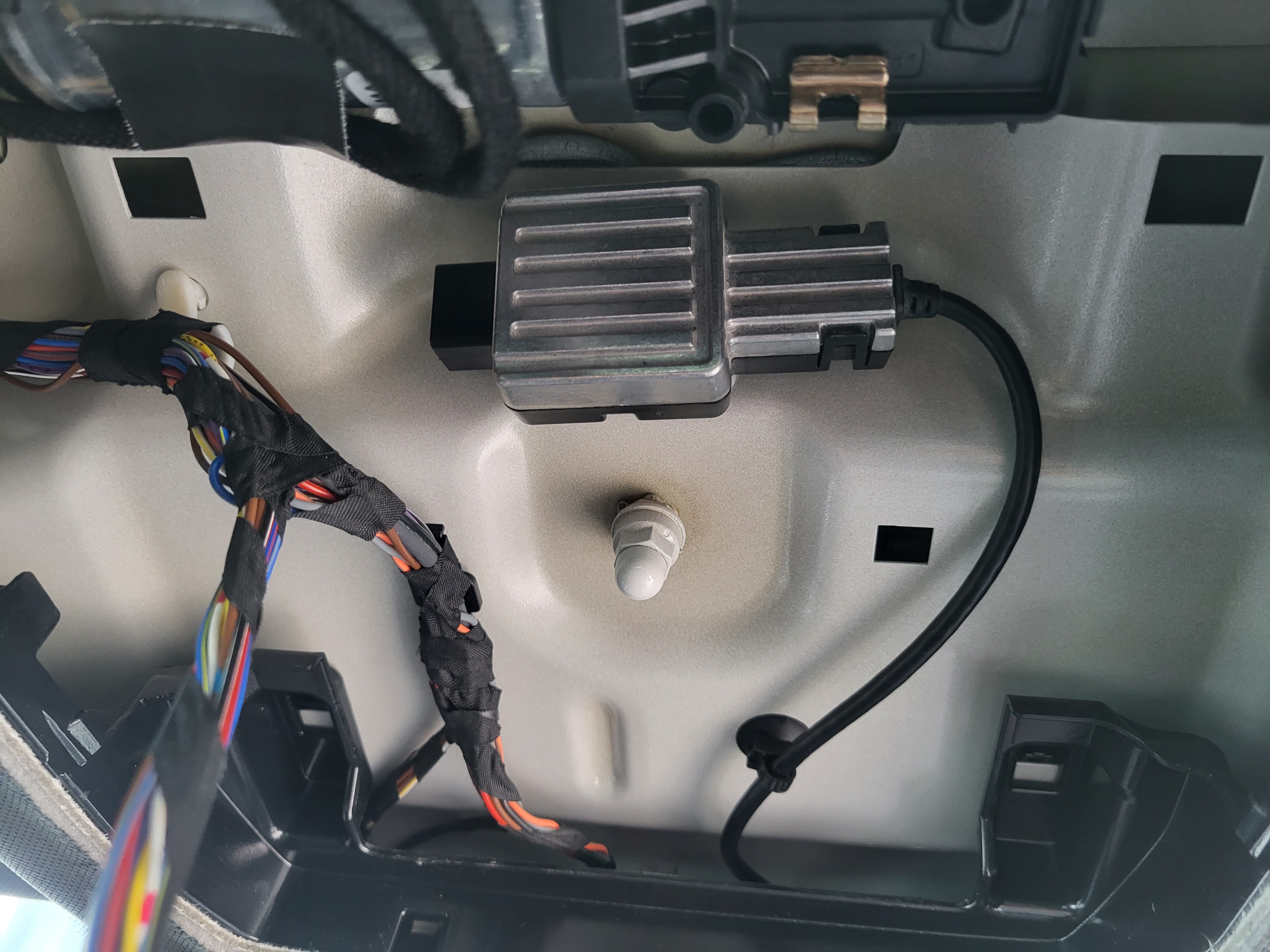
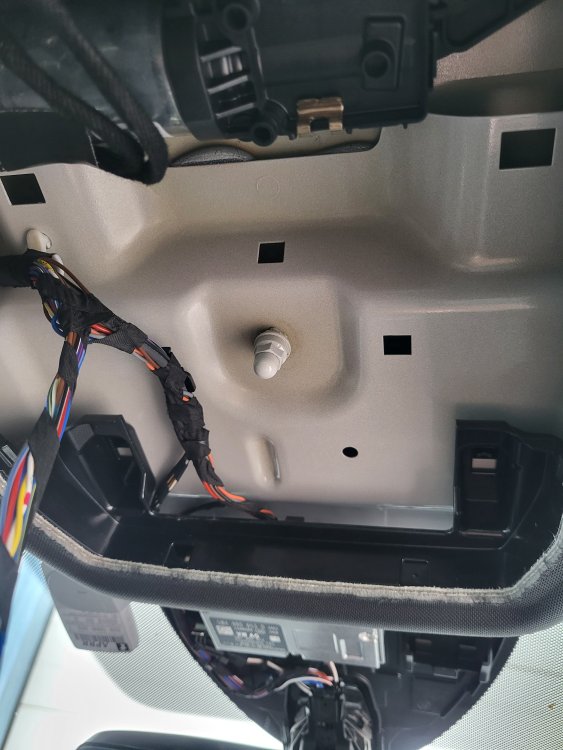
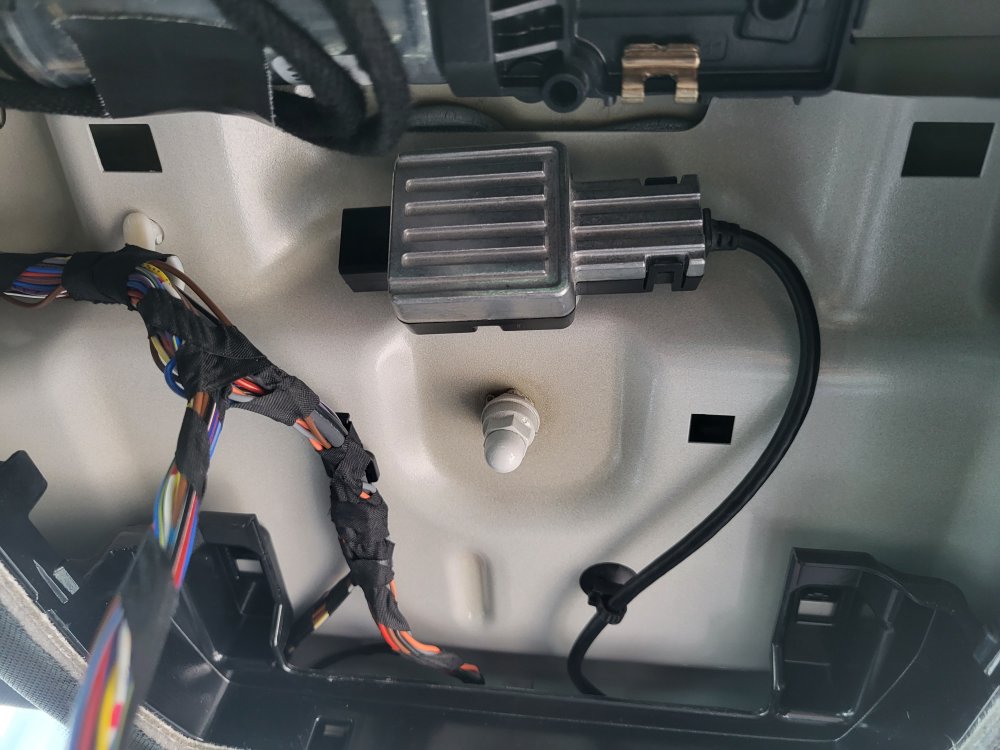
someone with oem usb can take same picture as above for me ? like that i ll see where i can pick up power. thanks !
-
here is a picture of what behind the roof cover without the usb unit and with one installed. I ve found this unit with the isb socket used for 30 euro only now i just have to find where picking power for this little power unit ! (if someone here can help me taking same picture)
-
no, if you have the plastic cover you don't have the usb socket and power unit behind.