MikeHorsham
Finding my way
-
Joined
-
Last visited
Everything posted by MikeHorsham
-
This was my experience: I reserved my Scala and paid a deposit on 4 March (it was already on its way to the UK as dealer stock) when it was dockside at Emden awaiting a ship. It arrived in Grimsby 14 days later on 18 March. It arrived in London 10 days later on 28 March. So I reckon your Scala might be with the dealer within two to three weeks. Hang on a bit and you will get a 2023 registration, which for the sake of a few extra days' wait will be a good thing.
-
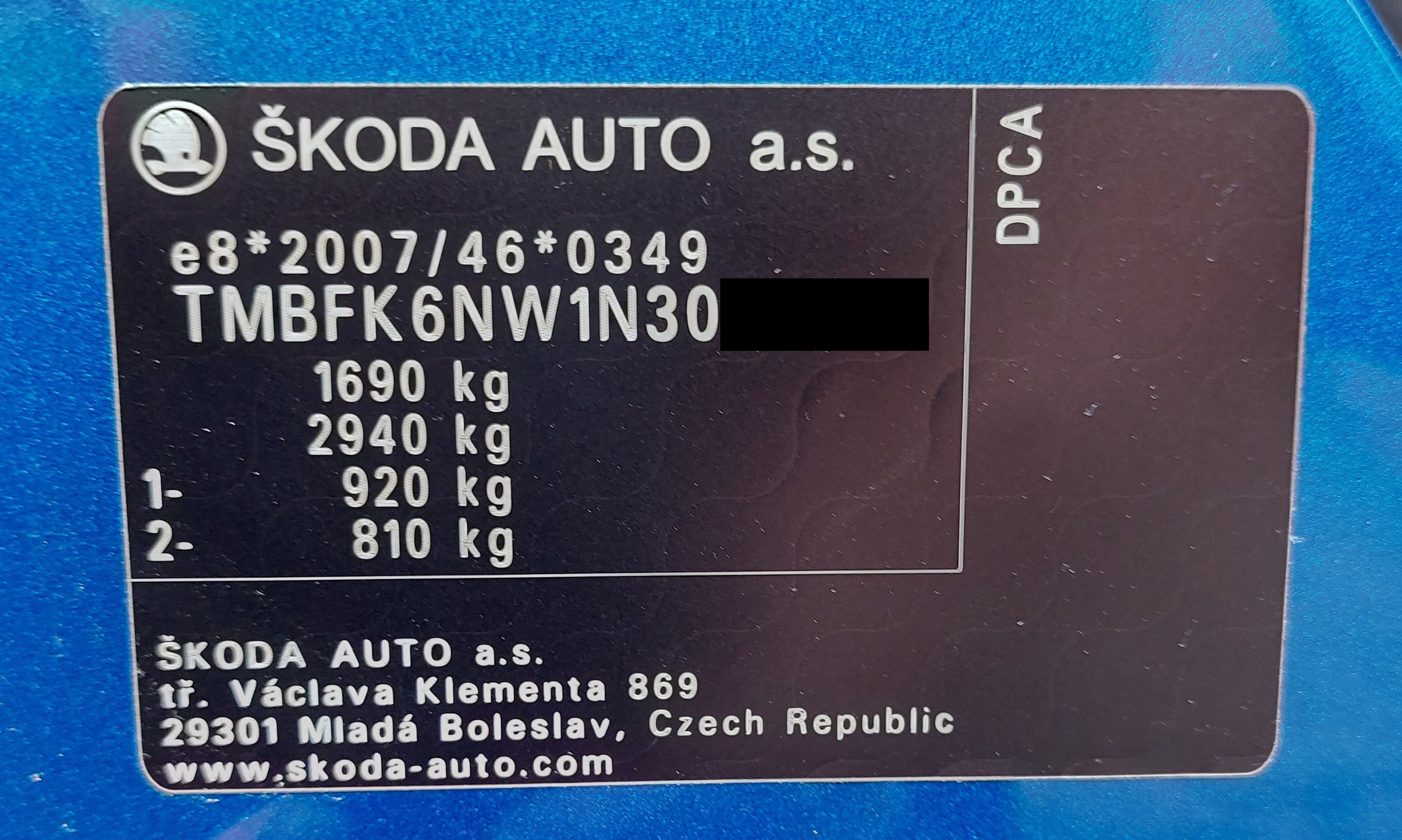
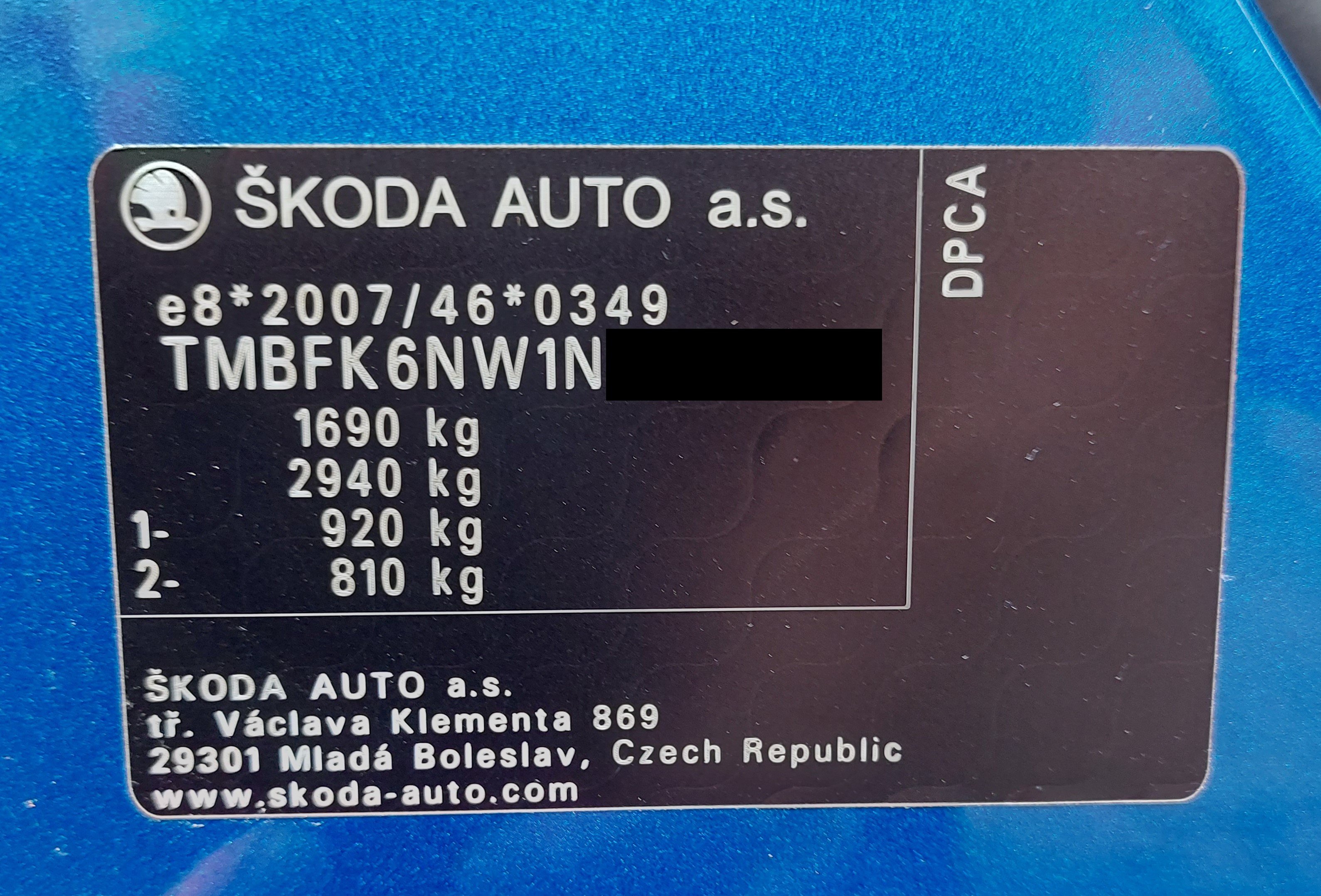
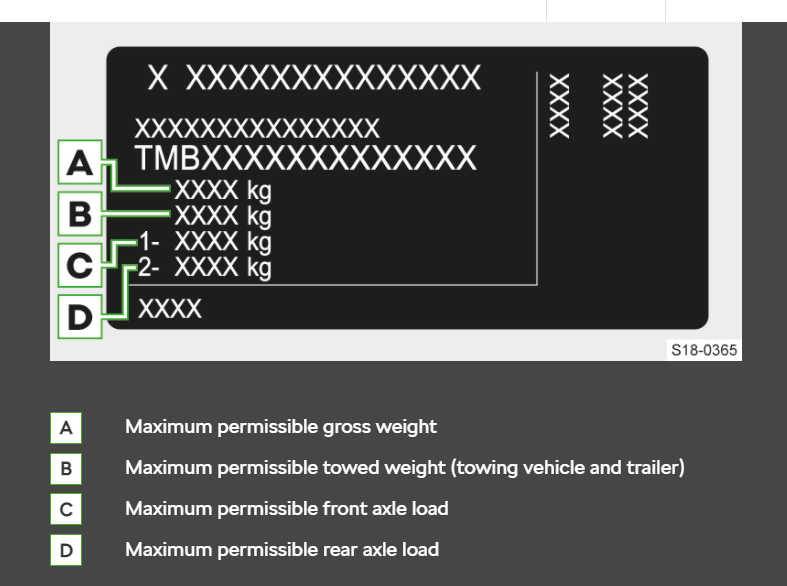
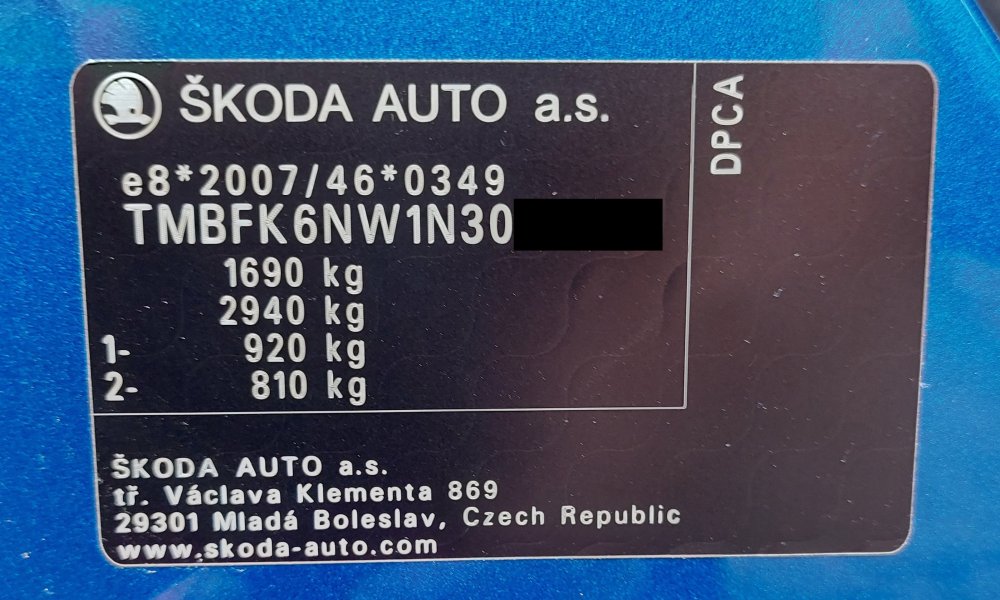
Yes, it came plated for towing - which is the odd thing. Apparently some cars arrive with (see pics attached) figures A & B the same, i.e. zero towing capacity. Has anyone on this forum got a VIN plate with zero towing capacity? My car was definitely ordered without towbar prep. When the towbar was ordered they also ordered the prep kit and ran cables rear to front to connect to the back of the fusebox below and to the right of the steering column. Then once it was fitted they did the coding. I didn't need to ask the replating question of the dealer because of the above, but my logic is that they should be able to replate a standard Scala because the towing prep is about some additional wiring and coding rather than anything structural. (On some bigger Skodas I believe there is additional oil cooling? Can't remember.) I agree that zero towing capacity is an issue with insurance and legality. But I still struggle to comprehend the possibility that most second-hand towbarless Skodas on the market cannot be purchased by someone who wishes to tow something because they will never legally have towing capacity. I know that the brochure says "Please note, if a tow bar or tow bar preparation is not fitted on the car, the VIN plate may not show any towing weights and the car will never be eligible for towing. As such it may not be possible to retrospectively fit a tow bar if the car is not fitted with tow bar preparation at Factory. Please speak to your Retailer to confirm the exact towing eligibility.", but has something been lost in translation? Because the dealer I spoke to doesn't agree with what is in the brochure.
-
I reserved my MY22 Scala when it was on the docks at Emden awaiting transport to the UK - it was coming in as London dealer stock. It was plated for towing, and I ordered the Skoda towbar as a dealer fit. Yes it's expensive, but it is excellent. There is confusion about towbar plating - the brochure and forums such as this warn of unprepared Skodas never being able to legally tow, but a Sussex dealer I spoke to said that was inaccurate ... in my case borne out by my car being correctly plated for towing.
-
I have a Scala with Amundsen. Google maps appears through AA on the centre screen, but not in the digital dash. The directions can appear in the dash if you select route information in virtual cockpit configuration. Whilst I can view the car's own GPS map in the dash, when it comes to fine detail and complicated turns the size of the centre screen cannot be beaten. A great benefit of Google maps is this - if you search for a destination at home (say on a phone or laptop), once your car connects to Google via AA then that destination will be in your search history on the car's screen. Very easy then to click on it and go. No faffing about finding an address using postcode in Google map search on the car.
-
I have a 2022 Scala, and it does not have an air conditioned glovebox.
-
I have covered 1,390 miles now, so I have some useful real fuel economy figures. My Scala is a 1.5 SEL DSG. When I tow, it's with a 350kg trailer tent i.e. minimal wind resistance. Overall to date 44.2mpg or 6.4L/100km Typical consumption solo (mixed driving town/open road/motorway) - 46.7mpg or 6.1L/100km Typical consumption towing (open road but quite hilly) - 41.4 mpg or 6.8L/100km Recent 80 mile motorway trip at 70mph (110kmh) most of the way - 59mpg or 4.8L/100km
-
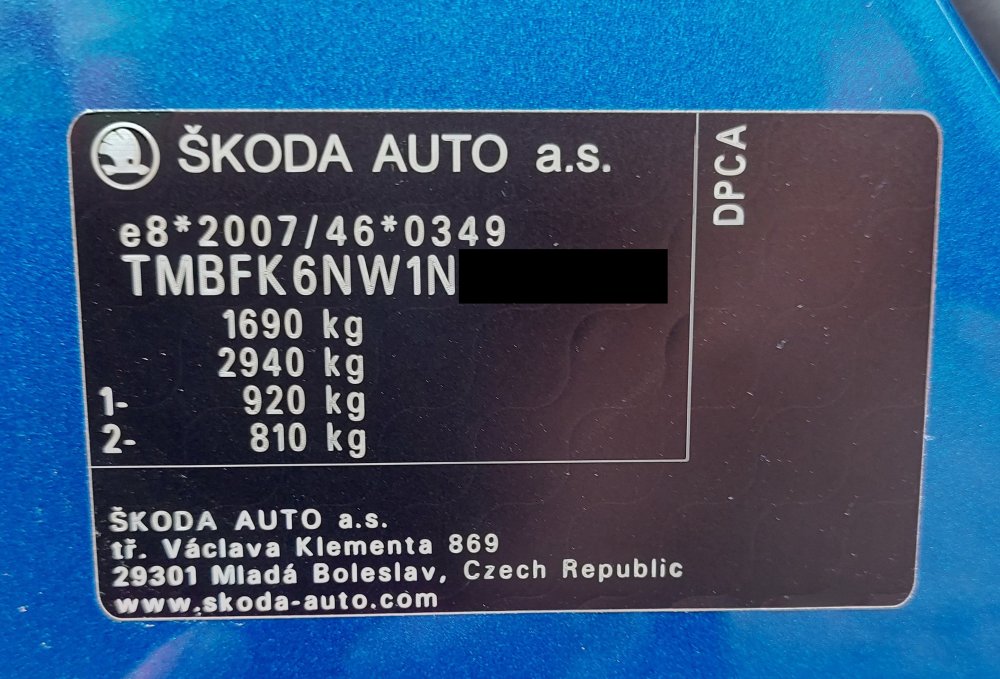
True story follows, and it doesn't fit with Skoda's published guidance or understanding on this forum re Skoda towbars - i.e. that you must specify the £200 towbar preparation on original order otherwise a towbar might never be legally fitted. I spotted a new Scala on Autotrader in March, the exact spec that I wanted. At that point it was on the dockside at Emden; I placed a deposit and ordered an original Skoda towbar. The car duly arrived in the UK, I saw it and signed the paperwork, the towbar was fitted and shortly afterwards I took delivery. They had to order the original wiring kit which would have been the factory preparation job (and it was particularly fiddly to connect some of the wires behind the fusebox) as well as the wiring kit for the towbar itself, but they did it and I have what I ordered. The VIN plate (pic) is the original, and shows the correct towing capacities. To answer the original post, I would recommend ordering a new towbar and the two wiring kits from a dealer, with fitting. They will either fit it in their workshop or (more usual in the UK and what happened with my car) subcontract the job to a towbar fitting specialist. Then your contract remains with the dealer, not only to preserve your warranty but to deal with any short-term niggles. Towbar fitting is pretty complicated nowadays, and the car will also need recoding which is best done by the dealer.
-
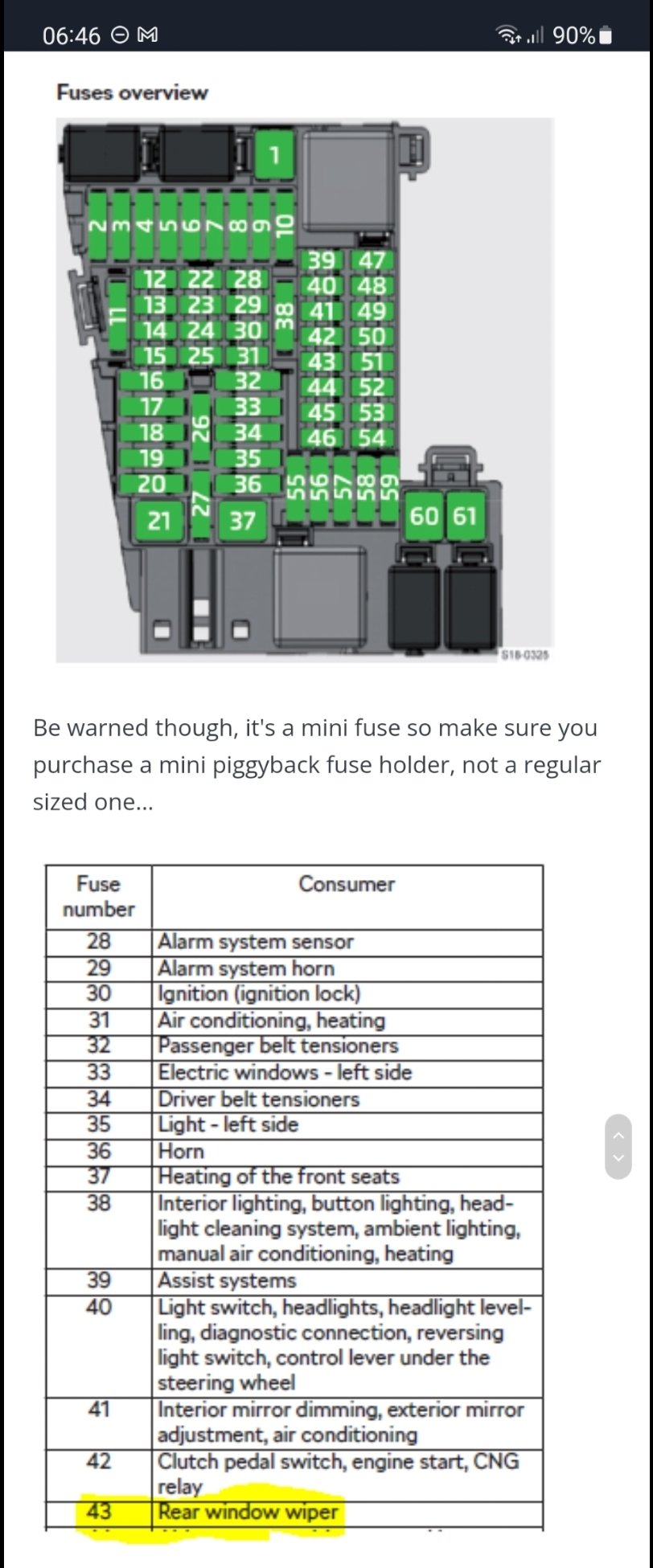
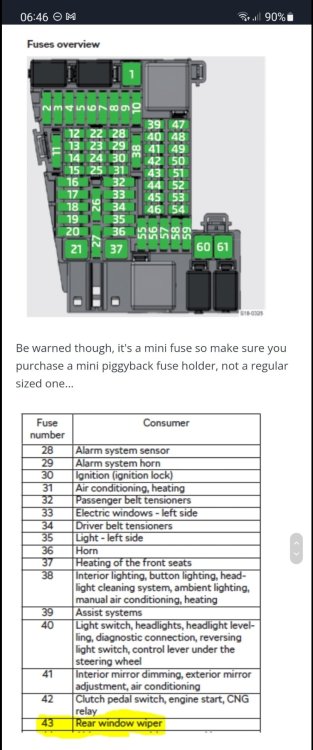
Agree - I hardwired my Next Nextbase dashcam last week and used the rear wiper fuse 43.
-
I know this is off-topic, but I found a new Scala last month (1.5 DSG SEL) and took delivery yesterday. I ordered a Skoda towbar to be dealer-fitted, and the car definitely didn't have towbar preparation specified in the original order. Both the VIN plate and the V5C show the correct towing weights, and the towbar works correctly. It has not been "VIN replated", as I received the V5C (31 March was the actual purchase date) before the towbar was received by the dealer, let alone fitted. So towbar preparation is a bit of a mystery to me.