
Waylon
Members
-
Joined
-
Last visited
Everything posted by Waylon
-
@JR RS Please help me take a look! This is the 4B module information exported through OBDeleven. I don’t know where the problem occurs? OBDeleven_Log_4B Multifunction Module.txt OBDeleven_Log_4B_338G.txt
-
@JR RSthank you for your hint! I will back up the 4B long code later and see what happens. 4B module failure prompts "AFS repeated installation"
-
Currently, there are some problems with the long coding of my 4B module.
-
@sergiulupsacHello! Have your matrix headlights been installed and debugged?
-
@ApertureS the LED tail light models are 3V5945207B, 3V5945307F on the left and 3V5945208B, 3V5945308G on the right. 09 BCM module SW:5Q0-937-084-EC HW:5Q0-937-084-EC --- Cent. Elect. Component:BCM MQBAB H H44 0511 Can this information help you?
-
@ApertureSOK! I'm sorting out and getting ready. Thanks
-
Hello! I am also looking for related coding. Have you successfully coded it?
-
Hello! Does your animation lighting come with it?
-
Yes, matrix headlights cannot be edited via VCDS or OBD11
-
Hi, I also want to change the eyelash light to always on, but I haven't found a suitable method so far
-
Hello everyone! Who has fully activated the animation mode of the front Full LED headlights and LED taillights in the video? By searching for information, only part of the animation mode function of the LED taillight has been opened, and those who are interested can complete it together https://www.youtube.com/watch?v=u0ELI2WJK6Q
-
Good! I'm also trying to implement the functions in the video, trying the corresponding functions associated with the light channel, such as eyelash lights as daytime running lights, tail lights home mode dynamic gradient, etc.
-
@JRRS @ApertureS Hello! Have you implemented all the functions in the video? If you can, please tell me the lighting channels of the headlights and rear taillights in BCM. I only know that the channel name starts with "Leuchte".
-
-
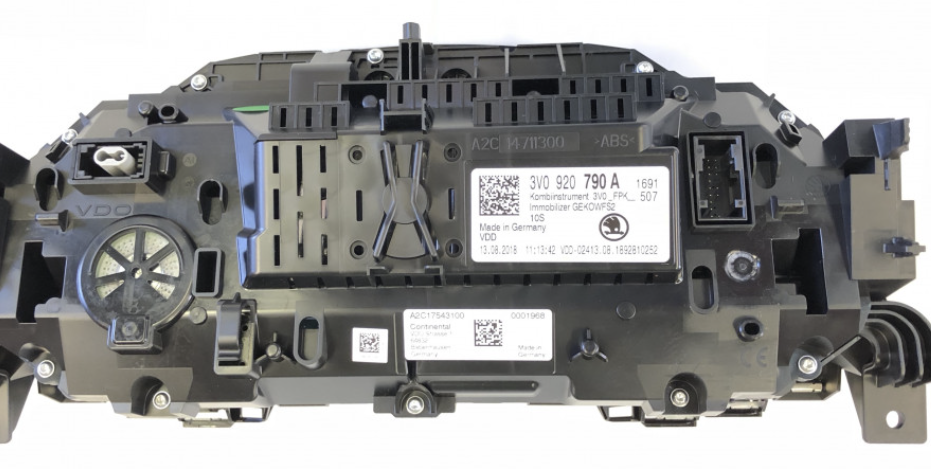
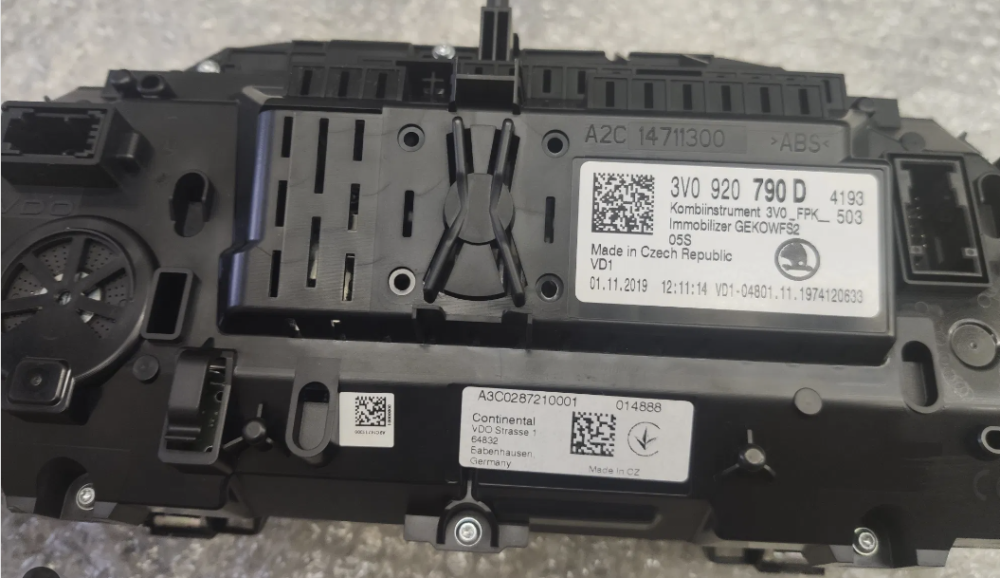
Hi,all. Who can tell me the difference between VC models 3V0920790A and 3V0920790D? Can both models of Superb FL MY20 be used?
-
Who can help me? Urgently need MY19-22 facelift Superb with LED matrix headlight function 09, A5 and 4B module parameter setting encoding file or picture. The 19-22 remodeled Superb Sportline model is the best, and the relevant module parameter files can be read and saved by ODIS engineers. Partners who can provide this service can send me a private message for a quote. thanks
-
@ApertureSHi there! I would like to know if you can provide the MY19-MY22 remodeled Superb with LED matrix headlight function 09, A5 and 4B module parameter settings and coding files. it is best to read the saved files through the link ODIS, or provide this service. quote me. thanks!
-
Great! I'll go to the discussion on this topic first. there may be differences, but I'm willing to try. thanks!
-
@JR RSHi there I need your help urgently. how can I get the two items you listed?
-
OK,The headlight upgrade can be completed without any delay in work these days
-
Sorry, I took a few days off before I saw your message There is no problem with the appearance hardware at present, just wait for the installation to complete the matching code in the past two days
-
OK! The information you gave has been very helpful to me。 When the LED matrix headlights are completed, upgrade the new LED taillights.
-
Thank you for your reminder, I have matched the exterior body and modified it But what are the specific functions of the modules you mentioned, you can tell me the next,and their part numbers
-
I want to try replacing it myself. It's not that simple to discover, it requires too much professional knowledge. Thank you for your support. Thank you so much briskoda and you guys
-
OK, thank you