




HighlandBoy
Finding my way
-
Joined
-
Last visited
Everything posted by HighlandBoy
-
Thanks folks; Its a pain in the ar*e as it was only replaced on warranty in March! 🥲🥲
-
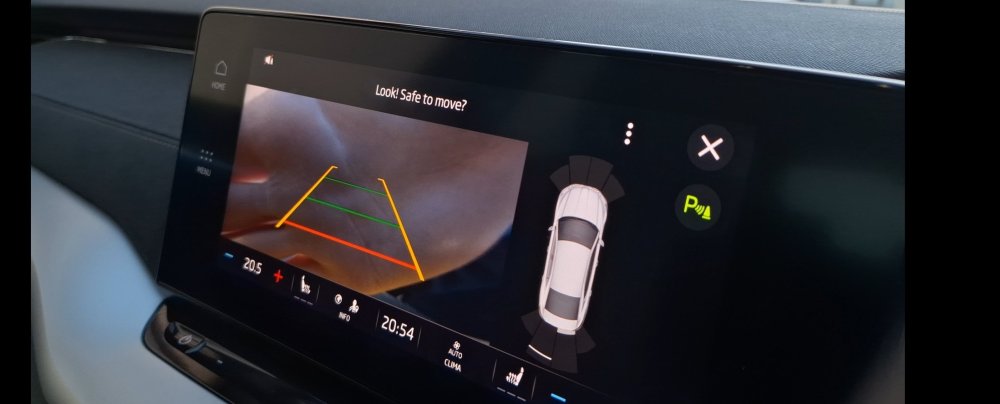
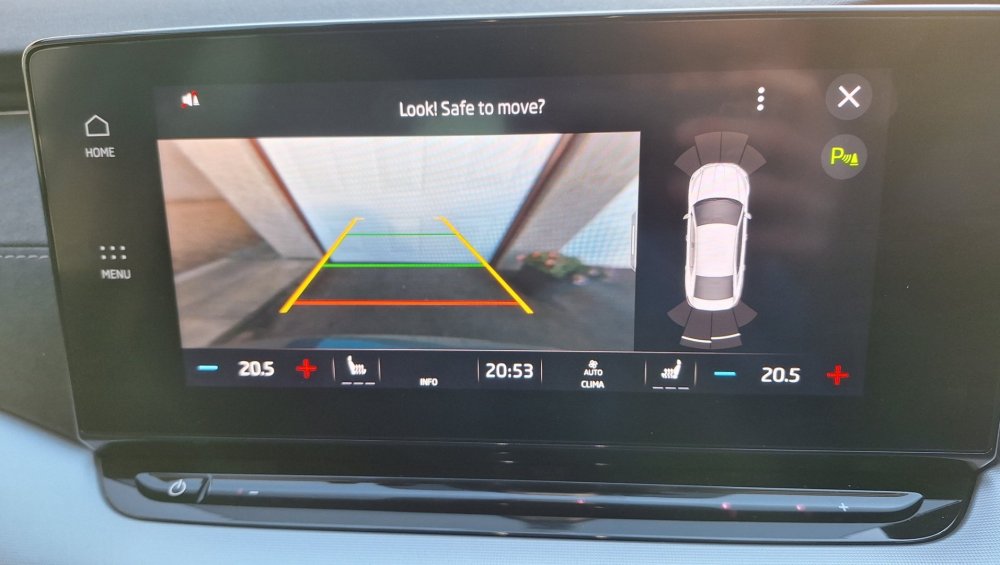
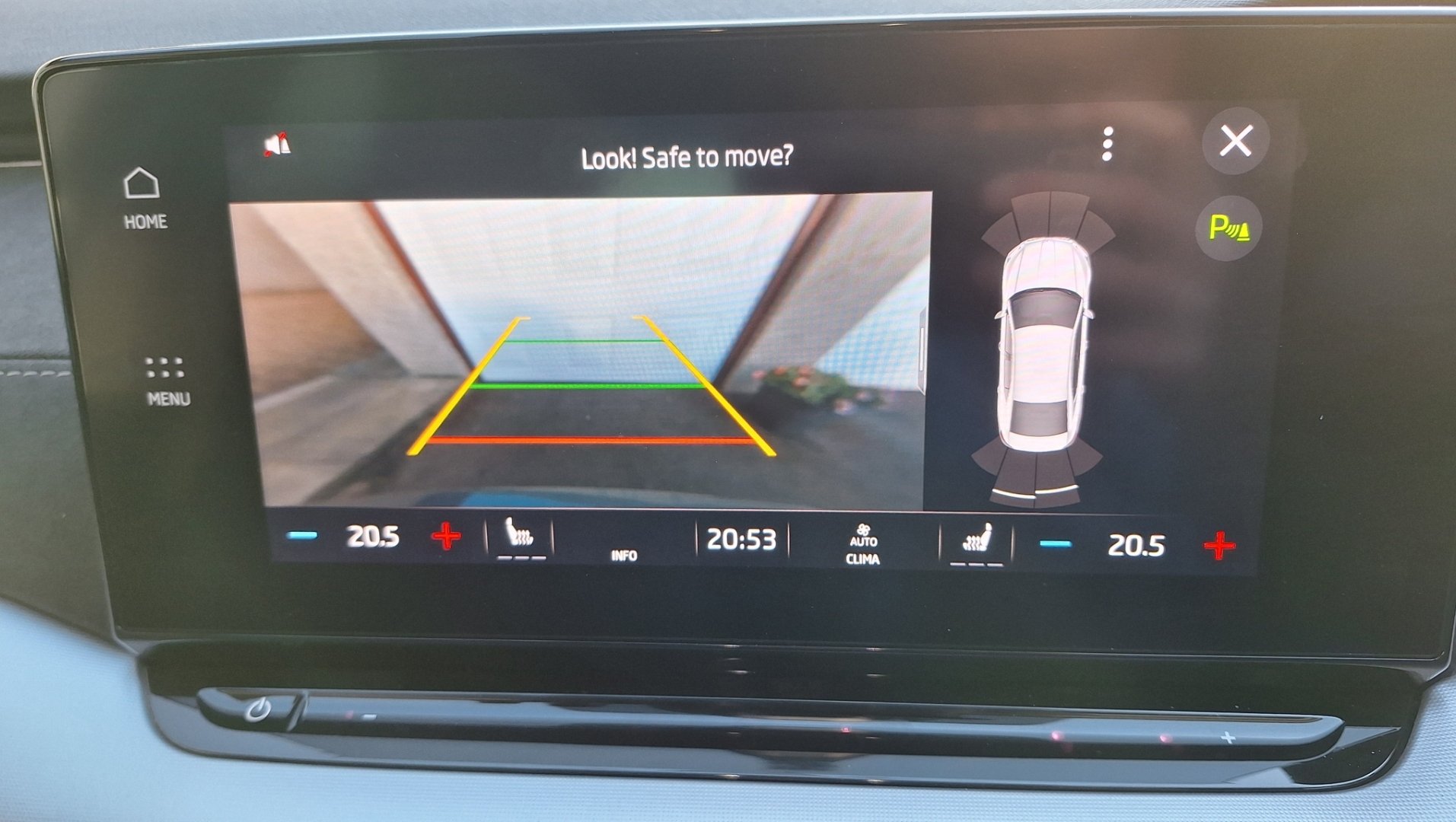
Had the reversing camera replaced in March this year on my 70 plate SE L Hatchback. Within the last few weeks I've noticed that it's very blurry and appears out of focus unless, as pictured, the object is within 6 inches of it. Obviously that's no use because if it's that close, chances are you have already crashed into whatever it was! Has anyone else experienced this issue or know a remedy without visiting the dealer? The camera lens is clean before anyone asks, appears to be a focus issue.
-
That's only the matrix headlights that get those lights across the whole casings.
-
As it's got colder recently, I've been the wanting to take a travel mug for the commute to work but cannot for love nor money, find a good insulated mug that fits! Does anyone else find this problem or found a mug that fits into the tiny centre cup holders??
-
Oh that's quite bad, mine have little bits of condensation and I believe that's nirmal because the LED's don't get hot enough to evaporate it. Nowhere near yours, which will probably change the beam pattern at that level
-
Happens on mine too, from other research on sites its normal on LED headlights to have condensation.
-
What an absolute faff!
-
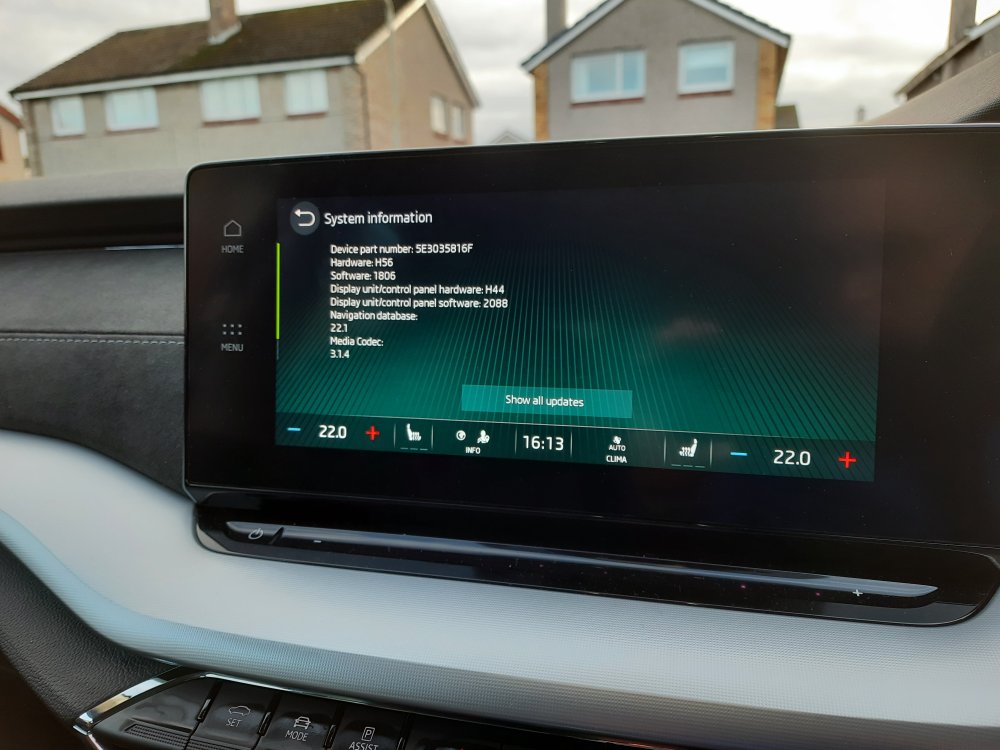
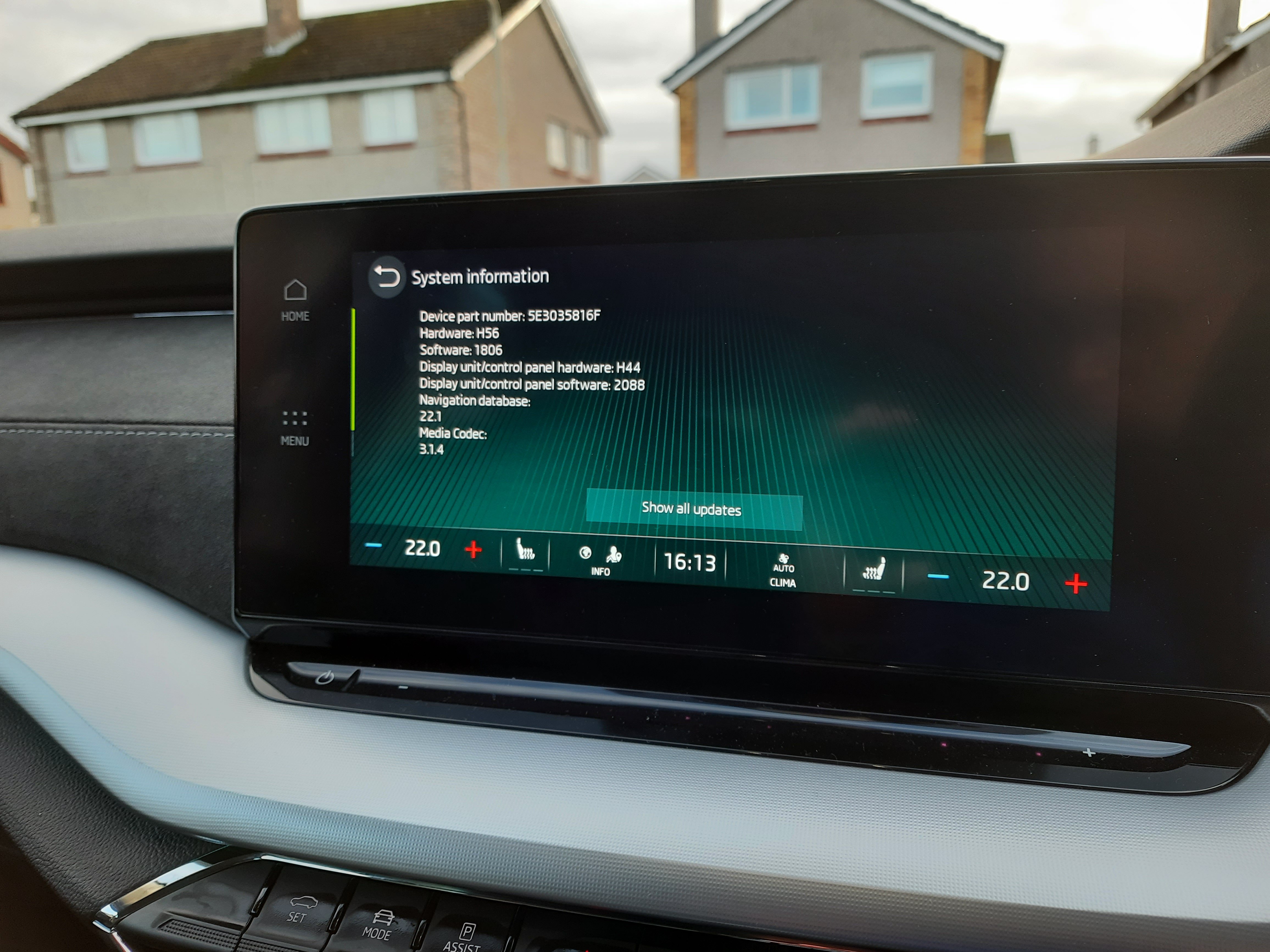
Had mine into the local dealer today to fix the pop pop, said they "updated the software" but all these values are showing the same time as before. You reckon I'll be back to the garage to get them to update it properly soon? Seems like 1896 is the solver of the pop pop and without it the problem persists.
-
Did any of you guys have to pay for the Software upgrade? Garage have quoted me near £130 to sort the SOS module...
-
I don't have a solution but I have this exact same problem! Very annoying
-
The VRS comes with the Dynamic LED Headlights and taillights 😀
-





Important Information
Welcome to BRISKODA. Please note the following important links Terms of Use. We have a comprehensive Privacy Policy. We have placed cookies on your device to help make this website better. You can adjust your cookie settings, otherwise we'll assume you're okay to continue.