gogo110
Finding my way
-
Joined
-
Last visited
-
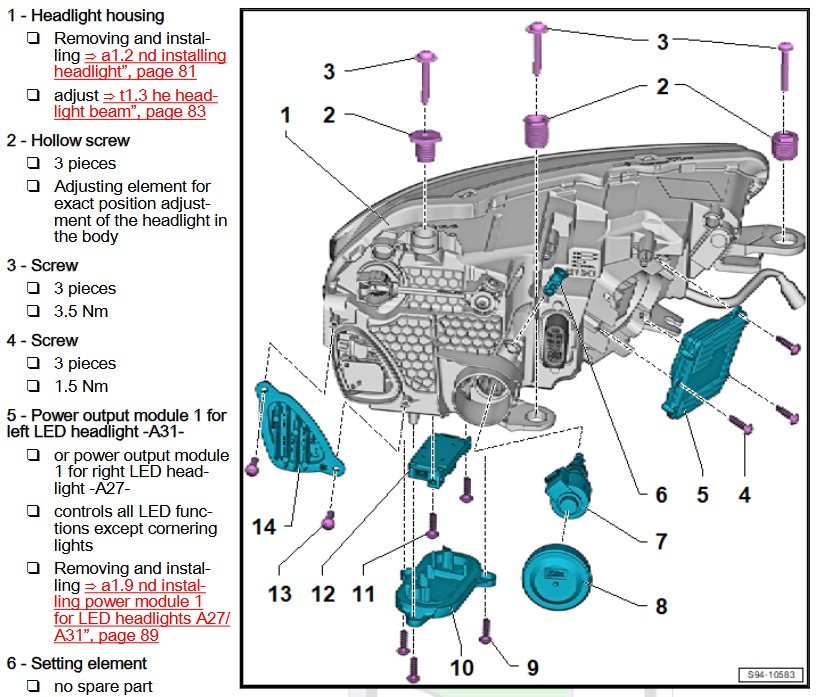
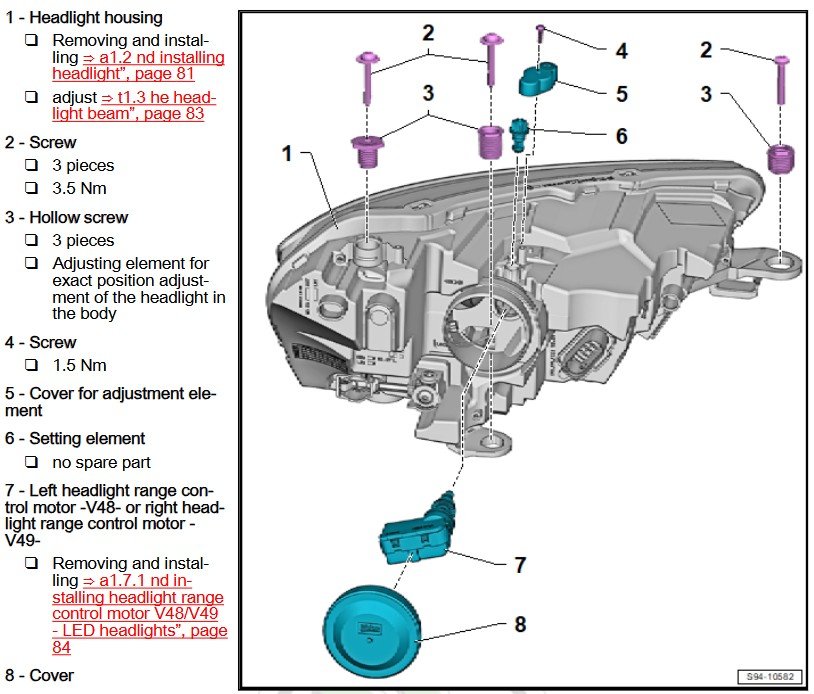
So I've managed to dig out the Fabia service manual I've downloaded back when Erwin for regular citizens was still a thing. Headlight "Low": Headlight "High": ... So the "Low" headlight definitely has no replaceable DRL LED modules or Control units of any sort. But what is also interesting is that for the "High" headlight DRL LED module it says "Part of the headlight, not a spare part". And indeed the module itself has no label with a VW part number. So I'm guessing that if this thing went bad then an official Skoda garage wouldn't want to replace it since they cannot order the thing without ordering the whole headlight. So much for repairability...

-
-
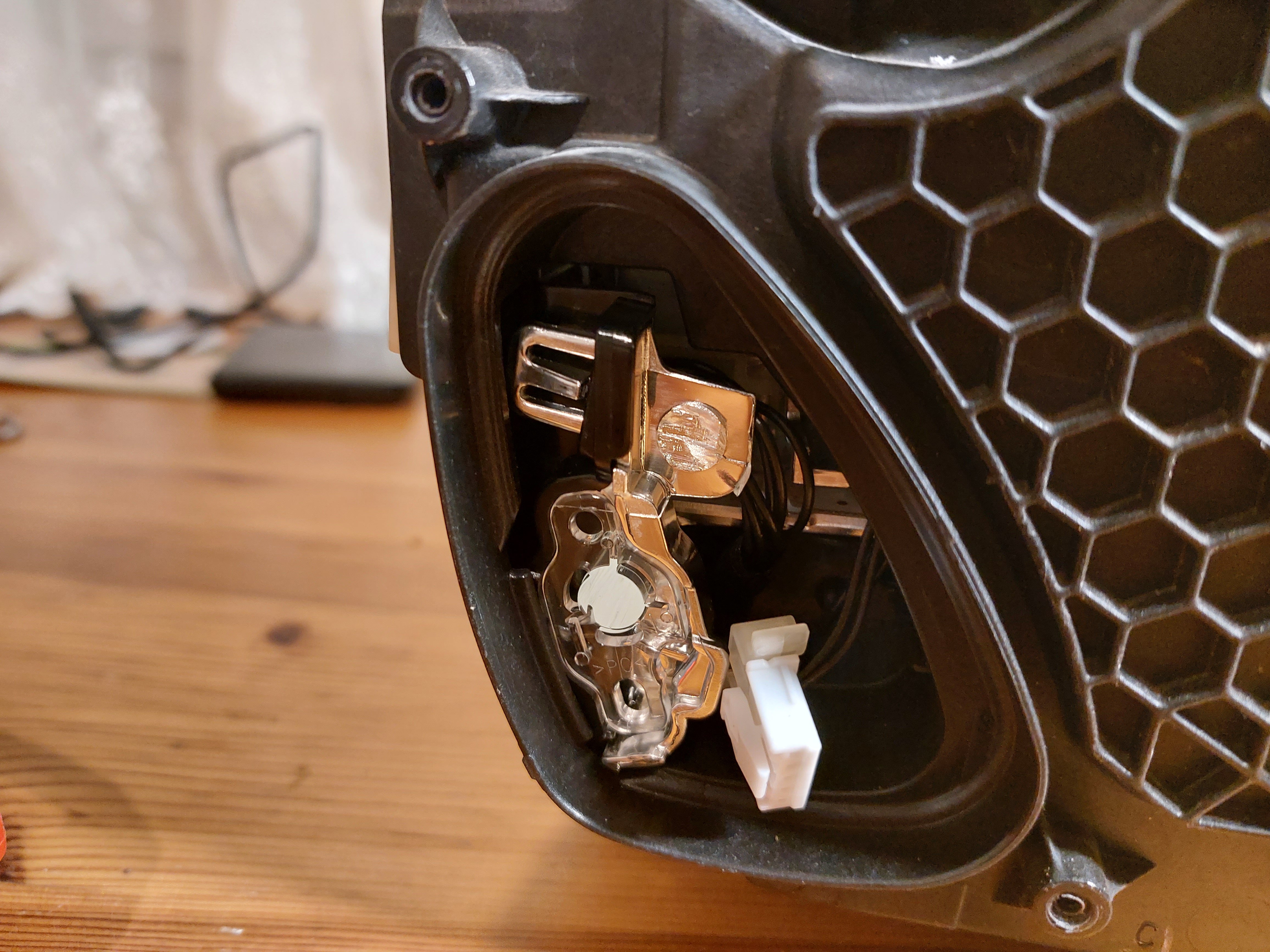
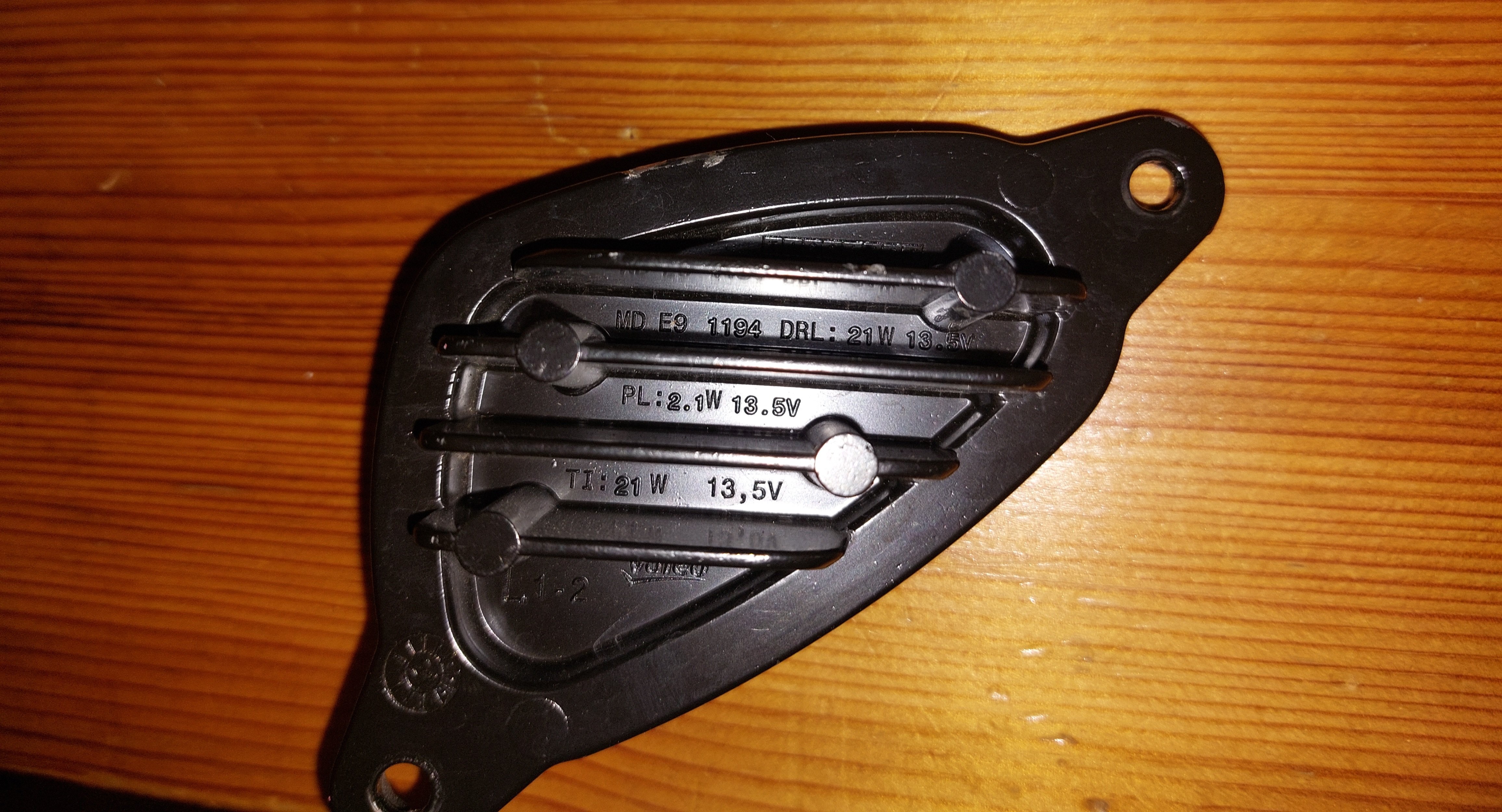
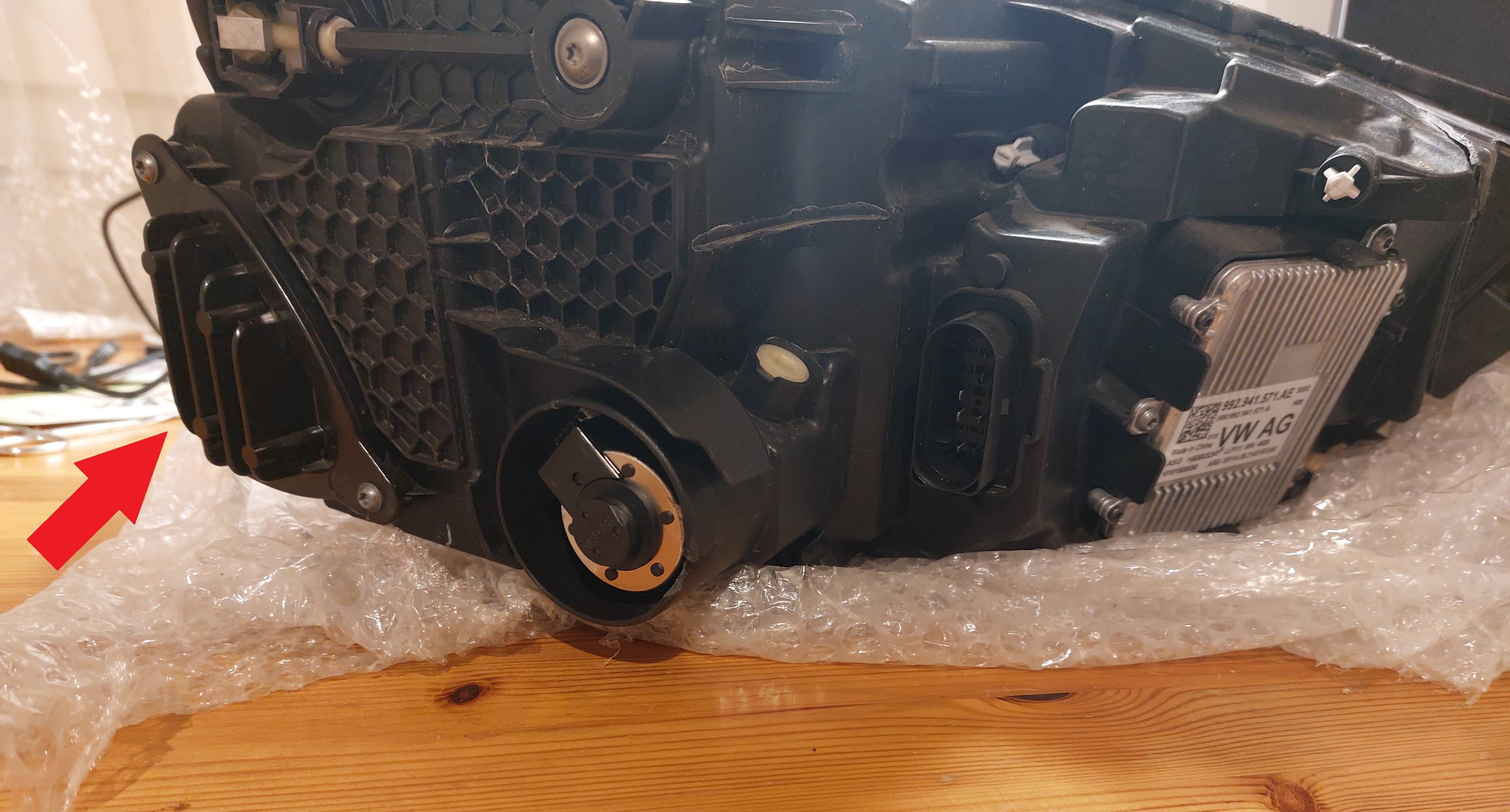
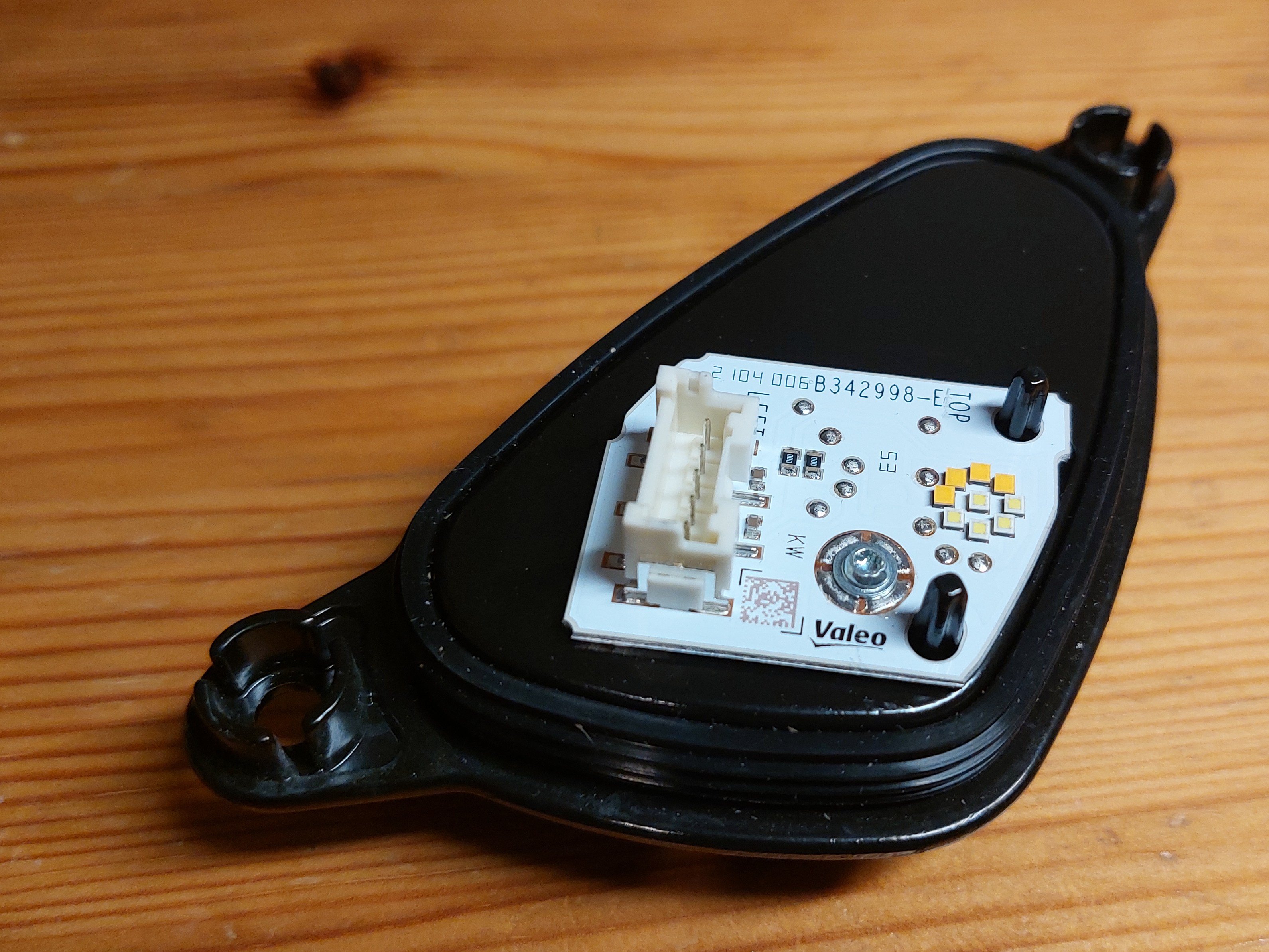
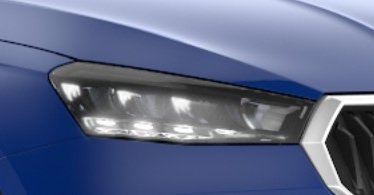
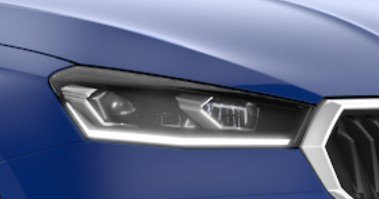
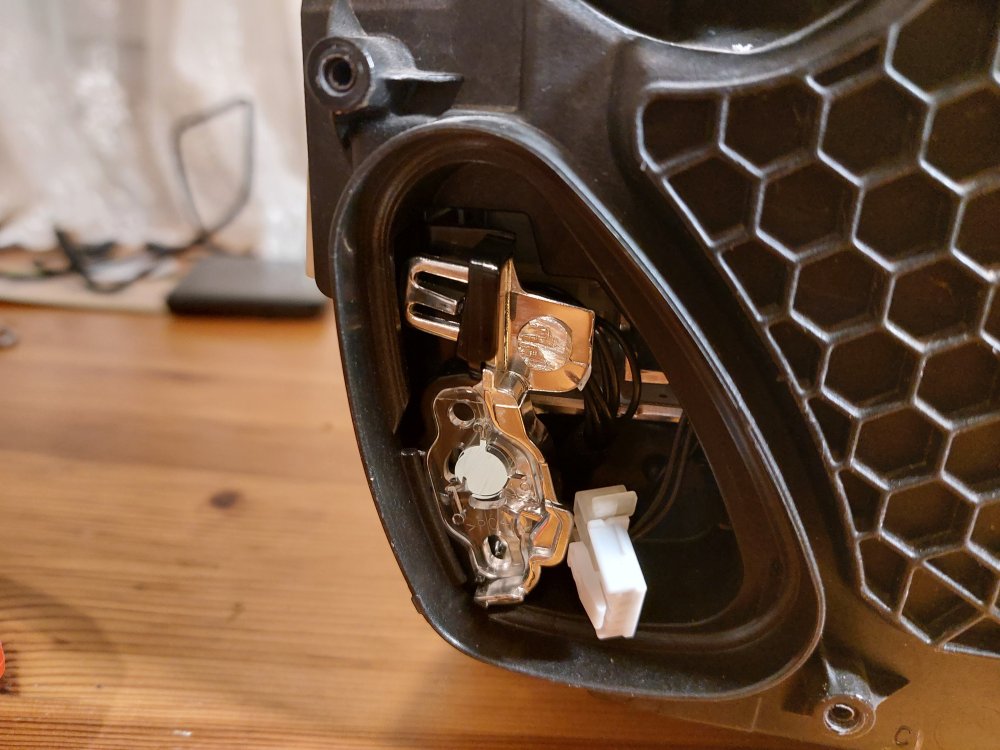
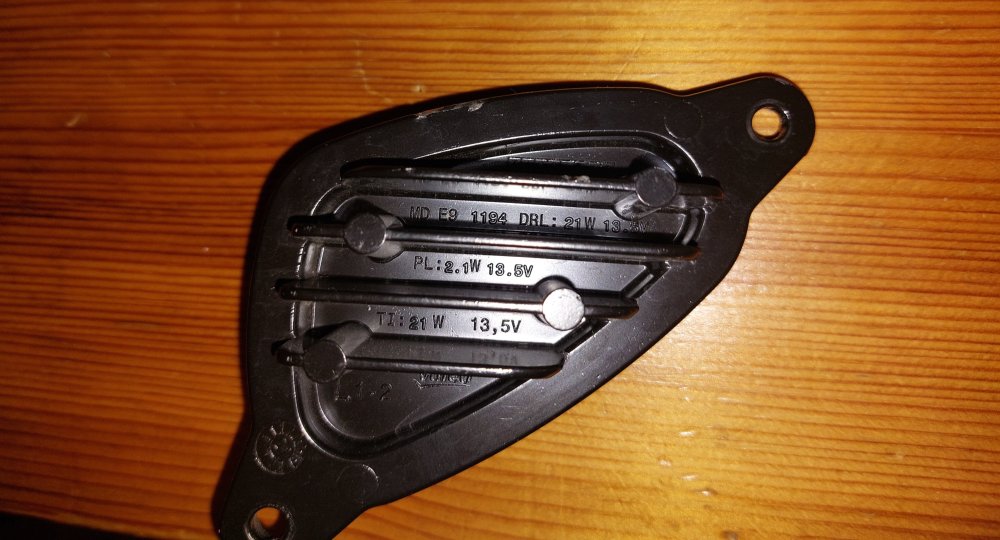
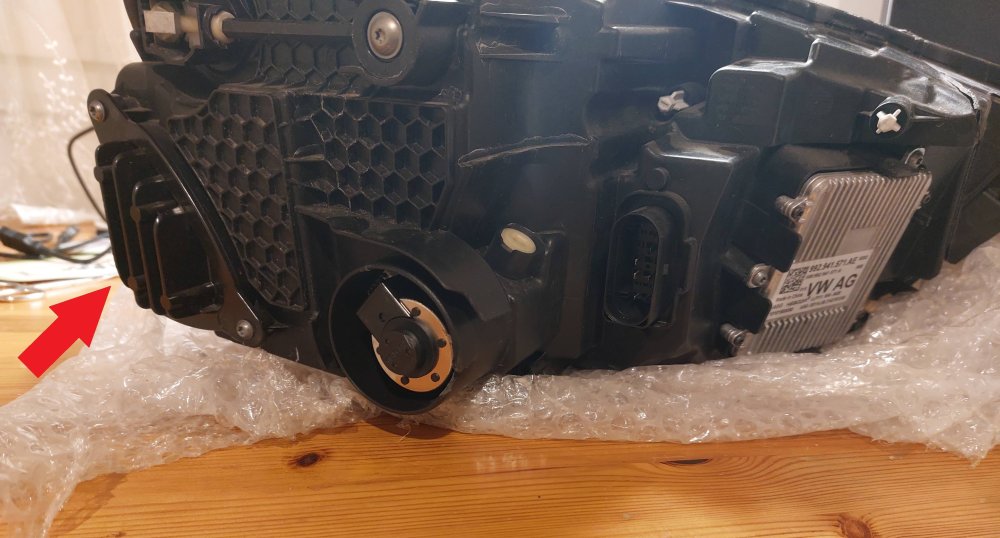
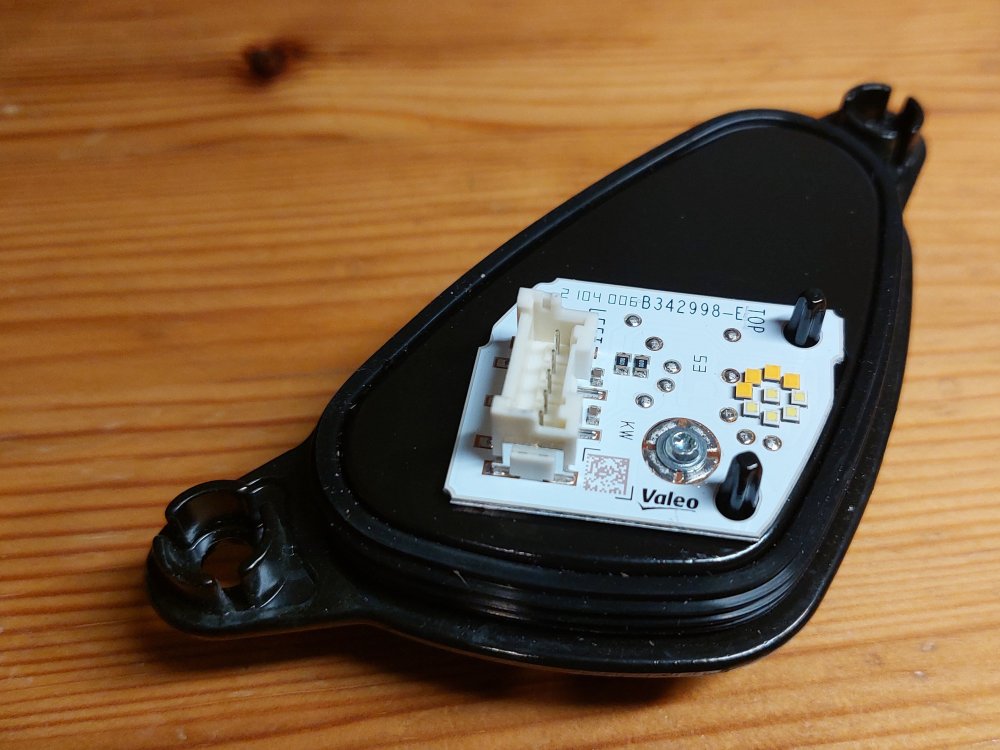
Hi, don't know if it's still relevant to you, but I have some info you might consider useful. So the first question is whether your Fabia has LED "Low" or Led "High" headlights. This is the standard "Low" headlight: This is the pay-extra "High" headlight with adaptive functions: If you have the "High" headlight, the DRL/indicator LED module can be replaced. I've actually taken apart a "High" spec headlight some time ago. Here's what the module looks like: Bear in mind that you have to remove the headlight unit from the car to replace the DRL module. This also means that you have to remove the front bumper. So it's not something I'd recommend doing yourself if you're not experienced. One more thing is that there was some other PCB buried deep within the headlight housing (i.e. not removable) which has two LEDs (one orange and one white) and was positioned such that the LEDs shine into the DRL/indicator plastic strip. Not sure why this exists in the addition to the module shown above. If you have the "Low" headlights, then I'm not sure if the DRL module is replaceable, I'd say no given the fact how the individual LEDs are positioned across the headlight unit. You can double check though if you have a parts catalogue at hand (i.e. https://www.partslink24.com/en/index.html, note that there's an access fee).
-
If I recall correctly, it is not possible to (easily) do an ACC delete with VCDS on ACC_MQB_Conti (distance control module on MK1 Kodiaq). You look around a bit on VCDS forums, but I think it requires swapping the radar unit with a one from a car that didn't have the ACC specced. However, if you want to use the normal CC mode, there's a trick you can do with the speed limiter. Just set set the speed and hold the throttle pedal, then you effectively get normal CC.
-
You can get it on erwin: https://erwin.skoda-auto.cz/erwin/showHome.do You'll need to register and pay a small fee.
-
1. In my experience dry windscreen does indeed make the wipers move slower. What you have shown is comparable to how it is on my car, when the windscreen is dry. I do agree that the wiper blades generally move slower than on cars from some other brands. 2. Wouldn't worry about it.
-
Press driver assist button on the steering wheel (above right scroll wheel) -> scroll to "Front Assist" with the scroll wheel -> press scroll wheel to deactivate it. As for the problem with the sensor, it might be that it is misaligned and needs re-calibration at the garage.
-
After 15 000 km, had the warning activate twice (no automatic braking): once rightly so, once without a reason. Fabia Mk IV.
-
You can actually see that in the configurator. When you get to the tyre selection part, click the little 'i' icon and then select EU tyre label. You'll get a printout of EU tyre labels, and you can use the tyre identifier number to search for the tyre commercial name here: https://eprel.ec.europa.eu/screen/product/tyres To save you the hassle, for your wheel size you can get one of the following: -Continental EcoContact 6 -Goodyear EfficientGrip EfficientPerformance -Bridgestone Turanza ECO .
-
Then you have the basic LED headlights without auto-leveling. There should be an adjuster wheel next to the light switch. This is normally used to point the headlights down when you load your car heavily. I suppose you could use that to point them downwards in order to avoid blinding others, however that will compromise your visibility.
-
I believe all European market Mk4s should come with a GPS antenna for it is needed by the Emergency call module.
-
TPIs can be found on erwin (https://erwin.skoda-auto.cz/erwin/showHome.do). You'll need to register and pay a small fee to get a limited time access. Regarding the issue itself, you're probably not used to the clutch yet. It took me some time to master gear shifts on my Fabia 1.0. Cheers.
-
Hi. So, the car was at the dealer for an unrelated issue, and I've mentioned this as well. Two technicians drove it, and they said the car pulls away smoothly. I've also driven a 2020 VW Polo (95 BHP), using the "standard" methods of clutch/gas operation (the way I was used to on other cars) and also noticed the jolt when starting. However, the owner of that car can move off nice and smooth each time. So, from this I can conclude two things: the issue can be evaded by using an appropriate driving technique, and, the issue is not tied to my vehicle in particular. Especially since other people have complained of it, not just on this forum, but elsewhere as well. Fabia MkIV, German Skoda forum VW Taigo In matter of fact, this whole thing sounds eerily similar the infamous 1.5 TSI kangaroo issue. I've taken the liberty to scroll through hundreds of forum pages related to that problem, and while some people complained of the "true" kangaroo, where the car would jump at low speeds while in gear (when engine was cold); some complained of not being able to start from a standstill smoothly. E.g. from 1.5 SEL first gear issue While the first problem was solved by a software update to the engine ECU, the second, it would seem, was not. --- Now, I was still keen to find out why the car actually jolts, and how one should optimize his/her driving technique to avoid issue. Well, it turns out that this problem is actually well known in the field of automotive engineering. I've found online a terrific paper that describes it in detail: Dry Clutch Control for Automotive Applications by Dolcini et. al., courtesy of Renault S.A. and GIPSA-lab, available here: https://hal.science/hal-00536612/document The chapter of interest is chapter 3: Clutch comfort The key takeaway is this: "When the crankshaft and the gearbox primary shaft are synchronized (...) the clutch behaves like a simple linking element inducing a sudden change in transmitted torque which causes a highly uncomfortable oscillation of the driveline (...)" This matches with my experience that a jolt is felt at the moment the clutch synchronizes (stops slipping). There is a detailed mathematical analysis of phenomenon within the paper for those that are interested. But lest I burden everyone with equations, I'll just summarize the most important points: -while the clutch is slipping, the rate of acceleration of the car is determined by the torque transmitted by the clutch. This torque is, in turn, defined by how high the driver has lifted the clutch pedal. (also observe how adding more gas while the clutch is slipping and with the clutch pedal at a set position will not make the car accelerate faster) -in order to reduce the amplitude of the oscillation at the clutch synchronization instant, one has to either reduce clutch torque (=not lift the pedal as high, but this also means less acceleration) or increase engine torque Now, one more thing to note is that the fact that the engine is revving at e.g. 2000 RPM that does not necessarily mean that the engine is producing the maximum 200 Nm of torque (1.0 TSI). One has also take into account how wide the throttle body is open. If the engine is not loaded (clutch disengaged), the throttle does not have to open very wide in order for the engine to rev to 2000 RPM. So if your start procedure looks like this: 1. Clutch pedal pressed all the way, add gas up to 2000 revs 2. Lift clutch pedal (not pressing gas pedal more simultaneously) until you attain rate of acceleration typical for starting off from a traffic light 3. Wait until clutch synchronizes 4. Lift clutch pedal completely, apply more gas You will get a jolt at the end of step 3, reproducible 100% of times on the 1.0 TSI. Now, most people will actually add gas simultaneously with lifting the clutch in step 2, including myself. However, if you do not press the pedal sufficiently (=request sufficient torque from the engine), you will still get a jolt. The problem on the 1.0 TSI is that the engine will sound and feel completely fine (like it's not struggling) all the way until the car suddenly and unexpectedly stutters. Now, for different rates of acceleration, it can be rather difficult (at least for myself) to judge how much you have to press the gas pedal at step 2 in order to be smooth. But what I've found you can do is to press the gas pedal additionally during step 3 (about a second after stopping lifting the clutch pedal) you'll get a smooth start. If you do it too late, it will jolt. A few more things I'd like to comment: -if you set off without gas, the anti-stall function will keep revs at ~1200 and also ensure sufficient engine torque, meaning no lurch. However this only works for slower starts. Lift the clutch too high and you'll stall. -just after starting the engine, the ECU will keep idle revs at 1500, making it easier to start smoothly with less gas pedal input. -I've driven a 1.5 TSI manual Scala (the way I was used to operating the clutch/gas before the Fabia) and it was smooth. -in theory, at the end of step 3, you could press clutch pedal slightly in, and it should smooth things out. However, timing-wise, it would probably be even more restrictive then additional throttle application. I haven't tried this. TLDR: The jolt happens if the engine is not producing enough torque at the clutch synchronization instant. This is not a fault, but a physical property of the engine-drivetrain system. Drivers should adapt their driving style accordingly.
-
Hi @johnrogers, I'd like to clarify that the problem I've described is not one of making a fast start, but of making a smooth start (especially one that is not very fast!). From your description in the other topic it seems you are struggling to accelerate quickly. You're probably not giving it enough gas, try to press the pedal more than you think is necessary. The throttle pedal map is non-linear and rather weird. As for my problem, there has been some development on it, I'll write in more detail when I get the time.
-
Save your money, I've checked partslink; the bloody thing is on the diagram but has no part number. Don't know what to say...