




Psaandja
Finding my way
-
Joined
-
Last visited
Everything posted by Psaandja
-
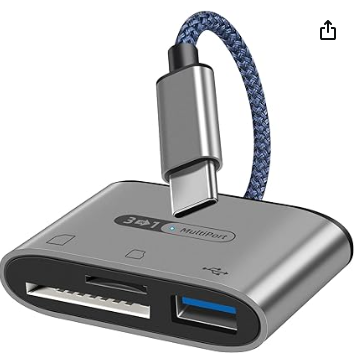
https://www.amazon.co.uk/dp/B0B3MW41QP?ref=ppx_yo2ov_dt_b_product_details&th=1 I got this from Amazon - £4.99 and it seems to be doing sort of the job. Music on SD and plugged in a USB to C cable for charging as well but I've a recollection that when I also added a Micro SD the car only saw one memory card, not two. That said, it does show storage on the phone as well as storage on a card. I'd have likes a slightly longer cable to USB C to allow stuffing it further away from the slot as it's only ~3 inches long, but no big deal.
-
Might make sense if CW 45 is decoded as Calendar week 45 - 7th November?
-
You're right, need 2 keys so need to wait til No 2 is delivered and configured. On the plus side, I got SOOO close - "press unlock on second key" but while sat in and playing, another OTA came in and did it's stuff, whatever it did. Slow progress but it's progress.
-
Update following a day with Skoda for updates: 1941 installed - yay, ? SOS module didn't "pop pop" or error on 30 min journey home - sorted? Sat nav no longer stalled at "loading" - is now a feature I can access via the shop!?! Presumably they want me to buy this standard feature for an iV Se Tech model? Smart link - accessible via the shop... Cruise control - nope... Mode button - nope... I went right back into showroom on trying to load sat nav and the response was a shoulder shrug and confusion - did you have sat nav before the upgrade etc, the whole point of being in all day was to resolve, under warranty, all the issues previously mentioned. I could talk to the technician who handled the work, only he's gone home. I did talk to the tech before even setting out to collect the car - I asked if he'd tested all the features now and were working - he said they had - clearly not. Anyhoo, rant over, more lovely conversations with Skoda I suspect as well as some time sitting on the drive trying to get a primary user set up (with only one key?) so I can even access the shop to see if it's simply activating features, or having to buy what should (and was though broken) already be there. Happy Tuesday!
-
Took mine into Telford (Faintree) Skoda this morning, went through the list of errors and they think/hope can address (hopefully fix) most or all... They were also to do the Recall work relating to HV mat and another electrickery thing - went to Telford as local Wolverhampton dealer is HV Technicianless til Janaury. Seems Telford can't do the HV work either - might need to go to Shrewsbury,... Anyhoo, got a 23 plate Octavia MK4 loan car (diesel not iV) - all the infotainment system is working so it's nice to see what I ought to have had including virtual cockpit and hopefully will get at the end of the day,or tomorrow. Its running 1941 and so far,all works and no errors. Bonus and unexpected feature - Android Auto asked to connect so I said yes and all worked perfectly with NO USB-C CABLE as mine were in my cay. I thought they didn't do AAwireless, just the fruity flavour?
-
Can I ask if you could share the relevant TPI(s) as mine (May 2021) is going in on 4th Dec for what sounds like an identical set of jobs as well as some Recall ones. I have the SOS error, no sat nav, no ACC cruise control, no smart link, random/phantom screen clicks til it's warmed up, no mode selection (E modes). Other than those, it drives well and plays music nicely!
-
Same issue, it's hidden deep in the car menu somewhere under Car, outside, Mirrors and wipers I think
