
Rafal78
Members
-
Joined
-
Last visited
Everything posted by Rafal78
-
Many thanks. If anyone of Briskoda members is active on other forums of VW, Seat and Audi cars, could you please share this thread? Issue is affecting users of many VAG vehicles and the more members will get back to me, the biggest leverage we will have in this campaign. Specifically forums like VWROC (Volkswagen R Owners Club), Audi-sport. net and CupraForums. 👌
-
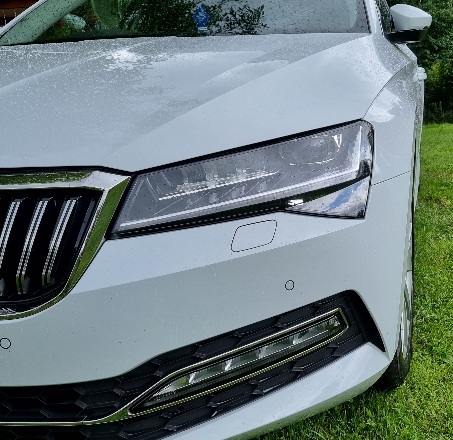
Exactly. It's well known glitch on Matrix Headlights documented on few Internet forums. Hopefully I will get to the bottom of this. 👌
-
ACTION NEEDED!!! As I'm handing car to Skoda for diagnostic to invastigate Full LED Matrix glitch on UK motorway on 24th of August and I need your help. I am fighting for pernament software patch or fixed TPI Buletin Number so everyone else can get their car fixed. Can you please reply to me with make and model of your car if experiencing same issue with Matrix headlights and your location? This list will be handed to technicians in UK and Czech who are receiving data logs from my car and also Senior management in Skoda UK and Volkswagen Group UK to flag this as not individual issue but glitch affecting thousands of drivers.. They already received my appendix with technical risk assessment and corporate product liability. Once my car being fixed I will post case reference number, software versions and how to escalate this and get your car fixed for free!
-
Ok, step forward. My car is going for a diagnostic in relation to issue with Matrix Led. If they can't find the fault ( and they will not) it's going to be raised to Technical Team to review. And this is important step. What are they gonna do about it.
-
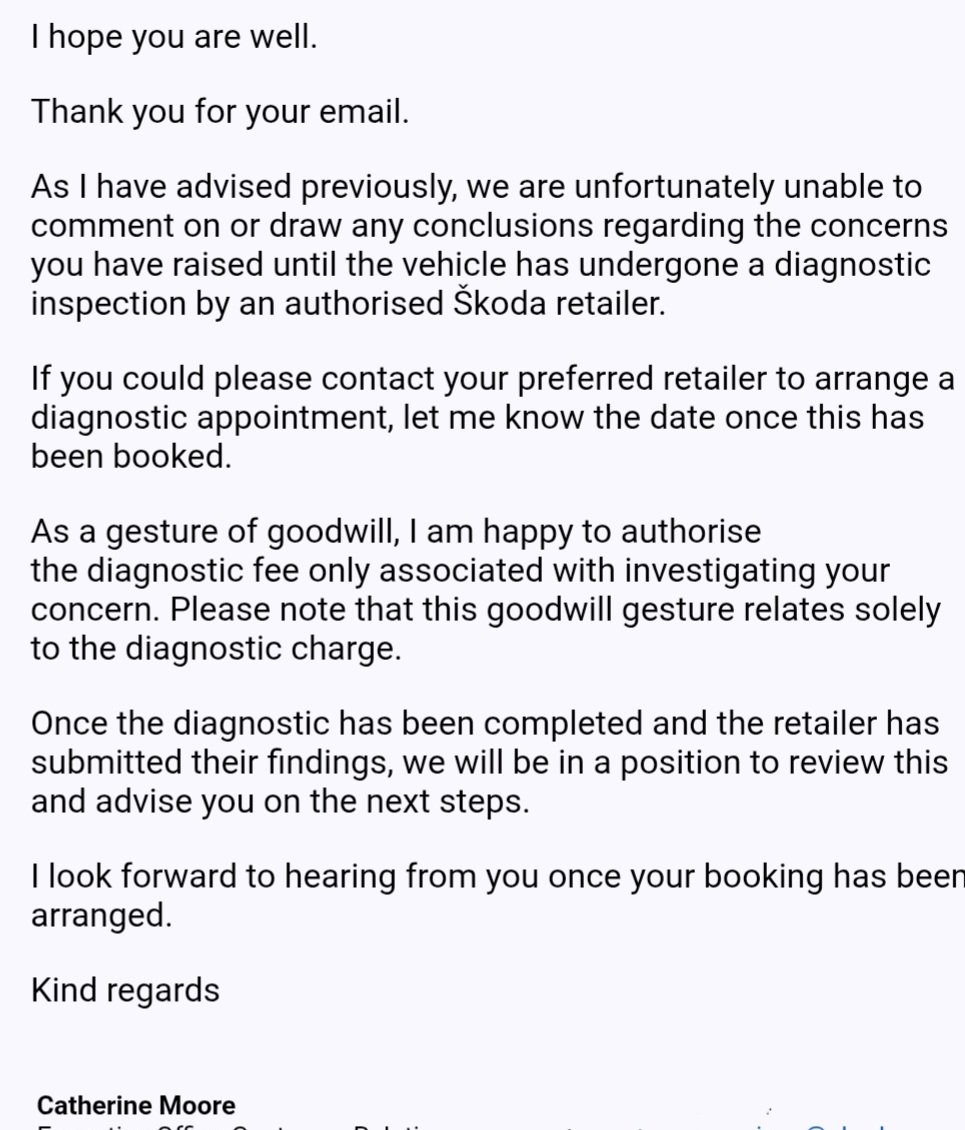
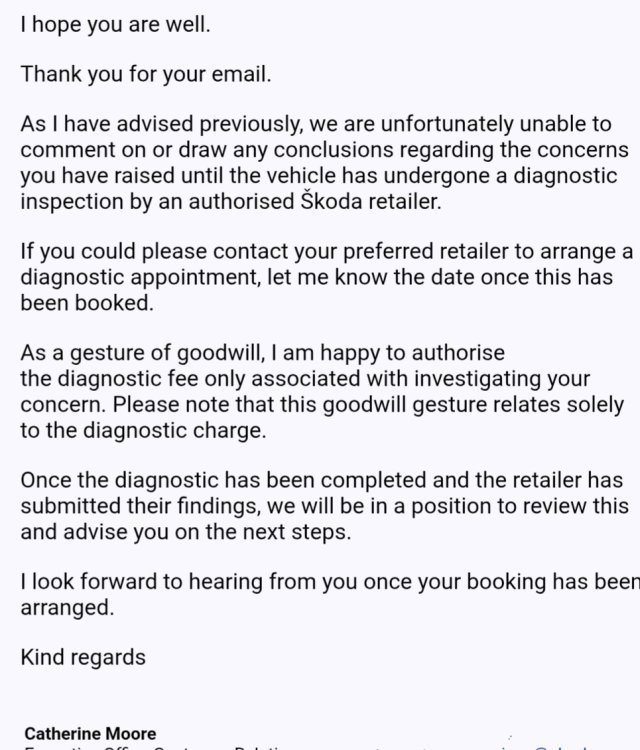
So we email each other with Executive Customer Relations Manager and she is trying to avoid admitting that there might be something wrong with Matrix headlights... And trying to make me pay for the diagnostic that they want me to do... In the meantime I sent them video of what happens at night on motorway so they can say it's my imagination 😂 https://drive.google.com/file/d/17pPNKalgsRPKMi81HRkX0czFZsl0C2xT/view?usp=drivesdk It will be hard to make them fix it. They know it's f... ed but if they admit it it will cost them money... 🤷
-
With high traffic I wouldn't use them on motorway. I'm working nights and when going home at 3am on empty motorway it is annoying to see them working back to front 🤦...
-
Besides, I don't use full auto headlights on motorway because I know it doesn't work as it should so no chance to cause accident 😊 It would be nice to actually see how it properly works...
-
Potentially unsafe lights... Insurer wouldn't recognise this as a problem as its not something you can detect in average garage.. It's more about VAG and Skoda acknowledging the issue and we already know it's uneven fight....
-
Yep, it's about the sale. After that responsibility ends....
-
I used other cars with Full LED headlights and Superb's Matrix Headlights are indeed superb! But I clearly explained to them what would happened in case of some fatal accident. I know it's highly hypothetical but possible. That should at least trigger some worries.... Dear Catherine Moore, Further to the technical addendum submitted regarding the barrier obscuration failure loop, I must also ensure that Škoda UK’s legal and risk management departments are fully aware of the broader litigation exposure this specific platform defect carries. Because this Matrix LED highway light glitch is a systemic software logic boundary error affecting standard RHD platform programming from 2019 onwards, it does not just impact my vehicle. It is actively affecting thousands of Škoda Superb FL owners across the United Kingdom, as heavily documented across major automotive owner forums. In the event of a tragic, fatal collision on a UK motorway caused by an oncoming driver being blinded by a Škoda Superb FL operating with this glitched LHD beam profile, the ensuing legal consequences would extend far beyond an individual insurance claim. If forensic collision investigators identify this factory-coded regional logic inversion as the proximate cause of a fatal accident—and discovery logs reveal that Škoda UK was formally notified of this platform defect but chose to treat it as an unverified dealer-level anomaly—Volkswagen Group UK would face a major Group Litigation Order (class-action lawsuit). The financial and reputational cost of defending a multi-party product liability lawsuit for selling vehicles inherently unsuited for UK highway geometry—combined with the inevitable Driver and Vehicle Standards Agency (DVSA) mandated safety recall—renders a proactive engineering review at this stage the only responsible commercial and ethical course of action. I trust this will be appended to the engineering briefing files currently under review by your office ahead of our next update. Kind regards, Now I'm waiting....
-
Dear Catherine Moore, Further to my previous email, I am submitting this technical addendum to clarify the precise mechanical and environmental failure loop that occurs on UK highways. This must be attached to the engineering brief ahead of the data logging session at Faintree Shrewsbury. The Barrier Obscuration Failure Loop: The core danger on a UK dual carriageway or motorway is that the physical central reservation barrier (whether concrete stepped barrier or steel Armco) physically sits at a height that obstructs the low-slung headlights of oncoming traffic from the perspective of the Škoda’s rearview-mirror-mounted A5 camera. Under normal, correct Right-Hand Drive (RHD) programming, the car should naturally bias its light safely down the left curb. However, because the software logic error flips the system into a Continental European Left-Hand Drive (LHD) profile, the headlights intentionally push a high, intense light field across to the right side of the highway. Because the central barrier blocks the oncoming vehicle's headlights from reaching the A5 camera lens, the Matrix processor assumes the oncoming fast lane is entirely empty. The system fails to shroud the pixel segments, causing a severe, delayed reaction. The oncoming driver is subjected to full, unshielded high-beam glare directly into their cabin before the camera can finally register them over the barrier. This creates a high-risk scenario where an oncoming motorist is instantaneously blinded at high speed, significantly elevating the risk of a catastrophic, multi-vehicle collision. Please ensure this operational failure loop is specifically noted by the product safety team alongside the module byte architectures previously provided. Kind regards, Could I explain it better?
-
Most likely can't be bothered as it requires effort... It's like hitting brick wall. "bring it for a diagnostic"... Even when explained it's not malfunction but systematic factory level wrong coding... I'm very persistent but it start getting on my nerve.....
-
Most annoying is this corpo barier where you can't get past lover level assistants and bring attention of the problem to higher, senior management. I pictured theoretically possible scenario and implicated VAG liability in a case of fatal accident caused by the driver blinded by Superb FL Full Matrix LED Headlight vehicle. All I want is VAG recognise that it affects thousands of cars and it's very dangerous glitch... It's with the senior executive customer relation manager now so I am moving forward. 😎
-
That's a good idea😊 I will give them a bit of time but I'm confident to receive some sort of reaction😊 What you suggested will be great plan B, thank you! 👌
-
Because customer relations office is trying to ignore my complain again I decided to get big sharks into the game. I emailed info about the case with original letter and technical briefing sheet to Eric Boutin, Brand Director of Skoda UK, Damien O'Sullivan, Managing Director of Volkswagen Group UK and Pietro Panarisi, Head of Press, Public Relations & Communications. Hopefully this will push them to do something about it.... Dear Mr. Boutin / Mr. O'Sullivan, I am writing to bring a significant, systemic safety concern directly to your attention regarding the Full LED Matrix headlight behavior on the Škoda Superb Mk3 Facelift framework. I have opened a formal case file with Customer Relations (assigned to Advisor Zulpha Casker), but frontline channels are treating this as an isolated component failure requiring basic dealer diagnostics. As an experienced technician or software diagnostic user will confirm, this is an underlying MQB architecture logic loop error that cannot be resolved at the dealer level without central engineering intervention. The Safety Defect: On right-hand drive (RHD) vehicles in the UK, the predictive satellite navigation link erroneously forces a Continental European Left-Hand Drive (LHD) highway map onto the headlight modules when entering a dual carriageway or motorway slip road. This causes the left-hand curb illumination to drop completely into darkness, while lifting the right-hand lens array dangerously high into the path of oncoming traffic over the central reservation. Because the physical hardware is electronically healthy, standard dealership diagnostic software reports "Zero Fault Codes," leaving local technicians unequipped to act. I have already agreed to present the car to Faintree Shrewsbury for technical data logging as requested by Customer Services. However, I am writing to you directly to ensure these software logs are actively intercepted and escalated to Level 3 Field Product Engineers / Factory Software Quality Assurance in Mladá Boleslav rather than being closed out by localized retail staff. For your technical team's immediate reference, I have attached a complete printout sheet mapping the exact inverted binary loops in Module A5 (Byte 0), Module 4B (Byte 5), and Module 09 (Byte 12) causing this regional conflict. Thank you for your attention to this road safety matter. I look forward to your executive team confirming that a formal factory review has been initiated. Kind regards 😎
-
So they want to ignore me.... And pay for diagnostic that will not bring anything in the case.. My response: Dear Zulpha Casker, Thank you for your response regarding the Matrix LED headlight software logic concern on my Škoda Superb (AK69 JXF). I appreciate Škoda UK’s assurance that product-related safety concerns are taken seriously. I fully understand that Škoda UK Customer Services requires an official technical assessment through your authorised retailer network before this matter can be escalated to factory engineers. To cooperate fully with your request, I will arranged to book my vehicle into my local authorised service centre: Faintree SEAT & CUPRA Shrewsbury (Vanguard Way). As part of the multi-brand Faintree network with an established Škoda partnership since 1986, their workshop utilizes the standard factory ODIS infrastructure needed for this investigation. Because this is a safety investigation into a systemic factory-level software logic conflict between the Satellite Navigation tracking map, the Front Driver Assistance Camera (Module A5), and the Central Electronics gateway (Module 09)—and not a localized hardware malfunction—the onboard diagnostic system will show zero Diagnostic Trouble Codes (DTCs). As this diagnostic assessment is being conducted at the direct request of the Škoda UK Executive Office to gather data on a widespread manufacturing code defect, I kindly request that Škoda UK issues a direct billing authorization to Faintree Shrewsbury to waive the upfront diagnostic fee. I should not be held financially responsible for the labor costs required to extract software logs for a factory engineering review. Please ensure the following technical directives, along with your fee authorization, are appended to my active case file and transmitted to the Faintree workshop team ahead of my vehicle's arrival: Factory Escalation: Request the master technician to bypass standard localized fault-code reading and immediately open a DISS / Technical Support Ticket directly with Škoda’s central factory product engineering team. Data Logging Constraint: Request that the workshop logs a diagnostic session while analyzing the "Motorway Light / Predictive GPS Highway" parameters, paying specific attention to the RHD/LHD country orientation flags in Module A5 (Byte 0) and Module 4B (Byte 5). I will update you with the final confirmed booking date as soon as the service desk schedules the master diagnostic slot. Thank you for your ongoing assistance and for arranging the diagnostic fee coverage with the retailer. Kind regards,
-
The figh continues... Skoda responded: Thank you for contacting Škoda UK on 23 June 2026 regarding your concerns about the operation of the Full LED Matrix headlight system on your Škoda Superb. First and foremost, I would like to apologise for the delay in my response. Your correspondence was received via our Head Office, and it has recently been referred to our department for review. I am sorry to learn of the concerns you have experienced and appreciate the time you have taken to provide such a detailed explanation of the behaviour you have observed. Having reviewed your correspondence, I understand that you believe the Matrix LED headlights are operating incorrectly on dual carriageways and motorway slip roads, and that you are concerned this may be the result of a software-related issue affecting right-hand drive vehicles. Škoda UK takes all product-related concerns seriously, particularly where customers believe there may be a safety implication. While we appreciate the technical information you have provided, Škoda UK Customer Services is unable to independently verify the root cause of a vehicle concern or confirm the existence of a systemic software defect without a technical assessment being completed through our authorised retailer network and technical support channels. As diagnostics, software levels, and vehicle operating data can only be assessed using Škoda diagnostic equipment, we would recommend that the vehicle is inspected by an authorised Škoda Retailer. Should the retailer identify any concern requiring further investigation, they are able to raise a technical support request directly with the manufacturer using the established escalation process. Please be assured that any information you have provided as part of your complaint will be recorded on your case. If your vehicle has already been inspected by a Škoda Retailer, please provide the retailer's name, the dates of inspection, and any supporting documentation, including correspondence from the retailer you may have received, so that we can review the matter further. Once we receive this information, we will be happy to consider whether any additional investigation is appropriate. Thank you for your patience and cooperation, and I look forward to hearing from you soon. Kind regards Zulpha Casker Customer Relations Advisor T: 03330 037 504 E: [email protected] Škoda UK Yeomans Drive Blakelands Milton Keynes MK14 5AN www.skoda.co.uk
-
Yes, I believe it would also dipped right beam but as I said it's not tested. I think with back up and making a note of parameters before any changes it will be safe to try.
-
Because it's Skoda fault I decided to raise a complain and hopefully they will respond. There is draft of the letter I will send recorded delivery tomorrow. [Your Name] [Your Address] [Your Phone Number] [Your Email Address] Date: 23 June 2026 To: The Head of Product Engineering & Executive Customer Relations Škoda Auto UK Customer Service Centre, PO Box 9004 Leeds, LS1 9WA FORMAL COMPLAINT: Systemic Matrix LED Headlight Software Logic Defect – Škoda Superb Mk3 Facelift (2019 Onwards) Vehicle Registration: [Your Car Reg] VIN (Vehicle Identification Number): [Your 17-digit VIN number] Model: Škoda Superb Estate/Hatchback Mk3 Facelift (FL) Dear Executive Relations Team and Technical Directors, I am writing to file a formal complaint regarding a significant, systemic software logic error affecting the Full LED Matrix headlight system on my Škoda Superb Facelift. This is not an isolated component malfunction or a localized physical hardware failure. Rather, it is an underlying factory programming defect embedded within the Volkswagen Group MQB platform architecture, specifically impacting right-hand drive (RHD) vehicles operating within the United Kingdom. [1] The Nature of the Glitch: When operating the vehicle with the headlight switch in the 'AUTO' position and the Dynamic Light Assist stalk activated, the Matrix LED system performs perfectly on standard A and B roads. However, the moment the vehicle enters a multi-lane dual carriageway or a motorway slip road, the left-hand traffic illumination profile instantly collapses. The software logic incorrectly commands the left-side matrix array to cut out its illumination completely, while simultaneously lifting the right-side lens array excessively high into the path of oncoming traffic. The Root Engineering Cause: This issue is caused by a communication conflict between the factory satellite navigation data tracking loop, the Front Driver Assistance Camera (Module A5), and the Central Electronics gateway (Module 09). The vehicle's GPS recognizes that it is entering a highway network but processes the lane geometry backward. The system defaults to a Left-Hand Drive (LHD) Continental European motorway matrix map. Consequently, it forces a beam pattern designed to look far down a right-hand curb, inadvertently blinding oncoming UK drivers across the central barrier while plunging the left-hand slip road gutter into darkness. Local Dealership Limitations: I have attempted to engage with local Škoda technicians regarding this matter. Unfortunately, dealership service departments are entirely dependent on looking for active Digital Diagnostic Fault Codes (DTCs). Because the headlight modules are electronically healthy and functioning precisely as they were programmed, the diagnostic computers show "No Fault Found." Technicians are currently unequipped to address underlying factory coding parameters without direct oversight from factory engineers. Safety Implications and Requested Actions: This issue is widely documented and heavily discussed within the global Škoda owner community (such as Briskoda forums), where countless owners of 2019+ Facelift models experience the exact same motorway masking behavior. Having the left-hand side of the road go completely dark on a high-speed motorway slip road is a severe safety hazard. Furthermore, blinding oncoming drivers across a central highway reservation violates UK road traffic safety expectations. As a dedicated Škoda owner, I am requesting that this matter be escalated directly to your Technical Support, Product Engineering, and Software Quality Assurance Teams at factory level. I am requesting that Škoda investigate this RHD navigation-override bug and issue a software correction or Field Campaign update to properly align the LHD/RHD orientation profiles inside Modules 09, A5, and 4B. I expect an official acknowledgment of this complaint within 14 business days, outlining the steps Škoda UK will take to escalate this to the product development team. Yours sincerely, [Your Signature] [Your Printed Name]
-
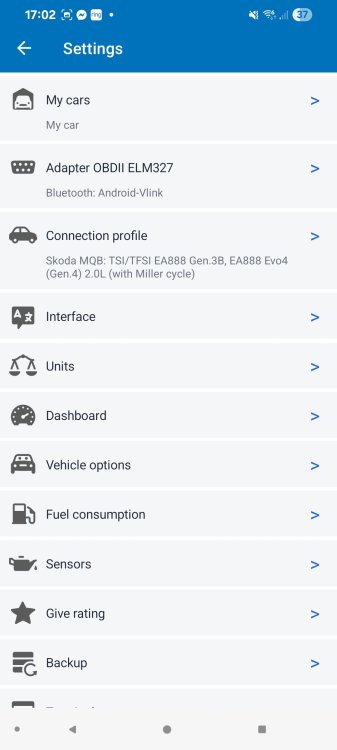
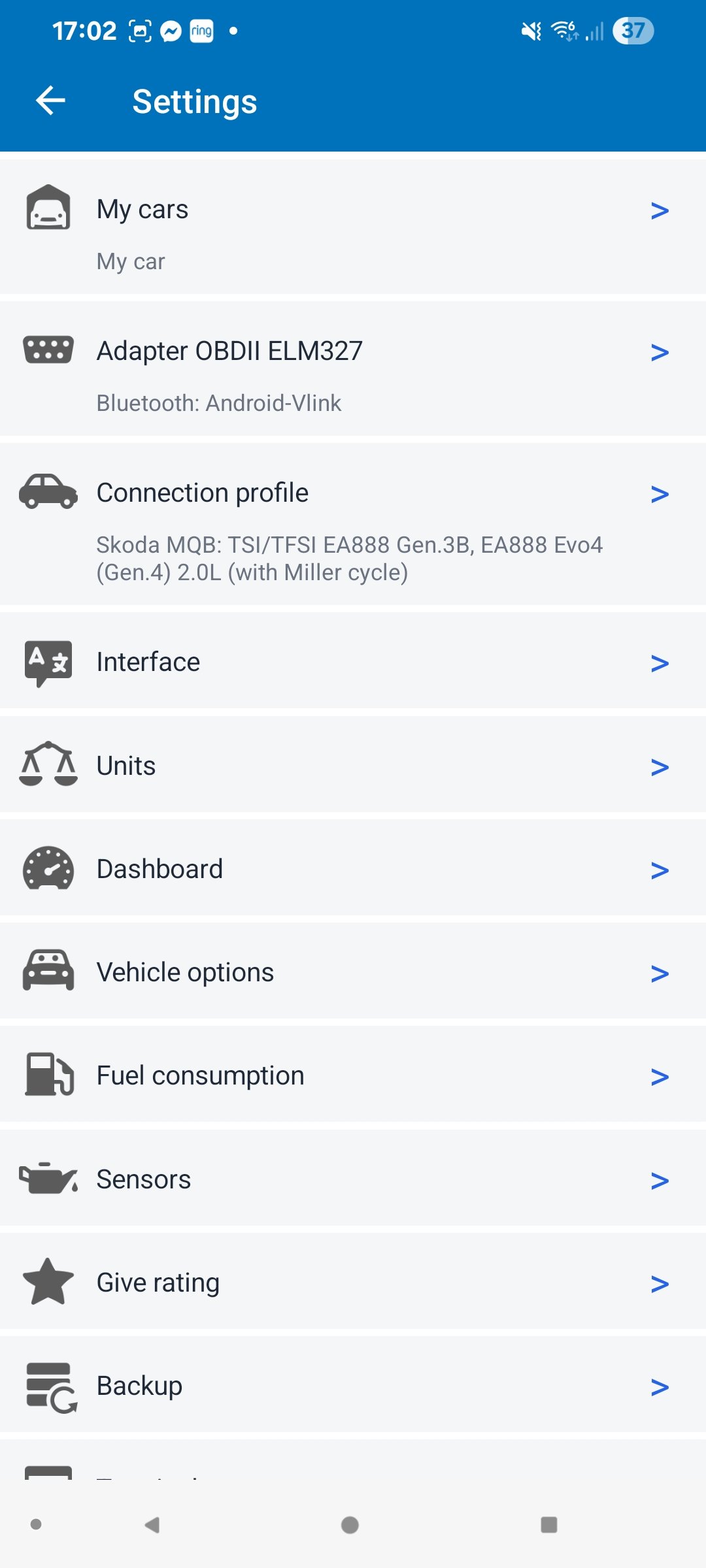
Ok, I possibly have a solution for the problem but can't code it myself because I'm using Car Scanner and acces is blocked by Skod. It could work on Obd11 if anyone wish to try. I'm looking for someone with Obd11 to try myself. If your left-side illumination is completely dead or dropping low as soon as you hit the slip road—even before you accelerate past 68 mph—this points to a different system interaction. On the Škoda Superb Mk3 FL, your headlights continuously talk to the front camera (Module A5) and the factory navigation system. The moment the GPS detects you are merging onto a motorway slip road, it preemptively commands the Matrix modules to shift from City/Country Light profiles into Motorway Prep Mode, instantly dropping or masking the left side to avoid blinding truck drivers or high-up road signs. If your dashboard says "Left-Hand Traffic" but the car cuts the left side on the slip road, the car’s GPS tracking module is processing the road geometry backward. It fundamentally believes you are merging onto a Continental European motorway (Right-Hand Traffic) and is trying to protect what it thinks is an opposing lane on your left. The root cause can be fixed with specific byte configurations. The Fix: Invert the LHD/RHD Navigation Logic When using Car Scanner Pro, you must force the Front Sensor Camera (A5) and Multifunction Headlight Gateway (4B) to stop letting the navigation map invert your traffic orientation. Step 1: Fix Module A5 (Front Sensor / Driver Assist Camera) This camera handles the actual lane classification and reads slip road geometry. ◦ Open Coding & Service → Front Sensors (A5) → Long Coding (Raw).Go to Byte 0 (the very first pair of numbers).If your app shows bits, look for the option labeled Country_variant or System_Selection.If it is currently set to hexadecimal 01 (Europe / Left-Hand Drive), change it to 02 (UK / Right-Hand Drive).Note: If it is already on 02, the navigation link is corrupted. Check Bit 4 or 5 inside this byte for a toggle named Navigation_Adaptive_Light_Assist and turn it Off. Step 2: Fix Module 4B (Multifunction Module) The headlight master needs to stop responding to the navigation-based road classification. 1. Open Coding & Service → Multifunction Module (4B) → Long Coding (Raw).Navigate to Byte 5.Look for the individual bit labeled Navigation_Light_Functions or Intersection_Light_via_GPS.Uncheck this bit (change its value from 1 to 0).Why this works: Disabling this stops the navigation system from overriding your headlights based on GPS coordinates. The car will rely purely on what the physical camera sees in front of you on the slip road, preventing it from incorrectly dimming the left curb. ─── Step 3: Hard Reset to Lock in the Left-Hand Beam After applying these raw changes, you must clear the memory buffers: Turn the ignition off, lock the car, and wait 2 full minutes for the CAN-bus modules to enter sleep mode.Turn the car back on, go to the infotainment screen, and navigate to Vehicle → Settings → Lights.Toggle the traffic setting to Right-Hand Traffic, wait 5 seconds, and then flip it firmly back to Left-Hand Traffic.Press and hold your infotainment power button for 10 seconds until the screen reboots.This severs the incorrect GPS calculation, forcing the Matrix headlights to project a wide, full beam down the left slip road and curb exactly as required for UK motorways
-
Yes, you right. That's why I'm trying long coding number from other users. If it works on same car and camera it should on mine...
-
I tried @Cairus code, wouldn't change anything. Still "currently not available"...
-
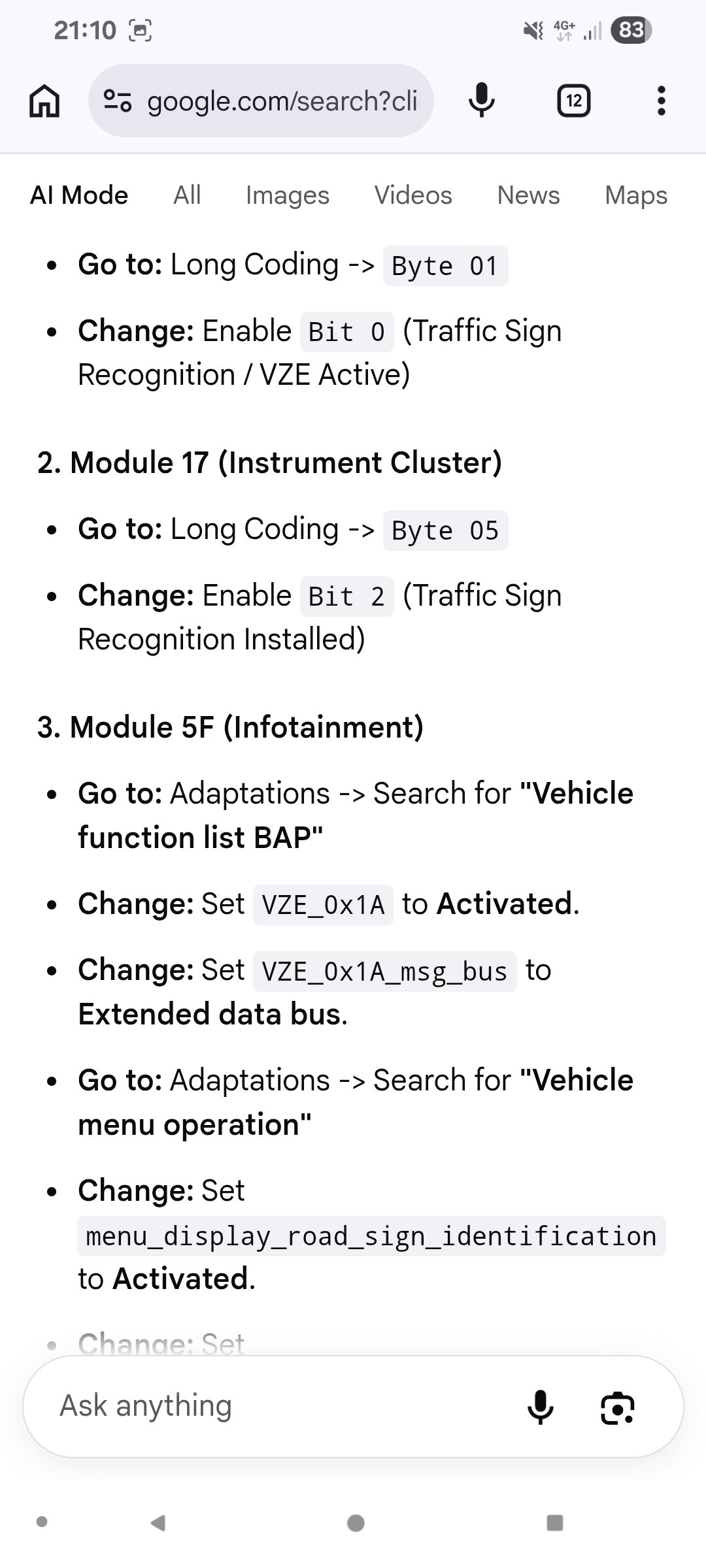
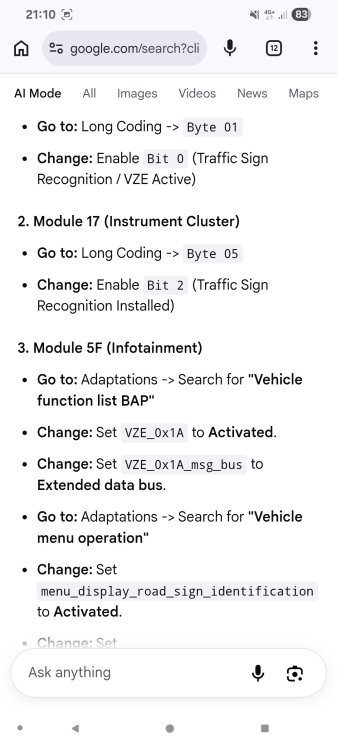
I'm new to coding so I might not be familiar with terminology. I had some instructions to code lane assist or sign recognition and it needs finding string of text and choosing "activate" or "" enable". I can't find it. I can see numbers. So then I ask Gemini to convert this to raw binary code. Like this : I can't find it in my long coding
-
Yes, I can type in and I modified it few times. So every instruction using adaptation need to be converted in binary coding. But yes, I can edit coding.
-
Should I keep this profile or tried other one? Trying to see how to get acces to more coding options...