




omeromeryigit
Finding my way
-
Joined
-
Last visited
-
👍
-
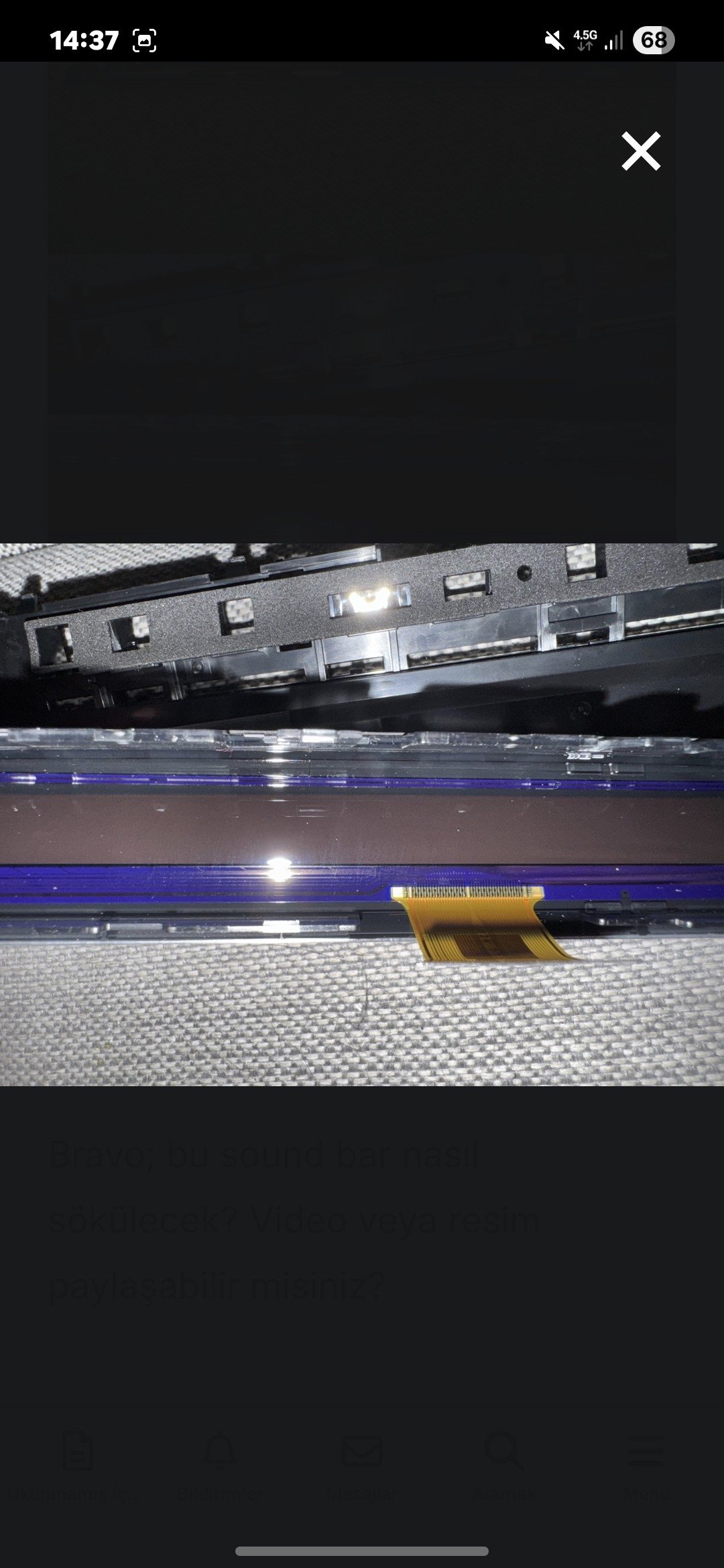
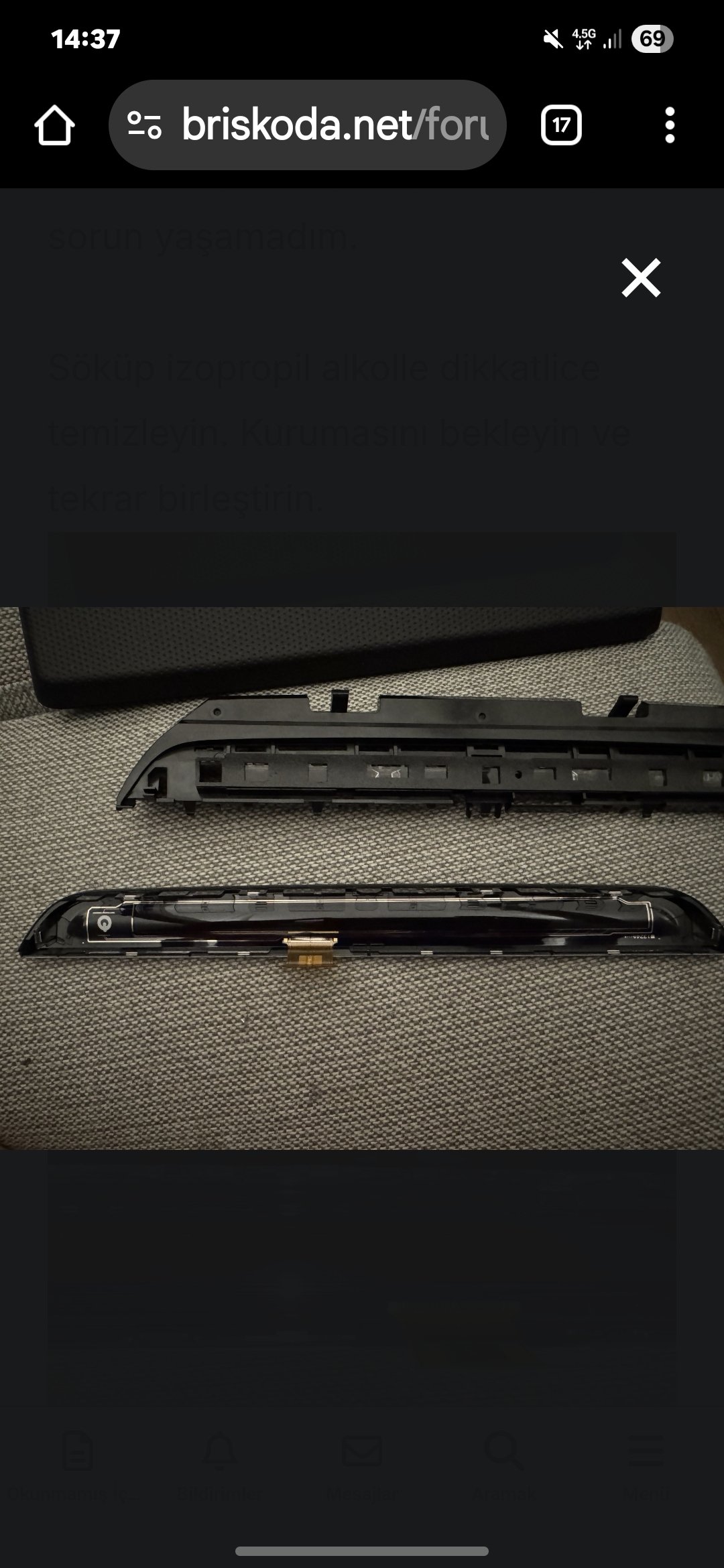
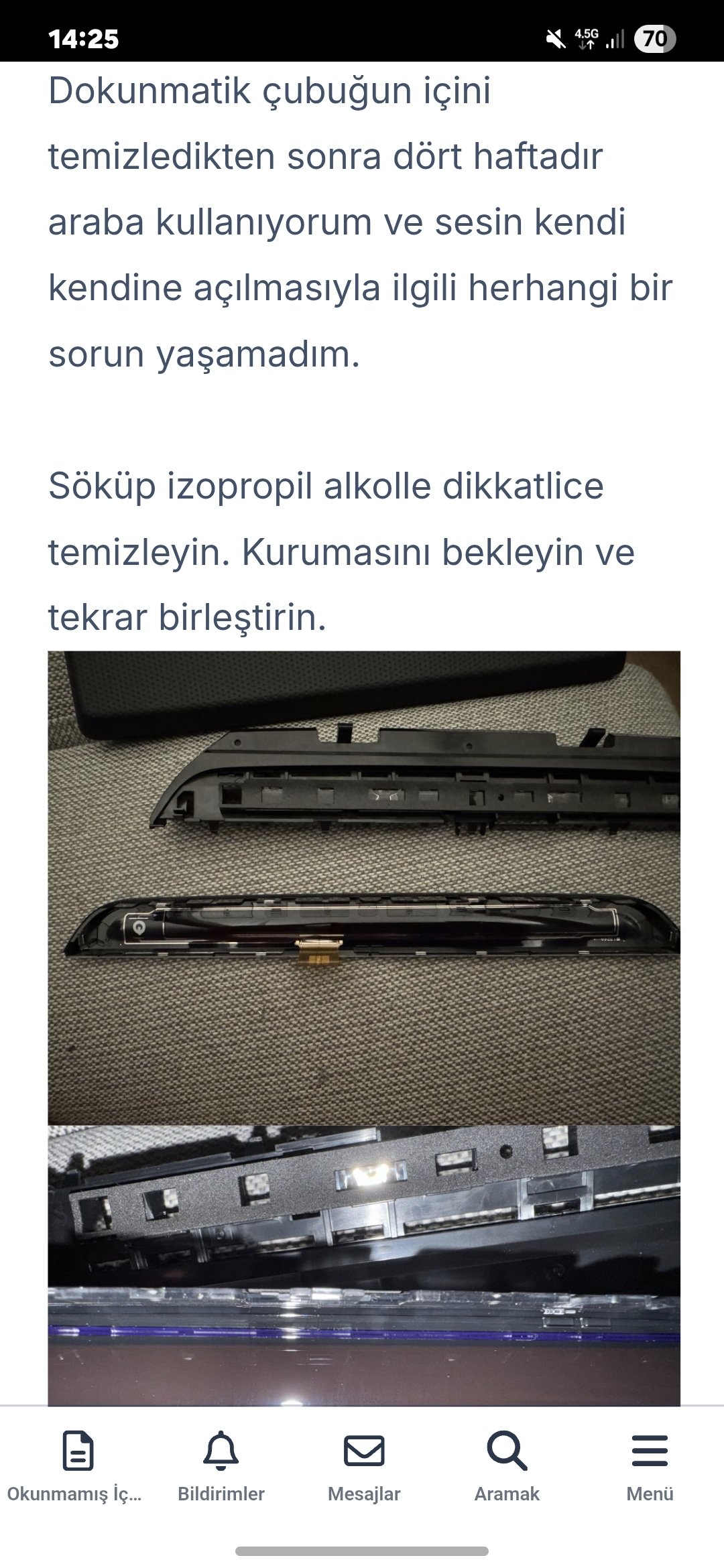
Hello, we've found a new solution for the multimedia issue. I believe this problem is caused by liquid getting into the touchscreen or moisture accumulating there. If you can remove the screen, clean the touchscreen with isotopic alcohol. Wipe the power button and volume bar thoroughly. I haven't experienced any issues since May 2025. The power button and volume bar work perfectly.
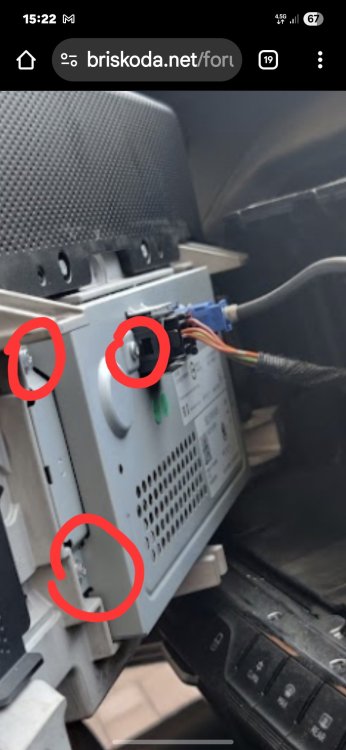
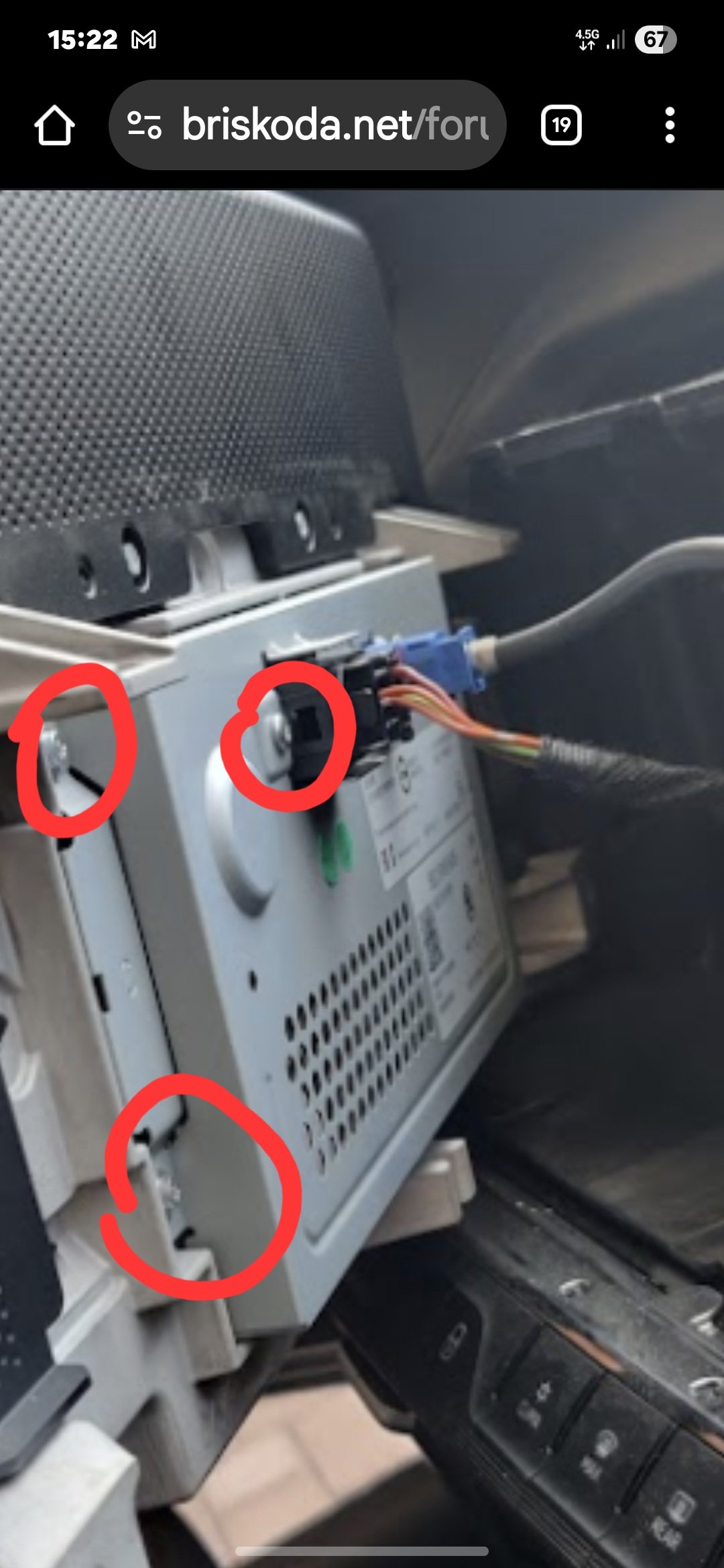
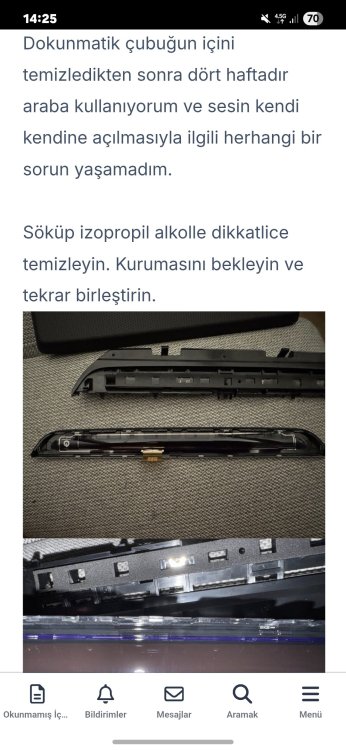 I cleaned it with cotton.The problem was resolved after the cleaning, it's been 10 months.unscrew all marked screws and remove the metal cover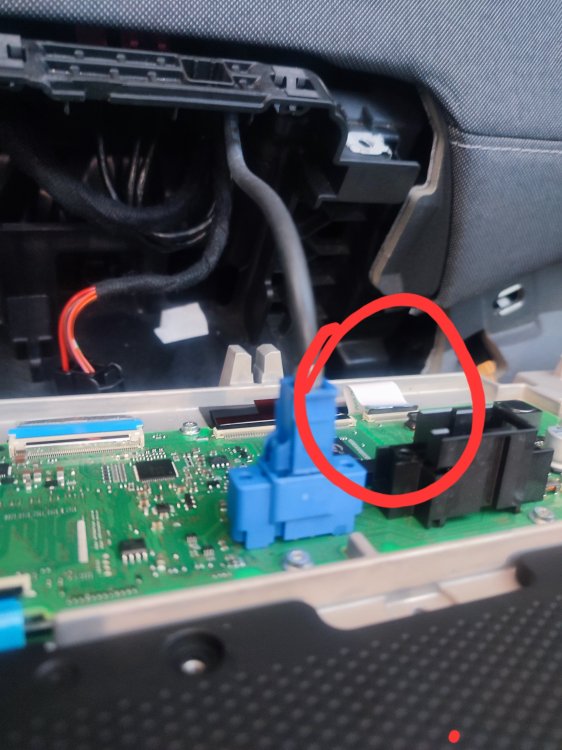
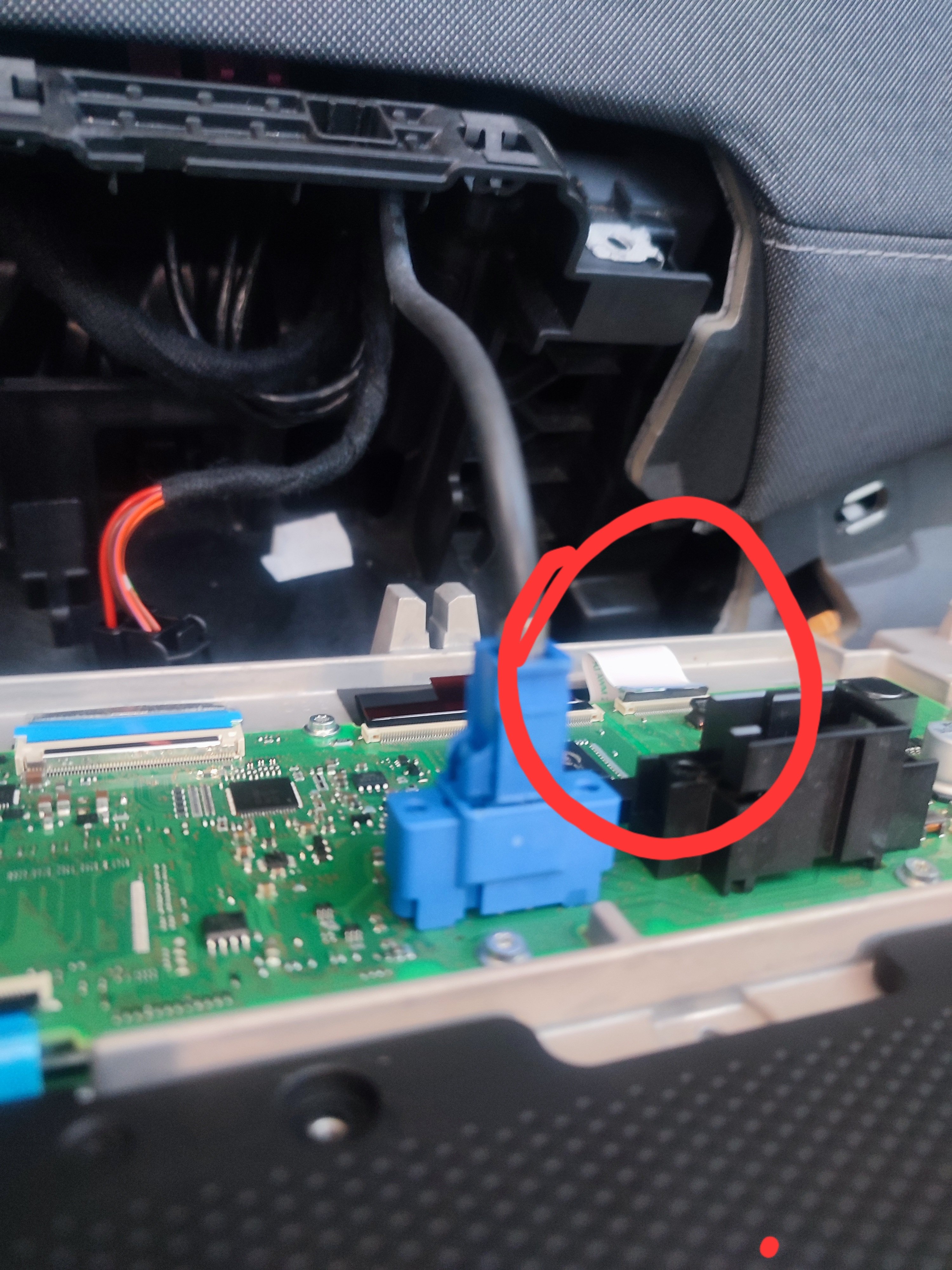
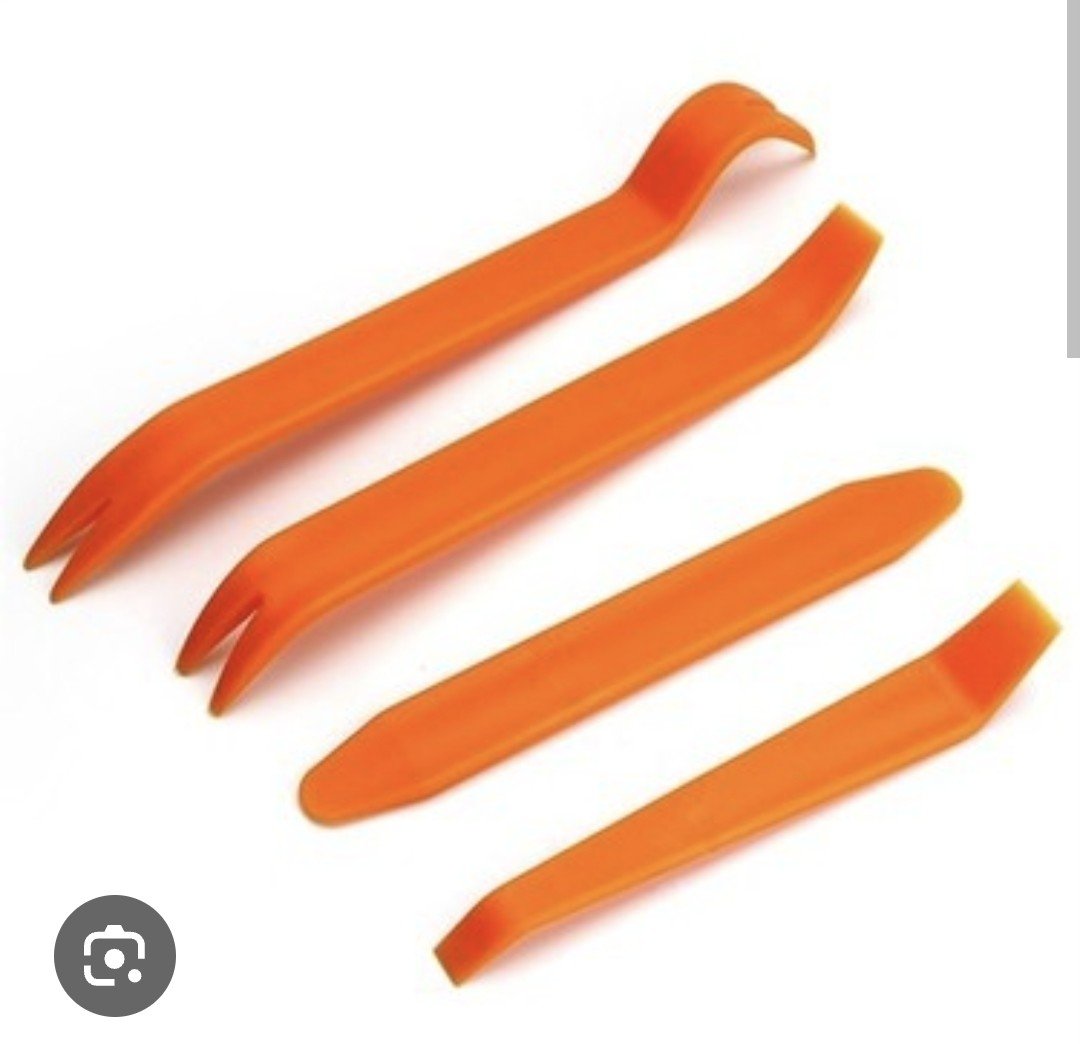
 Let the multimedia be open 👍Bravo; how will this sound bar be disassembled? Can you share a video or picture?I did the update and everything is fineI've never done anything like this before. Using the plastic separator handles, it came out easily when I lifted it from one end. You can do it too.When removing the specified film cable, the vehicle ignition must be on and the multimedia system must be running. From now on, the multimedia system will remain running every time the ignition is turned on.Congratulations, I'm glad you made it.I will re-record a video for you at a convenient time and send it to you. But I don't know when I will send it.

Important Information
Welcome to BRISKODA. Please note the following important links Terms of Use. We have a comprehensive Privacy Policy. We have placed cookies on your device to help make this website better. You can adjust your cookie settings, otherwise we'll assume you're okay to continue.
Account
Navigation
Configure browser push notifications
Chrome (Android)
- Tap the lock icon next to the address bar.
- Tap Permissions → Notifications.
- Adjust your preference.
Chrome (Desktop)
- Click the padlock icon in the address bar.
- Select Site settings.
- Find Notifications and adjust your preference.
Safari (iOS 16.4+)
- Ensure the site is installed via Add to Home Screen.
- Open Settings App → Notifications.
- Find your app name and adjust your preference.
Safari (macOS)
- Go to Safari → Preferences.
- Click the Websites tab.
- Select Notifications in the sidebar.
- Find this website and adjust your preference.
Edge (Android)
- Tap the lock icon next to the address bar.
- Tap Permissions.
- Find Notifications and adjust your preference.
Edge (Desktop)
- Click the padlock icon in the address bar.
- Click Permissions for this site.
- Find Notifications and adjust your preference.
Firefox (Android)
- Go to Settings → Site permissions.
- Tap Notifications.
- Find this site in the list and adjust your preference.
Firefox (Desktop)
- Open Firefox Settings.
- Search for Notifications.
- Find this site in the list and adjust your preference.