o1975
Finding my way
-
Joined
-
Last visited
-
@Warrior193 I did not think to test the wipers whilst the "bonnet open" warning was up. It comes on intermittently which is what made me think it must be some sensor that is on its way out.... Are you aware of any guide that I can refer to online? I came across a post about bonnet sensors for an Octavia but there wasn't much guidance on its replacement.
-
Are there any sensors or related parts that can go wrong here? My car is telling me that the bonnet hasn't been shut properly when it clearly has.... I really hate these "features" that the manufacturers build into cars ☹️ If anyone can point me towards a DIY guide for replacing this part(s) I'd be most grateful!!
-
@MartiniB Hello! I found your reply very interesting. I believe my 2021 Mk3 Superb IV is facelifted (FL). 1. Is it true that all Mk3 FLs will have larger brake calipers that render the 125/70/r18 space saver wheels un-usable? 2. Do you know if this is Skoda's official position and how could they supply or sell a space saver that's un-usable?
-
@Carlston Thank you. My car is a 2021 Superb IV (Mk3 hybrid) and it doesn't even have a wheel well in the boot (batteries have taken up all the space apparently). Thus, I have to carry my spare wheel secured with bungee ropes within the cargo compartment itself. There's no way I can have full sized spares and will have to make do with small space savers like the 125/70/r18... Related to this is a post suggesting that brake calipers on some Mk3 Superbs are larger and different to other Mk3s? Is this issue with factory-installed brake calipers or aftermarkets put in by the owners? It would be terrible if such calipers then got in the way of a space saver being fitted during an emergency!
-
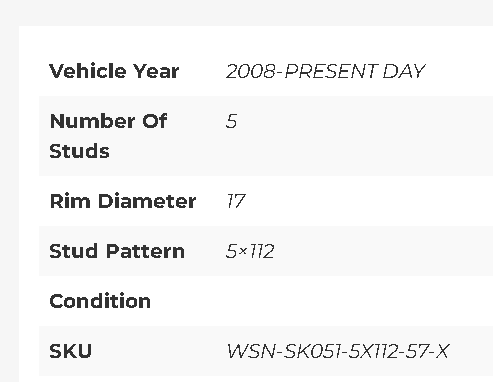
Would appreciate some advice on a space saver wheel for my Mk3 factory fitted with 17 inch wheels. Has anyone experience with an aftermarket product like this or similar? Would it fit in an emergency situation? https://www.thewheelshop.co.uk/product/skoda-superb-2008-present-day-17-space-saver-spare-wheel/ The stud pattern seems correct but dimensions aren't provided (I've inquired). It's all rather confusing as the official space saver from Skoda for the Superb which costs £212 is an 18-incher, 125/70 R18 (my car has factory wheels that are 17 inches).

-
@Warrior193 Thank you. That's all very helpful. I can confirm that there are indeed 2 screws on underside of airbox. A lot of faff to replace a single air filter ☹️
-
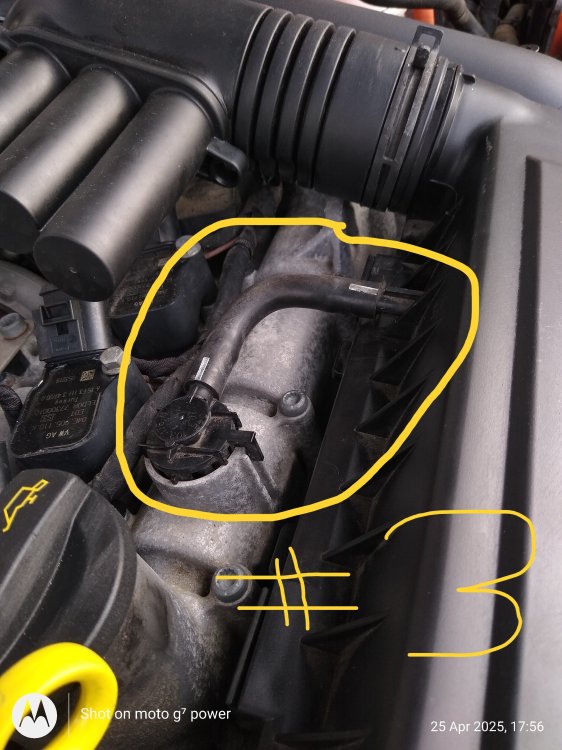
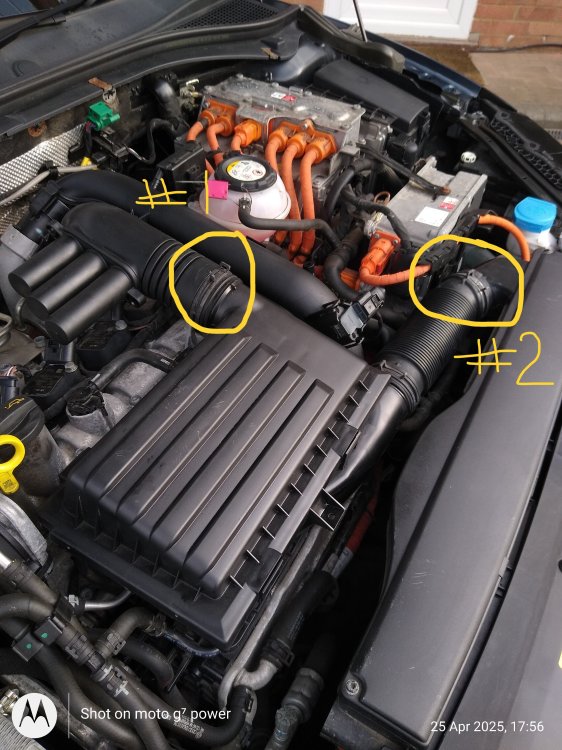
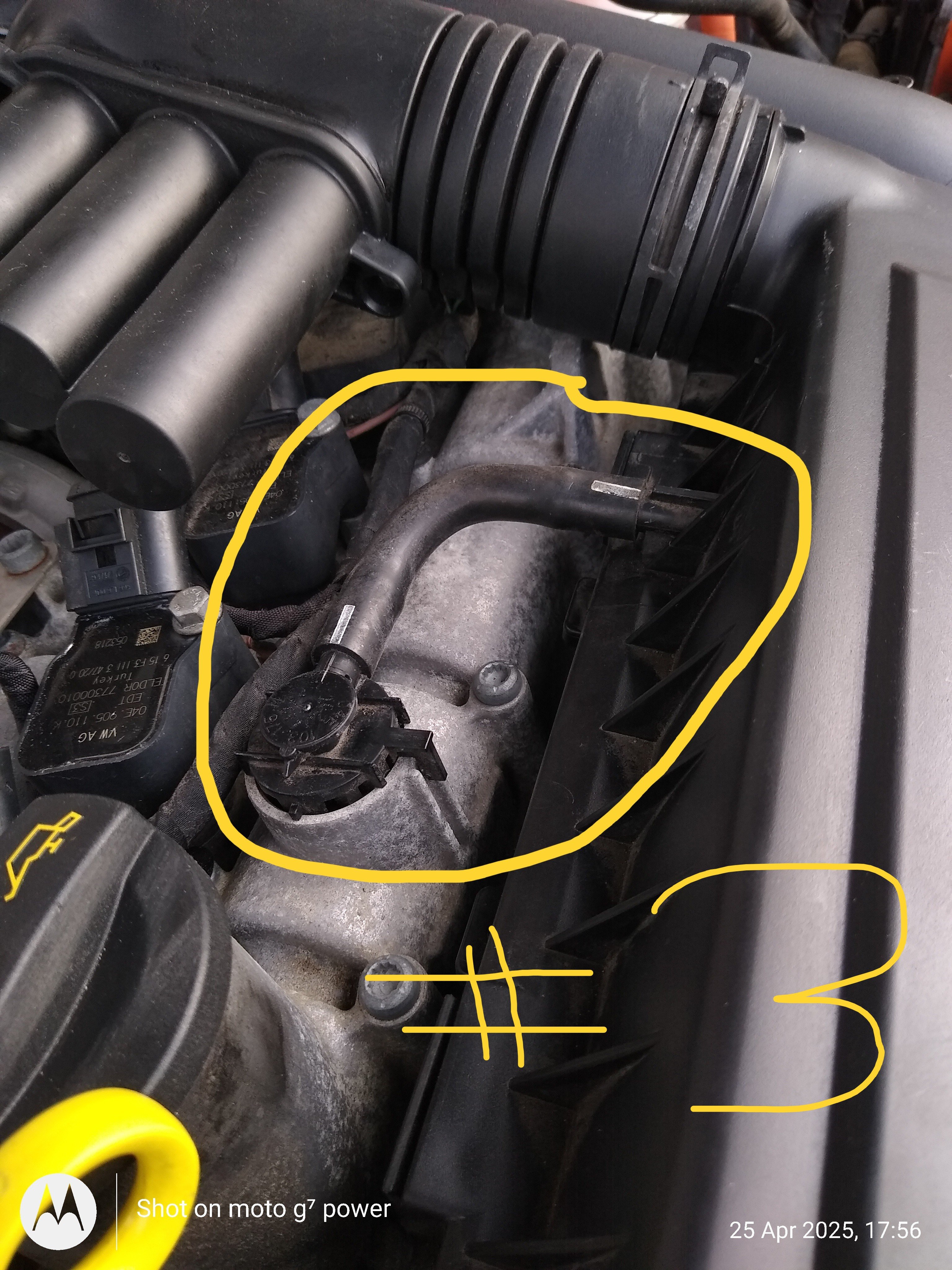
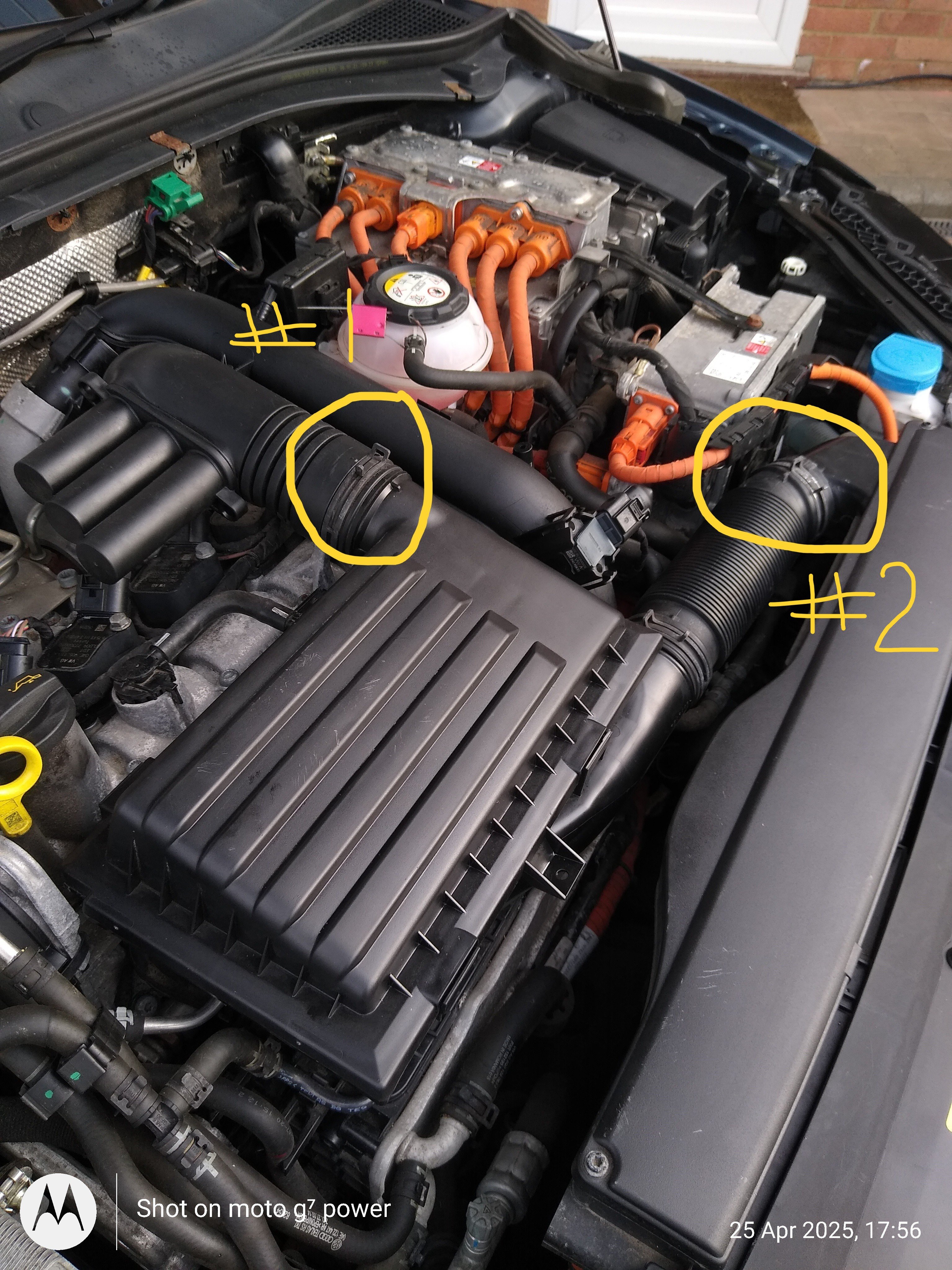
@Plantman Thank you for what you had shared about replacing the air filters on the Superb Mk III. Right now, you're likely the only person on this planet who has shared this info! Help!!! I've tried but am still hesitant in removing the air filter-box as you had described. I don't suppose you'd ever consider doing a video showing the process in the future? The pipes secured in place by the 2 retaining clips all feel very fragile and without a video, it just felt like a tug in the wrong direction would cause something to snap. Also, that small hose connection. The plasticky housing likewise felt like it would snap into pieces.. 1. What's a good order in which to remove the 2 hose connections #1 and #2 in the photo? How much tugging can the parts withstand? 2. How should we disconnect that small hose and connector #3? Is there an order in which we should do this? 30 years ago, an air filter change would have taken all of 10 minutes and brought about satisfaction. Nowadays, I can't seem to do anything with the car without some plastic part breaking ☹️