warmrain
Finding my way
-
Joined
-
Last visited
Everything posted by warmrain
-
Hello @Carlston I like the idea of that tool for aligning the wheel holes to the hub when remounting! However the ebay site lists 2 versions -- one with a 1.5mm thread and one with 1.25mm thread. Do you know which wheel bolts Skoda (KAROQ) uses? Thanks in advance.
-
Try these steps to do immediate maps update . https://www.briskoda.net/forums/topic/533654-naigation-maps-update-free/#comment-5954862
-
My understanding from comments on other threads is that the Amundsen system runs directly from the maps stored on the Skoda branded SD card and if that is removed and replaced with any other brand of card it will not work because the Skoda card has some sort of secret special marking on it. So my suggestion would be to insert your SD card with the update files on it into the second slot (which I presume is normally for entertainment media files) and then let the system update the Skoda card from your new update files. (Unless the Skoda SD card is locked against writing.) If the update function says it "cannot find any Update Files", you could copy the contents of your update SDcard over to a exFAT formatted USB stick and put that into the USB slot instead. I have a Columbus system myself with a blank SD card slot and therefore I imagine my system stores its working maps in some sort of internal memory instead.
-
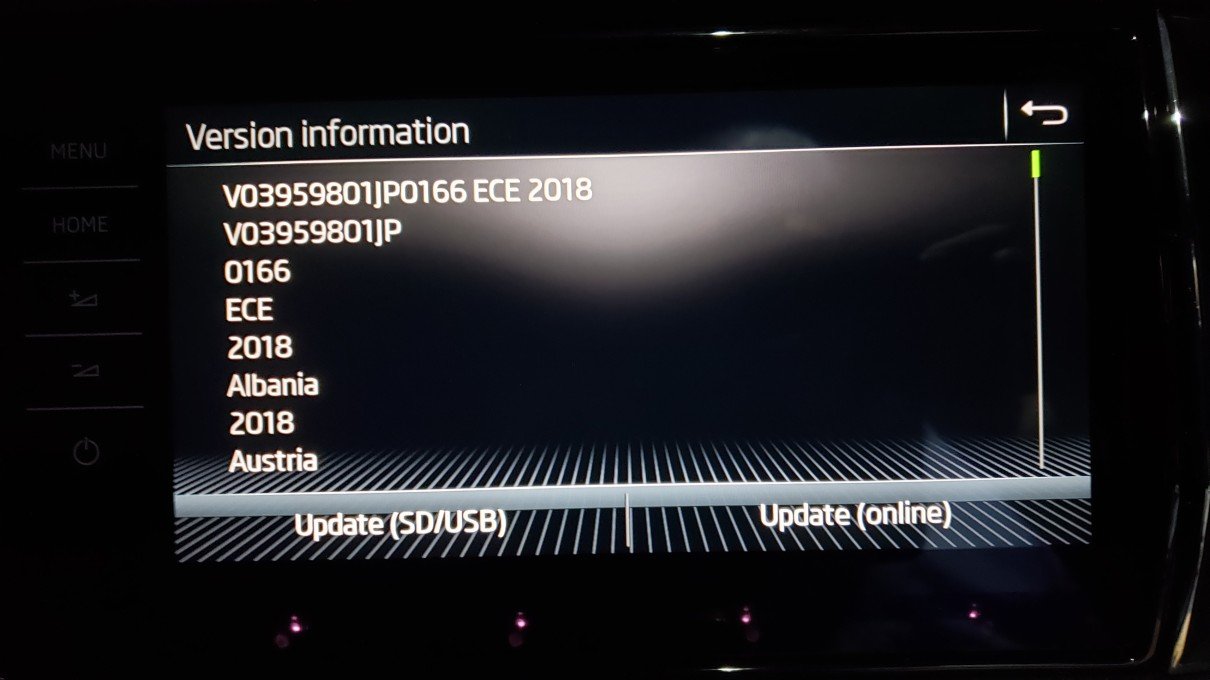
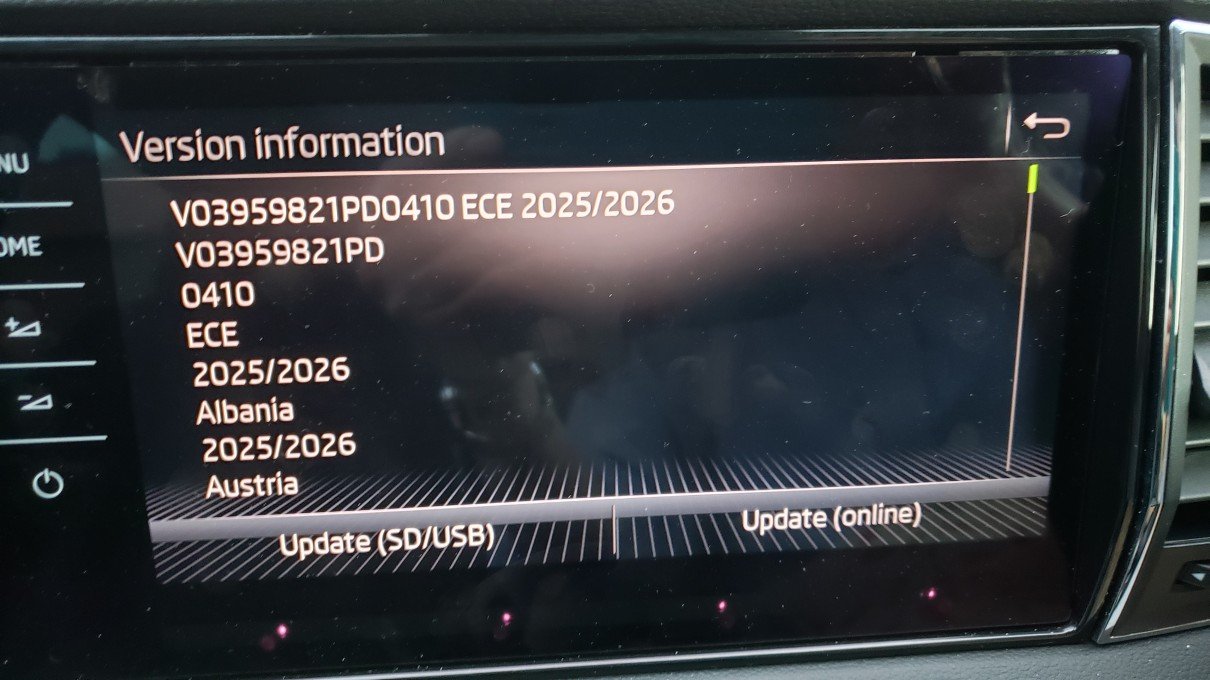
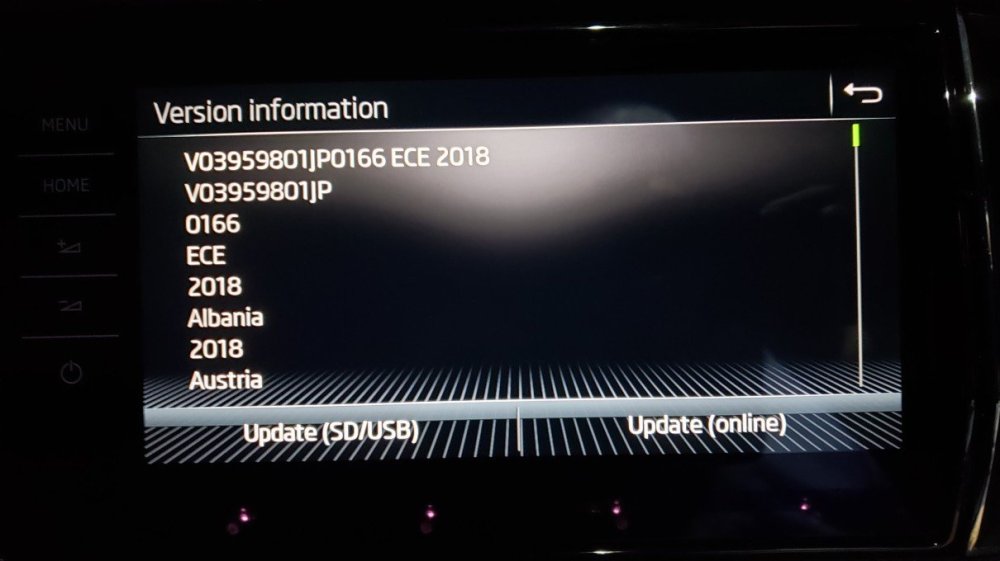
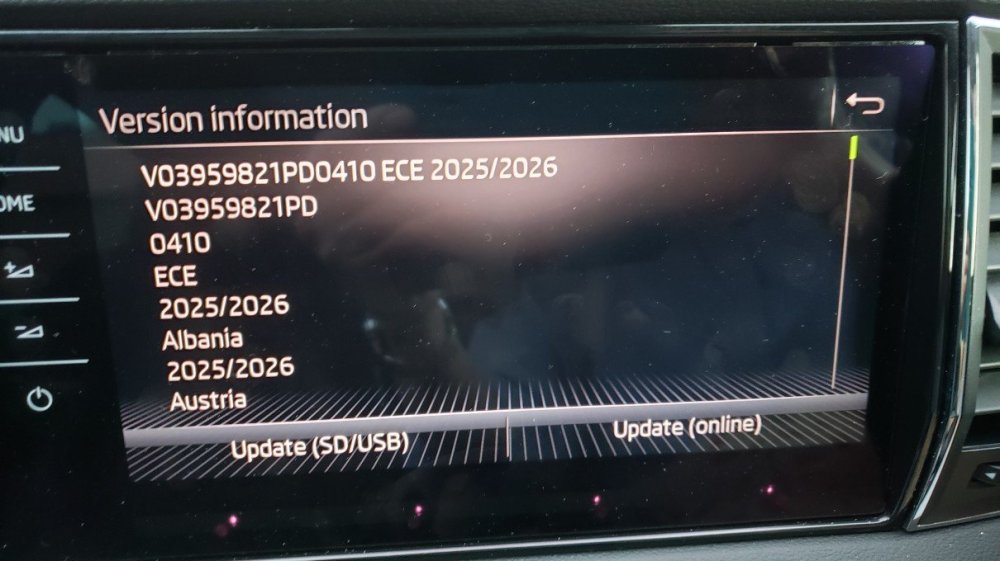
I am still curious though that removing the USB before it had declared a completed update did not crash the update. It is possible that it resulted in a prematurely truncated update? It would be interesting to check by scrolling down the list of countries in the "Version information" screen and see if all of them had the latest date above their name, or even that some countries were missing perhaps? This has been my problem when reading through forum comments previously that actions and results were not always described in precise detail and whether there was a full and complete outcome. Hence my attempt at properly documenting step by step one example of a successful outcome.
-
I am glad you got it sorted @jimharston23. I am curious though to understand on what basis you removed the USB when it still had not updated as yet.
-
Hello @Exkiwi Thank you for your very valuable insights. Unfortunately not everyone has your expertise! Just trying to help.... ;-)
-
To @jimharston23 Hello, I have done a maps update for my Karoq and this simplistic step by step description may be of some help. Some of the discussions on these forums I think has to do with updating the underlying FIRMWARE&Software for running the navigation system itself -- MIB1, MIB2, MIB3 etc and can confuse simple drivers like us.. :-) https://www.briskoda.net/forums/topic/533655-install-free-navigation-maps/ Kind regards.
-
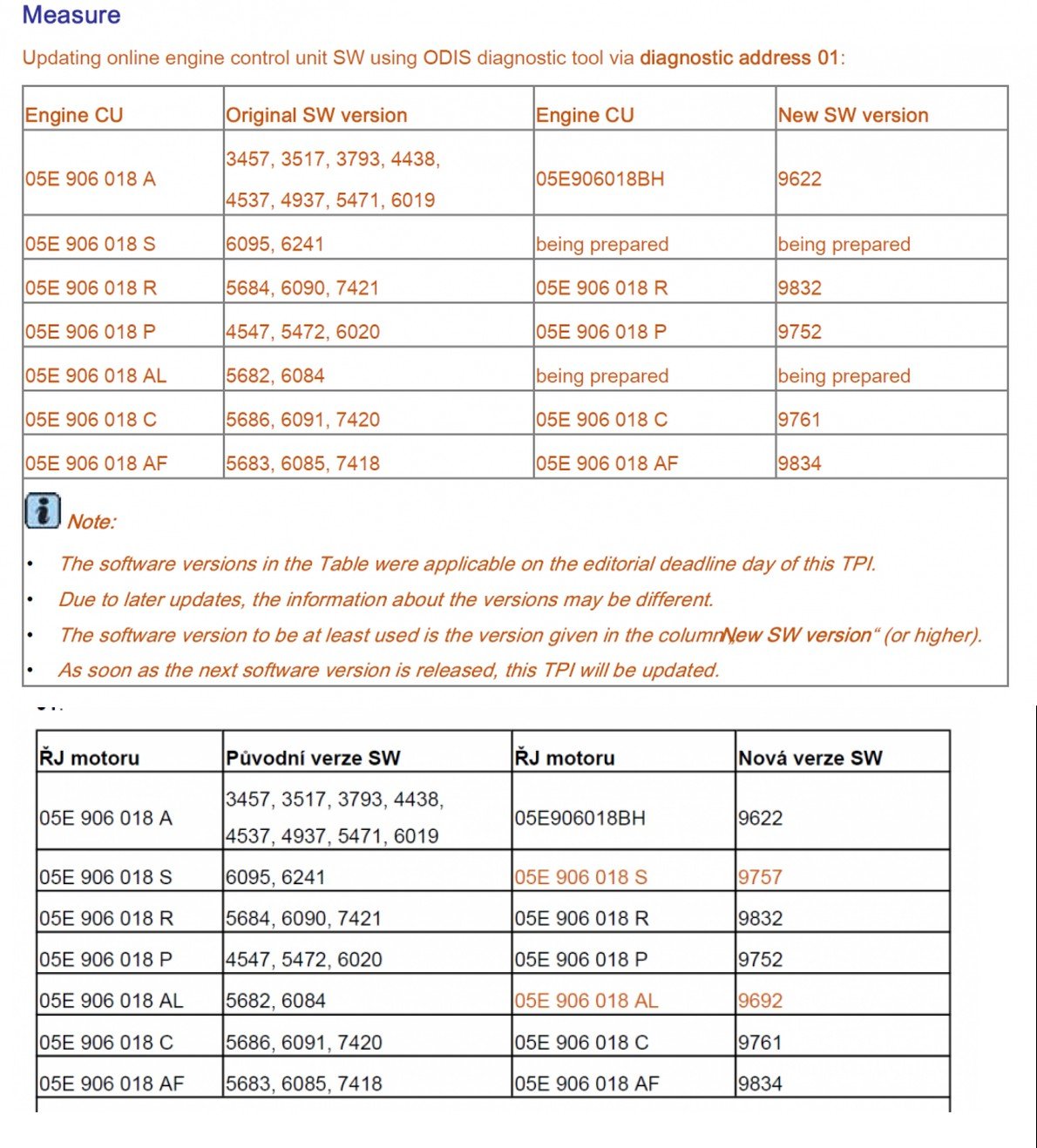
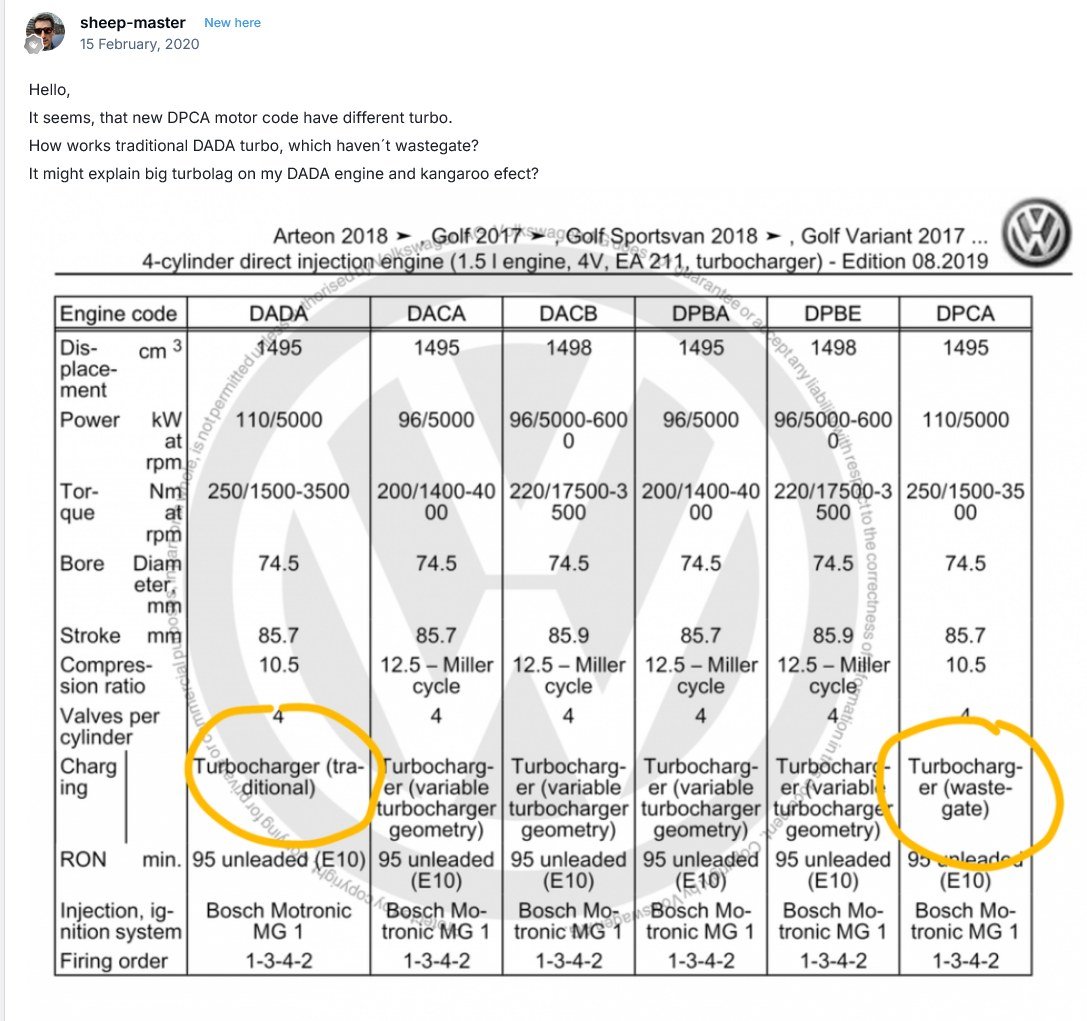
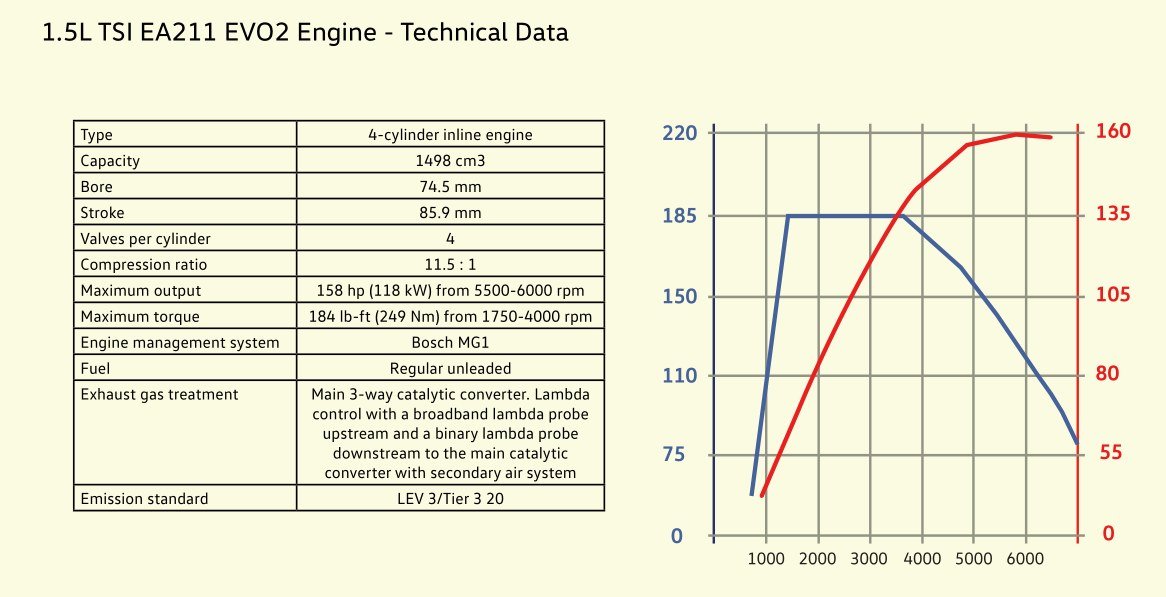
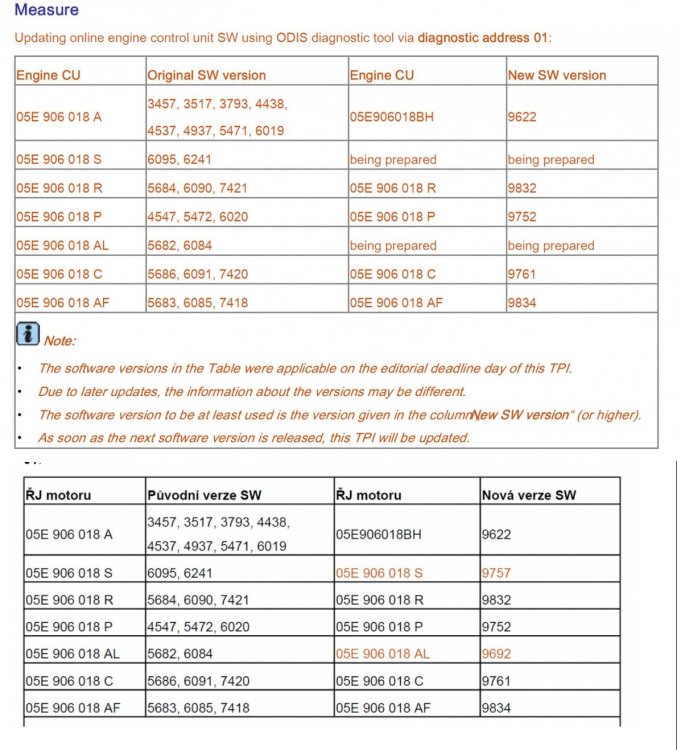
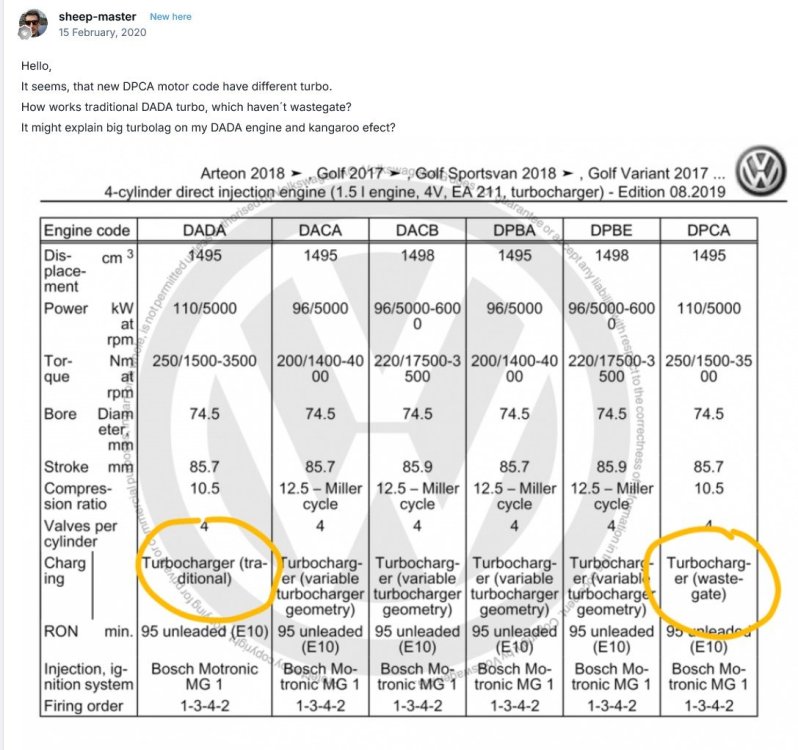
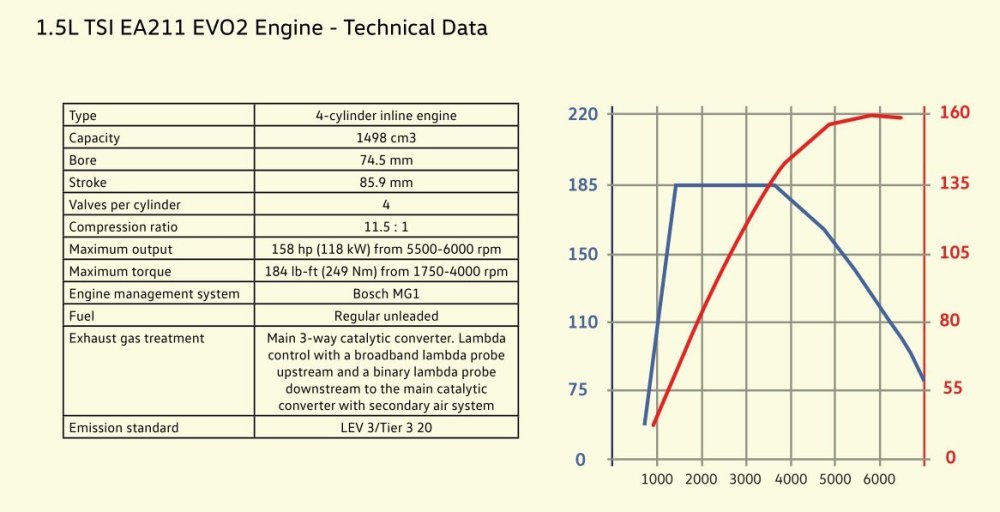
I have gradually worked my way through most of this very long (!) thread and have found some useful information which I summarise below together with some comments on my experience for what its worth... It may save someone having to trawl through the last 117 pages! Firstly, I think that perhaps some posters expect a little too much perfect running with a cold engine and are therefore disappointed. (I know some said they had problems warm as well). In 'the old days' you really did not expect any engine to run perfectly smoothly before it had warmed up fully. You pulled out the choke (or it had an automatic choke) and it stuttered along for the first five minutes or couple of miles until it settled into its operating temperature and designed performance parameters. I still wait a couple of minutes before driving off and this also has the essential advantage of getting oil circulation up to full pressure before stressing the engine. This has served me well as I have run several car engines to 180-200,000 miles without major problems. I can never understand those who start their car and then drive off within literally a second or two. My recently acquired 2nd hand Karoq [1.5 tsi manual, DADA code, manufactured Mlada Boleslav circa ?end2017-early2018] when it is started, first idles at 1250rpm, drops to 1000 after 15sec then to 750 after about another 30 sec. I never drive off before then. Switching on the aircon makes the idle rise to 900rpm as the ECU automatically compensates for the increased power demand. I have not experienced any marked 'kangaroo-ing', ...not any more than a slight hesitancy between 0-10mph before the engine fully warms up and therefore not far off what I might expect from a 'coldish' engine. Albeit measured in the current warm summer weather. It did seem however to lack progressive power delivery between 1000 to 2250rpm and I had to slightly over-rev to achieve smooth upward gear changes. Again some might say this is what you expect with a turbocharger that only kicks in from about 1500rpm upwards. (I do not seem to have the Variable Turbo Geometry in my DADA engine as others have.) Nevertheless, after an ECU software update at my local dealership, the car has improved quite markedly. The drive feels much smoother and specifically: (a) the power delivery between 1000-2250 is more progressive and consistent; (b) there is no jerkiness in 2nd gear even at low rpm such as 1000-1250 and I can accelerate smoothly from there; (c) I can actually trickle along in 3rd on level roads at 1000rpm without problem; (d) some damping action has been applied in the software to stop accidental over-revving on gear changes -- whereas previously when accelerating hard I had to be very careful in synchronising clutch depression and easing off the accelerator, but now, even when deliberately pressing the clutch 1/2 sec before easing the accelerator, the revs are held at the last peak value before dropping as you ease off. One or two minor bugs in the software also seem to have been ironed out. For example, long pressing the 00-Set button on the dash should bring up the Service Interval info but it never did. It now behaves as specified in the Handbook. The most useful tables I have found in this thread (from other posters) are below: Dealers do tend to deny the existence of ECU updates but armed with the software version table I managed to persuade my Skoda dealer to at least check which version I had. I was fortunate enough to talk to the technician while he was doing the update and I had my original yr2018 05E906018P ver5472 updated to 9752. They download it from the Skoda servers on demand and it is probably best to bring both your keys along when you do an update as I believe it may require your keys recoded if it affects the immobiliser module. Good luck if you decide to pursue this update path but I certainly found an improvement.
-
I am sorry if I am causing any confusion. Primarily I would like to understand at a more fundamental level how the ABS/ESP system integrates wheel rotation speed(s) and what the tolerances are. This would help in making a more informed decision. After buying my Karoq recently through a Skoda main dealer I have discovered that they fitted two new tyres to the rear wheels but of a different size to the existing fronts. I am pondering whether (a) I should go back and make a fuss about the mismatched tyres, and (b) at the very least -- a situation can arise whereby if I have a puncture and need to put on the spare wheel which is of yet a different rim/tyre size with different rolling radius/circumference, what will happen to my ABS system when it is faced with three different measurements of road speed?
-
@Berisford By ABS exciter I presume you mean ABS exciter ring which is part of the Wheel rotation speed sensor mechanism? I don't understand how that could measure tyre pressure (TPMS), especially when a tyre pressure warning can activate even when the vehicle is stationary or hasn't moved at all?
-
No, not asking because of the TPMS. Although a (partially) deflated tyre would also change rolling circumference and wheel revolutions per second compared to the other wheels, I believe the TPMS compares tyre pressures directly from a wireless thingy attached to the back of the tyre valve inside the tyre. I am more interested in how much variation in rim+tyre (ie. wheel circumference) variation between wheels on a car running straight on a level road can be tolerated by the ABS/ESP system before it indicates a fault. For example, a 225/55 R18 wheel/tyre would have a theoretical rolling circumference of 2214mm and a 235/40 R19 would have a circumference of 2107mm. The first wheel/tyre would therefore be spinning about 5% less to cover the same distance as the second. If one of these was fitted to one (or two) of the wheel positions, the wheel speed sensor would detect this. At what point (at what percentage difference) front-back or side to side would the ECU dislike this and throw a fault? This affects what alternative wheel/tyre combinations I might be able to use on the car (quite apart from brake & wheel arch considerations).
-
I have a Karoq 1.5 manual and you can either turn off the speeding alert completely in the Infotainment display or alternatively set the overspeed threshold for alarm activation to be 3, 5, or 10 mph over road sign limit. I guess setting it to alert only when 10mph over would solve your problem. Mine is a 2018 model so I can't see that your later car wouldn't have this option. It is buried in Vehicle > Driver Assistance > Speed Warning menu.
-
Hello all, I believe the Karoq has a speed sensor on each wheel. Does anyone know how much difference there can be between the recorded speed on each wheel before the ABS system throws a fault? Is it 2%, 3%, 4%, ?% difference in rolling circumference (ie. wheels with different rim+tyre size). How much can be tolerated Front to Rear, and Side to Side? As a second question, where does the speedometer take its reading from? Thanks in advance.
-
I believe the memory device limitation is due to the fact that a 32 bit operating system can only address a 4Gb memory space and therefore puts limits on how many clusters in the file system it can keep track of. The allowed number of clusters in the FAT32 system does not permit a 'standard' FAT32 file system as defined by Microsoft (who has also licenced it to various other companies) to be larger than 32GB. It can only be larger than 32GB by making each individual cluster larger. Hence Exkiwi's 200GB FAT32 memory card. Windows 10 is optionally (by user choice) a 64bit operating system and therefore can read the 'non-standard' FAT32 file systems but I don't think that that 200GB card can be read in an older (eg. MS-DOS) computer. Presumably Microsoft has kept the 32GB limit to allow use in any older 32bit operating system. Perhaps the Karoq's Sat-Nav has a 32bit operating system -- or is programmed to only recognise 'conventional' memory devices. At least in older cars like mine. Note: SanDisk 64GB USB sticks as sold, have a 'non-standard' FAT32 filesystem, until reformatted. Apple computers cannot fully make use of FAT32 filesystems, but can use exFAT, so exFAT is a useful file system for interchangeability between Apple/Mac, Windows and Linux operating systems. Here is a very interesting video from the actual, original designer of the FAT32 'limitation'. https://www.youtube.com/watch?v=bikbJPI-7Kg
-
Hello all, I'm new here and meant to post the above here but somehow ended up in the Octavia forum. To see the above topic which may be of some help to somebody, follow link to: https://www.briskoda.net/forums/topic/533654-naigation-maps-update-free/ Maybe the webmaster(s) can move it here. Cheers.
-
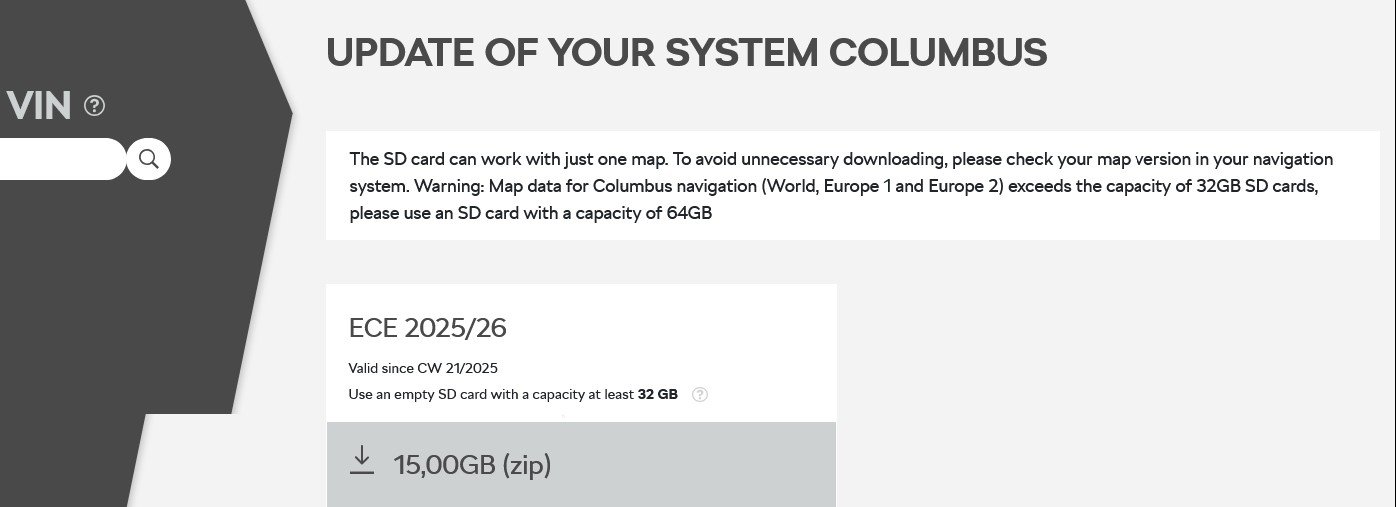
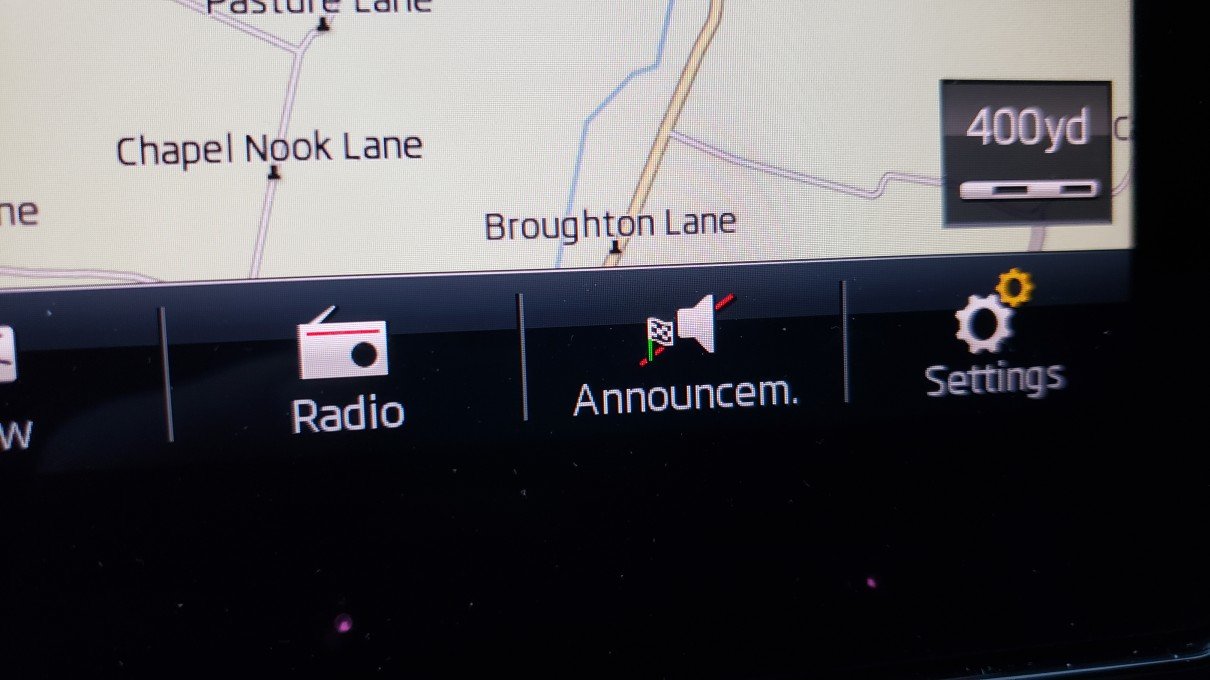
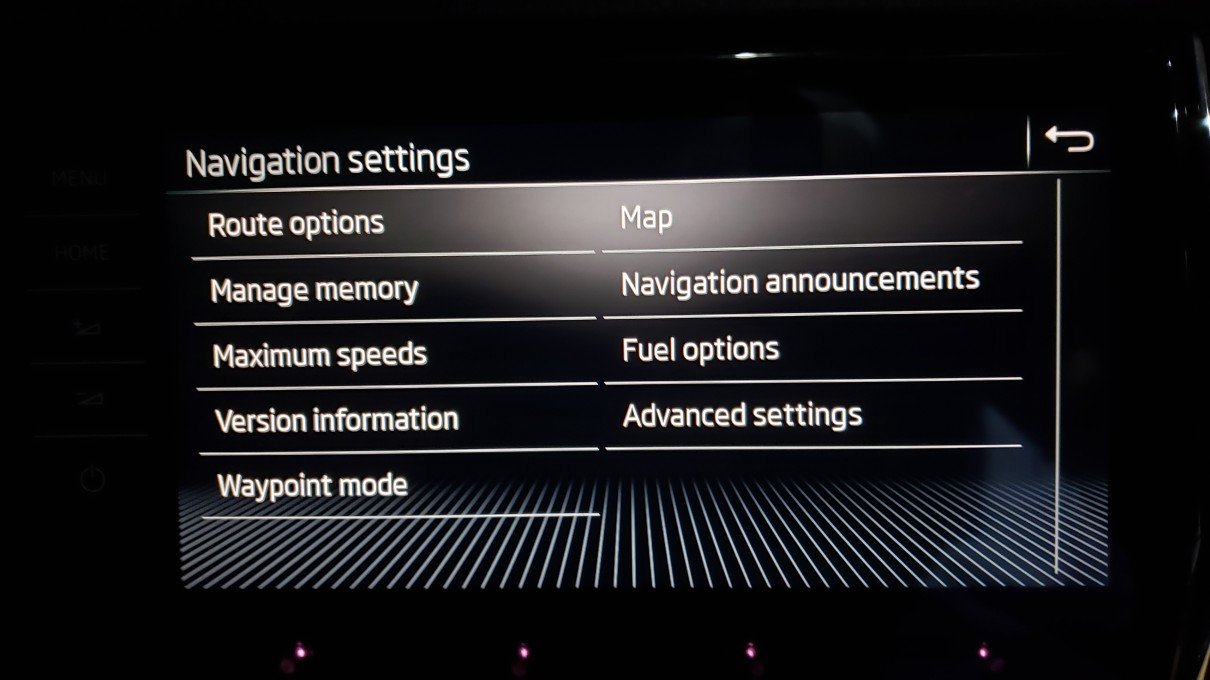
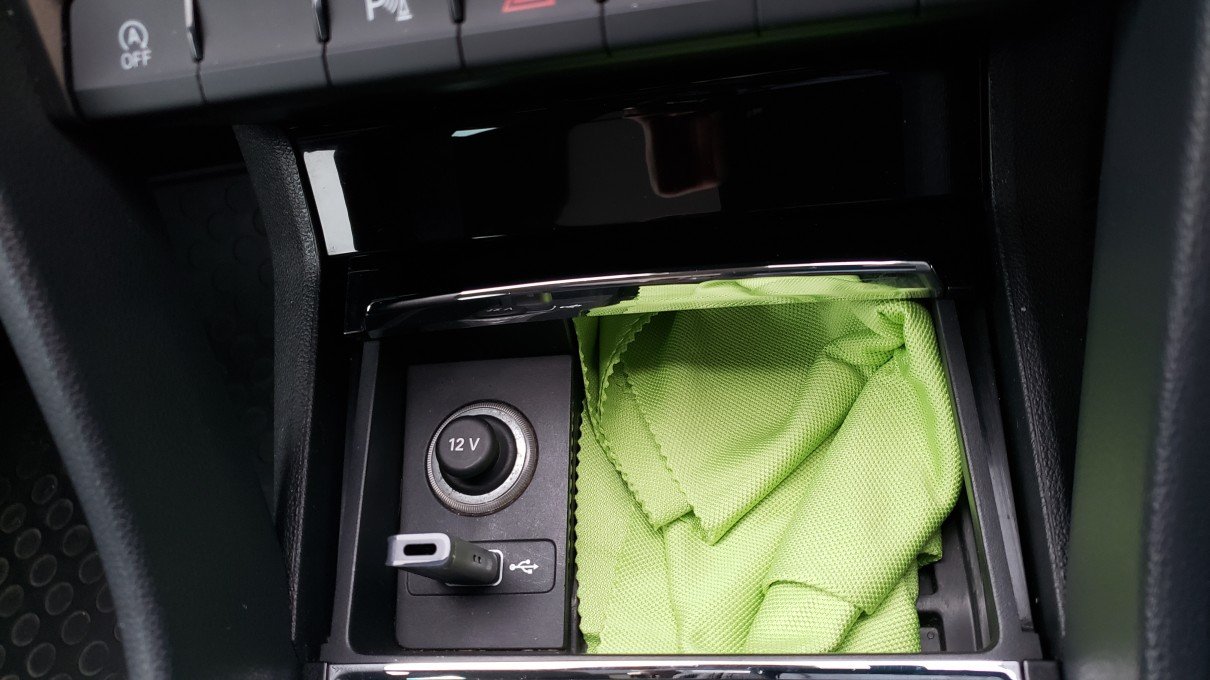
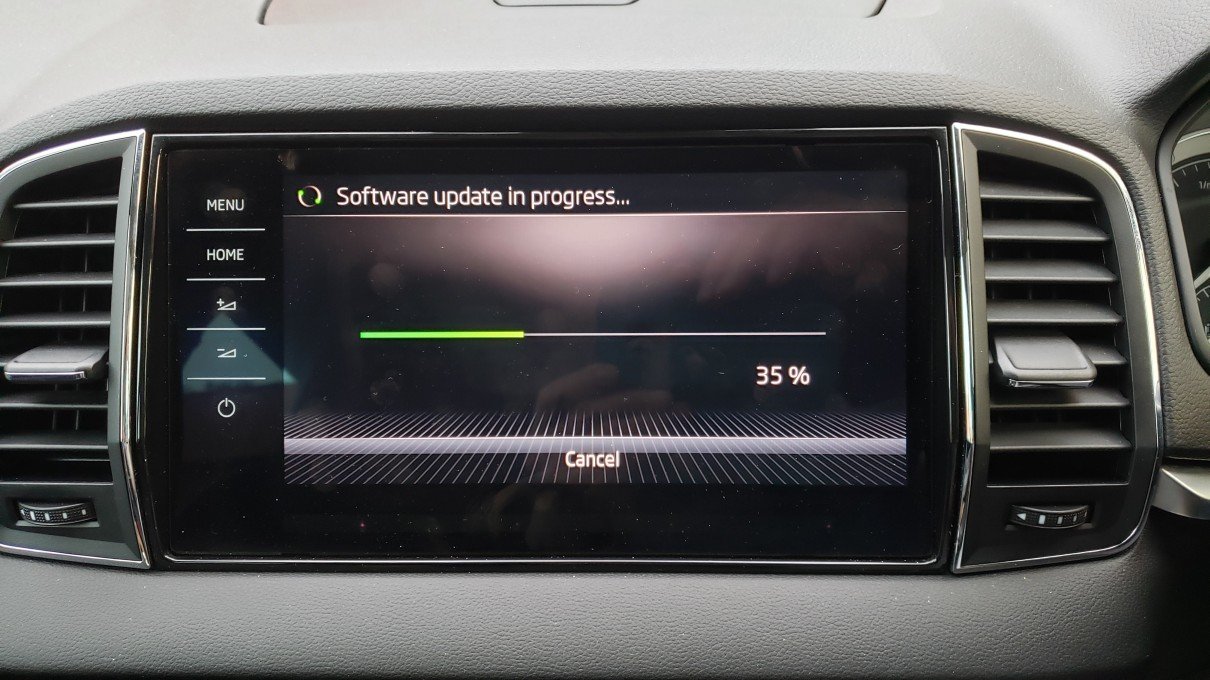
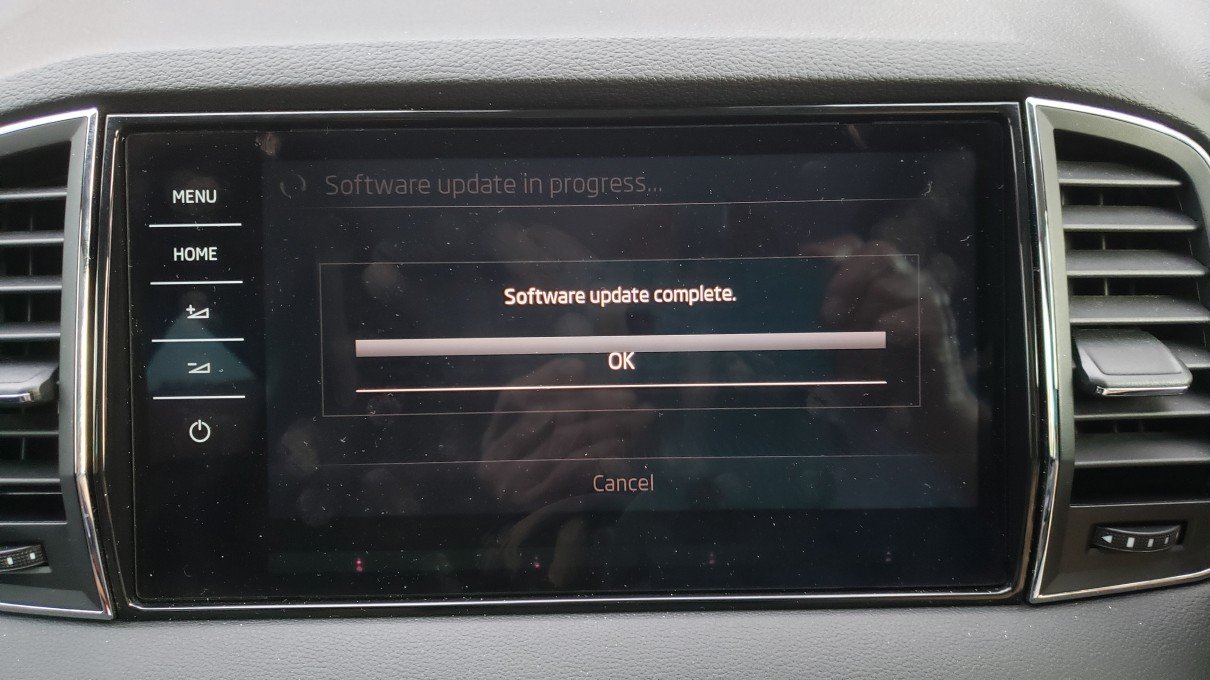
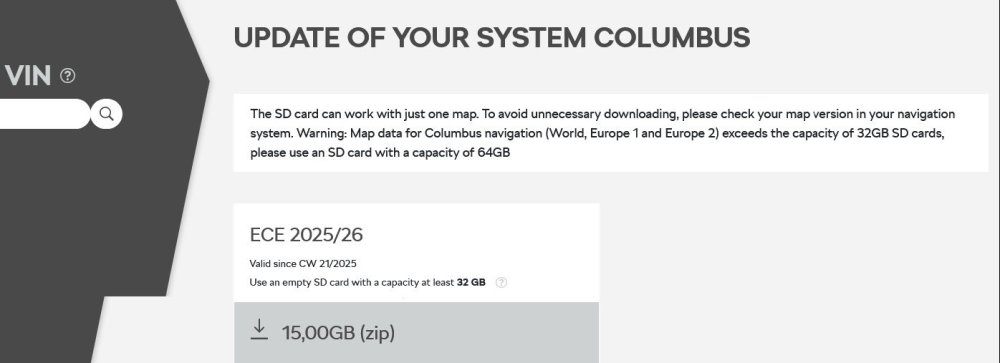
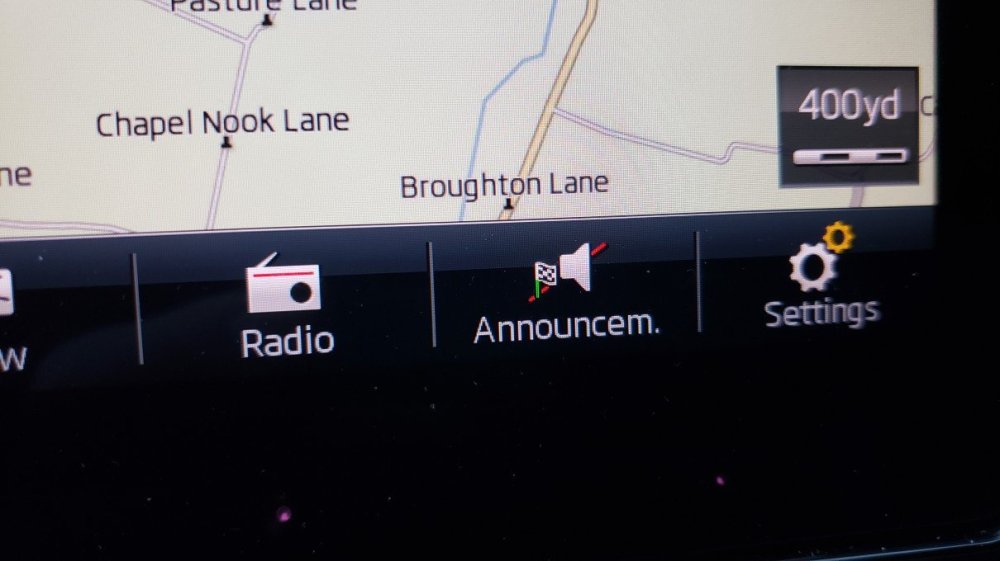
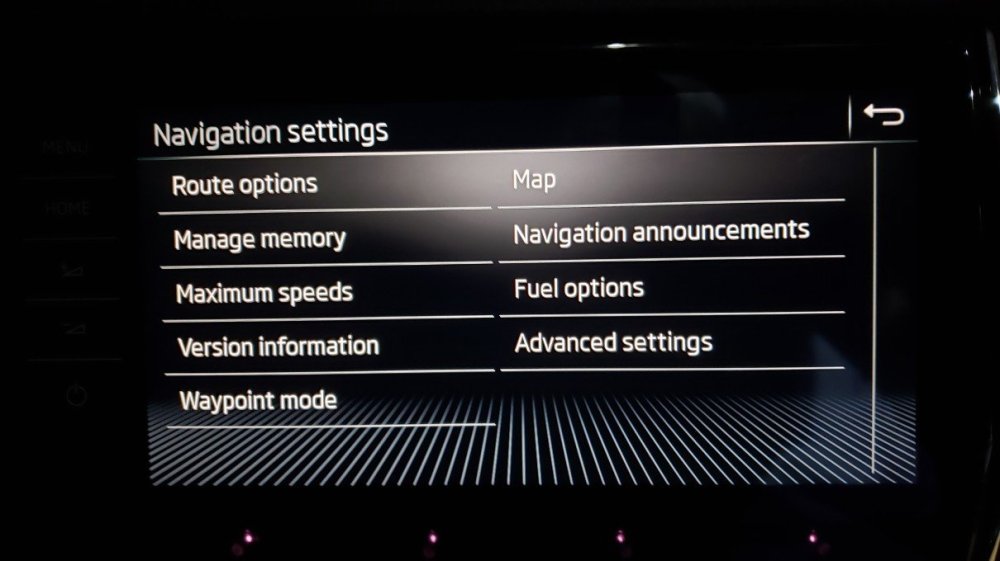
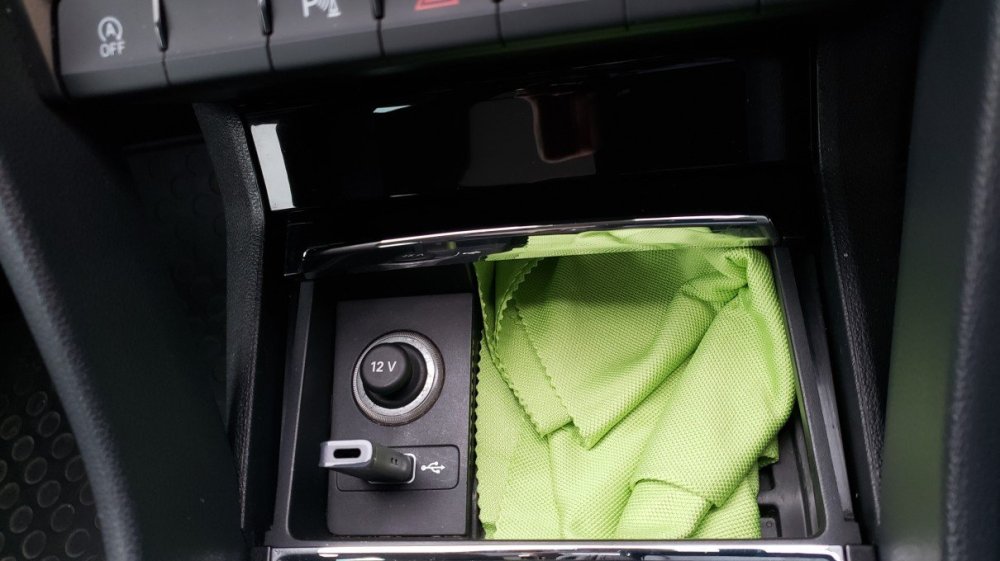
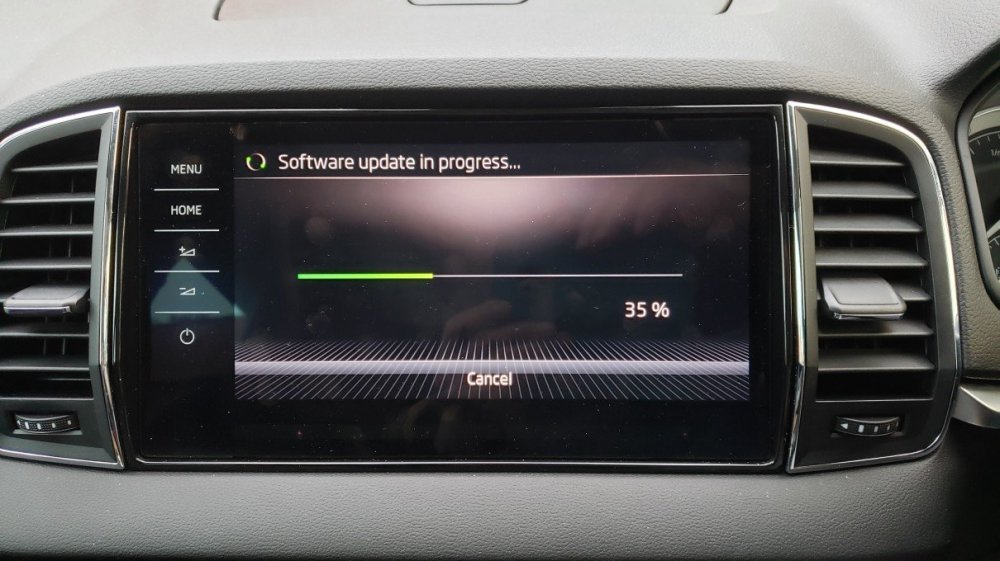
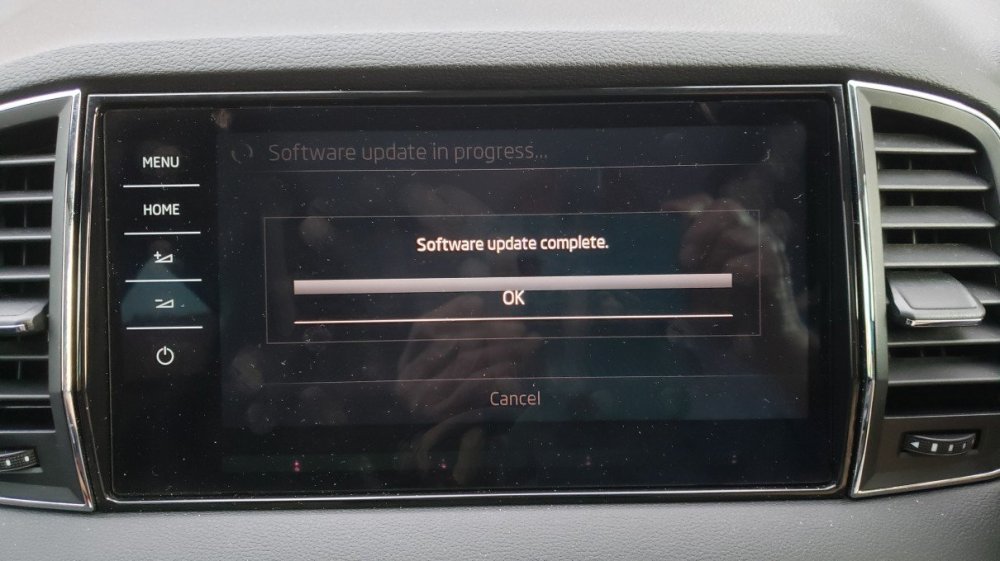
Hello all, I have found the comments in various threads very helpful in (eventually) updating the maps in my Karoq from 2018 to the latest '2025/26' version so I thought I would reiterate and run through the whole process here step by step whilst avoiding the pitfalls -- one or two of which I have myself encountered and overcome by patiently sifting through comments scattered throughout the forum threads. So, the summary steps: 1/ Go to the Skoda update portal and type in your VIN (doublecheck it!) and then click the 'search' magnifying glass. https://updateportal.skoda-auto.com/en-GB 2/ It will bring up the latest map appropriate for your vehicle hardware -- whether Amundsen or Columbus -- so you don't even have to figure out which one you have. (Mine is Columbus). Download the offered file to a suitable directory on your hard disk. It is many gigabytes in size so depending on your internet speed (and how much Skoda servers bottleneck the many downloads they have to cope with) it may take many minutes to several hours. (For me it took 2hrs - after a first attempt which failed - note if your computer goes into sleep mode, it may not resume download after waking). It will be a zipped file. 3/ Prepare a memory device (SD card or USB stick) to transfer the files to the car. NB! Here lies one of the pitfalls which made mine fail the first couple of occasions. The Navigation hardware in the car is VERY FUSSY about the file format used on the transfer memory device. The memory device MUST have a file system with the 'default' or 'standard' cluster size. Manufacturers of different brands 'adjust' the cluster size when sold. For example, I had a 64gb SanDisk USB stick (a very reputable brand) which came with a FAT file system. Now, FAT file systems are not supposed to be used for memory devices larger than 32gb but SanDisk had adjusted the cluster size to make it work. My Windows 10 computer (and others) wrote and read from it fine, but the car Navigation hardware did not recognise or find any of the files on it and update failed. Hence the essential NEED to re-FORMAT your memory device. On Windows 10, this was automatically re-formatted to have the exFAT file system with the 'standard' cluster size etc. 4/ With the freshly Formatted USB stick or SD card, insert it into your computer and extract the zipped file you downloaded from Skoda to the root directory of the USB/SDcard. The extract function in the Win 10 File Explorer works fine to do this. There must be NO OTHER extraneous files on the USB/SDcard. The root directory of the USB/SDcard will now contain just 3 entries -- folder MiB1 (and its subdirectories), folder MiB2, and metainfo2.txt. Don't mess about with any of these files (-- but see other threads about !bad! Apple computers adding !hidden! extra bits to files which you have to remove). 5/ At the car, preferably first charge the car battery with an external charger till it has a good charge. If it has a RESTING voltage of at least 12.65v measured at the battery BUT at least 2-3hr AFTER everything has been switched off (not even opening a door - leave the bonnet unlatched for access) then it has a good state of charge (80%+). Any little current draw from a lead-acid battery will alter the voltage for an hour or two. 6/ Insert your USB/SDcard into the car, switch on the ignition and bring up the Navigation map screen. At the bottom of this screen select Settings. This brings up navigation settings, select Version Info, at bottom of Version Info you can now select 'Update-SD/USB'. It will then say 'searching for update files'. If you have done everything right so far, it will then offer you the version it has found on your USB/SDcard (....or frustratingly say 'no update files found'!) Select 'Next' and 'Software update in progress' will then run slowly and steadily from 0% to 100%. DURING this update, you can switch off the ignition and close the car doors -- but as another poster (Till) says, you must open a car door periodically at least every 15 min to keep the Nav and Infotainment system awake as it goes to sleep about 20min after the last door opening and the update will stop (temporarily). The whole upload to the SatNav in the car, for me, took 50min to finish. You could drive around in the car during this time but the update will probably take longer as the Infotainment system will also be tied up doing other things. Note that at 100%, there is a long pause where nothing seems to happen. This is normal. 7/ After 'Software update complete', select 'OK' & it will just return to the normal Navigation map screen. There was no need to 'reboot' or anything else - as some posters have reported. I hope this helps, and good luck!
-
No. There is nothing in that cable except wires. ....Unless it is a USB hub connector - which connects several USBs, which might then have a chip in it with a miniscule power drain -- but it doesn't seem you are using that.