gregeeh
Finding my way
-
Joined
-
Last visited
Everything posted by gregeeh
-
-
-
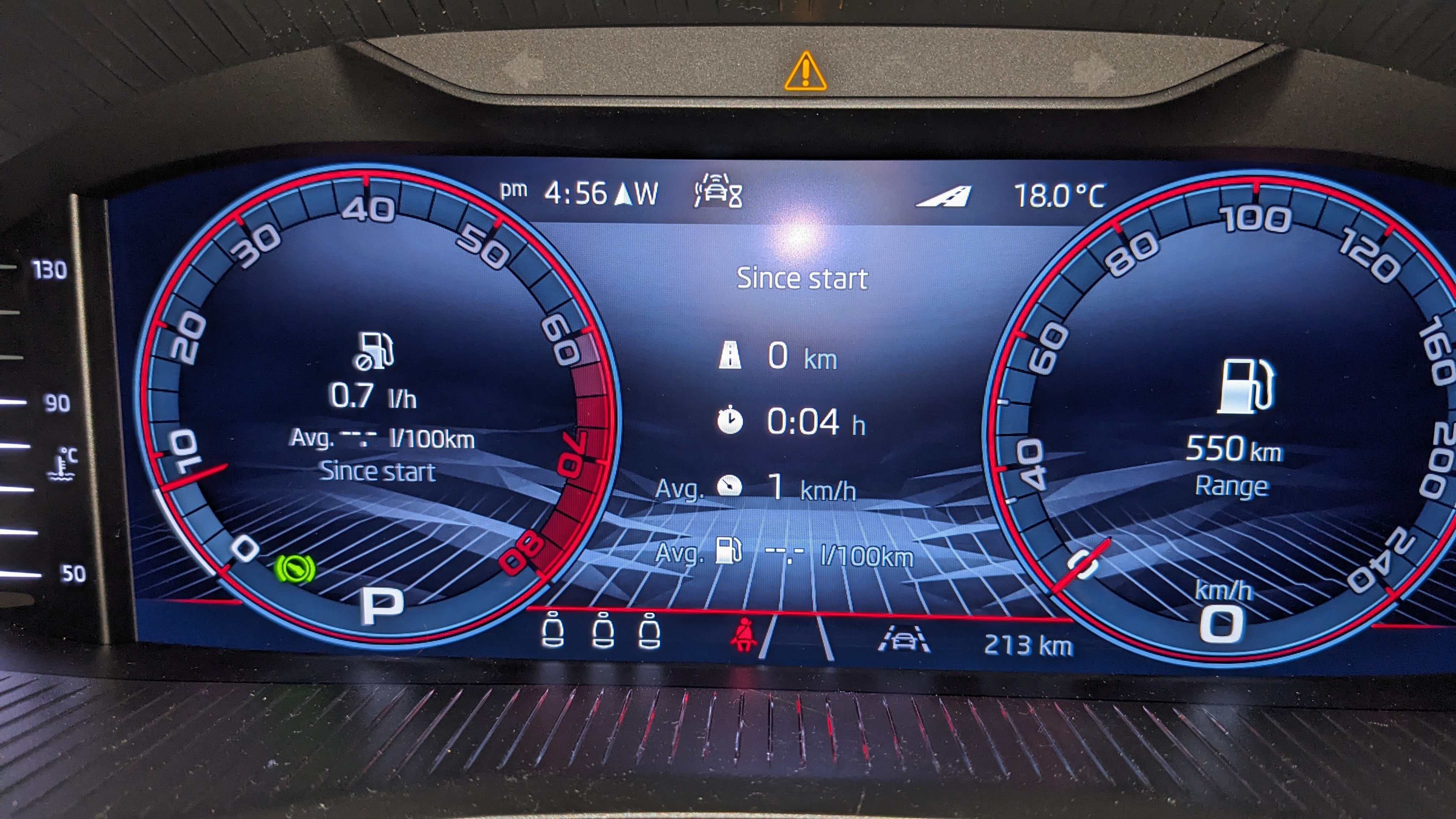
Hi all, I have a 2025 Kamiq Monte Carlo with the Cockpit setup like below: I use Android Auto and the Waze app for Navigation. When I put a route into Waze and start the route the centre section of the Cockpit containing the Overview (Since Start in this example) changes to the navigation map. (1) How can I stop the navigation map appearing in the Cockpit? If this would be possible (2) would not be an issue. (2) I've been unable to find a way to return to the Cockpit to the original state after the route ends. I just mess around and eventually I get there but I have no known way of making this happen. Press or rotating the silver control on the RHS of the steering wheel does not seem to help. Hoping someone can assist. TIA
-
As I'm in Australia I don't believe I can do OTA Updates and they must be done via a dealer. Map Updates are find using USB.
-
Hi all, My 2025 Kamiq has an MIB3 Headunit and is updated using a USB Flash Drive. The instructions say leave the Flash Drive plugged in and it will update while driving and if you stop before the update is complete it will continue where it left off next time you drive the car. Hence, how do you know when the update is fully completed? TIA
-
Sorry for being a noob, however I'm still confused. "Push the lever in the direction of the arrow" Does it mean matrix is in operation if enabled in the Infotainment system menu? "If the assistant automatically...". Does it mean matrix is in operation if enabled in the Infotainment system menu? I assume this happens with low beam ON. Yes/No? Once again, thanks for your input.
-
I think this is my answer. However I'm confused by the last statement in the manual regarding conditions that must be satisfied for it to work. Does it mean there is no need to press the lighting stalk forward for it to automatically switch to the main/high beam? If so, what happens if you do press the lighting stalk forward? Thanks for your input.
-
Hi all, I purchased a Monte Carlo earlier this year that has LED Matrix Headlights. I've been to two dealers to ask this question and I cannot get an answer, so hoping someone here can help. If I have the light switch on Auto how can I have a "Normal" high beam without Matrix and how can I change that to a high beam WITH the Matrix feature? I know it can be done as I've watched YT showing the difference, but none show what happens to change the modes. Any help much appreciated, Greg
-
-
-
Hi all, I have a 2025 Kamiq Monte Carlo with a 9.2" Amundsen infotainment system. I purchased a screen protector for a 2022-2023 Kamiq with a 9.2" Amundsen infotainment system thinking they would be the same size. Is my reasoning correct as the screen protector I received is about 5mm short in both directions? TIA
-
Sorry for being a noob. MOT???
-
-
-
-
-
Thanks for your reply. I took the vehicle to the dealer yesterday and they said it was "normal" but had no idea why it happens. Your comment confirms their statement. Thanks again.
-
Asking them tomorrow. But I can hear the response now. It must be something that you have done.
-
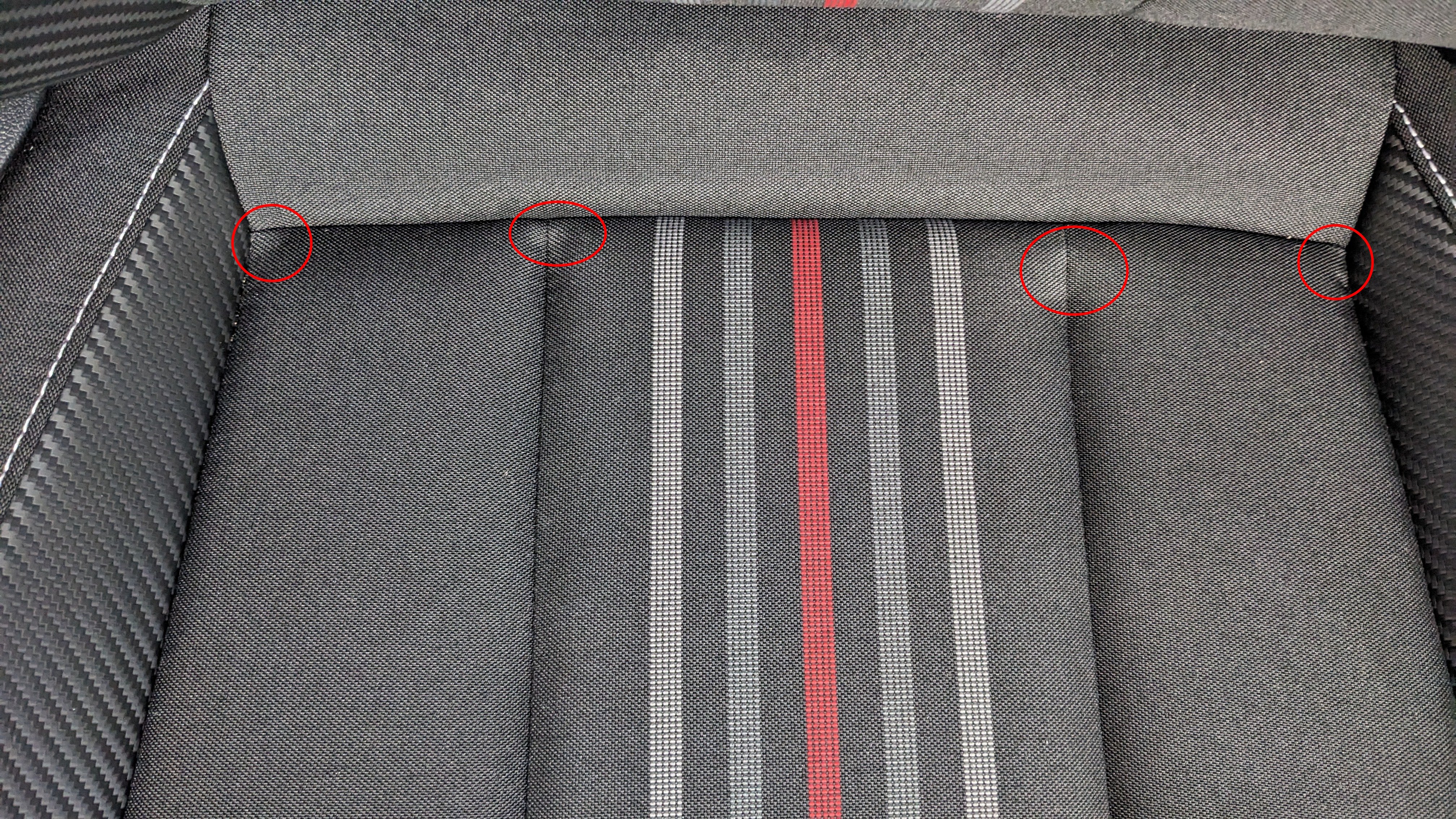
Same locations but the shape and size is different.
-
Unfortunately it makes no difference.
-
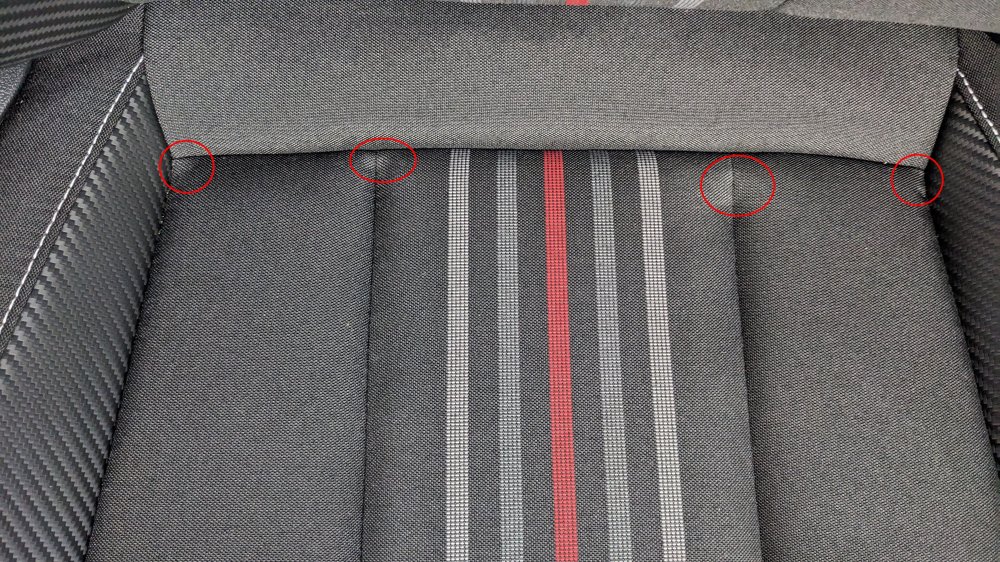
Hi all, I've noticed these white marks on the 2 front seats of my new Kamiq. They are in the same location on both seats. Have try vacuum on them but it did nothing. Thoughts?
-
-
Hi all, I've noticed that when I activate Air Care in my new Kamiq M/C there's a progress bar that goes across the screen and the check box remains checked. Next time I go into the A/C screen the check box is unchecked. Read the manual, but it does not answer the following. So what is the progress bar telling me? Why does Air Care not remain active all the time, I thought that would be something that should be ON all the time. TIA
-
Thanks once again for your input, much appreciated. And yes, the dealer is going to fix the bulb. The car was delivered to me new with the fault and I never got out the gate before reversing the car and showing them the issue. I was not a happy Skoda client, let's put it that way. The headlight assy. has to come from Czech to Australia and will take several weeks. Thank you once again.
-
Thank you for the detailed explanations.