Senlamar
New here
-
Joined
-
Last visited
-
Thank you very much Carius for sharing this document. I don’t have access to ODIS, and unfortunately the service center here is not very experienced with these matters. Could you please tell me if it is possible to perform the MIB3 + OCU update by myself? Also, could you kindly share the password needed to access the update files, since I would like to try the procedure on my own? Thank you in advance for your support.
-
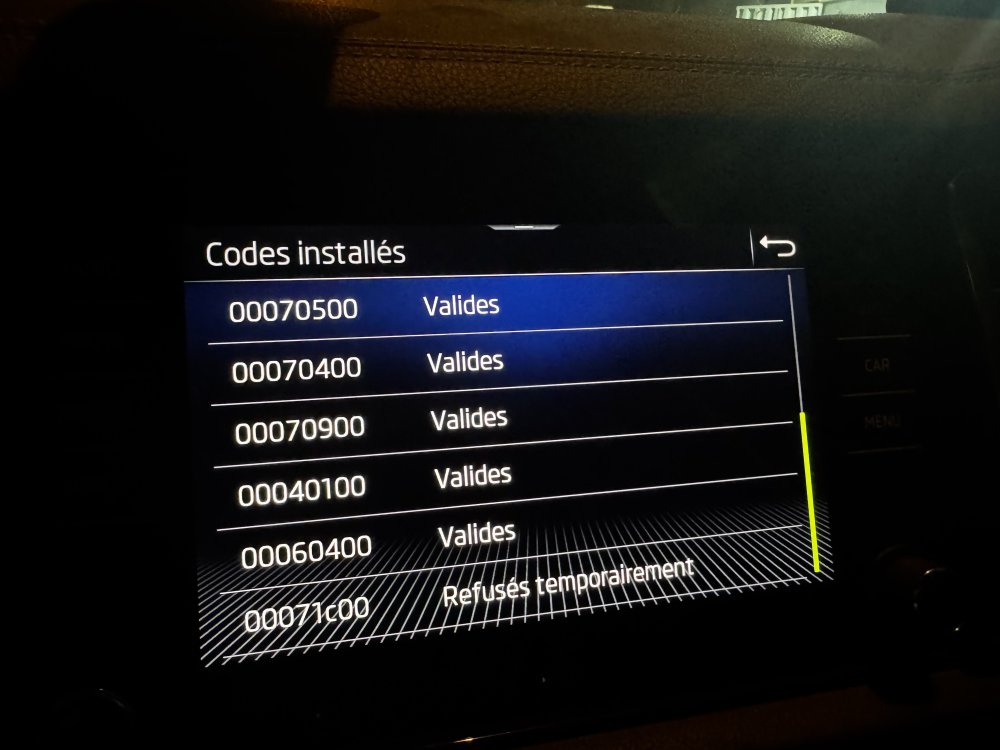
Btw when I checked installed codes, 00071c000 is refused temporarily is mentioned as shared in the picture
-
I actually tried that. First, I updated to version 324. After I got this problem, I retried the update to 324 again before finally installing 330, but unfortunately it didn’t solve the issue. Regarding navigation, it has never worked since I bought the car – it always showed the message “Not available in your region.” However, after the update, when I try to open navigation it only says “Navigation starting” and stays like that forever. On top of that, the WiFi and hotspot system stopped running after the update, even though it was working perfectly fine with the stock version the car came with. Here is a video on youtube for the problem shortly: (1) Problem Hotspot ( Carplay Android Auto wireless wifi factory reset ) resolved - YouTube I didn't recieve any password can you send it to my email <email address removed> Please use the internal message service to help protect your privacy. Thanks, site admin.
-
Hello Everyone, Last month, I updated my Skoda Kamiq 2024 to software version 0330. Since then, I’ve completely lost Wi-Fi and Hotspot functionality. The Wi-Fi menu is still visible on the infotainment system, but whenever I try to activate it, it simply won’t turn on. I’ve searched extensively online but haven’t found any working solution so far. The main reason I performed this update was to get the navigation working, but unfortunately, even the navigation is still not functioning. System details: Device reference: 3v0035832p Equipment: H22 Software: 0330 Navigation Database: 24.6 Has anyone experienced this issue or found a way to fix it? Any help would be greatly appreciated. Thanks in advance!