Rizmod
Members
-
Joined
-
Last visited
Everything posted by Rizmod
-
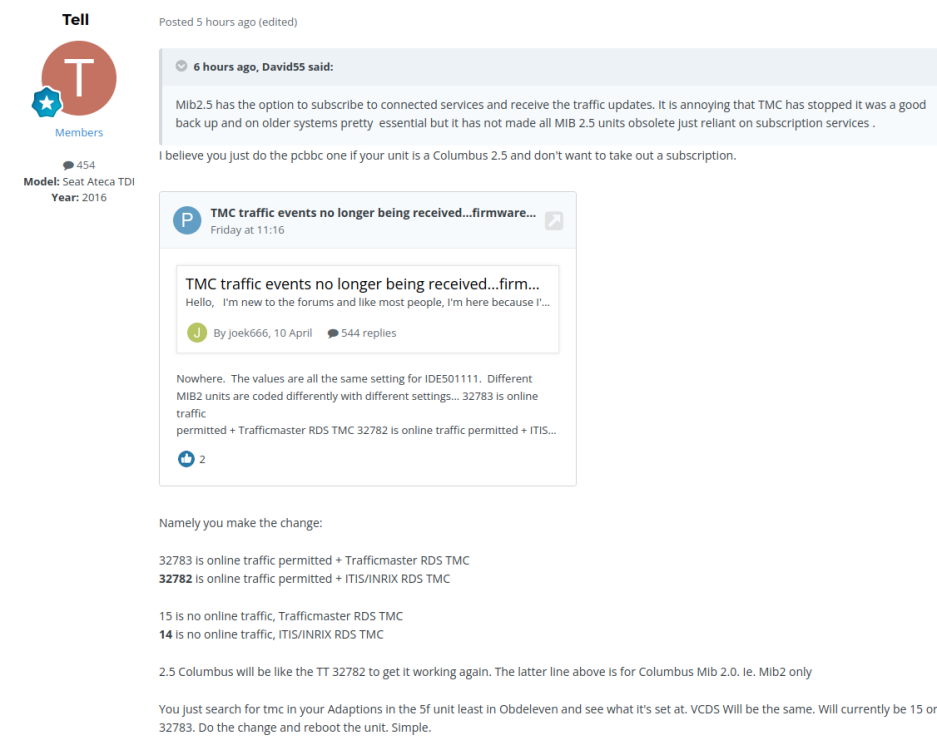
I read this and tried 14 again as per Tell's advice - success! https://www.briskoda.net/forums/topic/512443-tmc-traffic-events-no-longer-being-receivedfirmware-update-required/page/22/
-
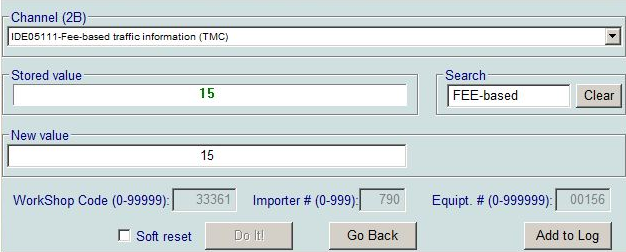
I spoke too soon. The Superb VCDS has a very different stored value, 15 rather than 32783 as the default. I tried 32782, 14 and 16, resetting the MIB in between - none of them worked, so I've given up for now. I did check that Android Auto will display Google Maps on the head unit if necessary. I also spotted after my post that this topic is being followed on another Briskoda thread. It's probably best to watch that one:
-
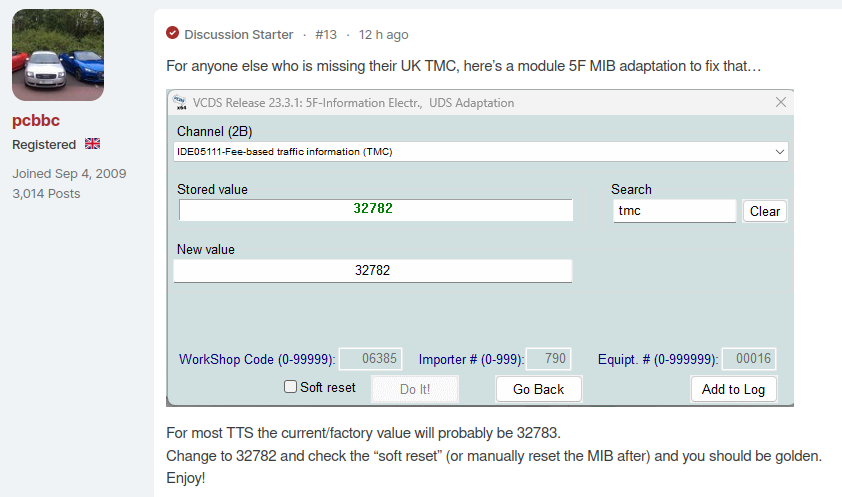
There's a post about this over in an Audi TT forum: https://www.ttforum.co.uk/threads/fixed-rds-tmc-no-longer-working-in-uk.2032197/#post-9622024 In summary, Trafficmaster supplied TMC, but they have stopped providing the service. It affects VW group and many other car manufacturers. However, if you have VCDS, there's a fix that work on the TTs. It enables the alternative VW Audi service instead. I haven't yet tried it on my Superb, but it uses the same maps and software so I expect it will work: As ever, pcbbc has found this. Top man!
-
Years ago, this regularly happened to me when I bent down with the key in my pocket. There are also tales of owners accidently opening everything up from inside buildings at 100m distance from the car park. The solution was to use a craft knife to cut off the remote boot opening button inside the key fob. Problem solved.
-
Thanks from me as well. It only took only a couple of minutes to install them. I used to subscribe to PocketGPSworld, but in recent years it's been a pain to convert them into a usable format, so I recently let the subscription lapse.