




varooom
Resident Member
-
Joined
-
Last visited
Everything posted by varooom
-
Done
-
That picture Software Train installed, should read a full string. I suspect that your storage on board is breaking down, only Pab567 would know if this can be soldered/removed/replaced... Begin budgeting for a new unit, which he can supply as he knows hardware better.
-
If you download the file, then at least you have in hand
-
https://www.briskoda.net/forums/topic/506295-infotainment-system-restarting-endlessly/?do=findComment&comment=5766450 Read this wonderful post by @Jorgeminator if you look at the top, you will see the top few lines are "Customer findings/statements" if you state a few lines from here, that should in theory trigger them to find the correct TPI... but as I have mentioned before, some dealers are poor on training and not everyone seems to be able to do these basics.
-
@Krle Let us fix in 20 minutes what the dealer cannot, I have lost track of how many sent.
-
Yes, to 0369 we shall take you
-
@TheWanderer I suspect after the car has gone into a deep sleep mode, that these final items will be fixed and updated. A few mins with the engine on will replace your battery State of Charge (might be best to do this now before bed)
-
I cannot promise this is a totally accurate answer. Yes this is a Skoda forum, and this is the Karoq section, but we get people asking for SEAT, VW, and Audi updates also from time to time. They won't work as they are coded not to apply on the wrong Software Train, so there's no chance of an accidental cross flashing. The DNA of the firmware is 98-99% the same, so they just need to make some adjustments in the code before they compile it into a working release... clever stuff I guess that the Discovery Pro is comparable to a Columbus yes (AFAIK)
-
Yes, sending now
-
You couldn't wait for 20th of July then, good luck... 🤞
-
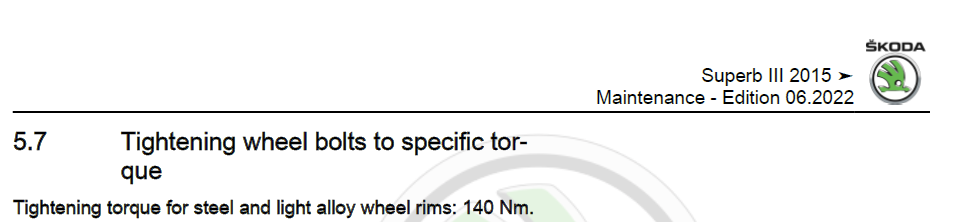
To be fair, not sure it is in the owner manual (like fuse ratings are not listed either) So this came from workshop manuals, handy to have. erWin Skoda and 1hr for about 7 Euro will get this if needed.
-
Yeah I see you used the Bare command, if you use same as me, then we have a good comparison. Fingers crossedNothing beyond 0480 yet.@FnLn You have a Private Message@boardtc Here attached is the output of a directory command, very basic, but if you can run this on your "E: Drive" and output to a text file to compare that would be perfect DIR /S To output to a text file, use an existing path, as such X: (for the drive letter first of course) Then this, to output to a text file in that path written DIR /S > C:\Temp\Firmware.txt 0369 full directory and file list 0369.txt@Roby83 I will send this along nowThat's by Private MessageWinRAR as a 30-day trial, though 7-Zip should have been ok. The path of some of the files looked off. I will try to do a command line of the files/by folder so you can do the command to compare.There is that file you mentioned, and a newer one also that might work. The car will not load a firmware it is not supposed to! So if it is blocked, you will be ok.Need to know what current Software Train you have to be able to send the update(s) as there maybe more than one file needed.What a most excellent team effort in helping out the forum members. A reminder to those with 1941 to send in some feedback after a few days and weeks to see how stable this really is 🤝No, that is 0306, but the instructions and word are helpful, they have not provided the data file you need in the link But thank you for verification of your Software Train. The actual release you need is a 2-in-1 package, it has both 0308 and 0324 in a single release. So I will prepare this and send you along a link to load this.





Important Information
Welcome to BRISKODA. Please note the following important links Terms of Use. We have a comprehensive Privacy Policy. We have placed cookies on your device to help make this website better. You can adjust your cookie settings, otherwise we'll assume you're okay to continue.