



Skip to content

Central locking question!
Featured Replies

Ok weird things going on with my central locking and my boot popper!

The drivers side rear lock no longer locks or unlocks - had to strip the door down to unlock it as i had the child lock in it! now the child lock is off i have to reach around the back door pull to unlock the door. My rear lock and window mech carrier isnt riveted in as i was told it would be - its was bolted in! Anyone got any bright ideas how to sort this?

My boot lock no longer pops no matter if i press the button on the remote or trip the boot realease itself - also anyone any bright ideas??

I was thinking about selling my VRS too - as i was tempted by a new Mk2 VRS - still not sure yet - discuss!

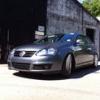
03062010134.jpg

My rear lock and window mech carrier isnt riveted in as i was told it would be - its was bolted in!

It appears earlier cars were bolted and later ones riveted - so at least yours is easier to work on. Sorry - I'm not up enough in locks to advise on the problems - but would note there are several recent threads re the hatch lock...

The lock button inside and on top of the door trim is linked to the door lock by a bent bit of wire and looped into a plastic lock mechanism, if your door has been well used and kids yanking on it, the chances are the wire loop has become detached. This won't be anything to do with the boot lock though. If the 2 are are part of the same fault then I'm guessing it may be an electrical problem

Create an account or sign in to comment

Recently Browsing 0

  • No registered users viewing this page.

Important Information

Welcome to BRISKODA. Please note the following important links Terms of Use. We have a comprehensive Privacy Policy. We have placed cookies on your device to help make this website better. You can adjust your cookie settings, otherwise we'll assume you're okay to continue.

Account

Navigation

Configure browser push notifications

Chrome (Android)
  1. Tap the lock icon next to the address bar.
  2. Tap Permissions → Notifications.
  3. Adjust your preference.
Chrome (Desktop)
  1. Click the padlock icon in the address bar.
  2. Select Site settings.
  3. Find Notifications and adjust your preference.
