



Skip to content

P0672 Glow Plug Circuit code
Featured Replies

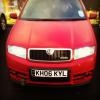
for a week or two now I've had the engine management light on in my VRS, staring me in the face every time I turn the car on.

I've had it on the diagnostic computer and have been presented with the aforementioned code.

P0672 Cylinder 2 glow plug circuit open.

I've looked through its service history and discovered that at every service its had in the past, the glow plugs have been replaced, and in one instance, so was the glow plug relay. So obviously this was an issue for the previous owner as well.

If changing the glow plugs and the relay aren't enough to cure it, then what could it be?

Anybody had a similar experience?

Cheers.

It could just be the timing. My Leon would often throw an intermittent glow plug code if I started the engine just before the light going out (happened quite often in summer as the plugs aren't really needed). I know it was a false positive as benchtesting the plugs with a multimeter would always prove them to be working. The other common fault can be the wiring that goes from the main loom to the glow plugs, I seem to recall this is a fairly simple fix, at least on the ARL engine in my Leon.

The plugs don't need changing at every service (the Leon did over 40k miles for me and up to 60k for previous owners before I had to replace one), so I wonder if some mechanical numpty has mistaken them for the spark plugs on a petrol engine which would normally be done every 10k with an oil change I think?

  • Author

It's not an intermittent code though, it's constant. I cleared the error code and as soon as the engine was restarted, the error code cropped up again, pretty much instantly.

I think the plugs were changed at every service because of this error code. Its even been to a Skoda specialist and they clearly didnt have a clue either. I just hope it isnt an ECU problem, which could be costly.

Pull the plug caps off the glow plugs one at a time, and check you see a voltage at the plug cap whilst the preheat light is on.

Create an account or sign in to comment

Recently Browsing 0

  • No registered users viewing this page.

Important Information

Welcome to BRISKODA. Please note the following important links Terms of Use. We have a comprehensive Privacy Policy. We have placed cookies on your device to help make this website better. You can adjust your cookie settings, otherwise we'll assume you're okay to continue.

Account

Navigation

Configure browser push notifications

Chrome (Android)
  1. Tap the lock icon next to the address bar.
  2. Tap Permissions → Notifications.
  3. Adjust your preference.
Chrome (Desktop)
  1. Click the padlock icon in the address bar.
  2. Select Site settings.
  3. Find Notifications and adjust your preference.
