



Skip to content

Newbie with an Octavia WRC....
Featured Replies

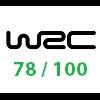
Hi all....I'm Stu and ive just put a deposit down on No. 78/100. Collecting it Saturday and I can't wait...it seems fairly standard with the exception of a s/s powerflow exhaust, forge dv, lowered a tad on springs....it drives well, seems solid and goes well, well as well as it can on a test drive lol.

Was looking for a vrs in the next few months but when this came up local I couldn't turn it down. Still find it mad to think there are only 25 rhd models in the world lol....only thing I would say is I wish they made a bit more effort with the plaque on the dash, something similar to the golf anniversary, the WRC one looks very simple.

Once collected I'll get some photos up etc....looking forward to owning it and seeing some of you at the shows, feel free to come and chat if you see me.

Stu.

Hi and welcome aboard.

Hello Stu and welcome along

Is this to replace your Corrado Stu? One of only 25 cars eh, pretty good.

Some pics would be good.

  • Author

Cheers all.....

Nah, the rado went last year when my wife and I split up.....it was an ongoing project that I would no longer be able to afford.....this is to replace the stop gap sensible mondeo that I've got whilst I sorted everything out........I've now said to myself if I no longer own a house and am having to rent then I'm at least driving around in a car I want to...

I'll get some pics up once I've collected it Saturday.

:)

Edited by Whitedog

welcome to briskoda

  • Author

Cheers all....

Create an account or sign in to comment

Recently Browsing 0

  • No registered users viewing this page.

Important Information

Welcome to BRISKODA. Please note the following important links Terms of Use. We have a comprehensive Privacy Policy. We have placed cookies on your device to help make this website better. You can adjust your cookie settings, otherwise we'll assume you're okay to continue.

Account

Navigation

Configure browser push notifications

Chrome (Android)
  1. Tap the lock icon next to the address bar.
  2. Tap Permissions → Notifications.
  3. Adjust your preference.
Chrome (Desktop)
  1. Click the padlock icon in the address bar.
  2. Select Site settings.
  3. Find Notifications and adjust your preference.
