



Skip to content

vrs discs & pads on a standard 1.2 12v fabia
Featured Replies

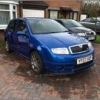
Looking for an easy, cheapish upgrade on my fabia brakes (2006 1.2 12v) i think the standard size is somthing like 255mm so an upgrade to the vrs 288mm should be enough for the immense power of the 64 raging horsies.

Im looking at buying the vrs discs, pads & calipers.

Will i need the caliper carrier to the hub (the bracket on the back of the caliper that holds the whole thing in place, not the carrier that holds the pads onto the caliper) or will my one from the standard brakes fit the standard vrs caliper?

anything els needed?

This will be pretty much what id buy.

http://www.ebay.co.u...=item5d32c47837

Edited by hutchysrs50

Disks, pads, caliper, carrier, hub, ( lines?) and fluid.

  • Author

Hmm, so i would need to change the whole hubs aswell, not just swap the calipers over with new vrs discs and pads :think:

Edited by hutchysrs50

Sadly. Only the vrs and 2.0 had the right hubs from memory.

  • Author

Any other replies or advice please?

Why would you want to uprate the brakes on it out of interest ?

We've got a 1.2 htp which is the equiavalent, 3 cyl 70hp, and the brakes are pretty well suited to the car.

Its got less than half the power of the vrs, it certainly should cope with lesser brakes than the vrs.

  • Author

Why would you want to uprate the brakes on it out of interest ?

We've got a 1.2 htp which is the equiavalent, 3 cyl 70hp, and the brakes are pretty well suited to the car.

Its got less than half the power of the vrs, it certainly should cope with lesser brakes than the vrs.

in simple terms... because i want to really, ive got vrs alloys on so would like the brakes to match. having better brakes cant hurt really haha

Create an account or sign in to comment

Recently Browsing 0

  • No registered users viewing this page.

Important Information

Welcome to BRISKODA. Please note the following important links Terms of Use. We have a comprehensive Privacy Policy. We have placed cookies on your device to help make this website better. You can adjust your cookie settings, otherwise we'll assume you're okay to continue.

Account

Navigation

Configure browser push notifications

Chrome (Android)
  1. Tap the lock icon next to the address bar.
  2. Tap Permissions → Notifications.
  3. Adjust your preference.
Chrome (Desktop)
  1. Click the padlock icon in the address bar.
  2. Select Site settings.
  3. Find Notifications and adjust your preference.
