



Skip to content

Hello!

Featured Replies

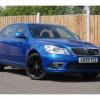
Hi! Just joined the forum, and I'm due to pick up my 06 plate Octavia VRS tomorrow - very excited!

I will update when I've got my grubby little mitts on it!

Cheers,

Dave

Howdy, welcome! You made a good choice in joining! This is one of the best communities I've come across and easily the best motoring one. Good to have you on board :) enjoy the car!

good evening and welcome to Briskoda!

Hi and Welcome

Hi and welcome aboard.

  • Author

Update - I now have the car, and I have to say, I am absolutely blown away. I love it!!!

Here's to more motoring happiness!!!!

Welcome Dave! (PS... hope the 'PC' relates to your being a cop, and not that you're particularly politically Correct lol!).

You'll have a blast with the VRS ........... so (06) plate, is that a 1.8T or a 2.0TFSI ?

Welcome! | !emocleW

  • Author

Thanks Longyear!

The nickname is because I work for the police in IT, so my mates thought it would be funny.....! :)

It's a 2.0 :D

Thanks Longyear!

The nickname is because I work for the police in IT, so my mates thought it would be funny.....! :)

It's a 2.0 :D

Oh very nice... B) ...... Ok, I'll give you a week, and like me (I'm 2 weeks into VRS ownership), you'll be going for the remap! ...... I'm no raceboy on the roads, but feeling that extra potential under your right foot is amazing... But of course, the 2.0TFSI is a great engine as stock.

Have fun!

Create an account or sign in to comment

Recently Browsing 0

  • No registered users viewing this page.

Important Information

Welcome to BRISKODA. Please note the following important links Terms of Use. We have a comprehensive Privacy Policy. We have placed cookies on your device to help make this website better. You can adjust your cookie settings, otherwise we'll assume you're okay to continue.

Account

Navigation

Configure browser push notifications

Chrome (Android)
  1. Tap the lock icon next to the address bar.
  2. Tap Permissions → Notifications.
  3. Adjust your preference.
Chrome (Desktop)
  1. Click the padlock icon in the address bar.
  2. Select Site settings.
  3. Find Notifications and adjust your preference.
