



Skip to content

My Octavia vRS

Featured Replies

About time I made a thread for mine - progress and mods will be slow but wanted to start with a thread because I've just cleaned the engine bay.

Car Spec is a Standard Yellow VRS

When I bought it

64k Mileage

FSH

Rear Parking Sensors

yelo4.jpg

yelo1.jpg

yelo.jpg

And yesterday i cleaned the engine

DSC_0099.jpg

I cleaned, Clayed, Polished and Sealed the car too but didn't get chance for pics when i did that, the pics above are from the previous owner.

Will update this thread as and when

looks tidy bud. :)

another car in a.proper colour! shame whoever fitted the parking sensors didn't paint them but as above does look tidy

the way forward is yellow nice clean vrs mate

  • Author

another car in a.proper colour! shame whoever fitted the parking sensors didn't paint them but as above does look tidy

Thanks for the comments, the previous owner thought they were standard but didn't really know to be honest, is there a way of finding out if they were on the options list for the car when it was bought?

No original receipt from the dealer im afraid in the papers

Looks nice :D

Mine are standard and came body coloured. So I suspect yours were aftermarket.

Tidy motor

In the best colour :rofl:

Got parking sensors on mine and they are colour coded.

  • 5 weeks later...
  • Author

Couple more pics, gave it a clean and wax

skoda5.jpg

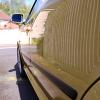
and the best reflection shot I could get

DSC_0007.jpg

Oooooo reflections

I likey :)

Create an account or sign in to comment

Recently Browsing 0

  • No registered users viewing this page.

Important Information

Welcome to BRISKODA. Please note the following important links Terms of Use. We have a comprehensive Privacy Policy. We have placed cookies on your device to help make this website better. You can adjust your cookie settings, otherwise we'll assume you're okay to continue.

Account

Navigation

Configure browser push notifications

Chrome (Android)
  1. Tap the lock icon next to the address bar.
  2. Tap Permissions → Notifications.
  3. Adjust your preference.
Chrome (Desktop)
  1. Click the padlock icon in the address bar.
  2. Select Site settings.
  3. Find Notifications and adjust your preference.
