



Skip to content

paint codes - please help
Featured Replies

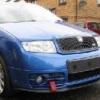
Hello all, i'm looking for paint codes to tidy up a few parts of my car and my girlfriend's car.

What I'm after are the paint codes for Fabia SE Race Blue, standard wheel silver (I'm sure i read on here it was Audi L1H7), the dark green that comes on the vRS badges and lastly the dark silver for Seat Ibiza FR wheels/mirrors?

Any help would be greatly appreciated.

Kevin

look on the bodywork under boot carpet near the spare wheel, the paint codes should be on a sticker in and around there.

If not itll be maybe on the front of one of the shock absorber housings under bonnet

  • Author

will that not just give me the Race Blue colour? I can get that and i'll post it up but the others i doubt i'll get from the manufacturer stickers

yes thats for the paint code of the car only.

wouldnt know how to get other codes

Most paint places know where to look for the codes . If you trust them enough to mix the paint, at least trust them to know where to look.

  • Author

the thing is, there are no codes on things like the wheels and mirror caps (which come pre-painted) so ican't get the codes to hand.

  • Author

this thread - http://www.briskoda....oem-paint-code/ - is the type of thing i'm after, got the Race Blue sorted and from that thread Audi L1H7 is the silver for the vRS wheels but the Seat silver is different (i'll ask on a Seat forum) and i'm still looking for the code for the dark green for the "V" part of the vRS badge.

Edited by Kevin_Mc

Create an account or sign in to comment

Recently Browsing 0

  • No registered users viewing this page.

Important Information

Welcome to BRISKODA. Please note the following important links Terms of Use. We have a comprehensive Privacy Policy. We have placed cookies on your device to help make this website better. You can adjust your cookie settings, otherwise we'll assume you're okay to continue.

Account

Navigation

Configure browser push notifications

Chrome (Android)
  1. Tap the lock icon next to the address bar.
  2. Tap Permissions → Notifications.
  3. Adjust your preference.
Chrome (Desktop)
  1. Click the padlock icon in the address bar.
  2. Select Site settings.
  3. Find Notifications and adjust your preference.
