



Skip to content

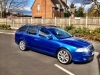
my 2007 fsi vrs estate
Featured Replies

hi all ive just been to my mate at autobrite direct and he has done me a full enhancement on my car so i thought i would share with you all. these pics are before i had the kw v1's on today so will update with more pics tomorrow.

post-43809-0-00763100-1344291041_thumb.jpg

post-43809-0-66024600-1344291051_thumb.jpg

post-43809-0-44968600-1344291060_thumb.jpg

post-43809-0-80891400-1344291069_thumb.jpg

post-43809-0-43465100-1344291077_thumb.jpg

post-43809-0-11664600-1344291088_thumb.jpg

:)

Sssshhh

Lam it :)

Look forward to pics mate, decked estates look cool .......... Do us proud

Deck

Deck

Deck :)

And remember a little rub now 'n' then never hurt anyone ;)

Edited by Lloyd55vrs

  • Author

haha its not that low as its still used for family car but its gone down a substantial amount :)

haha its not that low as its still used for family car but its gone down a substantial amount :)

We shall see :D

Wu ha ha !!!

Looking Forward to pics mate :)

If its not down you could always go for kicking the rims out ;) tehe

  • 1 month later...
  • Author

Well here it is with kw coilovers on and my new miltek exhaust!! Think it could go lower but not sure yet

post-43809-13471795282456_thumb.jpg

post-43809-13471795564643_thumb.jpg

post-43809-13471795793728_thumb.jpg

post-43809-13471796006607_thumb.jpg

Looks cool :)

But i know what would be even cooler ;)

Down

Down

Down :D

Looking good tho fella :)

Create an account or sign in to comment

Recently Browsing 0

  • No registered users viewing this page.

Important Information

Welcome to BRISKODA. Please note the following important links Terms of Use. We have a comprehensive Privacy Policy. We have placed cookies on your device to help make this website better. You can adjust your cookie settings, otherwise we'll assume you're okay to continue.

Account

Navigation

Configure browser push notifications

Chrome (Android)
  1. Tap the lock icon next to the address bar.
  2. Tap Permissions → Notifications.
  3. Adjust your preference.
Chrome (Desktop)
  1. Click the padlock icon in the address bar.
  2. Select Site settings.
  3. Find Notifications and adjust your preference.
