



Skip to content

Dacia Logan is Huge!
Featured Replies

Parked close to one the other day, it is taller than a mercedes C-Class (current version), nearly as long and as wide. It looks like a NIssan Tiida but bigger.

If that's anything to go by the Dacia Sandero might be Golf size rather than Polo size?

Seen loads of Sanderos in Europe, they're not quite Golf sized but seem maybe a bit bigger than a Polo? (Although it could just be the height:length:width ratios playing games on me.)

Didn't think the Logan was that big, but then never really studied a stationary one.

Is it one of these type things?

never seen one in the flesh,

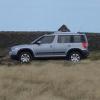
but i can see how it would make a Yeti owner feel short changed, inches wise.

george

More comparible to a Roomster in both concept and size.

Ahh, so it is, just not so ugly!

  • Author

That one is even bigger! The one I saw was a standard sedan version. but still huge for what it is.

#Postman pat, Postman Pat#

They are very popular on the continent (particularly France and Germany) as cheap, roomy family workhorses.Something had to replace the old Citroen/Peugeot big estates and this is it. I don't know how they will fair here in this badge/image obsessed country but I love the concept. I think we need more cars like this.

Edited by Matt Bodycombe

I have to promote these cars!!! Hahaha work for Renault the duster (qashqai) and sandero (Clio) I'm sick of hearing about em lol x

Think they will sell big time myself: do the job, good price, proven mechanicals...

Create an account or sign in to comment

Recently Browsing 0

  • No registered users viewing this page.

Important Information

Welcome to BRISKODA. Please note the following important links Terms of Use. We have a comprehensive Privacy Policy. We have placed cookies on your device to help make this website better. You can adjust your cookie settings, otherwise we'll assume you're okay to continue.

Account

Navigation

Configure browser push notifications

Chrome (Android)
  1. Tap the lock icon next to the address bar.
  2. Tap Permissions → Notifications.
  3. Adjust your preference.
Chrome (Desktop)
  1. Click the padlock icon in the address bar.
  2. Select Site settings.
  3. Find Notifications and adjust your preference.
