Skip to content

Cracked N/S/R light cluster

Featured Replies

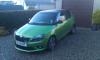
Happy New Year to all. Managed to crack the light cluster when reversing, only a hair line crack but noticeable. My question is any advice on where to purchase a new one preferably a genuine Skoda part, had a look at Eurocar parts but unsure if genuine, also how easy is it to replace.

Rear cluster doodle to change

Open boot remove plastic cover

Theres a screw handle undo this (might be a bit stiff if you havent ever undone it before)

And make sure your holding the light pushing towards car will.make it a bit easier to undo

And thats it disconnect the plug an its out.t

Might have to give the cluster a bit of a wiggle to lossen up from the bodywork and pull out

Refitting involves

Putting plug in to cluster

Slotting light into the holes and the screwing in making sure to hold and position how you want because it can sit differently

Of you find what i said difficult if tou find the rear bumper removal guide ahould also mention in there about light cluster removal

Try a breakers yard/car dismantlers. Plenty are now on the web so can be easily accessed.

My local one was breaking a Mk2 vRS but as I'm on the south coast and you're in Scotland possibly not the nearest but i suspect they may post if suitable.

http://www.silverlake.co.uk/breakers/details/2010/skoda/fabia/vrs+s-a/petrol/hatchback/green/automatic/bc9348/

Not sure what removed means in the discription in whether it is sat on a shelf waiting for someone to buy or whether it means removed and therefore sold.

JT

£50 tops eBay hundreds there

Create an account or sign in to comment

Recently Browsing 0

  • No registered users viewing this page.

Important Information

Welcome to BRISKODA. Please note the following important links Terms of Use. We have a comprehensive Privacy Policy. We have placed cookies on your device to help make this website better. You can adjust your cookie settings, otherwise we'll assume you're okay to continue.


Account

Navigation

Configure browser push notifications

Chrome (Android)
  1. Tap the lock icon next to the address bar.
  2. Tap Permissions → Notifications.
  3. Adjust your preference.
Chrome (Desktop)
  1. Click the padlock icon in the address bar.
  2. Select Site settings.
  3. Find Notifications and adjust your preference.