



Skip to content

VRS newbie with a quick question
Featured Replies

Hi guys,

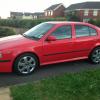
Just picked up a lovely 52 plate VRS Octavia.

All is well, meticulous history, drives as i believe it should.

However, after two lengthy test drives and having parted with my cash the EML has decided to show up - god damn in.

The car is still running as I believe it should.

I do intend to put the OBD II reader on it later - but an early heads up would be very much appreciated.

What are the likely/common causes?

I.e - likely to be a cheap fix?

Can the car be run safely in the meantime?

Thanks in advance

Edited by czechitout

The best advice Anybody could give is get it scanned before you drive it the engine management light could mean so many things so I'd steer on the side of caution that light bites unfortunately

Hope it's an easy fix

EML could be caused by any of dozens of faults so you need to get diagnostics on it.

Don't buy a code reader as there are a lot of codes they don't recognise. If you have a laptop running windows buy an OBDII cable off ebay (£15ish) & download VCDS lite (Free) from the Ross Tech site.

Edited by pauldazzle

  • Author

many thanks for the above. Code has been removed and not come back so far. OBDII reading was P1296 - cooling system malfunction.

Now the temp gauge reads a little low for my liking. So, I am thinking thermostat or coolant temp sensor?

Temp sensor is a common fault, recommend getting genuine sensor if you get one.

My old temp sensor intermittently threw up a fault code before I changed it

  • Author

thankyou guys - appreciate it

Create an account or sign in to comment

Recently Browsing 0

  • No registered users viewing this page.

Important Information

Welcome to BRISKODA. Please note the following important links Terms of Use. We have a comprehensive Privacy Policy. We have placed cookies on your device to help make this website better. You can adjust your cookie settings, otherwise we'll assume you're okay to continue.

Account

Navigation

Configure browser push notifications

Chrome (Android)
  1. Tap the lock icon next to the address bar.
  2. Tap Permissions → Notifications.
  3. Adjust your preference.
Chrome (Desktop)
  1. Click the padlock icon in the address bar.
  2. Select Site settings.
  3. Find Notifications and adjust your preference.
