



Skip to content

Yaz fabia vrs

Featured Replies

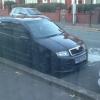
Cupra splitter , p torque map, lowered on 35mm , hid lights, full tints, gun metal grey wheels

post-88338-0-80604700-1366300302_thumb.jpg

  • Author

Heko wind deflectors, pioneer CD player, upgraded intake

  • Author

Cheers

Hint of sarcasm perhaps?

I've spotted you around oldham a few times, just couldn't remember your reg to give a flash. Seen quite a few fabia vrs' driving around our area recently, yours, silver with black alloys and a red one.

And the point to this thread is......

It seems to be pride, and to show off his work

Picture taken with the new HD Potato 3

Edited by Harry1212

  • Author

It's how I've started it and what I'm going to do hybrid turbo next, if you don't like it don't post simple

Nice one codroe

Lgm yh has the red one got spiders ?

it has indeed! Black if i remember correctly.

  • Author

Yh I don't think he's on the forum, there's a couple of fabias around now

Why not stick up some better pictures? :) sounds like a cool couple of mods fitted.

Ignor the ones trying to make a funny. Good way to introduce someone to a forum...

  • Author

Going to get it washed today n get some pictures taken , cheers bud you always get the individuals coming out with sarcasm oh well

if you don't like it don't post simple

I don't think there's anyone on here who doesn't like it, it's just the photo

Go outside and take some proper pictures of it :happy:

Create an account or sign in to comment

Recently Browsing 0

  • No registered users viewing this page.

Important Information

Welcome to BRISKODA. Please note the following important links Terms of Use. We have a comprehensive Privacy Policy. We have placed cookies on your device to help make this website better. You can adjust your cookie settings, otherwise we'll assume you're okay to continue.

Account

Navigation

Configure browser push notifications

Chrome (Android)
  1. Tap the lock icon next to the address bar.
  2. Tap Permissions → Notifications.
  3. Adjust your preference.
Chrome (Desktop)
  1. Click the padlock icon in the address bar.
  2. Select Site settings.
  3. Find Notifications and adjust your preference.
