



Skip to content

Mine's slipped down a week!
Featured Replies

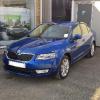
Oh no!!, just had email from Phil at Vindis Skoda, my car now showing build week 20, was showing 19!!!

Oh no, nightmare! Hortons advised me on Wed that mine still scheduled for build this week, that is the same week they told me the week after order went in which was the Tues after launch weekend. I wonder if it's the interior colour thats causing your delay, I would imagine the black interior is more common so perhaps you have to wait until they get a few beige orders to push through a batch, not sure if they mix production runs or batch them?

My car is build week 1st week of May, delivery estimated by my dealer - end of May.

  • Author

Oh no, nightmare! Hortons advised me on Wed that mine still scheduled for build this week, that is the same week they told me the week after order went in which was the Tues after launch weekend. I wonder if it's the interior colour thats causing your delay, I would imagine the black interior is more common so perhaps you have to wait until they get a few beige orders to push through a batch, not sure if they mix production runs or batch them?

Could be something like that, I ordered weekend before launch, was originally told build week 19, 10th May mentioned, (I assumed build date), & dealer estimated delivery, end of May!

Took about 4 months for Skoda to build and deliver my Fabia vRS back in 2011; doesnt look like an awful lot has changed!

I think 12 weeks from order to delivery is standard without any backlog

  • 2 weeks later...
  • Author

Confirmed today, build wk20 13th May, expected June!!

In the mean time, dealership contacted me to remind me my 12 reg Mk2 is coming up due for it's first service,

& the road tax renewal dropped through the letterbox yesterday!! Gonna cost me £57.75 for 6mths, I'll be claiming it back!!

Edited by DJD66

Create an account or sign in to comment

Recently Browsing 0

  • No registered users viewing this page.

Important Information

Welcome to BRISKODA. Please note the following important links Terms of Use. We have a comprehensive Privacy Policy. We have placed cookies on your device to help make this website better. You can adjust your cookie settings, otherwise we'll assume you're okay to continue.

Account

Navigation

Configure browser push notifications

Chrome (Android)
  1. Tap the lock icon next to the address bar.
  2. Tap Permissions → Notifications.
  3. Adjust your preference.
Chrome (Desktop)
  1. Click the padlock icon in the address bar.
  2. Select Site settings.
  3. Find Notifications and adjust your preference.
