



Skip to content

Timming Belt - Replacement
Featured Replies

Hi All,

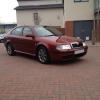
New driver - Novice here, i purchased a Octavia MK1 L+K but not sure when the timming belt was last done, any way of checking this or is this not possible unless you take it out?

Although ive read on forums 4years or 60k miles some say 80k miles but i needed to know when to change this without changing the belt for no reason if its been changed previously. Last owner was trade and they took it in p/x so are unsure about when it was done.

Second thing is a hear a loud clunk everytime i turn the steering - parked of course. Full circle left or right makes a loud clung like a spring noise any ideas?

Your thoughts would be most appreciated.

Octys are quite prone to the front springs breaking, that could be your noise

Sent from my GT-I9300 using Tapatalk 2

Personally, if i had no history of a cambelt change on a car (with sufficient miles on it). I would change it.

There is no way to tell how long it's been on by looking at it. They look completely fine until they fail so if you don't know change it along with the water pump

Double post

Edited by Frisco

Definatly get the timing belt done, along with the water-pump and tension-er.

  • Author

Thanks guys - I took it to the garage raf spot on about springs. :)

I guess i will have to get it done, i was trying to work out from 60k it was last done speaking to Skoda. So i would assume next one due 120K,160K, 220K

But do you guys know if the timing belt can last beyong 60k, as most other cars go on for about 80K until you change it. Its a 1.9 TDI ASV (non pd) engine if that helps.

Kool thought it'll be a broken spring

I'd stick to 60k, too much of a risk to go any further

Sent from my GT-I9300 using Tapatalk 2

  • Author

Thanks guys just got it serviced and timing belt changed with tensioners and water pump plus two front springs. Drives alot better. Although 110 feels sluggish on top end.

Create an account or sign in to comment

Recently Browsing 0

  • No registered users viewing this page.

Important Information

Welcome to BRISKODA. Please note the following important links Terms of Use. We have a comprehensive Privacy Policy. We have placed cookies on your device to help make this website better. You can adjust your cookie settings, otherwise we'll assume you're okay to continue.

Account

Navigation

Configure browser push notifications

Chrome (Android)
  1. Tap the lock icon next to the address bar.
  2. Tap Permissions → Notifications.
  3. Adjust your preference.
Chrome (Desktop)
  1. Click the padlock icon in the address bar.
  2. Select Site settings.
  3. Find Notifications and adjust your preference.
