



Skip to content

R Tech remap 29th May :D 209hp/225tq
Featured Replies

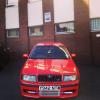
Booked my Octavia Vrs in at Rtech for 29th May! Wanted to go in today, but they are fully booked til the 29th :(

I'm getting a stage 1 remap. My previous Octavia Vrs, it had a Revo remap on it, would anyone tell me how both maps compare?? Thanks :)

Stage 1 there is never huge differences

You get the big difference on the stage 2 mapping with correct mods

post-100537-13680133995383_thumb.jpg This was mine last month. Standard down pipe restricts it a bit, but it's a very smooth delivery now. Good choice

Sent from my iPhone using Tapatalk

post-100537-13680133995383_thumb.jpg This was mine last month. Standard down pipe restricts it a bit, but it's a very smooth delivery now. Good choice

Sent from my iPhone using Tapatalk

Man! that is a good amount of torque!

Lots of smiles when driving :)

Sent from my iPhone using Tapatalk

  • 3 weeks later...
  • Author

Well had my remap today :-) Good and bad news :-(

I'll Start with the bad;

209bhp/225tq

The low torque figure is because the clutch was slipping at 240-250ish torque, so Nick had to pull the torque down.

Boost is between 1.0-1.3bar.

Also Nick found there to be ignition pull, which could be down to spark plugs, timing or fuel. (I filled it up with VPower)

So to do list;

Check timing,

Replace clutch sometime soon,

Change spark plugs ASAP,

And fit a decat as Nick suggested this vastly improves the car.

Go back for a dyno session to improve the torque figure.

Good news;

Compared to my previous Octy Vrs which was Revo remapped, my current Rtech Vrs pulls alot stronger above 3000rpm, power delivery is very smooth, and there are no boost surges. Overall feels alot more responsive.

Nick and the team are amazing guys to chat to, great customer service, and gladly happy to help with any queries or questions concerning the map, or in general about 1.8Ts etc.

I arrived to Rtech with a Forge Split R on, and Ben had told me, all the forge dump valves are gimics, and instantly swapped over my original stock DV. Nick confirmed later, that the Forge Split R, Forge 007 etc, are no better and infact worse than stock DVs. He said that he had a 1.8T running over 400bhp with a stock DV. He also said there are no gains with CAI, and air filters, and the standard panel filter, or an uprated panel filter is more than sufficient, and infact better.

I asked him about the clutch replacement, and I suggested changing to a G60 set up, however Nick said the G60 set up is noisier, and doesn't feel as strong as the OEM clutch. He told me his 400bhp+ 1.8T was on a OEM clutch, and the clutch handled it fine. Nick advised me to just change the clutch to an OEM clutch when the time comes.

Today's been an eye opener, and it's obvious Nick and RTech certainly know their stuff about 1.8Ts etc, and ill be following his advice, contrary to what I've read up elsewhere :-).

All in all, Rtech are highly recommended :-)

Still bummed about the low torque figure :-( lol

I got 210bhp and 247lb/ft on stage 1 rtech map

Mods were - fmic, carbonio + forge 007p

Hi Azzy12, I caught a glimpse of your octy just as you had finished, I was in my work gear and was just about to book in for my stage 2. Shame about your clutch, how many miles has it done?

  • Author

Oh right, was yours the white Golf?? It's done just over 128,000. I was shocked, as I thought the clutch was fine, shows what I know ey?lol Haven't really had a chance to see the full performance gain yet, as it's been raining heavily :-( So not too sure whether I'm going to back once everything's sorted and get it tuned again for more torque..

No my black octy is in storage n process and only comes out for shows and weekends when it's sunny. I parked outside in my van, I had a look at that golf and it may look fast with the bumper cut off for the front mount and the track style wheels ect, but when they popped the bonnet it was abit of a mess to be fair!

Create an account or sign in to comment

Recently Browsing 0

  • No registered users viewing this page.

Important Information

Welcome to BRISKODA. Please note the following important links Terms of Use. We have a comprehensive Privacy Policy. We have placed cookies on your device to help make this website better. You can adjust your cookie settings, otherwise we'll assume you're okay to continue.

Account

Navigation

Configure browser push notifications

Chrome (Android)
  1. Tap the lock icon next to the address bar.
  2. Tap Permissions → Notifications.
  3. Adjust your preference.
Chrome (Desktop)
  1. Click the padlock icon in the address bar.
  2. Select Site settings.
  3. Find Notifications and adjust your preference.
