



Skip to content

work in progress update
Featured Replies

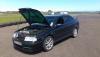
finally got my silicone hoses fitted, ordered some blue hose to replace the green catch can hoses. not sure where im going next lolpost-103861-0-52852000-1388664661_thumb.jpgpost-103861-0-27463800-1388664694_thumb.jpg

Looking cool, buddy. Do you run it like that without the plastic engine cover, lol?!


The only bit of bling I have under my bonnet is a Forge dump valve. Lovely and shiny...my precious..! I was most disappointed when I re-fitted the plastic cover and I couldn't see it anymore! :(

Just ordered some red silicone breathers unfortunately can't see em with the covers on but I'm thinking of ditching the covers and re-spraying the rocker cover anyway.

Edited by chrisw4266

  • Author

Im running with a forge carbon fibre cover, u can see it in the first pic from before i fitted the hoses, i also now have an Audi R8 oil cap.

vrscarl, you know they do bling coolant caps too?

  • Author

todays finished task, painted my airbox, relay box, coolant cap, washer cap and powersteering cap to match the inlet manifold (kermit green VHT) then used some model enamel paint which matches my hoses and a tiny brush to paint the logos on the caps, not the tidiest job but my hands arent very steady lol.


will upload pic tomorrow with it all fitted. also ordered a blue TIP.post-103861-0-36512200-1389382753_thumb.jpg

looking good buddy. Now you just need to come and do mine :rofl:  

Create an account or sign in to comment

Recently Browsing 0

  • No registered users viewing this page.

Important Information

Welcome to BRISKODA. Please note the following important links Terms of Use. We have a comprehensive Privacy Policy. We have placed cookies on your device to help make this website better. You can adjust your cookie settings, otherwise we'll assume you're okay to continue.

Account

Navigation

Configure browser push notifications

Chrome (Android)
  1. Tap the lock icon next to the address bar.
  2. Tap Permissions → Notifications.
  3. Adjust your preference.
Chrome (Desktop)
  1. Click the padlock icon in the address bar.
  2. Select Site settings.
  3. Find Notifications and adjust your preference.
