



Skip to content

Black vrs pics

Featured Replies

I don't care, if you have fogs, why not use them? Is it illegal or something? Here come the fog light ballbags.

Sent from my iPhone using Tapatalk


I've got a horn, why not use that constantly  :love:

  • Replies 57
  • Views 7.5k
  • Created
  • Last Reply

Top Posters In This Topic

Most Popular Posts

Posted Images

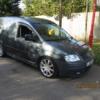
I was in a secluded place with no one around, only time I do use my fogs is for photos and when it's foggy, I do know how to drive. And actually it's a £60 fine. But whatever, I don't care, I like it, judgemental ****ers!

Sent from my iPhone using Tapatalk

I was in a secluded place with no one around, only time I do use my fogs is for photos and when it's foggy, I do know how to drive. And actually it's a £60 fine. But whatever, I don't care, I like it, judgemental ****ers!

Sent from my iPhone using Tapatalk


Yes its illegal to use them unless visibility deteriorates and you can't see more then 100 metres.  You know how to drive but lack information on your come backs. 


You post anything online you will get judged, its life. 

The op asked for pics of Black vRS's, your picture's show absolutely none of the car lol

te7aqu4u.jpgyhuzu3ym.jpg

Happy:)?

Sent from my iPhone using Tapatalk

Well they'll certainly be more use for someone deciding what to do with his car :D 


Nice Fabia though, clean and subtle. 

I was in a secluded place with no one around, only time I do use my fogs is for photos and when it's foggy, I do know how to drive. And actually it's a £60 fine. But whatever, I don't care, I like it, judgemental ****ers!

Sent from my iPhone using Tapatalk


Actually its £50. My apologies. Its changed since I left the force.

  • 3 weeks later...
  • Author

Grill colour coded, calipers painted and new style skoda badges/wheel centres on,may add a front spitter and some light tints on the rear but want to keep it looking as oem as possible 


0d13efab-6951-41ca-9d78-ba9f41fc0906_zps

Edited by jays

Create an account or sign in to comment

Recently Browsing 0

  • No registered users viewing this page.

Important Information

Welcome to BRISKODA. Please note the following important links Terms of Use. We have a comprehensive Privacy Policy. We have placed cookies on your device to help make this website better. You can adjust your cookie settings, otherwise we'll assume you're okay to continue.

Account

Navigation

Configure browser push notifications

Chrome (Android)
  1. Tap the lock icon next to the address bar.
  2. Tap Permissions → Notifications.
  3. Adjust your preference.
Chrome (Desktop)
  1. Click the padlock icon in the address bar.
  2. Select Site settings.
  3. Find Notifications and adjust your preference.
