



Skip to content

N7EJA's Octavia vRS Limited Edition no.339/500 (+old WRC no.73)
Featured Replies

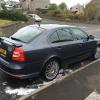
Here is a few pics of my new Octavia vRS limited edition no.339. Havent got my documents home for my personal plate but hopefully home soon. All I have done so far is stick a new Limited Edition badge on the tailgate and fit mudflaps. Up next is to fit HIDs and maby get the rear windows tinted and possibly a K&N Typhoon induction kit. As its a family car that's as far as the mods will go. I have previously had 2 Octavia vRS's both mk1s and one being the vRS WRC Limited Edition no.73. So this is my 3rd Octavia vRS and 2nd Limited Edition model .


A48FF65C-2CAB-4BFA-984E-FF9DD8315100.jpg


72EC3521-E318-4FA9-AA24-6D2235599384.jpg


70A83AE7-E241-49A0-A781-B16BF65C8422.jpg


F3613A86-83A4-4D9A-9681-58529862D8B7.jpg


2DBD529D-17C0-4C83-9893-B3708FD0AA81.jpg


0BBD39D0-1F5D-4807-A86D-37B670D1E1BC.jpg


30C7359A-EC46-498C-BC9A-EC633A974D39.jpg


old vrs

Photo0001.jpg


old wrc

DSC00110.jpg


DSC00324.jpg


306468101a11712147649l.jpg

It looks very clean, are your wheels buckled or are they all fine?

  • Author

all spot on from what I can tell. All look pretty mint

Mine are terrible, will be refurbing them once I get new wheels. Will use my LE wheels for winter use then.

You car looks like a really good example too.

  • Author

just 31k on the clock and not a mark on it very happy with it. Went from a 2009 Mondeo Titianium X 2.0tdci to this

Create an account or sign in to comment

Recently Browsing 0

  • No registered users viewing this page.

Important Information

Welcome to BRISKODA. Please note the following important links Terms of Use. We have a comprehensive Privacy Policy. We have placed cookies on your device to help make this website better. You can adjust your cookie settings, otherwise we'll assume you're okay to continue.

Account

Navigation

Configure browser push notifications

Chrome (Android)
  1. Tap the lock icon next to the address bar.
  2. Tap Permissions → Notifications.
  3. Adjust your preference.
Chrome (Desktop)
  1. Click the padlock icon in the address bar.
  2. Select Site settings.
  3. Find Notifications and adjust your preference.
