



Skip to content

TDI cat back exhaust - no change! Will DPF help?
Featured Replies

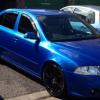
Today I went to get a cat back exhaust fitted on my TDI VRS.

However when it came to trying on different back boxes we ( me and the mechanic ) noticed there was no change in noise.

Ending up in having the middle box removed and having no back box. So literally a completely straight through exhaust system with a nice tail pipe...costing just under £300.

Yes, I may have decreased back pressure & got an extra 1hp ;) but there is NO CHANGE to noise level at all from the OEM...no a deep tone or a burble or nothing. Is this one a petrol car it would be illegal loud.

My question is if I get the DPF taken out, will I finally get some noise from the exhaust?

I was expecting some increased volume levels today after my cat back system especially with no mid box or back box but nope :/

  • Author

* if this was a petrol car....

100% DPF removal (or strip out and put back so its MOT legal) will definitely change the sound.  this will come hand in hand with a remap and push you over the 200bhp mark easy (i suffer wheelspin in 3rd!)

i have a standard system with the DPF stripped and have a nice echoey (if thats how its spelt) sound and wishy turbo on a standard system.  a stainless system would sound awesome!

  • Author

Right! This is rather helpful Lee so thank you very much :)

Have you got a sound clip or video?

Is it loud enough to be heard by other people, people on the paths etc?

Do u have a tdi vrs too?

i don't have clip or video at the moment but can try do one tomorrow.

its subtle as its a standard system jsut dpf hollowed.   because of this, its not "boy racer" just has a different sound.

will try post something up tomorrow.

yes i have a TDI estate

A diesel will never sound good compared to petrol. But removing the DPF will give the biggest improvement.

  • Author

Yes if you could record a video/sound clip I would really appreciate it. Thank you.

Okay Ashely!

Create an account or sign in to comment

Recently Browsing 0

  • No registered users viewing this page.

Important Information

Welcome to BRISKODA. Please note the following important links Terms of Use. We have a comprehensive Privacy Policy. We have placed cookies on your device to help make this website better. You can adjust your cookie settings, otherwise we'll assume you're okay to continue.

Account

Navigation

Configure browser push notifications

Chrome (Android)
  1. Tap the lock icon next to the address bar.
  2. Tap Permissions → Notifications.
  3. Adjust your preference.
Chrome (Desktop)
  1. Click the padlock icon in the address bar.
  2. Select Site settings.
  3. Find Notifications and adjust your preference.
