



Skip to content

Wheel spacer question...
Featured Replies

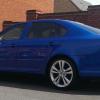
I have these wheel spacers for my car...


hr3_zpsaaca1087.jpg


Now these are 10mm each side, will I need longer bolts to use them safely or will my existing ones be ok as they didn't come with any bolts.


Any help appreciated.

Personally Dan, I wouldn't risk it regardless? you can easily get hold of longer bolts from most tuners... Also, I remember awesome gti sold bolts seperate to spacers...

definitely get longer bolts

  • Author

I'll get some bolts ordered up then, thanks for the replies :)

  • Author

Just looked on Awesome GTI's website and it lists tapered and radius seat bolts, which ones do I need to order? and I guess I just need ones that are 10mm longer than stock to match the spacers? sorry for the stupid questions lol :)

As well as longer bolts you should also get 4 x longer locking wheel nuts to keep the alloys safe! 

t is important to ge the right bolts 10mm longer and look at the seat on the wheels to see if you require radius or tapered.

Radius is for the OEM wheels, most aftermarket wheels are tapered. and Yes 10mm longer than stock would be best

  • Author

Radius is for the OEM wheels, most aftermarket wheels are tapered. and Yes 10mm longer than stock would be best


Ah ok, well its for my standard Neptune alloys so I guess I'll be needing radius bolts.


Just double checked my car and they are radius so I've ordered up a set then hopefully with the new spacers on I'll have no more wheel wobble :)

  • 1 month later...

I have just got the 15mm rear spacers but now need some locking bolts to go with them (Original Neptunes) any recommendations for suppliers please?


Thanks

Mine are www.grayston.biz part LB163. Not sure if these were cut down at all as they were fitted by garage.

They are in Surrey and quite helpful as I found out when a garage lost my key and the original garage had not noted key ref so they had to go through trial and error. They have a lot of variations 50 I think.

Create an account or sign in to comment

Recently Browsing 0

  • No registered users viewing this page.

Important Information

Welcome to BRISKODA. Please note the following important links Terms of Use. We have a comprehensive Privacy Policy. We have placed cookies on your device to help make this website better. You can adjust your cookie settings, otherwise we'll assume you're okay to continue.

Account

Navigation

Configure browser push notifications

Chrome (Android)
  1. Tap the lock icon next to the address bar.
  2. Tap Permissions → Notifications.
  3. Adjust your preference.
Chrome (Desktop)
  1. Click the padlock icon in the address bar.
  2. Select Site settings.
  3. Find Notifications and adjust your preference.
