



Skip to content

New Scout Owner...

Featured Replies

Hi all,


I've been on Briskoda a while now, I've got a mk1 VRS and now a mk 2 Fl Scout... (2011) and have a few questions:


Am I correct in thinking that the car has self leveling head lamps? I cant find the dial to adjust the aim up / down like on other cars I have.. I do know it has the cornering function...


Secondly, does someone have a price list for the options that were available on this model...  Mine seems to have every single option going and was wondering what the exact cost it would have been originally to have those:


DVD / Sat Nav

Leather

Heated seats

Parking sensors front & rear

Polished / Painted wheels

Front DRL's


Thirdly:


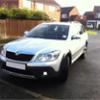
It it possible on this car to have the DRL's Dim when the headlights are on, like on the VRS?  I can't see any options in the on board computer... maybe its a Vagcom only thing??  The DRL's operate when its daytime, and then go off when the headlights are activated either on "auto" mode or when the lights are switched on manually.


Thanks all in advance


Rob


scout_zps51382994.png

  • Author

Thank You that has been most helpful!! and very interesting reading about the options... seems mine has pretty much everything.. Thanks to the previous owner lol

They missed the silver roof rails tick box though :D


The LED DRL's on the Scout are in lieu of the front foglights.


Lot's of Fabia vRS owners (which also use the same DRL's) complain that their DRL's double up as sidelights by dimming. The issue with this is that it looks as though you are driving around with your front fog lights on at night (dipped headlights and dimmer (but still quite bright) DRL's down in the lower bumper) and they get flashed a lot.


The Scout uses the W5W sidelight bulbs in the main headlight cluster and the DRL's go out completely.


I'm sure it may be possible using VCDS to get them to stay on but dimmer but due to the fact that the DRL's on the Scout were a cost option and there are so few of them around no one on here has tried!

  • Author

Ok great.. would anybody know if its possible who has a vag-com / relevant computer thing to do it?


I just think It would look better if they were on all the time like some othe cars...


Overall am pleased with the car..


Bought a DAB converter unit today so I can continue listening to DAB without replacing the dvd / satnav..


Did the Scout have a DAB radio option at all??

If I remember correctly, I asked at the time of ordering the car how much a DAB head unit was fitted extra it was something like £800 so i declined it. Later fitted my own VW headunit with DAB for about £ 200. The polished alloys and rear parking sensors were standard.

  • 4 weeks later...

Your xenon headlight should have AFS II (sec generation) .

It's quite pretty comfortable when driving at night in very dark environment.

You should see the difference when the option from maxidot is enabled.

The all-silver polished alloys were standard, but the grey and silver ones were a cost option.

Rob, lovely car there buddy!

You'll love it!

Cheers,

Dunc

  • Author

Cheers for replies guys..

Still looking for someone with the knowhow to get the front led drls on but dimmer with headlights... if its possible...

Also looking for best roofbars and best priced tow bar non detachable...

Was very lucky to find one with all the options as ive never seen one like it before!

I took the dvd headunit out the other day and noticed there was a spare slot. Video input or cd changer? Id like to put a camera input to the screen if anyone knows how to do it?

Cheers

Rob

Cracking motor there Rob!


Interesting that you have LED DRL's - my 2012 Scout (ex static demonstrator with a lot of kit thrown at it) has foglamps rather than DRL's.  I'm guessing that the DRL's were an option?


Either way, the AFS II are awesome lights, especially on country roads.  I always thought that "lights which shine around corners" sounded gimmicky, but wouldn't be without now :nerd:


Regards


Ian

  • 3 weeks later...
  • Author

Cracking motor there Rob!


Interesting that you have LED DRL's - my 2012 Scout (ex static demonstrator with a lot of kit thrown at it) has foglamps rather than DRL's.  I'm guessing that the DRL's were an option?


Either way, the AFS II are awesome lights, especially on country roads.  I always thought that "lights which shine around corners" sounded gimmicky, but wouldn't be without now :nerd:


Regards


Ian

Hi Ian..


I actually prefer the cornering function off.. but they are nice and bright so do illuminate things well..


I do believe the DRL's were an option... and I think mine has all of them ... I've never seen another one with all this kit..


One thing I have noticed.. that the Aux input sometimes stopes working, so you have to go into the settings, and deactivate / reactivate the aux input... doesn't happen very often but a bit annoying at times... and being able to read text messages on the little screen behind the wheel is good too....


Am just enjoying the great economy... seat warmers (which I didn;t think I'd enjoy but love!!) and the all round well built quality.. The VRS is parked up on the drive awaiting some work once the weather warms up a bit...


Rob

  • 1 month later...

The aux doesn't show messages/ info from input device in the maxidot. Only the mdi interface (in the passenger's bonnet) has this ability.

The kind of cornering May be disabled via VAGCOM or vcds. ..

Create an account or sign in to comment

Recently Browsing 0

  • No registered users viewing this page.

Important Information

Welcome to BRISKODA. Please note the following important links Terms of Use. We have a comprehensive Privacy Policy. We have placed cookies on your device to help make this website better. You can adjust your cookie settings, otherwise we'll assume you're okay to continue.

Account

Navigation

Configure browser push notifications

Chrome (Android)
  1. Tap the lock icon next to the address bar.
  2. Tap Permissions → Notifications.
  3. Adjust your preference.
Chrome (Desktop)
  1. Click the padlock icon in the address bar.
  2. Select Site settings.
  3. Find Notifications and adjust your preference.
