



Skip to content

quiet reverse sensor speaker
Featured Replies

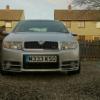
The reverse speaker in my fabia vrs has gone really quiet. Has anyone had trouble like this before or know how to fix. Cheers

I dont think fabias come with a reverse speaker :think: ... you might have a speaker reverse bulb in?

  • Author

I've got reverse sensors With interior beeper in the back. Still works but extremely quiet.

I've got reverse sensors With interior beeper in the back. Still works but extremely quiet.


Ahhright it see!  :angel:  I thought ya meant like a random reverse beeper haha!


'Danger - Fabia is reversing!' :D

  • Author

I thought that's what you meant . Although it would be hilarious lol.

My se had a buzzer buld in when I bought it but lasted as long as it took me to get to halfords for a bulb the next day. The most annoying addition anyone could ever concider doing to a small car

  • Author

So this could be a problem with the bulbs. I put led reverse bulbs in a while back like.

  • Author

Speaker must be knackered then I suppose

Are they aftermarket ones? Maybe the speaker has dislodged and fallen down a bit? Try and find it, see if there's enough slack in the cable and put it in the driver side B pillar, that's where I put mine.

  • Author

I'm not entirely sure. They came with the car brand new as far as I'm aware and I'm the second owner. The speaker cable runs from the bumper, past the light bulbs, inside all the interior panels to the speaker/bleeper in the middle of the roof at the boot. I'll have a look tonight. Maybe the cable has a break in it.

  • Author

Went to skoda. Turns out it is factory fitted and will cost £200 not including fitting for a new one. I'll do without lol.

Create an account or sign in to comment

Recently Browsing 0

  • No registered users viewing this page.

Important Information

Welcome to BRISKODA. Please note the following important links Terms of Use. We have a comprehensive Privacy Policy. We have placed cookies on your device to help make this website better. You can adjust your cookie settings, otherwise we'll assume you're okay to continue.

Account

Navigation

Configure browser push notifications

Chrome (Android)
  1. Tap the lock icon next to the address bar.
  2. Tap Permissions → Notifications.
  3. Adjust your preference.
Chrome (Desktop)
  1. Click the padlock icon in the address bar.
  2. Select Site settings.
  3. Find Notifications and adjust your preference.
