



Skip to content

rollover octavia 4x4 mk2
Featured Replies

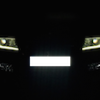
Hi I thought i just make a new tread about my octavia 4x4 project since i just can´t stop modding it. I need to keep track of my mods, and might as well  share some ideas and maybe get some new ideas along the way.  


Here is what i have done so far:


Tweeter resistor mod to tame the terrible treble sound.

Aux adaptor to the stream head unit.

Black Superskoda badgeless grille

Superskoda vind/rain deflectors

New Inter Action Saphire Silver 7,5x17 rims and 225/50R17 summer tires for extra ground clearance and looks.

Black tape on headlight corners as a test.


What to do:


Custom make headlight corner plastic pieces.

Install White/Amber tube swichback headlight led strip. White for DRL and amber for sidelights.

Install superskoda plastic fender flares, 4x4 door still covers and rear bumper protective panel.

Make a rooftop tent out of a ski guard 850 skibox.


and..and maybe Plastidip the hole car :notme:


rollover New wheels 225/50R17

Edited by rollover

  • 9 months later...

Link not working.

Sent from my D5803 using Tapatalk

  • Author

I got a good price for a little bigger hardshell rooftop tent so the ski guard 850 project vent out for now. However i think the skiguard 850 skibox would look better on the car but it will be to small for two persons unless .... so will see maybe someday i make one.


I also changed the steam radio for a Kenwood (much better sound), and put some smoke film on the tail ligths and on a  red reflexstrip on the rear door.


New link: https://goo.gl/photos/8uzbxTAAtakSTraj7

Edited by rollover

  • 1 year later...

Could you provide some details about the hardshell rooftop tent? It looks the goods!

Create an account or sign in to comment

Recently Browsing 0

  • No registered users viewing this page.

Important Information

Welcome to BRISKODA. Please note the following important links Terms of Use. We have a comprehensive Privacy Policy. We have placed cookies on your device to help make this website better. You can adjust your cookie settings, otherwise we'll assume you're okay to continue.

Account

Navigation

Configure browser push notifications

Chrome (Android)
  1. Tap the lock icon next to the address bar.
  2. Tap Permissions → Notifications.
  3. Adjust your preference.
Chrome (Desktop)
  1. Click the padlock icon in the address bar.
  2. Select Site settings.
  3. Find Notifications and adjust your preference.
