



Skip to content

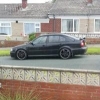
2006 Octavia VRS 2.0 TFSI hatch red *58k miles* LOOK
Featured Replies

2006(06) Octavia VRS 2.0 TFSi
 
I have owned this car for 2 years and I'm only selling due to finding a 09 plate VRS limited edition coming up for sale and I've wanted one for a while. Very reluctant sale...
 
Excellent overall condition, only very minor marks on the bodywork and think you would struggle to find a better example with less miles.. New owner will not be disappointed.
 
- Only 58500 miles from new!
 
- 12 months MOT with no advisories
 
- Car had a replacement engine fitted at 46000 miles, engine had covered 36000 so now has 48500 miles on it, also had all belts, water pump and service before being fitted! Also had a heavy duty Sachs SMF clutch kit fitted to "future proof" if more power was added to the car. This job cost just short of £2500 inc fitting!!, have all invoices to prove. This was due to camshaft failure(small number of engines suffered this)
 
- Loads of invoices for servicing and parts 
 
- Since I have owned i have replaced, front wishbones, ball joints, track rods and ends, top mounts, drop links and latest revision diverter valve, all quality German/OEM parts used.
 
- 4 owners from new
 
- Has the following extras, cruise control, jumbo box, maxidot cluster display and Eibach lowering springs
 
- Fitted with 18" Zenith alloy wheels wrapped in Vredestein and Michelin tyres with 4-5mm tread all round. Only very minor marks on the wheels, really clean
 
- HPI clear
 
- just changed the cam follower so the new owner wont have to worry about it for a while, genuine VAG part used.
 
A practical, fast, comfortable family hatch at a bargain price!
 
Car is located in Barrow-in-Furness, Cumbria LA13 post code.
 
£4600 OVNO
 
 
20150529_113100_zpsigc85o7t.jpg


20150529_113047_zpsoknzetpj.jpg


20150529_112955_zpsm0qnnmad.jpg


20150529_113119_zpsrcsbjyih.jpg


20150529_113249_zpsead8j7vh.jpg


20150529_113258_zpsej7bckyj.jpg

Nice and in the best colour ;)


GLWTS


Damo

Love red in these!

  • Author

SSTC

Create an account or sign in to comment

Recently Browsing 0

  • No registered users viewing this page.

Important Information

Welcome to BRISKODA. Please note the following important links Terms of Use. We have a comprehensive Privacy Policy. We have placed cookies on your device to help make this website better. You can adjust your cookie settings, otherwise we'll assume you're okay to continue.

Account

Navigation

Configure browser push notifications

Chrome (Android)
  1. Tap the lock icon next to the address bar.
  2. Tap Permissions → Notifications.
  3. Adjust your preference.
Chrome (Desktop)
  1. Click the padlock icon in the address bar.
  2. Select Site settings.
  3. Find Notifications and adjust your preference.
