



Skip to content

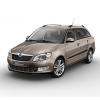
Advice on descent bulbs for a refector Headlight ( 2010 Fabia estate facelift model)
Featured Replies

.......thanks i will try these and see if they Work !!!!

No worries.

Should do mate. Mines a 2013 fabia

  • Author

No worries.

Should do mate. Mines a 2013 Fabia


..well received today but there no good as the yellow dashboard bulb warning goes on :( 

..well received today but there no good as the yellow dashboard bulb warning goes on :(

Oh.

Sorry mate. Dno what to say. Its absolutly fine in mine...

  • Author

thanks but not your fault :) suprisingly they say which convinced me:


-Ingeniously developed, these new 501 LEDs are designed in order to prevent bulb errors when fitting LED to modern cars. This new 501 has a built-in warning controller that stops any errors that you would normally experience with standard LEDs. This enables you to simply fit the bulbs without having to solder or re-wire resistors, maximising the power these LEDs are super bright and effective!-

  • Author

....anyone with a Fabia 2010 TSi that got these to Work without needing the extra resistor!!!!!!!!

HID Direct will take them back I'm sure.

I'm surprised the two sets of bulbs haven't worked, my set were fine. Sorry for the bum steer!

Sent from my iPad using Tapatalk

Yeah id send em back too.

  • Author

Yeah id send em back too.


...thanks thats what i have in mind as i dont have any use for them :notme: .

...thanks thats what i have in mind as i dont have any use for them :notme: .

Maybe theyve changed their bulbs, i dno. Mines a 2013 n theyre spot on. always have been.

Just sorry its caused a ballache to you lol.

  • Author

Just mean i will have to live with the OEM ones :) ...can not win always in life !!!

Edited by john123

Create an account or sign in to comment

Recently Browsing 0

  • No registered users viewing this page.

Important Information

Welcome to BRISKODA. Please note the following important links Terms of Use. We have a comprehensive Privacy Policy. We have placed cookies on your device to help make this website better. You can adjust your cookie settings, otherwise we'll assume you're okay to continue.

Account

Navigation

Configure browser push notifications

Chrome (Android)
  1. Tap the lock icon next to the address bar.
  2. Tap Permissions → Notifications.
  3. Adjust your preference.
Chrome (Desktop)
  1. Click the padlock icon in the address bar.
  2. Select Site settings.
  3. Find Notifications and adjust your preference.
