



Skip to content

Sagging Drooping Bumper
Featured Replies

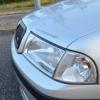
I was walking towards my car today from a distance, and realised the front bumper seems to be sagging a fair bit underneath the car. Took a look and there are holes in the bumper which would suggest it needs to be fixed somewhere, but I can't see where that somewhere is! I have attached a picture of the problem, anyone have any suggestions?

post-101010-0-40806000-1439146222_thumb.jpg

There should be approx 3 holes for tx25 screws that go up there along that section. Either try and feel up there or remove bumper and you should see what the tx25 screw into. The bumper should line up with those holes when you push it up. Could also loosen the other fixing points to give you a bit of movement to get it lined up.

  • Author

Yellowcar to the rescue again! How many times is that now bud lol

I'll take a look tomorrow, I guessed there should be mounting holes but just couldn't see them.

I try...They could be just full of cack if it's been like that for long enough. I never had the problem and I've had the bumper off a few times so I've seen that they should just line up (in theory). Not sure if they're clips or threaded holes for the screws, but there should be some sign of life there

There should be approx 3 holes for tx25 screws that go up there along that section. Either try and feel up there or remove bumper and you should see what the tx25 screw into. The bumper should line up with those holes when you push it up. Could also loosen the other fixing points to give you a bit of movement to get it lined up.

mine has none and when i had my front end resprayed they sorted it somehow but after giving it to my brother to drive hes managed to fook it up again so im back at square 1, hanging down and scraping on speed bumps

Create an account or sign in to comment

Recently Browsing 0

  • No registered users viewing this page.

Important Information

Welcome to BRISKODA. Please note the following important links Terms of Use. We have a comprehensive Privacy Policy. We have placed cookies on your device to help make this website better. You can adjust your cookie settings, otherwise we'll assume you're okay to continue.

Account

Navigation

Configure browser push notifications

Chrome (Android)
  1. Tap the lock icon next to the address bar.
  2. Tap Permissions → Notifications.
  3. Adjust your preference.
Chrome (Desktop)
  1. Click the padlock icon in the address bar.
  2. Select Site settings.
  3. Find Notifications and adjust your preference.
